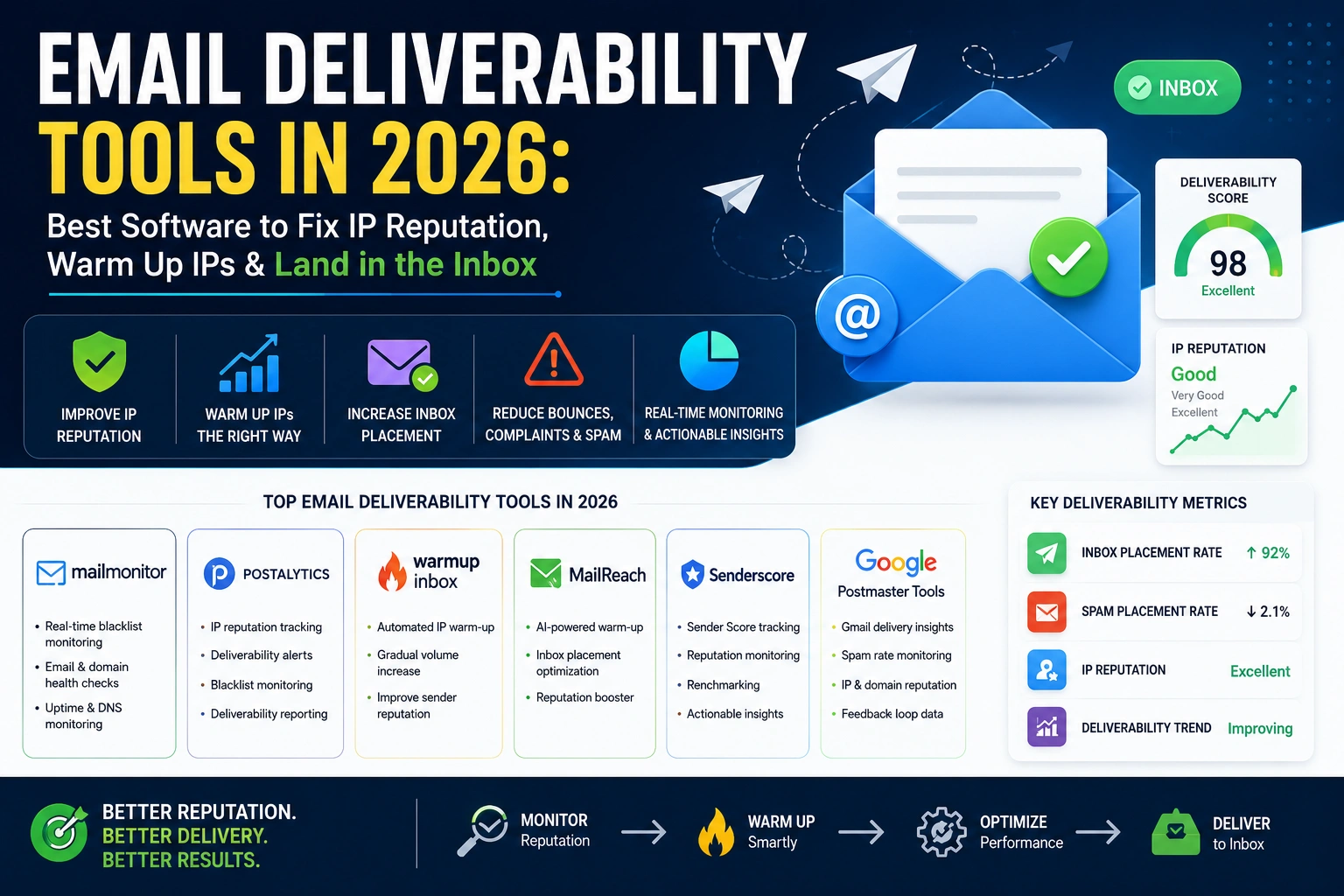
Gmail's average inbox placement dropped from 89.8% to 87.2% in 2024, and 2026 Google and Yahoo bulk sender enforcement has tightened further. The best email warmup tools: Warmbox at $15/inbox, Mailreach at $25/inbox, TrulyInbox at $29/month for unlimited inboxes, and Instantly at $30/month with warmup bundled. Missing SPF, DKIM, and DMARC in 2026 means your emails don't reach anyone — at any sending volume. Here is the complete guide to landing in the inbox.
Email deliverability is harder in 2026 than it has ever been. Not because the tools are worse — but because the gatekeepers are smarter. Google and Yahoo spent 2024 rolling out the most significant inbox filtering changes in a decade. By 2025, both platforms enforced strict requirements for bulk senders: mandatory DMARC policies, mandatory one-click unsubscribe, maximum spam rate thresholds below 0.3%.
In 2026, the enforcement is complete and unforgiving. An email system that worked fine in 2022 may be delivering to spam for 30% of recipients in 2026 — not because the content changed, but because the authentication standards changed around it.
But the problem runs deeper than authentication. Even perfectly authenticated email from a domain with clean SPF, DKIM, and DMARC can land in spam if the sending IP has a poor reputation, if the domain is new and unwarmed, or if previous sending behavior damaged the sender's reputation with major inbox providers. This guide covers every layer of the deliverability stack — the tools, the authentication requirements, the warming process, and the IP reputation monitoring that most email marketers overlook until their campaigns stop working.

I've spent seven years fixing broken email deliverability for companies ranging from 5-person startups to enterprise marketing teams sending 50 million emails per month. The pattern is almost always the same: organizations invest in warmup tools while ignoring the authentication layer, or they fix authentication while never checking their IP blacklist status. The 2026 Google and Yahoo enforcement has finally forced the conversation that the email industry needed — deliverability is a technical discipline, not a content problem. In this guide, I've included the honest assessments that warmup vendors won't tell you: what warmup tools actually do, what they don't do, and the five-layer stack that separates organizations with consistent inbox placement from those perpetually fighting spam folders.
Quick Answer: Best Email Deliverability Tools 2026
TrulyInbox ($29/month unlimited inboxes) wins on value. Instantly ($30/month) is best for cold outreach teams with warmup bundled. Mailreach leads for ongoing monitoring. Fix SPF, DKIM, DMARC first — then warm up. Check your sending IP with TrustMyIP Blacklist Checker before any campaign launch.
1. Why Email Deliverability Fails in 2026 — The 5 Root Causes
Understanding why email lands in spam is the prerequisite to fixing it. Most senders focus on one cause — content — while ignoring the four that are actually responsible for most deliverability failures.
Broken or Missing Authentication (SPF, DKIM, DMARC)
Most Common Cause — Foundation of All DeliverabilitySPF
A DNS TXT record listing which IP addresses are authorized to send email on behalf of your domain. An SPF failure signals potential spoofing.
DKIM
A cryptographic signature attached to every outgoing email proving the message wasn't altered in transit and came from your authorized email system.
DMARC
A policy record telling receiving servers what to do when SPF or DKIM checks fail — quarantine, reject outright, or take no action. Also enables reporting.
The 2026 enforcement reality: Google and Yahoo now require all bulk senders (over 5,000 emails/day) to have valid SPF, DKIM signing with 1,024-bit minimum keys, and a DMARC record. Senders without DMARC face delivery problems. Senders without DKIM face rejection. These are technical prerequisites that receiving servers now enforce.
Poor IP Reputation
Silent Deliverability Killer — Often UndetectedYour sending IP address carries its own reputation, tracked independently from your domain reputation. A new IP address has no reputation — it is unknown, which major email providers treat cautiously. An IP that has been used for spam or appeared on blacklists carries damaged reputation that affects every email sent from it — regardless of content quality.
Shared IP Risk
Your emails share an IP with thousands of other senders. If one large spammer in your pool damages the IP's reputation, your legitimate marketing emails suffer. No control over your reputation.
Dedicated IP Advantage
Your IP's reputation reflects only your behavior. Most ESPs offer dedicated IPs from approximately $20–$30/month — your reputation is entirely self-determined.
Unwarmed IP or Domain
Every new sending IP and domain starts with zero reputation. Sending high volumes from a new IP without a warming period triggers spam filters regardless of content quality. The solution: gradual volume building over 2 to 6 weeks.
High Bounce Rates & Spam Complaints
Bounce rates above 2% trigger deliverability problems. Sustained spam complaint rates above 0.10% trigger Gmail issues; above 0.30% triggers severe action. List hygiene is the most effective long-term deliverability protection.
Spam Trigger Content
Content plays a role, but a smaller one than most senders assume. The same content that passes spam filters from a warm, authenticated domain will land in spam from a cold, unauthenticated one. Fix the infrastructure first, then optimize content.
2. The 8 Best Email Deliverability and Warmup Tools in 2026
Tool 1 — Mailreach: Best Overall Deliverability Monitoring + Warmup
What it does: Mailreach combines continuous IP and domain warmup with ongoing deliverability testing — the combination that most teams actually need. Not just a one-time warmup but continuous monitoring of whether emails are reaching the inbox after campaigns begin.
| Plan | Monthly | Inboxes | Best For |
|---|---|---|---|
| Solo | $15/month | 1 inbox | Solopreneurs, freelancers |
| Pro | $49/month | 5 inboxes | Small teams |
| Growth | $99/month | 25 inboxes | Growing teams |
| Agency | Custom | Unlimited | Agencies |
Key Features
- ✓Automatic inbox filtering — warmup messages are automatically sorted, preventing inbox clutter
- ✓Continuous deliverability score monitoring
- ✓Inbox placement testing across Gmail, Outlook, and Yahoo
- ✓Provider-specific reputation breakdown
- ✓White-label reporting for agencies
⚠️ Honest Assessment (Per Independent Testing)
Mailreach showed "average results" in aggressive independent testing and "email deliverability wasn't quickly restored after it had dropped down" in comparative testing. Where Mailreach excels is continuous monitoring — it tells you what's happening to your reputation in real-time, which is more valuable for established senders than its warmup performance alone.
Best for: Teams that want reliable ongoing deliverability monitoring; agencies managing multiple client domains; organizations that need white-label deliverability reporting.
Tool 2 — TrulyInbox: Best Value for Teams with Multiple Inboxes
What it does: TrulyInbox offers the most compelling pricing structure in the email warmup market — unlimited inboxes for a flat $29/month. For teams managing 5, 10, or 20 inboxes, the per-inbox math at competing tools becomes expensive rapidly; TrulyInbox's flat rate changes the economics.
✅ The Unlimited Pricing Reality
At $29/month for unlimited inboxes, TrulyInbox is the most cost-efficient warmup tool for teams scaling. A competing tool at $25/inbox charges $375/month for the same 15 inboxes. The savings at scale are significant.
Key Features
- →Unlimited inbox connections — no per-inbox fee
- →Detailed analytics and provider-level reporting
- →Network of real inboxes for genuine engagement signals
- →Simple setup — connect any SMTP-compatible email account
Best for: Teams scaling from 1 to 10+ domains; organizations with multiple sending domains for different products, regions, or campaigns; anyone running multi-inbox cold email operations.
Tool 3 — Instantly.ai: Best Bundled Warmup + Outreach Platform
What it does: Instantly includes unlimited email warmup as a core feature bundled into its email outreach platform — cold email sequences, A/B testing, and deliverability management in one tool.
| Plan | Monthly | Features |
|---|---|---|
| Growth | $30/month | Unlimited inboxes, unlimited warmup, 1K monthly contacts |
| Hypergrowth | $77/month | 25K monthly contacts, advanced analytics |
| Light Speed | $286/month | 100K monthly contacts, API access |
The Instantly advantage: For organizations already using Instantly for cold email outreach, warmup is free — bundled into the subscription at no additional cost. This is the same economic argument that makes Microsoft Sentinel attractive for Microsoft shops: if you're already paying for the platform, the warmup feature has zero marginal cost.
Best for: Cold email outreach teams; SDR organizations; organizations that want warmup bundled into their outreach tool without a separate subscription.
Tool 4 — Lemwarm (Lemlist): Best Adaptive Warmup Algorithm
What it does: Lemwarm is Lemlist's dedicated warmup tool — available standalone or bundled free with Lemlist cold email subscriptions. Its differentiator: Smart Clusters — warmup emails tailored to your specific industry, audience, and email goals, producing more realistic engagement signals than generic warmup conversations.
Pricing
- →Essential: $29/month — 1 inbox, Smart Clusters warmup
- →Smart: $49/month — 1 inbox, + deliverability monitoring
- →Bundled: Free — Included with Lemlist subscription
Smart Clusters — The Differentiator
Instead of generic warmup emails, Lemwarm assigns your account to an email cluster matching your industry. A B2B SaaS company's warmup looks like B2B SaaS conversations. This niche-matching produces better engagement signals — what ESPs use to evaluate sender reputation. The adaptive algorithm adjusts sending volume based on real-time signals.
Best for: Lemlist users (warmup is free); organizations that want adaptive rather than fixed-schedule warmup; B2B cold email senders who want industry-specific engagement patterns.
Tool 5 — Warmbox: Best Budget Option
What it does: Warmbox is the simplest effective warmup tool in the market — basic configuration, reliable warmup network, no feature bloat.
2026 Pricing: $15/inbox/month — the cheapest standalone warmup tool with consistent positive reviews. Warmbox doesn't include advanced analytics, multi-provider breakdowns, or adaptive algorithms. It warms your inbox through a straightforward network of engaged inboxes.
The honest case for Warmbox: Many teams have found that expensive warmup tools with complex features produce similar deliverability outcomes to simpler $15/month tools. Warmup's effectiveness depends on real engagement from a clean network — the $15 version provides this. The $75/month versions add monitoring dashboards, not fundamentally better warmup.
Best for: Solopreneurs and early-stage startups; anyone who needs basic warmup at minimum cost; organizations testing deliverability improvement before investing in more comprehensive tools.
Tool 6 — Warmy.io: Best for Enterprise and High Customization
What it does: Warmy positions itself as the premium AI-powered warmup tool — with a network claiming over 1,000,000+ mailboxes (vs. Lemwarm's ~20,000 premium network), AI-personalized warmup behavior, and an aggressive monitoring dashboard.
2026 Pricing: $49+/inbox/month — the most expensive in the warmup category
Key Differentiators
- ✓1,000,000+ mailbox network — larger engagement pool than any competitor
- ✓AI personalization: customizable warmup topic, language (30+ languages), engagement pattern (B2B vs B2C), distribution per provider
- ✓Domain Health Hub: real-time SPF, DKIM, DMARC, MX record tracking
⚠️ The Cost Reality
At $49+/inbox/month: 10 inboxes = $490+/month. 50 inboxes = $2,450+/month. The same deliverability outcome may be achievable at lower cost — Warmy's premium is for the monitoring dashboard and network scale, not for measurably better deliverability outcomes per independent testing.
Best for: Enterprise teams with large inbox counts where per-unit cost is less important; agencies that need detailed deliverability reporting; organizations with multi-language sending needs.
Tool 7 — Folderly: Best DNS Diagnostics and Deliverability Repair
What it does: Folderly focuses specifically on diagnosing and repairing deliverability problems — not just warming new inboxes but fixing established inboxes with existing reputation damage.
2026 Pricing: $50–$96/inbox/month — DNS diagnostics and hand-holding
Key Differentiators
- ✓DNS diagnostic workflow — step-by-step guidance on SPF, DKIM, DMARC, MX record issues
- ✓Inbox placement testing — where does your email land at Gmail, Outlook, Yahoo?
- ✓Spam trigger content analysis — identifies content patterns contributing to spam classification
- ✓Deliverability repair focus — not just warmup but active diagnosis of why emails are failing
The Folderly controversy: Folderly's own founder has stated publicly (on video) that warmup tools "don't work" in isolation — that deliverability improvements require fixing authentication, list hygiene, and sending practices rather than just running warmup. This honest acknowledgment from a warmup tool vendor is notable. Folderly's value is in the diagnostic framework, not the warmup network alone.
Best for: Organizations with existing deliverability problems needing diagnosis; teams that want hands-on DNS and authentication repair guidance; senders whose campaigns are failing despite previous warmup efforts.
Tool 8 — Snov.io: Best All-in-One Lead Gen + Warmup Combination
What it does: Snov.io combines email warmup with a complete B2B outreach toolkit — email finder, email verifier, drip campaigns, and CRM in one subscription.
2026 Pricing: Starting at $39/month (includes warmup + lead gen tools). If you need both lead generation and warmup, Snov.io's bundle eliminates two separate subscriptions.
Best for: B2B sales teams doing cold outreach who need lead discovery and warmup from a single platform; teams replacing multiple separate tools.
3. Email Authentication Setup — The Non-Negotiable Foundation
Every warmup tool and deliverability service is built on authentication. Without correct authentication, no warmup tool can save your deliverability.
3-Step Authentication Setup
1Setting Up SPF
Your SPF record is a DNS TXT record at your domain root. It lists authorized sending IPs and includes your email service provider's SPF record.
v=spf1 include:_spf.google.com include:sendgrid.net ip4:203.0.113.1 ~allNote: SPF only validates the "envelope sender" — the SMTP From field. It does not validate the "header From" that recipients see. That's what DKIM and DMARC address.
2Setting Up DKIM
DKIM requires generating a public/private key pair. Your email service provider generates this — they provide a public key that you publish as a DNS TXT record under a selector subdomain.
google._domainkey.yourdomain.com TXT "v=DKIM1; k=rsa; p=[public key]"2026 requirement: DKIM keys must be at minimum 1,024 bits. Google recommends 2,048 bits. RSA keys under 1,024 bits are rejected by major providers.
3Setting Up DMARC
DMARC builds on SPF and DKIM by telling receiving servers what to do when authentication fails, and by enabling reporting.
_dmarc.yourdomain.com TXT "v=DMARC1; p=none; rua=mailto:dmarc@yourdomain.com"Progress from p=none (monitor) → p=quarantine (spam folder for failures) → p=reject (block failures) as you gain confidence in your authentication configuration.
4. The IP Warming Process — The Correct Schedule
IP warming is not complicated — it is a gradual, disciplined schedule of increasing sending volume while monitoring reputation signals.
| Week | Daily Volume | Focus |
|---|---|---|
| Week 1 | 20–50 emails/day | Best-engaged contacts only (highest open rates, lowest bounce risk) |
| Week 2 | 100–200/day | Continue high-engagement segment, expand list quality |
| Week 3 | 500–1,000/day | Begin sending to broader verified list |
| Week 4 | 2,000–5,000/day | Full business volume for SMB operations |
| Week 5 | 5,000–15,000/day | Higher volume if monitoring shows positive reputation |
| Week 6+ | Scaled volume | Full intended volume, maintain monitoring |
⚠️ Critical Warming Rules
- 1.Start only with your best-engaged contacts — people who have opened your emails before, who specifically opted in recently
- 2.Monitor Google Postmaster Tools daily — if domain reputation drops below "High," pause and investigate before continuing
- 3.Maintain bounce rates below 2% throughout the warmup — high bounce rates during warmup permanently damage the IP's initial reputation
- 4.Respond to spam complaints immediately — any complaint spike requires immediate diagnosis
5. IP Reputation Monitoring — The Most Important Ongoing Practice
Building IP reputation through warmup tools is one-time infrastructure work. Monitoring reputation continuously is the ongoing practice that prevents deliverability collapses.
Google Postmaster Tools (Free)
The most authoritative source for Gmail reputation data. Provides domain reputation (High/Medium/Low/Bad), IP reputation, authentication results (DKIM, SPF, DMARC pass rates), spam rate, and delivery errors. Every organization sending to Gmail recipients should have this configured.
Microsoft SNDS (Free)
Microsoft's equivalent for Outlook, Hotmail, and Microsoft 365 recipients. Shows your IP's reputation and complaint rate at Microsoft's receiving infrastructure. Also free — essential for any sender reaching Microsoft email users.
Blacklist Monitoring
Spamhaus SBL/XBL, SpamCop, Barracuda, Invaluement are queried by receiving mail servers. A blacklist listing, undetected, can silently reduce deliverability to zero. TrustMyIP's Blacklist Checker scans your IP against 100+ blacklists simultaneously.
Inbox Placement Testing Tools
Tools like Mailreach, GlockApps, and MailGenius send test emails to seed inboxes across Gmail, Outlook, Yahoo — then report exactly where each landed: primary inbox, promotions tab, spam, or undelivered. The result: actual inbox placement rates rather than the misleading "spam score" that many simpler tools report. Spam score tells you how a content filter scores your email; inbox placement testing tells you where it actually lands.
6. Email Sending Infrastructure — Platform Comparison 2026
Transactional Email (Order Confirmations, Password Resets, Notifications)
| Provider | Monthly Pricing | Volume | Deliverability |
|---|---|---|---|
| Amazon SES | $0.10/1,000 emails | Unlimited | Excellent (shared) |
| Postmark | $1.25/1,000 emails | Any | Best in class |
| Mailgun | $35/month (50K) | Scalable | Very good |
| SendGrid | $19.95/month (50K) | Scalable | Very good |
Marketing Email (Campaigns, Newsletters)
| Provider | Monthly Pricing | Contacts | Best For |
|---|---|---|---|
| Klaviyo | $45/month (1,001–1,500) | E-commerce | E-commerce brands |
| Mailchimp | $20/month (1–500) | SMB | Small teams |
| ActiveCampaign | $15/month (1,000) | CRM + email | Sales teams |
| Brevo (Sendinblue) | $25/month (20K emails) | European compliance | GDPR-focused |
Cold Email Outreach (B2B Sales)
| Provider | Monthly | Inboxes | Notes |
|---|---|---|---|
| Instantly | $30/month | Unlimited | Warmup included |
| Smartlead | $39/month | Unlimited | Warmup included |
| Lemlist | $59/month | 1 | Lemwarm included |
7. Frequently Asked Questions
How long does IP warming actually take?
For a new dedicated IP, meaningful warmup requires 4 to 8 weeks of consistent, gradually increasing sending. A domain with zero reputation needs 2 to 4 weeks minimum before high-volume sending. There is no shortcut — attempting to compress the warmup by sending too fast too soon produces the reputation damage you were trying to prevent.
Do warmup tools actually work?
The honest answer in 2026 is nuanced. Independent testing by Postbox Services found "no measurable improvement in open rates, and Google Postmaster Tools showed no significant lift in domain or IP reputation" from warmup tools in isolation. What warmup tools genuinely do: they prevent the worst-case scenario of cold sending. They are infrastructure preparation, not a deliverability cure. The real drivers of deliverability are authentication quality, list hygiene, spam complaint rate, and sending consistency.
My emails are landing in Gmail promotions tab, not primary inbox. What should I do?
The Promotions tab is not spam — it is a categorization decision based on email characteristics (HTML-heavy design, single opt-in, infrequent engagement). Primary inbox placement requires recipient behavior change (asking recipients to move you, starring messages) rather than technical fixes. For B2B emails, plain-text or minimal-HTML format significantly improves primary inbox placement.
Should I use a shared or dedicated IP for email marketing?
Shared IPs are appropriate for senders under approximately 200,000 emails/month who maintain clean lists and good engagement metrics. Dedicated IPs are worth the additional $20–$30/month for senders above this volume, for senders who have experienced deliverability problems on shared infrastructure, or for organizations whose brand reputation is highly sensitive to deliverability issues. With a dedicated IP, your reputation is entirely self-determined.
Conclusion: The Deliverability Stack That Works in 2026
Email deliverability in 2026 is not a single-tool problem. It is a stack:
The 5-Layer Deliverability Stack
1Authentication (Non-Negotiable)
SPF, DKIM, and DMARC correctly configured, verified, and continuously monitored. Without this layer, no warmup tool helps.
2IP and Domain Warming (For New Infrastructure)
TrulyInbox ($29/month unlimited inboxes) for cost efficiency, or Instantly ($30/month) if bundled outreach is the goal.
3List Hygiene (Continuous)
Email verification service (ZeroBounce, NeverBounce, Hunter) to maintain bounce rates below 2%.
4Reputation Monitoring (Ongoing)
Google Postmaster Tools + Microsoft SNDS (free), blacklist monitoring via TrustMyIP's Blacklist Checker, inbox placement testing via Mailreach or GlockApps.
5Sending Infrastructure
Postmark or SendGrid for transactional; Klaviyo or ActiveCampaign for marketing; Instantly or Smartlead for cold outreach.
The organizations that reach the inbox consistently in 2026 have implemented all five layers. The organizations still fighting spam folder placement have implemented one or two. Check your sending IP with TrustMyIP Blacklist Checker before every campaign launch, and explore our email deliverability blog for the latest guidance on authentication, warmup, and inbox placement strategies.
*This article is for informational purposes only. Pricing and product features change frequently. Verify current specifications directly with vendors.*
*Last updated: May 2026 | Data sourced from marketbetter.ai email warmup comparison, gigradar.io warmup tool analysis, signado.io warmup review, amplemarket.com deliverability framework, mailreach.co warmup guide, Validity 2024 email benchmark report, and verified vendor pricing documentation*
Land in the Inbox Every Time!
Check your sending IP against 100+ blacklists before your next campaign. Catch deliverability problems before they cost you opens.