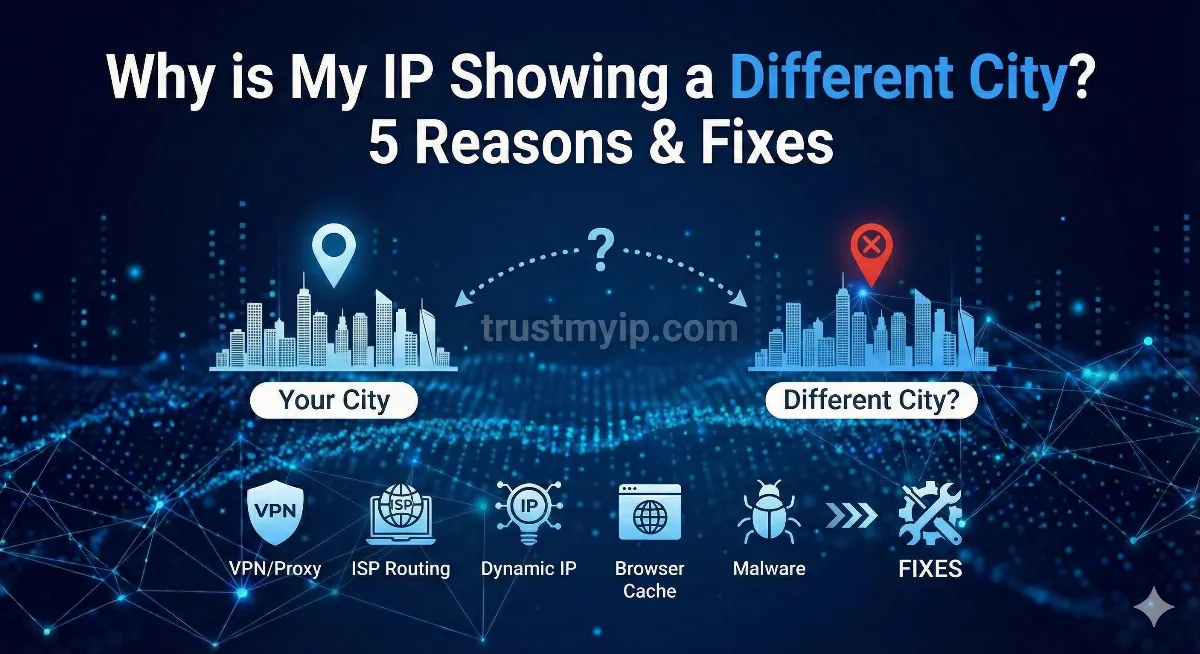
If you are asking why is my IP address showing a different city, you are in very large company. You check your address, it names somewhere two hundred miles away, and the first thought is that something is wrong — the second is that someone has got into your connection.
Almost certainly not. The reason your IP address shows a different city — or, put another way, why is my IP address showing a different location entirely — is the single most common misunderstanding about how the internet works, and there is a published number that settles it. MaxMind, whose data sits behind a large share of the internet, puts its own city-level accuracy for United States addresses at 66% within a fifty-kilometre radius. Roughly one lookup in three gets the city wrong, and being in that third is ordinary.

"Most of my work is on the reliability of network data rather than the data itself, and geolocation is the clearest example of why that distinction matters. An IP address was never designed to say where anyone is. It is a routing label, and everything anybody has ever inferred about location from one is an educated guess layered on top of it by a private company. Those companies publish their own accuracy figures and the figures are honest — it is everyone quoting them who leaves out the part that matters. Ninety-nine point eight percent sounds definitive until you notice it describes the country, and the city number is sixty-six."
Quick Answer
Your IP address does not contain your location. Websites look it up in a commercial database that maps address ranges to places, and that database is describing where your ISP's equipment sits, not where you are. MaxMind, whose data sits behind a large share of the internet, publishes its own accuracy as 99.8% for the country, and for addresses inside the United States around 80% for the state and 66% for the city within a fifty-kilometre radius.
A wrong city is not a sign of compromise, and nobody can see your home address from it. See what your address currently reports with our IP lookup tool.
No, This Does Not Mean You Have Been Hacked
The question arrives in different sizes. Some people are asking why does my IP address show a different city when the answer is twenty miles away; others are asking why is my IP address in a different location altogether, on the other side of a country. The cause is the same in both cases and only the distance differs. A third group asks it about the device rather than the address — why does my IP show a different location on my phone than on my laptop — and that one has its own answer, further down. It is worth dealing with the fear before any of the mechanics, though, because that is what most people are actually here for.
It is worth dealing with this before the technical explanation, because it is why most people are reading. A wrong city on an IP lookup is not evidence that anyone has accessed your connection, your router, or your accounts. If someone had, the location would show their address only if they were routing your traffic through their own connection, which is not what a compromise normally looks like and would break far more than your city label.
The reassurance matters more than it sounds. There is a thread on Microsoft's own support forum from somebody with a no-contact order against a person who lives in the city their activity log kept showing. Microsoft's answer is the right one and worth repeating plainly: an IP-based city listing does not reflect your physical address, your proximity to anyone, or your movement, and it does not override any legal or safety boundary. The database is describing a piece of your ISP's network. It is not describing you. If the worry is more specific than that — whether the address could lead someone to your door — that has its own answer in our piece on whether someone can find your home address from your IP.
When it is worth a second look
An IP address showing different location data at city level is routine. A wrong country — when what is my IP address country location returns somewhere you have never been — is worth checking, because country-level accuracy is the one thing these databases are genuinely good at — if yours is wrong, either you are on a VPN or relay you forgot about, or something is routing your traffic somewhere unexpected. And a "new sign-in from [city]" email is only alarming if the sign-in was not you. If it was you, the city in that email came from the same imprecise lookup as everything else on this page.
How IP Geolocation Actually Works
There is no location field in an IP address. It is a routing number, the equivalent of a postal sorting code rather than a street address, and nothing in it says where the device holding it physically sits.
So companies build the mapping themselves. They take the registration records for who owns each block of addresses, add reverse DNS hostnames that sometimes leak a city name, add latency measurements that hint at distance, add data volunteered by users and sold on by websites, and produce a best estimate for every range on the internet. MaxMind, IP2Location, DB-IP, IPinfo and Digital Element all do this separately, which is why they disagree with each other. If you are curious what the registration record for your own address actually says, a whois lookup will show you the raw entry these estimates are built on top of.
| Method | What it measures | Realistic accuracy |
|---|---|---|
| IP database lookup | Where the ISP registered the address range and where its equipment sits | 99.8% country, ~80% US state, 66% city within 50km |
| Browser geolocation (GPS) | Satellite fix from the device itself, with your permission | About 4.9 metres under open sky, worse near buildings and trees |
| Browser geolocation (Wi-Fi) | Nearby wireless networks matched against a database of their positions | Tens to hundreds of metres, and indoors it is often the only thing working |
A correction to something this page used to say
An earlier version of this article described browser geolocation as one hundred percent accurate. It is not, and no positioning system is. The United States government's own GPS documentation puts a smartphone at roughly 4.9 metres under open sky and notes that accuracy worsens near buildings, bridges and trees. Indoors, where satellites are not visible, the browser usually falls back to nearby Wi-Fi networks and the answer can be out by a street or more. It is enormously better than an IP lookup. It is not perfect, and this page should not have said it was.
Cause 1: Your Traffic Leaves From Somewhere Else
This is the ordinary explanation and it covers most cases. ISPs buy addresses in large blocks and register them centrally, then hand them out across a whole service region. Your traffic reaches the public internet at a regional facility, and that facility is what the database has a location for. If you live in a small town, the nearest place your ISP has infrastructure worth registering might be an hour's drive away, and that is the city you will see. Nothing has gone wrong. The database answered the question it was actually asked, which was where the network equipment is, not where you are.
Cause 2: Carrier-Grade NAT, Especially on Mobile
IPv4 has about 4.3 billion addresses and they were handed out long ago. IANA's central pool was exhausted on 3 February 2011, ARIN ran out in September 2015, and RIPE NCC in November 2019. This is old news rather than breaking news, and it has shaped how networks are built ever since.
The workaround is Carrier-Grade NAT, defined in RFC 6598, where thousands of subscribers share a small pool of public addresses at a regional gateway. Your phone's public address belongs to that gateway, which may be in another city entirely. Mobile networks lean on this almost universally, which is why a phone on mobile data will very often report a completely different place from the same phone on home Wi-Fi thirty seconds earlier.
A thirty-second test you can run now
Open our IP lookup on your phone while it is on Wi-Fi and note the city. Turn Wi-Fi off so the phone falls back to mobile data, reload, and look again. If the city jumps somewhere distant, you have just watched CGNAT do exactly what it does, and you have proved to yourself that nothing is broken. Turn Wi-Fi back on and it will come back.
Cause 3: The Address Used to Belong to Somewhere Else
Most home connections get a dynamic address, and ISPs move blocks between regions as demand shifts. An address serving one state last month can be serving another this month. The geolocation database only learns about that when it next re-crawls and re-infers, and until then it keeps reporting the old answer with complete confidence. This is also why a brand-new connection sometimes shows somewhere strange for the first few weeks and then quietly corrects itself. Whether yours moves at all depends on what your provider issues you — our guide to telling a static IP from a dynamic one shows how to find out.
Cause 4: A VPN, Proxy, or Private Relay You May Have Forgotten About
If you are on a VPN, the location shown is the exit server's and that is the entire point. Worth checking that you are not on one accidentally — corporate VPN clients reconnect on their own, and some antivirus suites include a VPN that is on by default. Our proxy and VPN detector will tell you whether the address you are on is being seen as one.
The one that catches most people is iCloud Private Relay, which is on for iCloud+ subscribers unless they turned it off. It routes Safari traffic through two hops and deliberately reports a broad area rather than a precise one, so you get a nearby large city instead of your town. Cloudflare WARP behaves similarly. Neither is a leak or a fault; both are working as designed, and both will make every IP lookup you run disagree with reality.
A note on anycast, which this page previously got wrong
Anycast lets many servers around the world share one address so you reach the nearest copy. An earlier version of this article said that made your address appear to come from the server's location. It does not. Anycast changes where a service appears to be, not where you appear to be, and your own address is unaffected by it. The thing that genuinely does change your apparent location is relay egress — Private Relay and WARP, described above — and those are a different mechanism entirely.
Cause 5: The Database Is Simply Out of Date
There is no official global registry of where addresses are. There are competing private products, each re-estimating the whole internet on its own schedule. MaxMind pushes updates to paid customers twice a week; free tiers and smaller providers refresh far less often.
That single fact explains something people find genuinely confusing: check your address on three different sites and you can get three different cities. They are not contradicting each other about a fact. They are three separate companies showing you three separate guesses, made at different times from different evidence.
Cause 6: You Are on IPv6, Where the Guessing Is Worse
IPv6 geolocation is meaningfully less reliable than IPv4 and hardly anybody mentions it. The address blocks are vastly larger, they are frequently allocated across whole regions rather than to a single facility, and the databases have far fewer observed data points to work from because IPv6 adoption came later. If your connection is reporting an IPv6 address and the city looks wrong, the mapping behind it is thinner than the IPv4 equivalent would have been. If the difference between the two protocols is new to you, our beginner's guide to IPv6 addresses covers what changed and why.
What a Wrong City Actually Changes
| Where you notice it | What happens | Does it matter? |
|---|---|---|
| Local ads and search | Restaurants and shops from the wrong town | Cosmetic |
| Streaming and sport | The wrong regional feed, or a blackout that should not apply | Annoying, occasionally expensive |
| Security emails | "New sign-in near [city you have never been to]" | Alarming, almost always harmless |
| Weather and delivery | Forecasts and store pickers defaulting somewhere else | Cosmetic, fixable by setting it manually |
| Fraud checks at checkout | A card declined because the billing address and the IP disagree | This one genuinely matters |
The first row is the one people notice most often, because ad networks read the same database everyone else does — we went through how that works in Google, IP tracking and ad targeting. The last row is the one worth acting on, though. If payments are being declined and you suspect the address is the reason, the picture is usually broader than geography — our IP fraud score checker shows whether the address is also classified as a datacenter or proxy, which weighs far more heavily in a fraud decision than a mismatched city does. Our cloud IP check answers the narrower question of whether the address is residential or belongs to a hosting provider.
Steam, Sign-In Emails, and the One Thing Worth Checking
Steam generates more of these questions than anything else, and in two different flavours. The first is the Steam Guard email naming a city hundreds of miles away, which sends people straight to the conclusion that someone is breaking into their account. The second is more practical: Steam offering the wrong regional servers, because it placed the connection in another country and filtered the server list accordingly.
Both come from the same lookup this whole page is about. Steam is not tracking you badly; it is reading a geolocation database, and the database is describing your ISP's equipment. One user on Steam's forums reported the platform showing London or Manchester by turns, each about a hundred miles from where they actually live, because their provider is registered in Northern Ireland.
The check that actually settles a sign-in alert
Forget the city and look at the IP address itself. A sign-in email shows the address the attempt came from. Compare it against what the IP lookup above reports for you right now. If they match, the attempt was you, whatever city the email named.
The second signal is consistency. If the same wrong city appears every single time you sign in, that is your ISP's mapping being reliably wrong, which is harmless. A city that changes from one login to the next, or an address that does not match yours, is the thing worth investigating.
The same applies at work, incidentally. Corporate sign-in monitoring will happily raise a "sign-in from an unusual location" alert on a branch office whose IP block is mapped to the wrong state, and IT teams spend real time chasing those before realising the alert is describing a database entry rather than a person.
How to Fix It, and What Cannot Be Fixed
Start with the honest part: you cannot edit your own IP's location, and rebooting the router only helps if it happens to hand you an address from a better-mapped block. What follows is in order of how likely it is to work.
If you just want a site to know where you are
Allow it to use browser location. When a site asks for permission and you grant it, it stops guessing from your IP and uses the device's own positioning instead, which is accurate to metres rather than to a region. This is the only fix that works immediately and reliably, and it works even when everything else on this page applies to you. The trade-off is real and worth stating: you are handing over a much more precise location than the IP was ever revealing.
If it is your own connection and you want the record corrected
This is worth doing if you have a static address, run a business, or the wrong location is causing repeated problems. Each provider maintains its own database, so a correction to one does not reach the others — submit to each one that matters.
- MaxMind has a correction form and reviews submissions in roughly a week where the claim can be verified against other evidence.
- IP2Location, DB-IP, IPinfo and IPRegistry all accept corrections through contact forms.
- Digital Element and Google's geolocation service have their own processes, generally aimed at ISPs and operators rather than individuals.
Include evidence where you can — the address range, the correct city, and something showing the range is in use there. Unsupported corrections tend not to be accepted, which is reasonable given anyone could submit one.
If you want to know where your traffic really goes
Run a traceroute — tracert example.com on Windows, traceroute example.com on Mac or Linux. The hostnames along the path often contain airport or city codes, and they will show you the route your traffic takes out of your ISP's network. That path is usually the explanation for the city you are seeing. To identify who owns any address along that path, our ASN lookup names the network it belongs to. If you want to go further and see what else sits on a given address, a reverse IP lookup will list it.
The most famous example of this going wrong
When MaxMind needed a default location for addresses it could only place inside the United States, it picked a point near the geographic centre of the country and rounded the coordinates. Those coordinates landed on a farm outside Potwin, Kansas, and roughly 600 million IP addresses were mapped to it. The people living there spent years receiving visits from investigators, debt collectors and angry members of the public chasing crimes committed by strangers somewhere else entirely. It is the clearest illustration there is that a coordinate in a geolocation database is an estimate with a default value behind it, not a place anyone actually is.
The Short Version
An IP address describes a position on a network, not a position on the ground. Everything anyone tells you about the location behind one is an inference drawn by a private company from indirect evidence, and those companies publish honest figures about how well it works: reliable for the country, decent for the region, and right about two thirds of the time for the city. A wrong city is the system behaving normally.
If the country is wrong, look for a VPN or relay. If a payment is failing, look at the address's reputation rather than its geography. And if a site genuinely needs to know where you are, let it ask your browser instead of guessing from a database that was never built to answer that question.
One related check worth knowing about: location is not the only signal that can disagree with your IP. Your system clock and your browser's language settings are read the same way and compared the same way, and a mismatch there is treated more seriously by fraud systems than a wrong city is. Our browser timezone versus IP timezone check runs that comparison for you in a few seconds.
What Does Your IP Say About You?
See the city, the ISP, the network that owns the address, and whether you are arriving over IPv4 or IPv6.