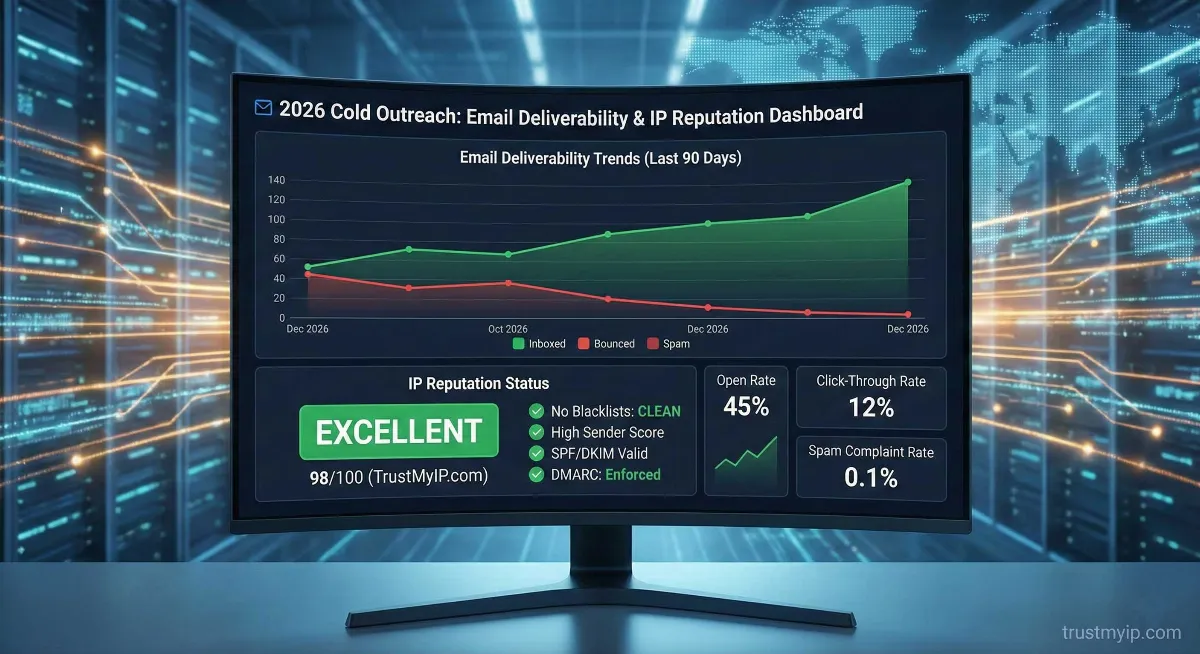
If you are planning a cold email campaign in 2026, you are entering one of the most sophisticated digital environments in history. The days of "spray and pray" are long gone. Today, Google (Gmail) and Microsoft (Outlook) use advanced AI-driven filters that analyze your IP reputation before your email even hits the recipient's server. If your reputation is low, your high-ticket offer is going straight to the "Spam" folder, or worse, getting blocked entirely.
"In my years of helping companies scale their outbound sales, I’ve seen million-dollar campaigns fail because they ignored one simple thing: their sending infrastructure. In this guide, I’m going to show you exactly how to check IP reputation for cold emailing in 2026 and, more importantly, how to protect it like your business depends on it—because it does."
Before we dive into the technical details, if you're ever worried about who is targeting your network or need to investigate a digital footprint, check out our recent guide on finding the owner of an IP address to stay ahead of bad actors.
1. Why IP Reputation is the "Make or Break" Factor in 2026
In 2026, Inbox Service Providers (ISPs) have moved toward a "Zero Trust" model. Every time you send an email, the receiving server asks: "Do I know this IP? Do I trust this IP? Does this IP behave like a human or a bot?"
The Infrastructure Layer
IP Reputation vs. Domain Reputation
Focuses on your brand identity and signing history. Even a great driver can't win a race in a broken car.
The technical "pipe" you use. This is where technical filtering starts. If the pipe is rusty, the identity doesn't matter.
Your IP reputation is a score based on your sending history. If you have a history of high bounce rates, spam complaints, or hitting "spam traps" (fake emails used to catch spammers), your score drops. In the USA market specifically, where privacy laws and filtering are extremely tight, a "Bad" reputation score means your ROI will be zero.
2. How to Check Your IP Reputation: The Expert Toolset
To effectively check your IP reputation for cold emailing, you need to look at what the "Big Three" see: Google, Microsoft, and the global blacklists.
Google Postmaster
The Gold Standard. Gives a direct look at reputation levels (High to Bad). Gmail controls the massive USA market share.
Microsoft SNDS
Essential for Outlook/Office 365. Monitors if your IP is being "throttled" or flagged as "spammy."
TrustMyIP Check
Foundational check. Perform a WHOIS check to see if the ISP is reputable or associated with data center spam.
Before you even send your first email, you should perform a WHOIS and Reputation check on TrustMyIP to ensure you aren't starting with a "burned" IP address.
3. Technical Checklist: Authenticating Your Infrastructure
In 2026, an unauthenticated email is a dead email. To maintain a high IP reputation, your technical "Trinity" must be flawless.
For more technical insights on how to manage your digital presence, stay updated with the TrustMyIP Intelligence blog.
4. The "Cold Start" Problem: Why You Must Warm Your IP
If you buy a new dedicated IP and immediately send 5,000 emails, you will be blacklisted within an hour. ISPs see sudden spikes from new IPs as signs of a hacked server or spammer.
20 Emails/Day
Send to known contacts who will open and reply.
50 Emails/Day
Highly personalized content; zero "Report Spam" goal.
100 Emails/Day
Monitor Sender Score daily for any fluctuations.
Full Scaling
Max 50-100 cold emails per inbox/IP for safety.
Note: In 2026, "Auto-Warmup" tools are being scrutinized by Google. I recommend a "Human-in-the-loop" approach. Also Check: Email Checker.
5. Managing Your "Sender Score" and Blacklists
Your Sender Score (a number from 0 to 100) is like your credit score. A score below 80 is a major red flag. If you find your IP on a blacklist (like Spamhaus, Barracuda, or SORBS), your deliverability will tank instantly.
How to Handle a Blacklisted IP
- Pause sending: Stop all campaigns immediately to prevent permanent blacklisting.
- Clean your list: Remove dead emails and catch-alls; high bounce rates are the #1 cause.
- Identify "Spam Traps": Delete any lists bought from cheap sources; they usually contain honeypots.
- Request Delisting: Visit the blacklist site and submit a polite, detailed removal request.
6. Behavioral Reputation: The Secret Ingredient
In 2026, reputation isn't just about technical settings; it's about behavior. If 10 people in a row delete your email without opening it, your reputation takes a hit. If 5 people move your email from "Spam" to "Inbox," your reputation sky-rockets.
Positive Engagement Tips
- • Use Personalization 2.0 (mention LinkedIn posts).
- • Low-Friction CTA (Simple Yes/No questions).
- • Easy Unsubscribe (Better than a spam report).
Negative Signals to Avoid
- • Generic "Dear User" greetings.
- • Link-heavy first emails.
- • High frequency (sending 1,000+ per hour).
7. USA Compliance: CAN-SPAM in 2026
If you are targeting the USA, you must comply with the CAN-SPAM Act. While it’s a legal requirement, it’s also a reputation requirement.
| Requirement | Action Needed |
|---|---|
| Physical Address | Your email footer must contain a valid physical postal address. |
| No Deception | Subject lines like "Re: Our Meeting" are illegal if you've never met. |
| Honest Identity | The "From" name should be a real person, not "Sales Team." |
Also Read: Why is My Public IP Showing a Different City? A Deep Dive.
Frequently Asked Questions
How often should I check my IP reputation?
If you are actively cold emailing, you should check your reputation weekly. Deliverability can change overnight if you hit a spam trap.
Can I use a VPN for cold emailing?
No. Most VPN IPs are shared and blacklisted. Always use a dedicated IP or a reputable ESP.
What is a "Good" bounce rate in 2026?
You should aim for a bounce rate under 1%. Anything over 2% will damage your reputation with Gmail and Outlook.
Conclusion: Your Path to 99% Inbox Placement
Mastering the art of checking IP reputation for cold emailing in 2026 is the difference between a thriving business and a failed campaign. By auditing your IP through TrustMyIP, authenticating your DNS records, and focusing on human-centric engagement, you will stay out of the spam folder and in front of your dream clients.
Audit Your Network Now
Need help analyzing a specific IP address that seems to be underperforming? Auditing your infrastructure clean is the only way to win in 2026.