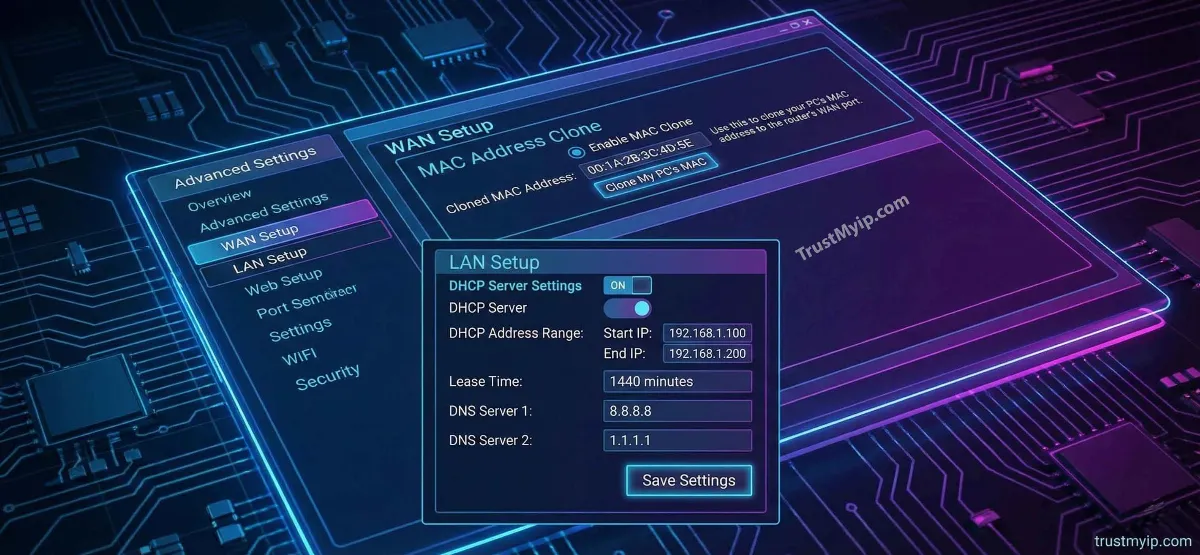
Think of your router as the "Digital Border" of your home. Every device in your house—your iPhone, your Windows PC, and your smart fridge—passes through this gate to reach the World Wide Web. If your router’s IP is flagged, your entire household is effectively blacklisted. Mastering how to change your IP address on a router is the ultimate power move to reclaim your privacy, fix IP conflict errors, and outsmart rigid ISP tracking in 2026.
"In my 20 years of managing global networks, I've found that users often confuse the 'Internal Gateway' with the 'External WAN IP'. If you want to bypass a server ban on Hypixel, changing your 192.168.1.1 address will do nothing. You must force a new DHCP allocation from your ISP or use MAC Cloning to trick their systems into seeing a new device."
1. The Dual Identity: Public WAN vs. Private LAN IP
To change your router's identity successfully, you must first understand the two-sided nature of network access control. Your router acts as a bridge between two worlds, and each world sees a different address.
Public WAN IP (The Internet Face)
Assigned by your ISP (Comcast, Verizon, AT&T). This is what websites see. You change this to hide your location, bypass IP bans, or fix streaming geo-blocks.
Private LAN IP (The Home Face)
The "Default Gateway" for your local devices. You change this to avoid IP conflicts or to organize your network documentation.
Step 0: Identity Audit. Use our Public IP Checker to see what address your router is currently broadcasting to the world.
2. Entering the Cockpit: How to Access Your Router Settings
Before you can change anything, you must log into the firmware settings. This is the command center where all OSI Layer 2 and 3 decisions are made.
Pro Access SOP (Standard Operating Procedure):
-
01
Find your Default Gateway. It’s usually 192.168.1.1 or 192.168.0.1. (On Windows, type
ipconfigin CMD to confirm). - 02 Open your browser and type that IP into the address bar.
- 03 Enter the Admin credentials. (Check the sticker on your router if you've never changed them).
3. Method 1: Forcing a New Public IP (The Power Cycle)
Most USA-based residential connections use Dynamic IP addresses. Your ISP manages these via the DHCP (Dynamic Host Configuration Protocol). To get a new one, you must break the current "lease."
The DORA Handshake Hack
When you turn off your router, you stop the "heartbeat" signal to the ISP. If you leave it off long enough (usually 5 to 30 minutes), the ISP's server thinks the DHCP lease has expired and assigns that IP to someone else. When you turn your router back on, you trigger a "Discover" packet, and the ISP offers you a brand new Public IP.
4. Method 2: MAC Address Cloning (The Ultimate IP Shift)
Sometimes your ISP is "stubborn" and keeps giving you the same IP even after a restart. This is because they have tied your IP to your router’s physical MAC address. To fix this, we use MAC Cloning.
How it Works
Inside the router's "Internet" or "WAN" settings, find the MAC Clone feature. Change the last two digits of your router's MAC address. The ISP will think you've plugged in a brand new router and instantly grant you a fresh Public IP.
Verify the Hardware
Before cloning, identify your hardware's real manufacturer using our MAC Vendor Tool. This ensures you don't enter an invalid OUI (Organizationally Unique Identifier).
5. Method 3: Changing Your Router's Local (LAN) IP
If you are setting up a complex lab or merging two networks, you might need to change the Private IP of the router itself. This is critical for network documentation and avoiding gateway conflicts.
The LAN Update Process:
1. In the Admin panel, go to Network Settings > LAN.
2. Locate the IP Address field (e.g., 192.168.1.1).
3. Change it to your desired Static assignment (e.g., 10.0.0.1).
4. Click Save. Warning: You will be disconnected and must log back in using the *new* IP address.
6. Using a VPN at Router Level (2026 Privacy Standard)
In 2026, many US households are moving away from individual app-based VPNs to VPN-at-router-level. This encrypts every single bit of public data leaving your house.
-
01
Total Masking
A router VPN changes your Public IP for the entire house. Your smart TV, Android phones, and Macs all benefit from a single VPN tunnel.
-
02
Bypassing ISP Throttling
By hiding your traffic type from the ISP, you can often improve throughput during peak hours when ISPs might normally throttle 4K streaming or gaming.
7. Comparison: Reboot vs. Reset vs. MAC Clone
Use this technical breakdown to decide which IP change method fits your specific network security goal.
| Action | Target IP | Persistence | Best For |
|---|---|---|---|
| Reboot (Power Cycle) | Public (WAN) | Low (ISP dependent) | Privacy & Basic Geo-blocks |
| MAC Cloning | Public (WAN) | High (Instant Change) | Bypassing Server/IP Bans |
| LAN Configuration | Private (Local) | Permanent | Solving IP Conflicts |
8. Troubleshooting: Why won't my Router IP Address change?
If you've tried cloning and restarting but your Public IP remains the same, you are likely hitting these technical constraints:
- Carrier-Grade NAT (CGNAT): Many 5G/Fiber ISPs in the USA (like T-Mobile Home Internet) use CGNAT. Your router is behind another giant router, meaning you cannot change your "Public IP" on your own—it’s shared with thousands.
- Static ISP Leases: If you pay for a "Static IP" business plan, your address is hard-coded at the ISP hub. No amount of router tweaking will change it without contacting your account manager.
- ARP Cache Issues: Sometimes the ISP's switch "remembers" your old MAC for a long time. In this case, you must leave the modem/router unplugged for several hours to clear their memory.
Router Networking FAQ
Will changing my router IP speed up my internet?
Usually, no. However, if your old IP was being throttled or routed through a congested path, a new DHCP allocation can sometimes reduce latency and improve throughput.
What is the difference between a reset and a reboot?
A reboot is just turning it off and on (refreshing the IP). A reset wipes all your settings (passwords, SSIDs, port forwarding) back to factory defaults. Be careful!
Does a router have its own MAC address?
Yes. Every physical network port on a router has its own permanent hardware address. Learn more in our MAC vs IP Ultimate Guide.
Conclusion: Master Your Digital Perimeter
Understanding how to change your IP address on a router is a fundamental skill for the 2026 digital era. Whether you are performing a MAC cloning maneuver to bypass a ban or setting a Static assignment for your local network inventory, you are taking control of your infrastructure. By auditing your firmware settings and managing your DHCP leases, you ensure your home network remains private, reachable, and optimized for peak performance.
Is Your Router Leaking?
Changing your IP is only half the battle. Use our forensic toolkit to audit your DNS, detect Proxy leaks, and check your router's reputation in one click.