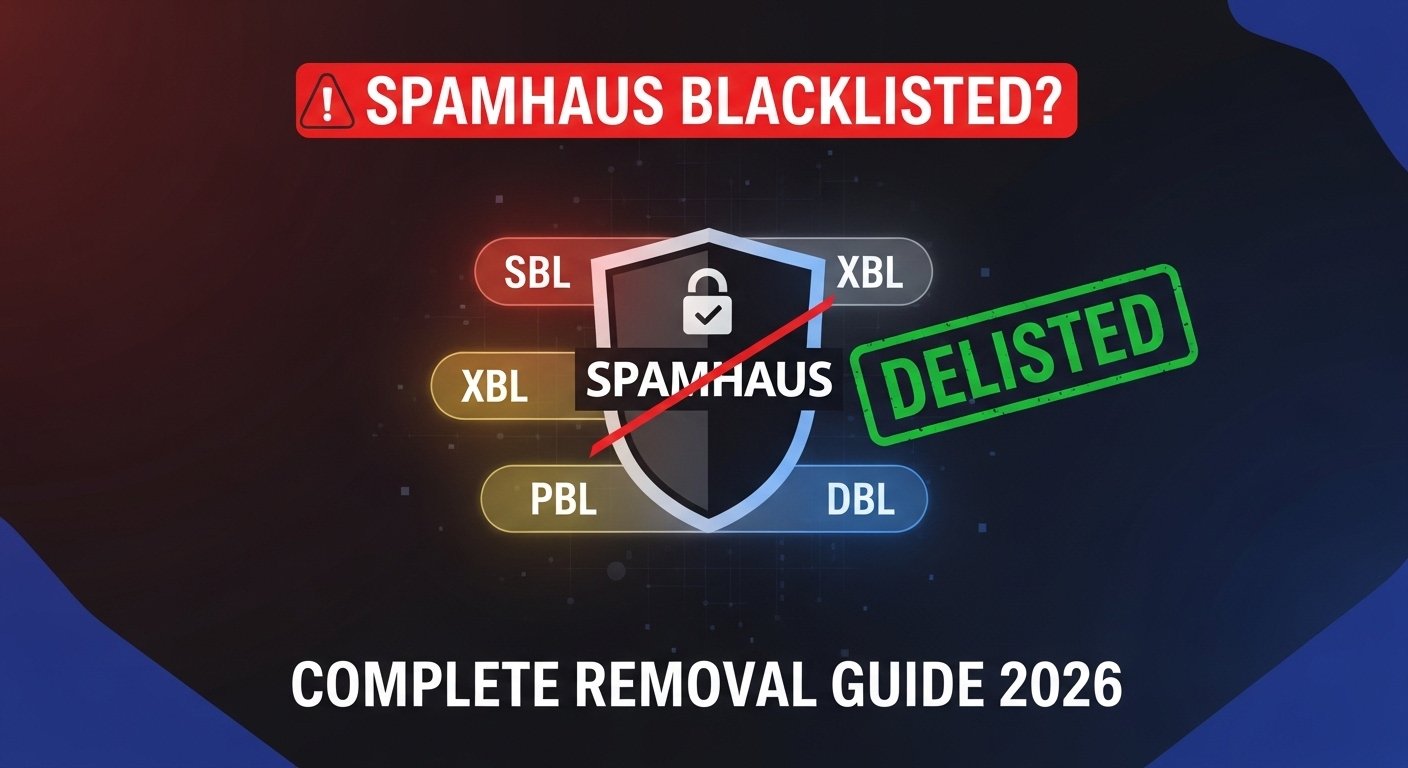
Your emails are bouncing. Your mail server is silently rejected. Somewhere in the chain, a message arrives: blocked by Spamhaus. If your IP address is on the Spamhaus blacklist, your email deliverability is effectively dead until you fix it. Spamhaus is not just another spam filter — it is the most widely trusted blocklist on the internet, consulted by Gmail, Microsoft, Yahoo, and thousands of ISPs worldwide. Getting listed means serious damage. Getting delisted from Spamhaus requires understanding exactly why you were listed and following a precise process.
The good news: Spamhaus delist requests are free, and most legitimate IP owners can remove themselves within 24–72 hours — if they do it correctly. The bad news: most people fail their first delist attempt because they skip the diagnosis step, submit before fixing the root cause, or choose the wrong removal procedure for their specific listing type. Spamhaus has four separate blocklists — each with different criteria, different removal processes, and different consequences for getting it wrong.
This complete 2026 guide walks you through every step: checking which Spamhaus list you are on, understanding why you were listed, fixing the root cause before requesting removal, submitting the delist request correctly, preventing re-listing, and what to do when automatic removal is not available. Whether you manage a business mail server, an email marketing platform, or a shared hosting IP — this guide covers your exact situation.

"I have handled hundreds of Spamhaus delist cases over my career — from small business owners who had no idea their server was sending spam, to enterprise IT teams dealing with a compromised mail relay that got their entire /24 block listed overnight. The single most common mistake I see is people submitting removal requests before fixing the underlying problem. Spamhaus investigators are not robots — they check whether the issue is genuinely resolved. Submit too early, get denied, and you're on a cooldown timer that makes things worse.
The second mistake is not knowing which list you are on. SBL, XBL, PBL, and DBL are completely different systems with completely different removal procedures. Treating them as one generic 'Spamhaus blacklist' leads to wasted time and failed requests. In 2026, with email authentication standards like SPF, DKIM, and DMARC now essentially mandatory, getting listed on Spamhaus is often a signal of a deeper security problem — not just a deliverability issue. Fix the security gap first. The delist follows naturally."
Quick Answer: How to Delist IP from Spamhaus
To delist your IP from Spamhaus: (1) Check which list you are on at TrustMyIP blacklist checker or Spamhaus Blocklist Lookup. (2) Identify and fix the root cause — compromised server, open relay, spam complaints, or ISP assignment. (3) Submit a removal request at Spamhaus.org using the correct form for your specific list type. (4) SBL and XBL removals are typically processed within 24–72 hours for legitimate requests. PBL removals may require contacting your ISP. Never submit before fixing the root cause — failed requests trigger review delays. Learn more about what IP reputation means and how to recover a damaged IP reputation.
1. What is Spamhaus and Why Does Its Blacklist Matter?
Spamhaus is a nonprofit organization that tracks spam operations, cybercrime infrastructure, and malicious IP addresses. Founded in 1998, it maintains the most widely used spam blocklists on the internet. When email providers like Gmail, Outlook, Yahoo, and thousands of corporate mail servers want to filter spam, they query Spamhaus in real time. If your IP address appears on a Spamhaus blocklist, your outgoing emails are silently rejected or sent directly to spam folders — before they even reach the recipient.
The scale of Spamhaus's reach makes it uniquely powerful. Major ISPs, enterprise mail systems, and spam filtering services all query Spamhaus blocklists billions of times per day. A listing affects not just email — some network operators block all traffic from listed IPs, affecting web access, API calls, and other services.
Understanding your IP reputation score is the foundation of email deliverability. Spamhaus is the most critical component of that score. Before you can fix a listing, you need to know exactly which Spamhaus database flagged you — because each one requires a completely different approach.
| Spamhaus List | Full Name | What It Lists | Removal Type |
|---|---|---|---|
| SBL | Spamhaus Block List | Verified spam sources, spam operations, bulletproof hosting | Manual review — submit evidence of fix |
| XBL | Exploits Block List | Hijacked devices, malware-infected IPs, open proxies | Self-service after malware removal |
| PBL | Policy Block List | End-user IP ranges not meant to send direct email | Self-service OR contact ISP |
| DBL | Domain Block List | Spam domains used in email content (not IPs) | Domain-specific removal process |
| ZEN | Combined Blocklist | SBL + XBL + PBL combined lookup | Fix whichever sub-list caused the ZEN hit |
2. Step 1 — Check Which Spamhaus List Has Your IP
Before doing anything else, you need an exact diagnosis. Many people waste hours trying to delist from the wrong list. The process is completely different depending on whether you have an SBL listing (active spam source), XBL listing (compromised device), or PBL listing (policy-based, no spam needed).
How to Check Your Spamhaus Listing Status
1 Find Your Mail Server's Public IP
You need the outgoing mail server's public IP — not your desktop IP. Check your mail server settings, hosting control panel, or MX record to find the IP that your server uses to send email.
Alternatively, send a test email to a Gmail address and view the raw headers. The Received: from field shows the actual sending IP.
Use TrustMyIP IP Lookup to verify the IP details and check basic geolocation and ISP information.
2 Run the Blacklist Check
Option A: Use TrustMyIP Blacklist Checker — checks your IP against 100+ blocklists including all Spamhaus lists simultaneously. Fastest way to get a complete picture.
Option B: Go directly to https://check.spamhaus.org and enter your IP. This shows which specific Spamhaus database has your IP listed.
What you need from this check: The exact list name (SBL, XBL, or PBL), the SBL reference number (format: SBL123456), and the listing reason if shown.
3 Read the Listing Details Carefully
Each listing includes a reference page explaining why the IP was listed. Read this completely before proceeding. Common reasons include:
SBL listing: Active spam campaigns, spamvertised URLs, bulletproof hosting connections, or abuse complaints
XBL listing: CBL (Composite Blocking List) hit — meaning malware, botnet activity, or open proxy detected from this IP
PBL listing: IP range designated by ISP as end-user space not authorized for direct-to-MX email delivery
4 Also Check Other Major Blocklists
Spamhaus may not be your only listing. While you are diagnosing, run a full check. Many mail bounces reference multiple blacklists. Fixing only Spamhaus while remaining listed elsewhere means your emails still fail.
Our blacklist checker covers Spamhaus ZEN, Barracuda, SpamCop, SORBS, MXToolbox databases, and 95+ additional lists in one check. Fix everything at once rather than one at a time.
3. Why IPs Get Listed on Spamhaus: Root Causes
Spamhaus does not list IPs randomly. Every listing has a specific, documented cause. Identifying and fixing the root cause before submitting a delist request is mandatory — Spamhaus investigators verify that the issue is resolved before approving removals.
Cause 1: Compromised Mail Server or Open Relay
Typical listing: SBL or XBL
Your mail server was hacked, misconfigured as an open relay, or has a vulnerability allowing unauthorized parties to send email through it. Spambots scan the internet constantly for open relays. One misconfiguration can result in millions of spam emails sent from your IP within hours. Check mail server logs for unusually high outbound message volumes — 500+ emails per hour from a business server is a strong indicator.
Cause 2: Malware or Botnet Infection
Typical listing: XBL (via CBL)
A device on your network — server, workstation, or even a network device — is infected with malware that sends spam or participates in a botnet. The CBL (which feeds XBL) detects this through actual spam trap hits, not just reports. The infection must be fully removed and verified clean before requesting XBL removal. A single re-infection after delisting means immediate re-listing.
Cause 3: Spam Trap Hits
Typical listing: SBL
Your email list contains spam trap addresses — email addresses owned by Spamhaus and anti-spam organizations that have never opted in to any mailing list. Sending to a spam trap proves you are using purchased, scraped, or unverified lists. This is a serious listing that requires list hygiene proof for removal. Clean your entire email list using a verified list validation service and remove all unengaged addresses before requesting delist.
Cause 4: Policy Block List (PBL) — Not Actually Spam
Typical listing: PBL
PBL listings do not mean you sent spam. They mean your IP is in a range that ISPs designated as end-user space — residential broadband, dynamic IP pools, or mobile data — not intended for direct mail server use. If you legitimately run a mail server from such an IP, you can request PBL exemption or ask your ISP to update their PBL submission. This is very common with small business servers on residential or SME broadband connections.
Cause 5: Shared Hosting or Cloud IP Inherited Listing
Typical listing: SBL or XBL
You recently received an IP address — from a new hosting provider, cloud instance, or ISP reassignment — that was previously used by a spammer. The listing predates your ownership. This is documentable and resolvable, but requires proving your clean use of the IP since acquisition. Contact your hosting provider — they often handle delist requests for shared infrastructure.
4. Fix the Root Cause First — Non-Negotiable Step
This step cannot be skipped. Spamhaus explicitly warns that submitting a delist request before fixing the underlying problem will result in denial — and may trigger a review period that delays future requests. Do not rush this phase.
Root Cause Fix Checklist — Complete Before Requesting Removal
A If Listed on SBL (Spam Source)
✅ Audit mail logs: Find every email sent in the last 7 days. Identify any unauthorized or bulk sends.
✅ Close open relay: Test at mxtoolbox.com/openrelay.aspx — your server must reject relaying for unauthenticated senders.
✅ Change all credentials: Mail server admin password, all email account passwords, hosting control panel access.
✅ Clean email list: Remove purchased lists, scraped addresses, and any address added without explicit opt-in confirmation.
✅ Implement SPF, DKIM, DMARC: All three authentication records must be in place. Missing any one of them is a red flag during Spamhaus review.
✅ Set up abuse@ address: An active abuse@yourdomain.com is required — Spamhaus checks this is monitored.
B If Listed on XBL (Compromised/Malware)
✅ Identify the infected device: Review network logs for the device generating the malicious traffic. The CBL listing page often includes timestamps that help isolate which device was active.
✅ Full malware scan: Run reputable security software on all devices on the network — not just the mail server. Botnets often spread laterally.
✅ Patch all software: Update OS, web applications, mail server software, and all plugins. The infection vector must be closed.
✅ Change all network passwords: Router admin, Wi-Fi, all server access credentials.
✅ Monitor for 24–48 hours post-cleanup: Confirm no new malicious traffic before submitting removal request.
C If Listed on PBL (Policy Block)
✅ Verify your mail server setup: Confirm you are running a legitimate, static IP mail server — not sending from a dynamic residential IP.
✅ Option 1 — Self-service removal: If your IP is static and legitimately used for a mail server, go to https://www.spamhaus.org/pbl and submit exemption request directly.
✅ Option 2 — Contact ISP: If your ISP submitted your IP range to the PBL, ask them to remove your specific IP from their PBL submission. Some ISPs will do this for business customers.
✅ Long-term fix: Move mail sending to a dedicated business IP or use a professional email sending service (SendGrid, Mailgun, Amazon SES) that manages their own reputation.
5. How to Submit the Spamhaus Delist Request
Once you have diagnosed your listing type and fully resolved the root cause, you are ready to submit the formal Spamhaus delist request. The process differs by list type — use the exact procedure for your situation.
| List Type | Removal URL | Process Type | Typical Time |
|---|---|---|---|
| SBL | spamhaus.org/sbl/removal | Manual review by Spamhaus team | 24–72 hours (can be longer) |
| XBL / CBL | www.abuseat.org/lookup.cgi | Automated — instant if clean | Immediate to 24 hours |
| PBL (self) | spamhaus.org/pbl/removal | Automated self-service form | Minutes to 1 hour |
| DBL (Domain) | spamhaus.org/dbl/removal | Manual review — domain-specific | 2–5 business days |
Delist Request Submission — Step by Step
1 Prepare Your Documentation
Before opening the form, gather: exact IP address, SBL reference number from the listing, description of what caused the listing, specific steps taken to fix it, timeline of when the issue started and when it was resolved, and proof of SPF/DKIM/DMARC implementation for SBL requests.
Be specific and honest. Vague submissions like "I cleaned my server" are rejected. Write exactly what the problem was and what you did to fix it.
2 SBL Removal Request — What to Write
SBL removals are reviewed by humans. Your explanation needs to be clear, detailed, and credible. Include:
• What happened: "Our mail server was misconfigured as an open relay from [date] to [date]"
• How you discovered it: "We noticed in our mail logs / received bounce notifications / identified via your listing"
• What you fixed: "Closed the relay, rotated all credentials, implemented SMTP authentication requirements, enabled SPF/DKIM/DMARC"
• Prevention measures: "We have configured firewall rules to block port 25 from external sources and set up mail flow monitoring"
3 XBL / CBL Self-Service Removal
Go to www.abuseat.org/lookup.cgi and enter your IP. If the system detects no current malicious activity, it will allow immediate removal.
Critical: The CBL removal is automated but intelligent. If the infection source is still active, the system will detect it and refuse removal. You must fully clean the infected device first.
Re-listing warning: XBL re-lists very quickly if the malware problem recurs. Clean first, monitor for 24 hours, then request removal.
4 After Submission — What to Expect
SBL: You will receive an email acknowledgment. If the request is approved, removal happens within 24–72 hours. If denied, the response will explain what additional fixes are needed.
XBL: Automated — if approved, propagation to mail servers takes 1–4 hours as their blocklist updates.
PBL: Automated approval — usually takes effect within 1 hour. Some mail servers cache blocklist results for up to 24 hours.
Verify after removal: Re-run the TrustMyIP blacklist check 24 hours after removal to confirm your IP is clean across all lists.
6. When Delist Requests Are Denied: What to Do Next
A denied Spamhaus delist request is not the end — but it does mean more work is required. Spamhaus denies requests for specific, addressable reasons. Understanding why gives you the roadmap to a successful second attempt.
Common Denial Reasons
- ✗Spam still detected: Their systems still see spam originating from your IP at time of review
- ✗Open relay still active: Server still accepts relay from unauthenticated senders
- ✗Missing abuse@ mailbox: No working abuse contact at domain
- ✗SPF/DKIM/DMARC absent: Email authentication not configured
- ✗Vague explanation: Request did not describe the root cause and specific remediation steps
- ✗Too soon after fix: Problem fixed hours ago — not enough time to confirm it has stopped
After a Denial — Next Steps
- ✓Read the denial carefully: Spamhaus usually explains exactly what is still wrong
- ✓Fix the specific issues cited: Address each point in the denial response
- ✓Wait at least 48–72 hours: Let your server run clean for several days before resubmitting
- ✓Consider IP change: For persistent SBL listings with clean servers, a new IP may be faster than fighting the listing
- ✓Use transactional email service: Route critical email through SendGrid, Mailgun, or Amazon SES while working on delist
- ✓Contact your hosting provider: Large providers can sometimes escalate Spamhaus cases faster than individual requests
7. Prevent Re-listing: Long-Term IP Reputation Protection
Getting delisted from Spamhaus is only valuable if you stay delisted. Re-listing can happen within hours if the underlying problem recurs. Building strong long-term IP reputation requires ongoing discipline — not a one-time fix.
Permanent Anti-Listing Checklist
✅ SPF Record: Publish an SPF TXT record listing every server authorized to send email for your domain. Reject all others.
✅ DKIM Signing: Sign all outgoing email with DKIM. Every major email provider now requires this for inbox delivery in 2026.
✅ DMARC Policy: Set DMARC to at minimum p=quarantine. This prevents domain spoofing that can trigger Spamhaus SBL listings.
✅ Email List Hygiene: Use confirmed double opt-in for all new subscribers. Remove bounces immediately. Suppress unengaged contacts after 6 months.
✅ Monitor Blocklists Weekly: Set up automatic alerts using TrustMyIP blacklist checker. Catch new listings within hours instead of days.
✅ Rate Limit Outbound SMTP: Configure your mail server to cap outbound email volume. A sudden spike — even from legitimate bulk sends — triggers Spamhaus monitoring.
✅ Monitor Server Logs Daily: Look for unusual outbound message counts. Set alerts for any hour where outbound volume exceeds your normal baseline by more than 200%.
✅ Keep Software Updated: Unpatched mail server software is the most common attack vector for open relay exploitation. Patch within 48 hours of security updates.
8. Spamhaus for Email Marketing: Special Considerations
Email marketers face unique Spamhaus risks because they send high volumes to large, varied lists. Even a well-run email marketing operation can end up on Spamhaus if list hygiene, engagement monitoring, and authentication standards slip. Understanding the relationship between IP reputation and bulk email marketing is critical for sustainable deliverability.
Email Marketing Spamhaus Risk: Spam Trap Contamination
Purchased email lists almost always contain spam traps. Even lists marketed as "verified" or "opted-in" frequently include recycled spam trap addresses. Sending to a spam trap is an automatic SBL trigger. Only use lists built through your own confirmed opt-in process — no exceptions.
High Spam Complaint Rates
Gmail and Yahoo forward abuse reports directly to blocklist operators including Spamhaus. A complaint rate above 0.1% triggers monitoring. Above 0.3% and you risk listing. Monitor your complaint rate in Google Postmaster Tools and Yahoo Postmaster. Segment and suppress high-risk contacts before they complain.
Dedicated Sending IP vs Shared IP
On shared sending IPs (common with lower-tier email service plans), another customer's bad behavior can affect your deliverability. A dedicated sending IP isolates your reputation from other senders. For volumes above 50,000 emails per month, a dedicated IP is worth the cost — pure reputation control with no shared risk. If you are currently dealing with a 550 RBL blocked sender error, a shared IP may be the culprit.
Conclusion: Delist Correctly, Stay Listed Cleanly
Getting delisted from Spamhaus is achievable for any legitimate IP owner — but only if you follow the process correctly. The critical steps are: identify which specific Spamhaus list flagged your IP, diagnose and fully fix the root cause, then submit the correct removal request with specific documentation. Never submit before fixing the problem. Never submit to the wrong list type.
The four Spamhaus lists — SBL, XBL, PBL, and DBL — have completely different removal processes. SBL requires manual human review and detailed explanation. XBL uses automated CBL removal after malware cleanup. PBL is self-service for legitimate static mail servers. DBL handles domain listings separately. Mixing these up wastes time and risks denial.
Long-term protection requires SPF, DKIM, and DMARC on every domain, clean double-opt-in email lists, regular blacklist monitoring, and keeping mail server software patched and secured. A one-time delist means nothing without the ongoing hygiene to prevent re-listing.
Start by checking your current blacklist status at TrustMyIP's free blacklist checker. Then review how to fully recover your IP reputation score and understand why IP addresses get blocked to build a system that keeps you permanently off every blocklist.
Check Your Blacklist Status Now
Instantly check if your IP is listed on Spamhaus, Barracuda, SpamCop, and 100+ blocklists — free.