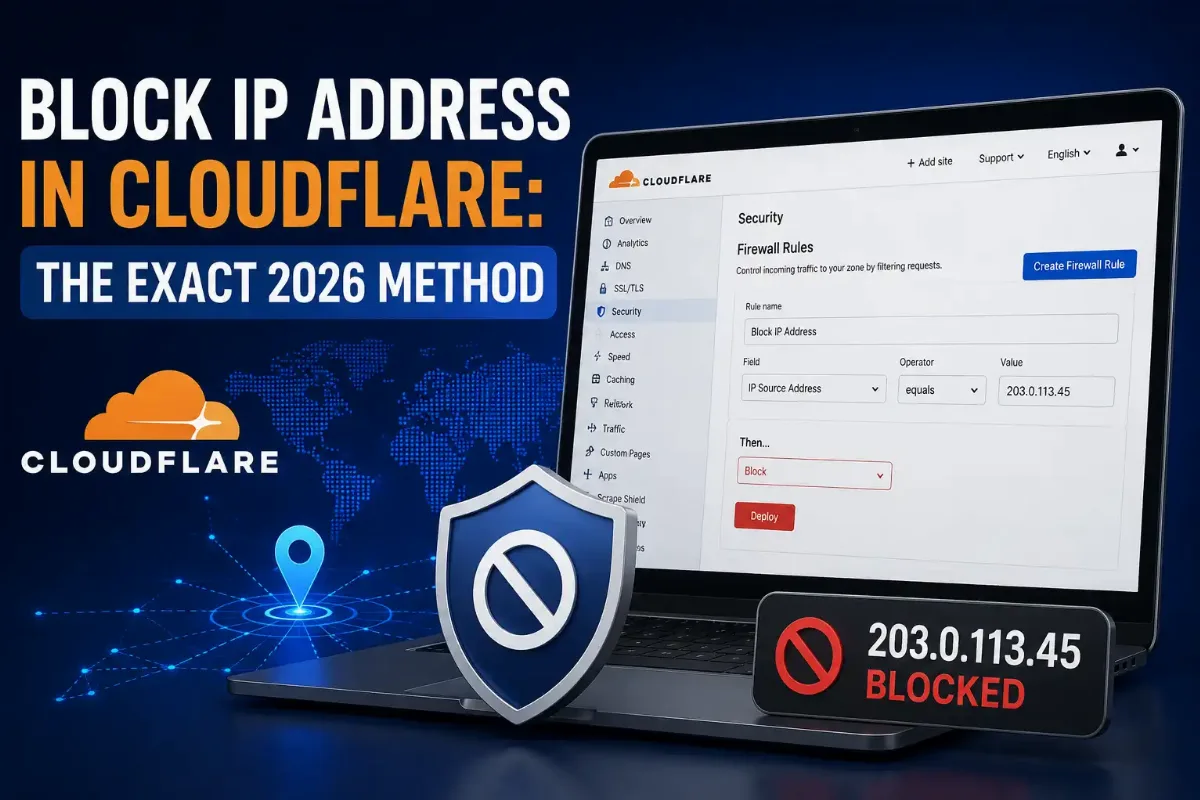
Cloudflare gives you three ways to block an IP address, and the one the dashboard pushes you toward is the one Cloudflare itself recommends against. IP Access rules are quick and account-wide. WAF custom rules are what the documentation tells you to use for both address-based and geographic blocking. Most tutorials teach the first and never mention the second.
That choice has consequences you will not see until something breaks. Country blocking through IP Access rules requires an Enterprise plan. Addresses on Cloudflare's global allowlist override an IP Access rule country block but not a custom rule one. Allow actions never appear in Security Events, so you cannot confirm they fired.
This guide covers all three tools, the exact steps for each, which action to pick, how to handle hundreds of addresses without hitting the expression limit, and the precedence rules that decide which of your rules actually wins.

The call I get most often about Cloudflare is not "how do I block someone". It is "I allowlisted our monitoring service and it is still getting stopped". That one has a documented cause: requests carrying certain attack patterns in the user agent are checked before allowlist logic runs at all. The IP address never gets its exemption, and the event log shows a drop rather than your rule.
My working rule is to treat IP Access rules as a scalpel and custom rules as the policy layer. Reach for an access rule when you have spotted one bad address and want it gone in ten seconds. Build a custom rule when you are writing something you will still be running next year. Mixing the two without understanding precedence is how people end up blocking their own payment provider.
Quick Answer: Block an IP Address in Cloudflare
Open Security, then WAF, then Custom rules, and build a rule where the IP Source Address equals the address you want gone, with the action set to Block. Cloudflare recommends this over IP Access rules for both address and geographic blocking. Confirm the network behind it first with an ownership lookup on that address.
Which Cloudflare Tool Should You Use to Block an IP Address?
Use WAF custom rules for any IP address rule you intend to keep. Cloudflare's documentation states plainly that custom rules are the recommended path for both IP-based blocking and geoblocking, and it gives the same advice about Zone Lockdown, suggesting custom rules instead. IP Access rules still have a place, but as a fast reaction to one specific IP address rather than as your standing security policy.
The distinction that matters most is scope. IP Access rules apply across your whole account, so a rule added while fixing one site silently applies to every other domain in that account. Custom rules apply per zone. Cloudflare's IP Access rules documentation also caps accounts at 50,000 such rules and restricts country blocking through them to Enterprise plans.
| Tool | Scope | Best For | Cloudflare's Position |
|---|---|---|---|
| WAF custom rules | Per zone | Standing policy, ASN and country logic | Recommended |
| IP Access rules | Whole account | One address you just spotted in the log | Still supported, not recommended for policy |
| Zone Lockdown | Per URL or subdomain | Allowlisting a path to named addresses | Custom rules suggested instead |
| Rate limiting rules | Per zone | Traffic welcome in small volumes only | Separate tool, different job |
Tool chosen, the mechanics take about a minute. The decisions around them take longer.
How Do You Block a Single IP Address in Cloudflare?
Open your dashboard, select the site, then go to Security, WAF, and Custom rules. Create a rule, set the field to IP Source Address, the operator to equals, and paste the IP address into the value box. Choose Block as the action and deploy. Give the rule a name you will still understand in six months, because an unlabelled rule is one nobody dares delete later.
Custom rule expression — single address
(ip.src eq 203.0.113.50)
Several IP addresses fit in one expression using the "in" operator, which keeps your rule count down. That matters because rules are metered per plan rather than per address.
Several addresses and a range
(ip.src in {203.0.113.50 198.51.100.22})
or (ip.src in {192.0.2.0/24})
For the quick route instead, Security, WAF, Tools, IP Access Rules takes one IP address and one action with no expression syntax at all. Use it when speed matters more than structure. If your site sits on Apache and you would rather block at the origin, the server-level equivalent using Require directives covers that layer. Blocking at the edge saves you the bandwidth entirely, which is the main reason to do it here rather than there.
The address is the easy part. The action you attach to it changes who else gets caught.
Should You Choose Block, Managed Challenge, or JS Challenge?
Pick Block only when the source is unambiguous. Managed Challenge lets Cloudflare decide between an interactive test and a silent check based on the visitor's signals, which makes it the friendliest option for anyone caught by mistake. JS Challenge runs a JavaScript test in the browser, stopping simple bots invisibly while also stopping anything that cannot execute JavaScript, including some legitimate tooling.
| Action | What the Visitor Gets | Use When |
|---|---|---|
| Block | An access denied page, error 1020 | One clearly hostile address or range |
| Managed Challenge | Often nothing visible at all | Noisy but not clearly hostile traffic |
| JS Challenge | A brief automatic check | Simple bots, when real users all run JavaScript |
| Skip | Passes selected security features | Trusted sources needing surgical exemption |
| Log | Nothing — traffic passes normally | Testing a rule before enforcing it |
Deploy on Log first
Set the action to Log, leave it for a day, then read Security Events to see exactly what the rule would have caught. Broad rules involving countries or autonomous systems almost always match more than you expected. One day of observation costs nothing; one day of blocked customers costs a great deal.
Single addresses and single actions cover most incidents. Scale changes the problem completely.
How Do You Block Hundreds of IP Addresses at Once?
Use a list rather than a long inline expression. Cloudflare caps each rule expression at 4,096 characters, and a few dozen IP addresses pasted inline will hit that ceiling and fail to deploy. Lists live outside the expression entirely, so you reference one by name and add entries without touching the rule. Enterprise accounts can hold up to 1,000 lists and 500,000 items between them.
Referencing a list
(ip.src in $blocked_ranges)
Build the list under Account Home, Configurations, Lists. IP lists are available on every plan including Free, while lists containing hostnames or autonomous system numbers are Enterprise-only. Upload entries as CSV with one item per line. Convert any messy range into clean prefixes with a CIDR range calculator before importing, because a list full of overlapping entries is a list nobody can audit.
IP addresses and ranges handle known offenders. Sometimes the pattern is broader than any list you could maintain.
How Do You Block an ASN, a Country, or Tor Traffic?
Custom rules expose AS Num, Country and Continent as fields, so all three work in one expression without an Enterprise plan. Blocking by autonomous system number removes an entire network operator, which usually beats blocking a country because abuse concentrates in specific hosting providers rather than spreading evenly across a nation. Country codes follow the two-letter ISO 3166-1 alpha-2 standard.
ASN and country expressions
(ip.src.asnum eq 64496)
or (ip.src.country eq "T1")
or (ip.src.continent eq "SA")
Check your field names
Older guides and older rules use ip.geoip.asnum, ip.geoip.country and ip.geoip.continent. Cloudflare has deprecated all three in favour of ip.src.asnum, ip.src.country and ip.src.continent. The old names still work in new and existing rules, so nothing breaks today, but any expression you write now should use the current fields. It is the same deprecation trap that catches people writing Apache access rules.
Tor gets its own handling. Cloudflare assigns the non-standard country code T1 to Tor exit nodes and XX to unknown or reserved addresses, so you can treat anonymised traffic as a category rather than chasing individual exit relays. Any allowlist you build should rest on crawlers you have actually proven are genuine rather than on user agent strings. Before you decide on Tor, check whether that traffic is actually your problem — for many sites it is a rounding error, and you can test whether an address is a known exit node in seconds.
Country blocking is plan-dependent
Blocking by country through IP Access rules requires Enterprise. Everyone else does it through custom rules, where the Country field is available on all plans. Plenty of guides simply say "use IP Access rules to block a country" without mentioning that the option is not there on Free, Pro or Business.
With several tools capable of touching the same request, the obvious question is which one wins.
Which Cloudflare Rules Override Each Other?
Allowlists generally beat blocks, but the exceptions are where people get hurt. Allowing an IP address or autonomous system through IP Access rules bypasses your custom rules, your rate limiting rules and WAF Managed Rules in one move — far more than most people intend when they add one trusted partner. Cloudflare documents each of these interactions, and none of them is visible from the dashboard while you work.
| Situation | What Actually Happens |
|---|---|
| You allowlist an address in IP Access rules | It bypasses custom rules, rate limiting and Managed Rules |
| Cloudflare globally allows an address you country-blocked | Overrides an IP Access rule block, but not a custom rule block |
| An allowlisted request has attack patterns in its user agent | Blocked before allowlist logic runs; the log shows a drop |
| You set an IP Access rule to Allow | It never appears in Security Events, so you cannot verify it |
| You allow a country code | This does not bypass the WAF |
Row three explains the support ticket I mentioned earlier. A monitoring service or scanner sending an unusual user agent gets stopped before your exemption is ever consulted, and the event record blames the security level rather than any rule you wrote. Row two is the one that catches geo-blockers: if you need a country block that Cloudflare's own allowlist will not punch holes in, build it as a custom rule.
Precedence explains most surprises. A handful of other causes explain the rest.
Why Isn't Your Cloudflare Block Working?
Start by proving the traffic reaches Cloudflare at all. A visitor who resolves your origin IP address directly, or who was already served a cached response, never passes through your rules. After that, check whether another feature is overriding you, and whether the rule matches what you think it matches. Deploying on Log for a day answers the last question faster than any amount of expression review.
Five-Step Diagnostic
1 Confirm the traffic is proxied
Check that the DNS record is orange-clouded rather than grey. A grey-clouded record sends visitors straight to your origin, where no Cloudflare rule exists to stop them.
2 Read Security Events, not your access log
Filter by the address and see which rule fired. Remember that Allow actions from IP Access rules are invisible here by design, so their absence proves nothing either way.
3 Look for a competing allowlist
An account-wide IP Access allowlist added months ago on another site will quietly exempt that address here too. Account scope is the trap that per-zone thinking misses.
4 Check your origin is not exposed
If someone knows your server's real address they can skip the edge entirely. Lock the origin firewall to Cloudflare's published ranges so the only route in is through your rules.
5 Test from outside and read the error
A working block returns an access denied page carrying error 1020. Our guide on what a blocked visitor actually sees shows the page from their side.
Step four deserves emphasis because it silently undoes everything else. Edge rules only protect what routes through the edge, and an origin reachable by its own address is a permanent bypass sitting behind every rule you write.
One more constraint shapes what you can build, and it depends entirely on what you pay.
What Are the Blocking Limits on Your Cloudflare Plan?
Custom rule allowances scale with the plan. Pro accounts get 20 custom rules and Business accounts get 100, alongside regular expression support and rate limiting. Free accounts get a smaller allowance plus the Cloudflare Free Managed Ruleset, which covers the highest-impact vulnerabilities without letting you tune individual rules. Security Events, the log you need for diagnosis, requires Pro or above.
- → Expression ceiling. 4,096 characters per rule, on every plan. Lists are the way around it.
- → Account ceiling. 50,000 IP Access rules per account, with Enterprise able to request more.
- → Bot Fight Mode. The free bot feature can stop legitimate crawlers and monitors even when you have allowlisted them elsewhere.
The Limit Nobody Reads About
Every edge rule you write assumes traffic arrives through the edge. If your server answers on its own public address, anyone who discovers it can request your site directly and never meet a single Cloudflare rule. Origin addresses leak through old DNS records, mail headers, certificate transparency logs and error pages, so treating the edge as a complete perimeter is optimistic.
The fix is unglamorous and permanent: configure your server firewall to accept web traffic only from Cloudflare's published ranges, and reject everything else. Do that once and your rules become genuinely enforceable. Skip it and you have built a very sophisticated front door on a building with an open side entrance.
Datacentre traffic is worth separating from consumer traffic before you write broad rules, since hosting ranges behave nothing like residential ones and deserve different treatment — our guide on telling hosting addresses apart from home connections covers how to check.
That is every tool, limit and trap worth knowing. Here is the short form.
The Short Version
Block an IP address in Cloudflare with a WAF custom rule using ip.src, because that is exactly what Cloudflare's own documentation recommends over IP Access rules for both address-based and geographic blocking. Keep IP Access rules for the single IP address you just spotted in a log, and remember they apply across your whole account rather than to the one site you happen to be looking at.
Choose the action deliberately. Block suits an unambiguous source; Managed Challenge suits traffic you suspect but cannot confirm. Deploy broad rules on Log for a day first, because country and ASN conditions almost always match more than expected. Past a few dozen entries, move addresses into a list and reference it, since every expression stops at 4,096 characters.
Learn the precedence rules before you need them. An IP Access allowlist bypasses custom rules, rate limiting and Managed Rules together, Allow actions never appear in Security Events, and attack patterns in a user agent are blocked before any exemption applies. When a rule appears to do nothing, check the orange cloud and your origin exposure before rewriting the expression — the wider question of which layer to block at usually answers it.
Find The Network Before You Block It
Cloudflare lets you block a whole autonomous system in one expression. Look up which operator owns it, then pull every range that operator announces. Free, instant, no account.