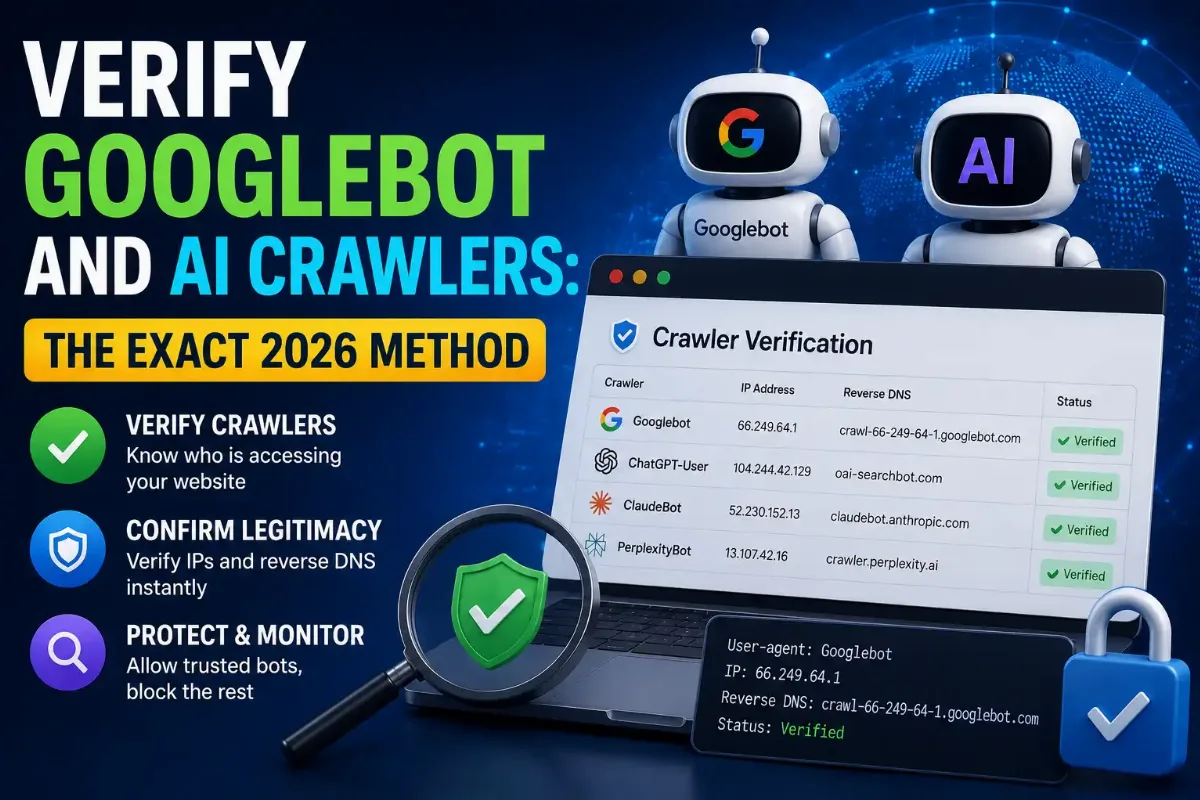
A user agent is a claim, not proof. Anyone can run a single curl command with GPTBot in the header and your access log will dutifully record it as GPTBot. That string costs nothing to type, which is exactly why blocking decisions built on it go wrong in both directions — you block the real crawler and let the impostor through.
The scale is measurable. HUMAN Security's Satori team found that 5.7% of all traffic claiming to be a well-known AI crawler was spoofed, peaking at 7.7% on some days, with the ChatGPT-User agent impersonated in roughly one request in six. Separate testing put spoofed Googlebot traffic at 12 to 18% when the user agent was the only check.
Three methods actually prove identity, whether you need to verify Googlebot or a crawler that launched last month: forward-confirmed reverse DNS, matching against the operator's published address ranges, and cryptographic request signing. This guide covers all three, shows which crawlers each one works on, and names the four mistakes that make verification look like it worked when it did not.

The most expensive verification mistake I have watched someone make was technically a success. They checked crawler addresses against Google's master range file rather than the crawler file, every check passed, and for two months anything running on Google Cloud sailed through as Googlebot. Renting a virtual machine in the right cloud was the entire attack. The file you compare against matters as much as the comparison.
Where I will be honest is on coverage. Verification only works when an operator publishes something to verify against, and several do not. What each vendor publishes also changes without announcement — I have seen a range list return 290 prefixes on one call and 289 minutes later. Treat any crawler verification setup as something you refresh, not something you finish.
Quick Answer: Verify a Bot Before Blocking It
Run a reverse DNS lookup on the requesting address, confirm the hostname belongs to the operator, then run a forward lookup and confirm it returns the same address. Where reverse DNS is unavailable, match the address against the operator's published range file instead. Start by checking what the user agent in your log actually claims to be.
Why Isn't a User Agent Enough to Identify a Bot?
Because the client writes it. A user agent is a header the requester chooses, so it carries exactly as much authority as a handwritten name badge. Nothing in HTTP validates it, nothing signs it, and your server records whatever arrives. Every crawler operator knows this, which is why each of them publishes a separate mechanism for proving identity rather than asking you to trust the string.
The consequences run both ways, and the costly direction is the one people overlook. Blocking a range that contains the genuine Googlebot removes your pages from search results, and the same mistake with an AI crawler removes you from AI answers. Trusting a spoofed one hands a scraper the allowlist exemption you built for a search engine. Neither failure announces itself; both show up weeks later as a traffic graph nobody can explain.
| Signal | Who Controls It | Proves Identity? |
|---|---|---|
| User agent string | The requester | No — free to type |
| Address prefix looks familiar | Nobody — it is a guess | No — a clue at best |
| Reverse DNS alone | Whoever runs the PTR record | No — trivially faked one way |
| Forward-confirmed reverse DNS | The operator's DNS | Yes, where supported |
| Published range membership | The operator | Yes, if you use the right file |
| Signed request | The operator's private key | Yes, where implemented |
Rows four through six are the only ones worth building on. The first is the classic, and it still works better than anything newer.
How Do You Verify Googlebot with Reverse DNS?
Run the check in both directions. Take the address from your log, run a reverse DNS lookup, and confirm the hostname it returns belongs to googlebot.com, google.com or googleusercontent.com. Then run a forward lookup on that hostname and confirm it resolves back to the address you started with. Both directions must agree, because faking both would require controlling Google's own DNS.
Forward-confirmed reverse DNS
host 66.249.66.1
→ 1.66.249.66.in-addr.arpa domain name pointer
crawl-66-249-66-1.googlebot.com
host crawl-66-249-66-1.googlebot.com
→ crawl-66-249-66-1.googlebot.com has address 66.249.66.1
Google documents this as the primary method in its crawler verification guidance. Expect three Googlebot hostname patterns rather than one: standard crawl hosts, geo-distributed hosts under geo.googlebot.com, and rate-limited proxy hosts under google.com. A checker that only recognises the first pattern will reject genuine traffic.
The mechanism itself is ordinary name resolution running backwards then forwards, and if the two-directional idea feels abstract, our explainer on how names resolve to addresses in the first place makes the second half concrete. For a single address you can skip the command line entirely and run both lookups against Google's patterns in one step.
Reverse DNS is reliable and slow. When you need to check thousands of log lines, the second method scales far better.
How Do You Verify a Bot Against Published IP Ranges?
Treat it as a set-membership test. Most operators publish machine-readable range files, so verification becomes a question of whether the requesting address falls inside a published prefix. Google has published its crawler ranges as a JSON file since 2021, and Microsoft, OpenAI, Perplexity, Apple and DuckDuckGo publish equivalents. No DNS round trip is required, which makes this the practical choice at log-ingest volume.
Google splits its files by purpose rather than shipping one list. There are separate files for common crawlers, special-case crawlers such as AdsBot, user-triggered fetchers, and a master file covering every Google-owned range. Picking the wrong one is the single most damaging mistake in this whole topic, and it gets its own section below.
Never verify against the master file
Google's master range file covers all Google-owned addresses, which includes Google Cloud. Verify against that and anyone who rents a cloud instance passes as Googlebot. Use the crawler file, never the master file. The same logic applies to every vendor: match against the crawler list, not the corporate infrastructure list.
Range files also drift. Vendors add prefixes, retire them, and move services between clouds without announcing it, so a list pasted into a firewall six months ago now rejects genuine traffic. Automate the refetch. Google's own address space is worth understanding separately, and our breakdown of which address blocks Google actually operates covers why one company needs so many.
Both methods depend on the operator publishing something. That is a bigger assumption than it sounds.
Which Crawlers Can You Actually Verify?
Coverage splits into three tiers. Search engines such as Googlebot and Bingbot publish stable ranges tied to their own networks and support reverse DNS, making them fully verifiable. Most AI operators publish range files but skip reverse DNS. A third group publishes nothing at all, and for those the honest verdict is not "fake" but "unverifiable" — a distinction worth preserving in your logs, because treating unknown as hostile blocks a lot of legitimate traffic.
| Operator | Published Ranges | Reverse DNS | Verdict |
|---|---|---|---|
| Googlebot | Yes, split by crawler type | Yes | Fully verifiable |
| Bingbot | Yes | Yes | Fully verifiable |
| GPTBot and OpenAI fetchers | Yes, three separate files | No | Range check only |
| Anthropic crawlers | Yes, one shared file | No | Range check, vendor only |
| PerplexityBot | Yes, per bot | No | Range check only |
| AhrefsBot | Yes | Yes | Fully verifiable |
| Bytespider, Meta agents | No | No | Unverifiable |
One structural point explains that table. Search engines run crawlers on their own networks, so an address maps cleanly to a company. Most AI vendors rent compute from AWS, Google Cloud and Azure, meaning the address alone tells you which cloud rather than which company. Checking which network actually announces an address separates those two situations quickly.
That cloud dependency shapes everything about verifying the newer crawlers.
How Do You Verify AI Crawlers Like GPTBot and ClaudeBot?
Match the address against the vendor's published range file, because reverse DNS is generally unavailable for these crawlers. OpenAI publishes three separate lists covering GPTBot, its search bot and its user-triggered fetcher. Anthropic publishes one shared list covering its crawlers together, and Perplexity publishes per-bot files. Each check is straightforward set membership once you have fetched the current version of the file.
Why the Lists Differ So Much in Size
A measurement taken on 5 August 2026 found OpenAI's training crawler using 21 prefixes while its user-triggered fetcher used 289 — the same company, more than a tenfold difference. Training crawlers run scheduled batch jobs from a small fixed pool. User-triggered fetchers fire when a person asks a question, so they scale across far more infrastructure. Treating both as one category produces rules that are wrong for at least one of them.
Anthropic's shared file creates a different limitation. Passing the check proves the request came from Anthropic, but it cannot tell you whether that request was training, search or user-triggered, because all three share the address pool. To separate them you fall back to the user agent — the very layer this article says cannot stand alone. That is a division of labour rather than a contradiction: the range proves the vendor, the string distinguishes the purpose.
Why robots.txt Is Not Verification
A disallow line in robots.txt is a request, not a control. Compliant crawlers honour it; nothing forces the rest to. Cloudflare published evidence in 2025 that one major AI vendor ran undeclared crawlers which rotated user agents, addresses and networks specifically to work around robots.txt blocking, which means a correctly written file still does not guarantee that vendor stays away.
That gap is precisely why log verification matters more than configuration. Your robots.txt tells you what you asked for. Your access logs, checked against published ranges, tell you what actually happened. When the two disagree, the logs are the ones describing reality.
Blocking a fetcher blocks a person
User-triggered agents such as ChatGPT-User and Perplexity-User fire because a human asked something and wants your page in the answer. A rule reading "not in the training crawler range, therefore block" removes those visits too. Set policy per token rather than per vendor, and decide separately whether you object to training, to retrieval, or to neither.
Ranges and reverse DNS cover today's traffic. A third mechanism is arriving for the traffic that neither handles well.
What Is Web Bot Auth and Should You Rely on It Yet?
Web Bot Auth is cryptographic request signing, proposed by Cloudflare in 2025 and built on HTTP Message Signatures. Instead of proving identity through an address, the agent signs each request with a private key you can verify against a published public key. Identity travels with the request rather than with the network position, which solves the problem that address lists cannot: agents running on shared cloud infrastructure.
Treat it as experimental in 2026. Adoption is partial, tooling is young, and a signature check only helps when the operator implements it. The sensible position is to verify signatures where they appear and keep address and DNS verification as your baseline, rather than rebuilding your pipeline around a mechanism most crawlers do not use yet.
Whichever method you run, four mistakes turn a working check into a false sense of security.
What Mistakes Make Bot Verification Useless?
Four errors account for nearly every failed verification setup, and each one produces a check that appears to pass. They are using the wrong range file, skipping the forward half of the DNS lookup, running against a stale list, and treating one vendor's method as universal. None throws an error; each simply returns the wrong verdict, quietly, on every request.
| Mistake | What It Lets Through, Or Blocks |
|---|---|
| Verifying against the master range file | Anything on that vendor's cloud passes as its crawler |
| Reverse DNS without the forward confirm | A crafted PTR record passes as the real crawler |
| Stale range file | Genuine crawlers on new prefixes get blocked |
| Matching only one hostname pattern | Geo and proxy crawl hosts get rejected as fake |
| Treating "unverifiable" as "fake" | Crawlers that publish nothing get blocked by default |
| Looking for crawlers in analytics | You see nothing — crawlers do not run JavaScript |
That last row catches people constantly. Tag-based analytics records browsers, and crawlers are not browsers, so a report showing no bot traffic proves only that your analytics cannot see it. Verification is server-side work that starts in raw access logs from your web server or CDN.
Once your verdicts are trustworthy, they need to drive an actual policy.
How Do You Turn Verification into a Blocking Policy?
Build the allowlist from verified addresses rather than from user agent strings, then decide separately what happens to everything else. The order matters far more than the tooling you pick: verify first, categorise second, block last. Skipping straight to a block rule based on a string is how sites quietly deindex themselves, and getting the sequence right costs nothing beyond a little patience.
Six Steps From Log Line To Rule
1 Pull raw server logs, not analytics
Take a week of access logs from your web server or CDN. Strip requests for static assets and keep the page hits, which is where crawler behaviour actually shows.
2 Group by claimed identity and network
Bucket requests by user agent substring, then resolve each source address to its network operator. Any bucket where the network does not match the expected vendor is your suspect pile.
3 Verify the suspects properly
Run forward-confirmed reverse DNS where the operator supports it, and a published-range check where it does not. Record three outcomes rather than two: verified, spoofed, unverifiable.
4 Allowlist the verified, by purpose
Separate search indexing from AI training from user-triggered retrieval. Those are three different business decisions and they deserve three different rules, not one blanket policy — our guide to turning those verdicts into an actual crawler policy works through each one.
5 Challenge the unverifiable, block the spoofed
Confirmed impostors earn a block. Anything unverifiable deserves a challenge or a rate limit first, because plenty of legitimate tools simply never published a range file.
6 Schedule the refresh and deploy the rule
Automate refetching every range file, then push the allowlist to your edge. The custom rule syntax for edge allowlists covers the deployment side.
Step three is where most setups quietly go wrong, because two outcomes feel simpler than three. Recording unverifiable as its own verdict is what stops you blocking a monitoring service that never had a range file to publish.
Get that sequence right and the blocking decisions downstream become straightforward.
The Short Version
Verify Googlebot and every other crawler before you block anything, because a user agent is a claim anyone can type and roughly one in seventeen requests claiming to be a well-known AI crawler is fake. Forward-confirmed reverse DNS proves identity for search engines: reverse lookup the address, check the hostname belongs to the operator, forward lookup it, and confirm you land back on the same address.
For AI crawlers, match against the vendor's published range file instead, since most skip reverse DNS entirely. Use the crawler file rather than the master file, or anything running on that vendor's cloud passes as its crawler. Refresh the files automatically, because vendors add and retire prefixes without telling anyone.
Record three verdicts rather than two. Verified traffic earns an allowlist entry, confirmed impostors earn a block, and anything unverifiable deserves a challenge rather than a ban — several legitimate crawlers publish nothing to check against. Then feed those verdicts into rules built at the right layer, which is the wider question our guide to blocking at every layer works through in full.
Check It Before You Block It
Paste one address or a whole log file. Both directions of DNS and every published range file, checked in seconds. Free, instant, no account.