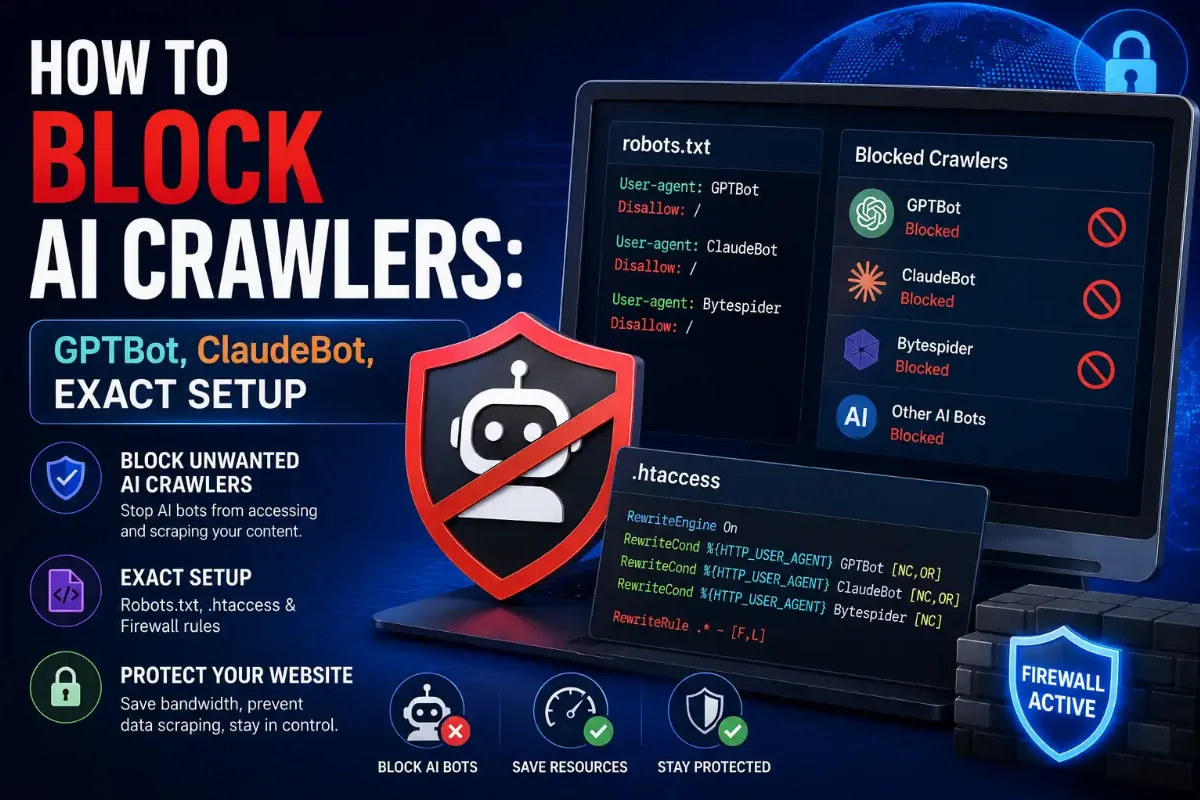
Blocking AI crawlers is two decisions, not one. Blocking a training crawler keeps your content out of a model's weights. Blocking a retrieval crawler removes you from the answer when someone asks ChatGPT or Perplexity about your subject. Most copy-paste robots.txt lists make both decisions at once, silently, on your behalf.
There is also a deadline. On 1 July 2026 Cloudflare replaced its single block-AI-bots switch with three categories, and on 15 September 2026 new defaults take effect for every domain newly onboarding. Existing customers face a separate change on the same date, and it is the one that can cost you Googlebot.
This guide covers which user agents are still live and which are dead strings people keep copying, what robots.txt can and cannot enforce, what changes next month, and the trap that blocks Googlebot while you think you are only blocking AI.

The robots.txt file I see most often is a list somebody pasted in 2024 and never revisited. It usually blocks anthropic-ai and Claude-Web, both of which are retired strings that no longer identify anything. The site owner believes Anthropic is blocked. Anthropic's current crawler has a different token entirely and has been walking straight past that file for two years.
My honest position is that robots.txt is a preference, not a control, and treating it as a fence causes most of the disappointment in this topic. It works beautifully on operators who were going to respect you anyway. For the rest you need enforcement at the network layer — and before you enforce anything, you need to know that the user agent in your log is even real.
Quick Answer: Blocking AI Crawlers
Add explicit robots.txt rules for the training crawlers you object to, keep retrieval crawlers allowed if you want AI referral traffic, and enforce the decision at your CDN because robots.txt is voluntary. Check which crawlers are actually reaching you first with an audit of your own access log.
What Actually Happens When You Block an AI Crawler?
It depends entirely on which kind of AI crawler you blocked. Training crawlers collect content that ends up in a model's weights, so blocking one is a licensing decision with no traffic consequence at all. Retrieval crawlers fetch pages so a product can cite them, and blocking one removes you from that answer along with any referral click it would have sent. Agent traffic fires because a person asked something.
| Type | Examples | What Blocking It Costs You |
|---|---|---|
| Training | GPTBot, ClaudeBot, CCBot, Google-Extended | Nothing in traffic terms — a licensing choice |
| Retrieval / search | OAI-SearchBot, PerplexityBot, Claude-SearchBot | Your citations and referral clicks disappear |
| Agent / user-triggered | ChatGPT-User, Perplexity-User, Claude-User | A real person asked and gets nothing back |
| Multi-purpose | Googlebot, Bingbot, Applebot | Search indexing — the expensive mistake |
| Non-compliant | Bytespider and undeclared crawlers | Nothing, because the block does not reach them |
The middle three rows are why blanket lists cause damage. Cloudflare network figures reported in June 2026 put training crawlers at 50.6% of AI bot traffic while search bots — the ones that historically paid for access with clicks — had fallen to 10.7%. More than half of all AI crawl traffic was re-fetching pages that had not changed since the previous visit.
Deciding what to block is the strategy. Whether your chosen method enforces anything is a separate question, and the answer surprises people.
Does robots.txt Actually Block Anything?
No. It expresses a preference that compliant operators choose to honour, nothing more. RFC 9309 standardises how AI crawlers should interpret the file, but it contains no authentication and no access control, so nothing technically prevents a client from requesting the same URL anyway. Reputable operators program their crawlers to obey it, while aggressive scrapers and undeclared crawlers simply carry on regardless.
Cloudflare states this plainly in its own managed robots.txt documentation: compliance is voluntary, the file expresses preferences rather than preventing access, and if you want to enforce blocking rather than request it, you need controls at the network layer. That is a vendor telling you their own convenience feature is not a fence.
Why write it anyway
Because it works on the operators who matter most, and because it is a documented, timestamped statement of your content preferences. That record has value beyond the technical effect. Write robots.txt for the compliant majority, then enforce at the edge for everyone else. Neither layer replaces the other.
A preference only works if it names something real, and this is where most files quietly fail.
Which User Agents Should You Actually List?
List the AI crawler tokens that are currently live, and delete the ones that are not. Several widely copied lists still name anthropic-ai and Claude-Web, which Anthropic has retired. A file blocking only those strings blocks nothing at all, because the current crawler uses a different token. This is the same trap that catches people writing Apache access rules from old tutorials: the syntax looks right and enforces nothing.
If you are unsure which token a given request really carries, you can confirm which Anthropic crawler an address belongs to before rewriting anything.
| Operator | Training Token | Retrieval / Agent Tokens |
|---|---|---|
| OpenAI | GPTBot | OAI-SearchBot, ChatGPT-User |
| Anthropic | ClaudeBot | Claude-SearchBot, Claude-User |
| Google-Extended | Googlebot — never disallow this | |
| Perplexity | PerplexityBot | Perplexity-User |
| Others | CCBot, Amazonbot, Applebot-Extended | Meta-ExternalAgent, DuckAssistBot |
| Retired — delete these | anthropic-ai, Claude-Web | Blocking them achieves nothing |
Here is the split policy in full: opt out of training, stay eligible for citation.
robots.txt — block training, allow retrieval
# Training — opted out
User-agent: GPTBot
User-agent: ClaudeBot
User-agent: Google-Extended
User-agent: CCBot
User-agent: Amazonbot
User-agent: Applebot-Extended
Disallow: /
# Retrieval and agents — allowed
User-agent: OAI-SearchBot
User-agent: ChatGPT-User
User-agent: Claude-SearchBot
User-agent: PerplexityBot
Allow: /
Check any list before you paste it
At least one widely shared "complete AI crawler list" includes User-agent: Googlebot / Disallow: / among its entries. Paste that and you have asked Google to stop indexing your site entirely. Read every line of a borrowed list. Googlebot and Bingbot belong nowhere near a training block.
Even a perfect file can be overruled by something upstream, and next month that becomes far more likely.
What Changes on 15 September 2026?
Cloudflare sets new AI crawler defaults. On 1 July 2026 it replaced the single block-AI-bots preset with three categories — Search, Agent and Training — available on every plan including Free. From 15 September, all domains newly onboarding to Cloudflare get Training and Agent blocked by default on pages that display ads, while Search stays allowed. A second change that day affects existing customers instead.
The reasoning appears in Cloudflare's own announcement: ad presence signals that a human audience was expected, so automated consumption of those pages needs permission rather than assumption. Whether you agree or not, the default now has an opinion, and after that date it applies to your site unless you have expressed a different one.
| Category | What It Covers | Default From 15 Sept |
|---|---|---|
| Search | Indexing so a product can answer and link back | Allowed by default |
| Agent | Real-time fetches on a person's behalf | Blocked on ad pages — new domains |
| Training | Content pulled into model weights | Blocked on ad pages — new domains |
Dashboard path: Security, then Bots, then the AI crawler controls. Changes apply immediately. AI Crawl Control also shows which crawlers are hitting you and which ones requested paths your robots.txt disallowed. If you already run custom rules there, remember that WAF rules evaluate before robots.txt is ever read — our guide to how Cloudflare rules take precedence over each other covers that ordering.
One consequence of the new categories deserves its own section, because it can cost you search rankings rather than AI citations.
Why Can Blocking Training Also Block Googlebot?
Because Googlebot is multi-purpose, and multi-purpose crawlers are judged on all of their behaviours. Googlebot crawls for search indexing and for Google's AI features in one combined bot, so a category-level Training block catches the whole crawler rather than the AI half. Reported Cloudflare figures put mixed-use crawlers at 36% of all crawler activity, which makes this far from an edge case.
This is the change that reaches existing customers. Cloudflare states that from 15 September, multi-purpose crawlers including Googlebot, Applebot and Bingbot will be blocked for anyone who has selected to block Training — through the new controls or through the legacy block-AI-bots service. You can opt out in Security settings any time before the date, confirming you want no change to Training crawlers that also crawl for Search.
Handle Google in robots.txt Instead
Use the token built for it. Disallowing Google-Extended opts you out of Google's AI training without touching Googlebot or your search rankings. One caveat that most guides omit: it does not keep you out of AI Overviews, because Overviews draw on the Google Search index rather than on the Google-Extended crawl. Opting out of training and staying out of AI Overviews are separate problems, and only one of them has a switch.
Compliant operators are the easy half. The rest ignore every mechanism discussed so far.
What About Crawlers That Ignore Everything?
Enforce at the network layer, because nothing else reaches them. ByteDance publishes no opt-out documentation for Bytespider, and multiple infrastructure providers have reported it disregarding robots.txt entirely. Undeclared AI crawlers go further, rotating user agents, addresses and networks specifically to work around directives. For that group, a robots.txt entry is a statement of policy rather than a control of any kind.
The rotation is what makes address blocking hard too. Traffic that hides deliberately often arrives through networks built from ordinary home connections, which look nothing like a datacentre range and change constantly. At that point you are not managing crawler policy any more, you are managing scraping, and the tooling is different.
Know which problem you have
A declared crawler ignoring your file is a policy problem you escalate to the network layer. An undeclared scraper wearing a browser user agent is a detection problem, and the techniques come from the other side of the fence — our explainer on how scraping infrastructure is actually built is worth reading precisely because it describes what you are up against.
With the mechanics settled, the decision itself comes down to four questions.
How Do You Decide What to Block?
Answer four questions in order. Does this operator send you measurable referral traffic today, and do you object to your content training a model? Does the AI crawler cost you real bandwidth, and can you enforce the decision at all? Most sites arrive at the same split of blocking training and allowing retrieval, but arriving there deliberately produces a policy you can defend rather than one you inherited from a paste.
- → Measure before deciding. Analytics will not show crawlers because they run no JavaScript. Server logs are the only honest source.
- → Separate the money question. An appearance inside an AI answer may help your brand, but only a referral visit is something an ad stack can monetise.
- → Watch the bandwidth line. If more than half of AI crawl traffic is re-fetching unchanged pages, rate limiting may serve you better than a block.
Content Signals is worth watching as this settles. It is an emerging IETF standard for expressing content-use preferences with three values — immediate, reference and full — and Cloudflare-managed robots.txt files default to reference, meaning index and link back but do not reproduce. It is a preference layer rather than enforcement, but it is more expressive than a bare disallow.
Once the policy is decided, deploying it correctly takes six steps and one habit most people skip.
How Do You Deploy and Verify an AI Crawler Policy?
Deploy your AI crawler policy in two layers and verify it in the logs, not in the config. Write robots.txt for compliant operators, enforce the same decision at your CDN for everyone else, then confirm from access data that the outcome matches the intent. Configuration tells you what you asked for. Only logs tell you what happened, and on this topic the two disagree more often than not.
Six Steps Before The Deadline
1 Find out who is actually crawling you
Pull a week of server logs and group by user agent token. Decide policy against the crawlers you genuinely receive rather than against a list of every bot that exists.
2 Confirm those claims are real
A user agent proves nothing on its own. Before writing rules around a token, follow the method in our guide to confirming a crawler is genuinely who it claims.
3 Audit your existing robots.txt for dead tokens
Delete retired strings and add the current ones. Read every line of any list you borrowed, checking specifically that Googlebot and Bingbot are not disallowed anywhere in it.
4 Check your CDN before 15 September
Open the AI crawler controls and set Search, Agent and Training deliberately. If a legacy block-AI-bots toggle is still on and your pages carry ads, treat that as urgent rather than routine.
5 Verify Googlebot survived
Check crawl activity for Googlebot specifically after any category change. Multi-purpose crawlers are judged on all their behaviours, so a Training block can remove the one crawler you cannot afford to lose.
6 Re-read the logs a week later
Compare crawler activity before and after. Anything still arriving that you disallowed is either ignoring you or was never that operator to begin with, and those two need different responses.
Step five is the one I would not skip this month. Everything else in this article is reversible within a day; a Training block that quietly removes Googlebot from your ad-supported pages is the sort of thing people discover from a traffic graph six weeks later.
That is the whole picture, deadline included. Here is what to keep.
The Short Version
Block AI crawlers by category rather than in bulk, because the categories behave nothing alike. Training crawlers cost you nothing in traffic when blocked, retrieval crawlers take your citations and referral clicks away with them, and agent traffic represents a real person waiting on an answer right now. Most sites end up wanting the same split policy: opt out of training, stay eligible for citation.
Write robots.txt knowing it is a preference rather than a fence — Cloudflare says so in its own documentation — and enforce the same decision at your CDN for operators who ignore it. Audit your file for retired tokens, because anthropic-ai and Claude-Web no longer identify anything, and read every borrowed list line by line before pasting it.
Then handle the deadline. From 15 September 2026, Cloudflare blocks Training and Agent by default on ad-supported pages for new domains and unreviewed free-tier accounts, and a category-level Training block catches multi-purpose crawlers including Googlebot. Set the three categories deliberately, verify Googlebot afterwards, and decide the layer question properly — our breakdown of where blocking actually belongs works through that in full.
Generate The Rules, Don't Paste Them
Build robots.txt and firewall rules from each operator's live published ranges instead of a list somebody wrote in 2024. Free, instant, no account.