You found it. Your IP is on a blacklist. The emails are bouncing, the deliverability is destroyed, and now you have one urgent question: how long does an IP blacklist last? The honest answer is that it depends entirely on which blacklist listed you — and whether you have fixed the problem that caused the listing. Some listings expire automatically in 24 hours. Others stay permanently until you take specific action. A handful will never expire on their own, no matter how long you wait.
This is the critical mistake most blacklisted senders make: they assume waiting is a strategy. They stop sending email for two weeks, assume the listing has expired, resume sending — and immediately trigger new listings because the root cause was never fixed. Time alone does not remove most blacklist entries. The behavior that caused the listing is usually still present, and many blacklists re-list automatically the moment problematic traffic resumes.
This complete 2026 guide gives you the exact duration data for every major blacklist — Spamhaus SBL, XBL, PBL, Barracuda, SpamCop, Microsoft, SORBS, and more. It explains the difference between automatic expiry and manual removal, what happens when a listing expires versus when it is actively removed, and why the length of a blacklist entry matters far less than most senders think. The real goal is not waiting out a listing — it is building a sending operation that never gets listed again.

"The question 'how long does a blacklist last?' is really two separate questions. The first is how long the database entry persists — which varies dramatically by list. The second, and far more important question, is how long the reputation damage persists — which can outlast the listing itself by weeks or months at major providers like Gmail and Outlook.
I have worked with senders who were delisted from Spamhaus within 48 hours but continued to see 60% spam folder placement at Gmail for three additional weeks because their domain reputation had already been damaged. Removing a blacklist entry stops new rejections — it does not automatically restore the reputation that was built before the listing. That recovery requires consistent clean sending behavior over time, not just a successful delist request. Understanding this distinction changes how you approach the entire recovery process."
Quick Answer: How Long Does an IP Blacklist Last?
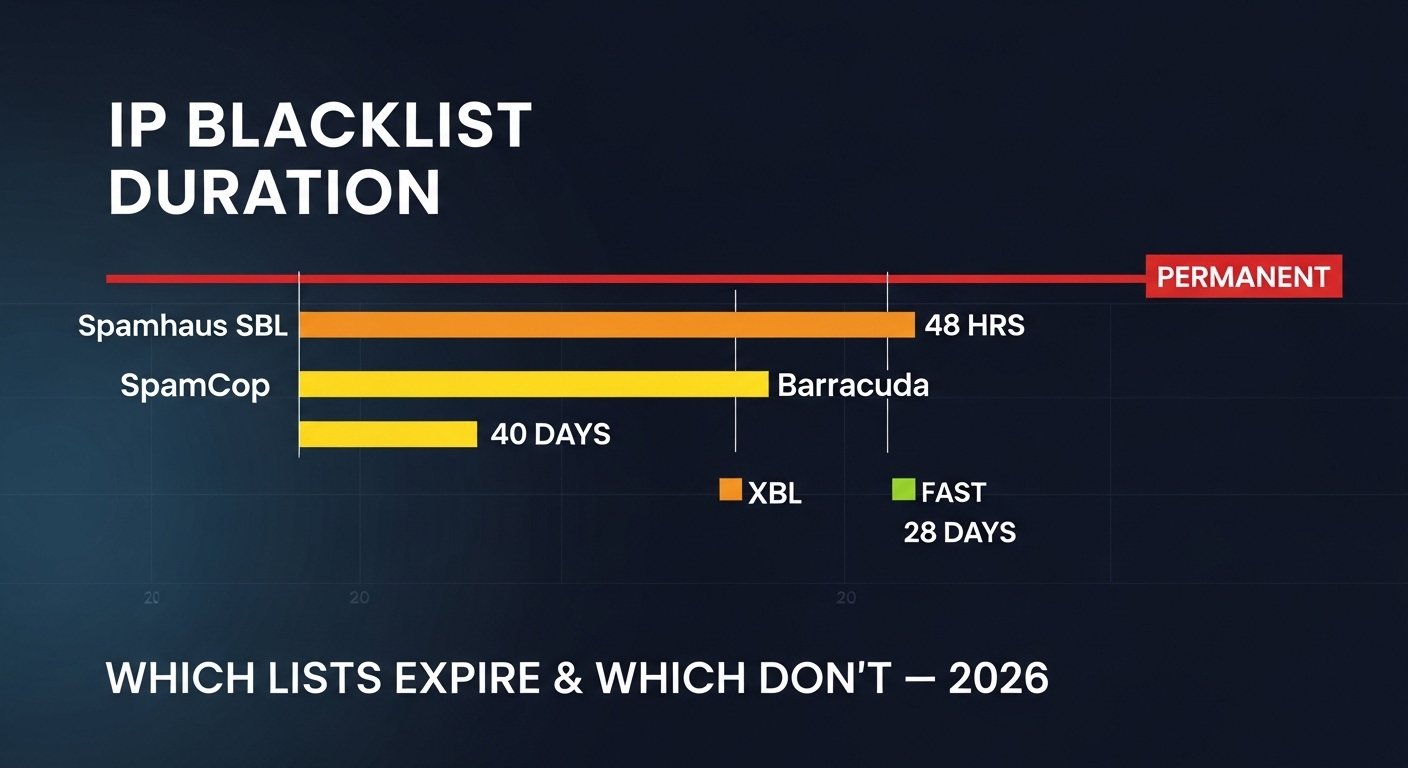
IP blacklist duration varies by list type: Spamhaus SBL listings are permanent until manually removed. Spamhaus XBL and SpamCop listings auto-expire within 24–48 hours after the problem stops. Barracuda listings typically last 7–30 days with automatic expiry. Microsoft listings vary from days to indefinite based on complaint severity. Most major listings do not expire on their own — they require you to fix the root cause and submit a removal request. Waiting without acting is rarely a solution. Check your current status at IP blacklist checker and see the complete email blacklist guide for full context.
1. The Master Reference: How Long Each Major Blacklist Lasts
Before anything else — the data you came for. The table below shows exact duration information for every major blacklist, based on their current published policies and 2026 operational behavior. Use this as your reference the moment you confirm a listing.
One important caveat: these durations assume the root cause has been fixed. Most blacklists reset their auto-expiry timer if problematic behavior is still detected. An XBL listing that would normally expire in 24 hours will keep refreshing indefinitely if the malware infection causing it has not been removed.
| Blacklist | Auto-Expiry? | Typical Duration | Removal Method | Re-list Risk |
|---|---|---|---|---|
| Spamhaus SBL | No — permanent | Indefinite | Manual request — human review | High if root cause not fixed |
| Spamhaus XBL / CBL | Yes | 28 days (auto) or instant self-service | Self-service at abuseat.org after cleanup | Very high if malware not removed |
| Spamhaus PBL | Partial | Indefinite (ISP policy-driven) | Self-service exemption form | Low — policy, not spam-based |
| Barracuda BRBL | Yes | 7–30 days automatically | Free removal request at barracudacentral.org | Medium — complaint-driven |
| SpamCop | Yes — fast | 24–48 hours after complaints stop | Automatic expiry — no manual removal | High if complaints continue |
| Microsoft / Outlook | Sometimes | Days to indefinite — severity-based | Microsoft Sender Support form | High without behavior change |
| SORBS | Varies by type | Dynamic: 48 hours. Spam: indefinite | Paid removal ($50) or wait for auto-expiry | Medium |
| UCEPROTECT L1 | Yes | 7 days after spam activity stops | Automatic expiry (paid express option) | Low-medium |
| Invaluement ivmSIP | Partial | Weeks — behavior-score driven | Contact via removal form | Medium |
| Gmail Internal | Yes — gradually | Weeks to months — reputation recovery | No direct removal — clean sending required | Very high if behavior unchanged |
2. Permanent Listings: Blacklists That Never Expire on Their Own
Certain blacklists maintain listings indefinitely. Waiting accomplishes nothing with these. The only path to removal is submitting a formal delist request — after genuinely fixing the root cause.
Spamhaus SBL — Permanent Until Manually Removed
The Spamhaus Block List is the most consequential permanent listing. SBL entries do not have expiry dates. Once Spamhaus lists an IP for verified spam operations, bulletproof hosting, or spam trap contamination, that entry stays until Spamhaus is satisfied the problem is resolved — either through your removal request or their own review.
What makes SBL especially serious: It is not just one database. Spamhaus licenses SBL data to Gmail, ISPs, Microsoft, enterprise mail filters, and hundreds of regional providers. A single SBL listing affects deliverability across the majority of the email ecosystem simultaneously.
How long does SBL removal take after requesting? If your request is complete and the root cause is genuinely resolved, Spamhaus typically processes removal within 24–72 hours. Incomplete requests, continuing spam activity, or missing authentication will extend this — sometimes by weeks. Follow the exact process in our Spamhaus delist guide for the fastest path to removal.
Spamhaus PBL — Indefinite Policy Listing
PBL listings are different from SBL — they are not accusations of spam. The Policy Block List designates IP ranges that ISPs have declared should not send direct-to-MX email. These listings persist indefinitely because they reflect a configuration policy, not a behavior incident.
Your options: If you run a legitimate static mail server on a PBL-listed IP, submit a PBL exemption request directly at spamhaus.org/pbl. This takes your specific IP out of the PBL coverage for that range. Alternatively, contact your ISP — if they update their PBL submission to exclude your IP, the listing disappears. Neither option is fast, but both are reliable for legitimate operators.
SORBS SPAM Database — Indefinite Without Payment
SORBS (Spam and Open Relay Blocking System) maintains separate databases for different listing types. SORBS dynamic and dul entries have automatic expiry. But the SORBS SPAM database — for IPs that actually sent spam — is indefinite without action.
The controversial catch: SORBS offers a paid removal option for SPAM database listings — currently around $50 USD — in addition to a free manual review process. The paid option processes faster. The free route requires demonstrating the issue has been resolved. SORBS is used less widely than Spamhaus, but it is still present in some ISP and enterprise filtering configurations. For most senders, the free removal process is worth pursuing rather than paying.
3. Auto-Expiring Listings: Blacklists That Clear Themselves
Several important blacklists use automatic expiry systems — once the behavior causing the listing stops, the entry automatically ages out of the database after a defined period. This is good news for senders who fix their problems quickly, but there are critical conditions that can reset or halt the expiry timer.
Auto-Expiring Blacklists — Duration and Conditions
1 SpamCop — 24 to 48 Hours
SpamCop uses a score-based system. Each spam report against your IP adds to your score. Your score decays over time at a fixed rate. When your score drops below the listing threshold, you are automatically removed — typically within 24–48 hours after complaints stop arriving.
The catch: If spam reports continue after you think you have fixed the problem, the score keeps refreshing. An ongoing spam source — even a slow one sending a few dozen emails per hour — can keep your SpamCop score elevated indefinitely. Fix must be complete, not partial.
No manual removal: SpamCop does not offer a manual removal process. Your only option is to stop the behavior causing reports and wait for the score to decay. This usually takes one to two full days after the last complaint is registered.
Impact consideration: SpamCop is used primarily by ISPs. Its impact on Gmail and Outlook deliverability is limited compared to Spamhaus. A SpamCop-only listing is significantly less damaging than a Spamhaus SBL listing.
2 Spamhaus XBL / CBL — 28 Days Auto or Instant Self-Service
The CBL (Composite Blocking List), which feeds Spamhaus XBL, has a 28-day automatic expiry — but only if the IP stops generating the malicious traffic that caused the listing. If malware or botnet activity continues, the expiry timer resets continuously. An infected system can keep an IP in XBL indefinitely through this reset mechanism.
Self-service removal is available at abuseat.org — and if the system detects the infection is genuinely cleaned, removal happens immediately. This is far faster than waiting 28 days. The system performs automated checks before approving removal, so it will refuse if the problem is still present.
Most common failure pattern: Sender cleans one infected device, removes from CBL, IP re-lists within 24 hours because a second infected device on the same network was not identified. Full network scan required — not just the obvious server.
3 Barracuda BRBL — 7 to 30 Days
Barracuda's Reputation Block List uses a scoring system that naturally decays. Most listings expire within 7 to 30 days automatically, assuming sending behavior improves. Higher-severity listings — from significant spam trap hits or very high complaint rates — can take the full 30 days.
Free manual removal is available at barracudacentral.org and is typically processed within 12–24 hours for legitimate requests. You do not need to explain a root cause in detail — Barracuda's removal is relatively straightforward compared to Spamhaus SBL.
Impact context: Barracuda listings affect mail filtering at organizations using Barracuda hardware appliances and cloud services — common in enterprise and education sectors. Less impactful than Spamhaus for consumer email, but significant for B2B email marketing.
4 UCEPROTECT Level 1 — 7 Days
UCEPROTECT Level 1 lists individual IPs and automatically expires entries after 7 days of clean behavior. UCEPROTECT also offers a paid express removal for €149 if you need faster resolution.
Important caution about UCEPROTECT Levels 2 and 3: Level 2 lists entire IP subnets. Level 3 lists entire Autonomous System Numbers (ASNs). If your IP is on a shared hosting provider that has multiple spam-sending customers, you may appear in UCEPROTECT Level 2 or 3 through no fault of your own. These listings may require moving to a different hosting provider with a cleaner IP block to resolve.
4. Microsoft and Gmail: The Listings That Are Not Really Listings
Here is what most guides miss entirely: Gmail and Microsoft Outlook do not primarily use traditional DNS blacklists to filter your email. They use their own internal reputation scoring systems. These are far more nuanced, far more persistent, and far harder to remove than a simple blacklist entry — and they are entirely separate from whether your IP appears on Spamhaus or Barracuda.
Gmail's Reputation System
Gmail tracks reputation at both the IP level and the domain level independently. Domain reputation persists and transfers — even if you change sending IPs, your domain reputation follows you. Google Postmaster Tools shows this data publicly for registered domains.
How long does Gmail reputation damage last? With consistently clean sending behavior — complaint rates below 0.1%, strong engagement, proper authentication — most domains recover within 4–12 weeks. Severe damage (complaint rates above 0.5% sustained over weeks) can take 3–6 months to rebuild.
There is no removal form. Gmail reputation recovery is entirely behavior-driven. The only path is sustained clean sending over time, monitored through Google Postmaster Tools.
Microsoft Outlook / 365 System
Microsoft uses SNDS (Smart Network Data Services) to track sending IP reputation, and the JMRP (Junk Mail Reporting Program) for complaint data. Microsoft's filtering combines these internal scores with external blacklist data including Spamhaus.
When Microsoft blocks your IP directly (error 550 5.7.1), you must submit a delist request at Microsoft's Sender Support portal. These reviews typically take 1–5 business days. Severe or repeat violations may result in permanent blocks requiring extensive proof of remediation.
Microsoft's internal reputation — separate from the block — recovers similarly to Gmail: weeks to months of clean sending behavior through their JMRP-monitored infrastructure.
The Key Insight: Blacklist Removal ≠ Reputation Recovery
This is the most important concept in this entire guide. Removing your IP from a DNS blacklist like Spamhaus or Barracuda stops the hard rejections — the 550 errors with blacklist references. But it does not restore your sender reputation at Gmail, Outlook, or Yahoo.
Inbox providers maintain reputation histories that persist independently of external blacklists. After a blacklist entry is removed, you may still experience:
• Spam folder placement instead of inbox delivery — even though no blacklist entry exists
• Throttling — your emails accepted but delivery delayed by hours to manage your IP's reputation score
• Reduced inbox rates — some of your emails delivering to inbox, others to spam, with no clear pattern
The fix for these post-removal issues is not another delist request. It is consistent clean sending behavior tracked through IP reputation recovery practices over weeks and months.
5. Why Blacklists Re-List: The Expiry Timer Reset Problem
One of the most frustrating experiences a sender can have is getting removed from a blacklist — only to be re-listed within 24 hours. This is not bad luck. It is a specific, predictable mechanism that occurs when the root cause of the original listing has not been fully resolved.
Why Re-Listing Happens — And How to Prevent It
! The Partial Fix Problem
The most common re-listing cause is a fix that addressed the visible problem but missed the underlying source. Someone cleans one malware-infected server but has three more devices on the same network still compromised. The IP is removed from XBL. Within 24 hours, the remaining infected devices trigger a new CBL detection. The IP is re-listed before the sender even knows the removal was successful.
Solution: Before requesting any removal, perform a full network audit — not just the obvious mail server. Check all devices with network access for unusual outbound traffic patterns. Monitor your outbound SMTP connections at the firewall level for at least 48 hours before requesting removal.
! The List Quality Problem
A sender gets SBL-listed for spam trap hits, submits a removal request, gets removed — then sends the next scheduled campaign from the same list that caused the original listing. The list was not cleaned. The same spam trap addresses are still in it. Within hours, new spam trap hits re-trigger the SBL listing.
Solution: After any spam-trap-driven listing, treat your entire email list as compromised. Run it through an email validation service, remove all addresses added more than 12 months ago without re-confirmation, and do not send another campaign until the list is certified clean. Our email blacklist prevention guide covers list hygiene practices in full.
! The Repeat Listing Escalation Problem
Most blacklists track removal history. An IP that is removed and re-listed three or four times will receive progressively harder treatment. Spamhaus may decline further removal requests until the sender provides detailed documentation of permanent fixes. Some blacklists apply a cooling-off period after multiple removals — meaning the listing lasts significantly longer than it would for a first-time incident.
The implication: Every failed removal attempt and every re-listing increases how long the next listing will last. There is no reset. Getting removal right the first time — by genuinely fixing the problem — is dramatically better than a cycle of partial fixes and repeated listings.
✓ The Right Sequence: Fix Completely, Then Remove
Fix root cause → Monitor for 48–72 hours → Confirm no new listing activity → Submit removal request → Verify removal → Resume sending at reduced volume → Scale back up over 1–2 weeks.
This sequence might add 3–5 days to your total downtime compared to requesting removal immediately. But it reduces re-listing risk from very high to near-zero — and saves you from the escalation trap that makes subsequent listings longer and harder to escape.
6. How to Check Current Blacklist Status and Duration
Knowing that you are listed is only the first step. Knowing which specific list, when you were listed, and what the removal path looks like requires checking the right sources in the right order. Here is exactly how to get the complete picture.
Step 1: Run a Full Multi-List Check
Use TrustMyIP blacklist checker to check your sending IP against 100+ databases simultaneously. This shows you every list where you appear — not just the one referenced in a bounce message. Bounce errors typically reference only one list, but you may be on several simultaneously without knowing.
Once you have the complete list of your listings, cross-reference each one against the duration table in Section 1 above. Prioritize by impact — fix Spamhaus SBL before worrying about a minor regional list.
Step 2: Check the Specific Listing Details
For each blacklist where you are listed, visit that list's lookup page directly. Spamhaus listings include a reference number (e.g., SBL123456) with a detailed page showing the listing date, listed IP range, and reason. This tells you how long you have already been listed and what specific behavior triggered it — critical information for your root cause investigation.
For Spamhaus XBL/CBL specifically, the CBL listing page at abuseat.org shows the exact timestamp of last detection — meaning you can see whether the problematic behavior has actually stopped or is still ongoing. This is the only reliable way to know if your fix has been effective before submitting a removal request.
Step 3: Check Domain Reputation Separately
As explained in Section 4, your domain reputation at Gmail and Microsoft operates independently from IP blacklists. Check domain reputation at Google Postmaster Tools (postmaster.google.com) and Microsoft SNDS. These show current reputation status, spam rates, and authentication health — data that blacklist checkers cannot provide.
For a complete picture of your IP reputation score beyond blacklist status, our dedicated guide covers every reputation signal that inbox providers track and how to interpret each one.
7. Reducing Time on Blacklist: What Actually Speeds Up Removal
You cannot pay Spamhaus to remove you faster. You cannot negotiate a shorter listing period on most databases. But there are specific actions that genuinely reduce the total time your IP spends blacklisted — not by gaming the system, but by addressing the factors that determine removal speed.
| Action | Effect on Removal Speed | Applies To |
|---|---|---|
| Fix root cause completely before requesting | Prevents denial and re-listing — single biggest factor | All lists |
| Submit detailed, specific removal explanation | SBL review faster when request is thorough — vague = slow | Spamhaus SBL, Microsoft |
| Implement SPF, DKIM, DMARC before requesting | Missing auth = likely denial for SBL; authentication proves legitimacy | Spamhaus SBL, Microsoft |
| Confirm no malicious activity via monitoring | CBL system approves self-service removal instantly when clean | Spamhaus XBL / CBL |
| Use hosting provider escalation | Large cloud/hosting providers have direct Spamhaus contacts — faster | Spamhaus SBL, Microsoft |
| Route critical mail via clean ESP during removal | Does not speed removal but stops revenue loss during wait period | All situations |
8. What Happens to Your Email During a Blacklist Period
While your IP is listed, different blacklists produce different failure behaviors at the receiving end. Understanding what recipients actually experience — and what your bounce logs show — helps you communicate the issue to your team and prioritize which listings to address first.
Hard Bounce with Blacklist Reference — Rejection at SMTP Level
The most visible failure. Your mail server receives a 550 error response referencing the blocking list. Example: 550 5.7.1 Service unavailable; Client host [203.0.113.5] blocked using zen.spamhaus.org. The email is never accepted. Your ESP records it as a hard bounce. This typically means a high-impact blacklist (Spamhaus, Barracuda) is involved. Read our 550 RBL blocked sender error guide for exact steps to diagnose these bounce codes.
Soft Bounce or Throttling — Temporary Rejection
Some providers use temporary 4xx rejections for lower-severity blacklist situations, telling your mail server to retry later. Your ESP retries automatically. If the listing resolves before the retry limit is reached, the email eventually delivers. If not, it becomes a permanent bounce. Throttling — accepted but delayed by hours — indicates reputation damage that has not yet crossed the hard-block threshold.
Silent Spam Folder Delivery — The Invisible Failure
Some providers accept the email at the SMTP level — no bounce, your delivery report shows success — but immediately filter it to the spam folder. This is common with Gmail and Outlook when domain reputation is damaged but the IP is not formally blacklisted. Your tracking shows 100% delivery but 0% opens. The email was technically delivered to spam. This is the hardest failure to detect and one of the most damaging for email programs where open rate trends are not actively monitored.
Conclusion: Duration is the Wrong Focus. Fix is the Right One.
How long an IP blacklist lasts depends entirely on which list has you and whether you have fixed the underlying cause. Spamhaus SBL is permanent. SpamCop clears in 24–48 hours. Barracuda auto-expires in 7–30 days. But in every case, the duration is secondary to the fix — because a listing with an unresolved root cause will either persist indefinitely or re-trigger immediately after removal.
The other critical point: blacklist removal and reputation recovery are not the same event. Removing a Spamhaus entry stops hard bounces. It does not restore the inbox placement rates and sender reputation that were damaged during the listing period. That recovery takes weeks of clean sending behavior — there is no shortcut and no removal form.
The practical approach: check your full status at TrustMyIP blacklist checker right now. Use the duration table in Section 1 to prioritize which listings to address first. Fix root causes completely before submitting any removal requests. Then follow the IP reputation recovery process after removal to rebuild the sender standing that was damaged during the listing period.
For specific removal steps: follow our Spamhaus delist guide for the most impactful removals, and read the complete email blacklist guide to understand the full ecosystem and prevention system that keeps you off every list permanently.
Check Your Blacklist Status Now
Find out which lists have your IP, how long each entry has been active, and what removal path to take — all in one free check.