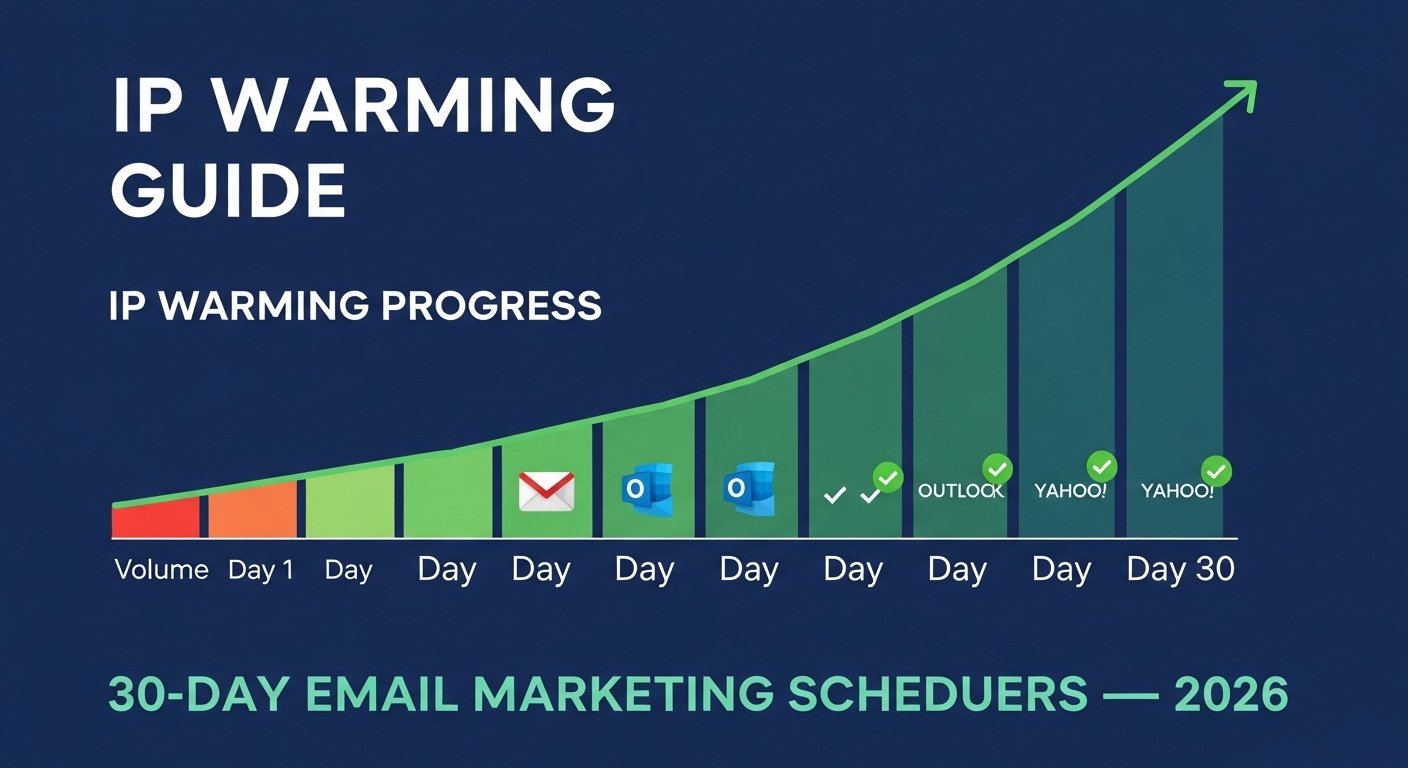
You just got a brand new dedicated IP address. You are ready to send your first email campaign. You load up your list, hit send — and within hours, Gmail is filtering everything to spam. Outlook is rejecting your emails outright. Your delivery rate has collapsed before your program even started. This is not bad luck. This is the predictable result of skipping IP warming — the single most important process for any sender launching new email infrastructure in 2026.
A new IP address has no sending history. To inbox providers like Gmail, Outlook, and Yahoo, an unknown IP suddenly sending large volumes of email looks identical to a spammer who just spun up fresh infrastructure to blast a purchased list. The filtering systems do not know yet whether you are legitimate. IP warming is the process of building that trust — gradually increasing your sending volume over several weeks in a pattern that signals consistent, legitimate behavior to every inbox provider simultaneously.
This complete 2026 guide covers exactly how IP warming works, why it matters more than ever with Gmail and Yahoo's 2024 enforcement changes, the precise day-by-day sending schedule to follow, which subscribers to send to first, how to read warming signals during the process, common mistakes that restart the clock, and how to know when warming is complete. This is the only guide you need to warm a new IP correctly the first time.

"I have watched businesses destroy their email programs before they even started — because they treated a new dedicated IP like a fully established sending infrastructure. A brand-new IP is not neutral. It is suspicious. Inbox providers have learned that brand-new IPs sending large volumes are overwhelmingly associated with spam operations. Your job during IP warming is to prove, through behavior over time, that you are the exception.
The most common mistake I see is senders who warm slowly for two weeks, get impatient, then send a large campaign prematurely. That single volume spike can reset weeks of warming progress and trigger spam filtering that persists for months. Since Gmail and Yahoo enforced strict authentication and complaint rate thresholds in 2024, the warming process has become both more important and less forgiving. Do it right the first time. The schedule I outline here has been validated across dozens of email programs — follow it exactly and your IP will be fully warmed within 30 days."
Quick Answer: How to Warm Up an IP Address
IP warming means gradually increasing sending volume from a new IP over 4–6 weeks, starting with your most engaged subscribers and slowly adding volume each day. Start at 200–500 emails on day one. Double volume every 2–3 days while keeping complaint rates below 0.1% and bounce rates below 2%. Send only to subscribers who have opened or clicked within the last 90 days. Monitor Gmail domain reputation weekly in Google Postmaster Tools. A new IP is fully warmed when it can send your target daily volume with consistent inbox placement. Check your IP status at TrustMyIP blacklist checker throughout the process, and ensure your SPF, DKIM, and DMARC are fully configured before sending a single email.
1. Why IP Warming Matters: What Inbox Providers Actually See
To understand why IP warming is essential, you need to understand exactly how inbox providers evaluate a new sending IP. This is not about following rules for the sake of it — it is about understanding the filtering logic you are operating within.
Gmail, Outlook, and Yahoo maintain reputation histories for every IP address they have ever received email from. When a completely new IP sends them email for the first time, it has zero history — and zero history is treated as a risk signal, not a neutral starting point. The reasoning is straightforward: legitimate email programs almost always have established sending histories. Brand-new IPs sending immediately at high volume are a pattern overwhelmingly associated with spam operations.
This is compounded by the fact that domain reputation and IP reputation are evaluated together. If your domain also has no sending history, inbox providers have two unknown quantities to evaluate simultaneously. If your domain has existing positive reputation from prior sending infrastructure, that helps — but the new IP still needs its own warming period before it can send at full volume reliably.
| What Inbox Providers Track | Healthy Warming Signal | Red Flag Signal |
|---|---|---|
| Daily send volume | Gradual, consistent increase | Sudden large spike from unknown IP |
| Complaint rate | Below 0.10% consistently | Above 0.10% on any day |
| Hard bounce rate | Below 2% | Above 2% — signals poor list quality |
| Engagement rate | High opens and clicks from recipients | Zero engagement — ignored or moved to spam |
| Authentication | SPF, DKIM, DMARC all passing 100% | Any authentication failure |
| Sending consistency | Regular sends across multiple days | Long gaps then sudden high volume |
| Spam trap hits | Zero | Any hit — immediate blacklist risk |
2. Before You Start: Non-Negotiable Pre-Warming Checklist
Starting IP warming without the right foundation in place is like building on sand. Every item below must be completed and verified before you send a single email from your new IP. Skip any of these and you will face deliverability problems that cannot be fixed by adjusting your warming schedule.
Pre-Warming Checklist — Complete Every Item Before Day 1
1 SPF, DKIM, and DMARC — All Three Passing
This is the hardest requirement and the most commonly skipped. Since Gmail and Yahoo enforced mandatory authentication in February 2024, any bulk sender without all three records configured faces rejection before warming even begins.
Verify before starting: Send a test email to Gmail and check raw headers. All three must show PASS: spf=pass, dkim=pass, dmarc=pass. Use TrustMyIP DNS Lookup to verify your TXT records are correctly published. Do not proceed until all three pass.
2 Reverse DNS (rDNS/PTR Record) Configured
Your sending IP must have a reverse DNS record pointing to a hostname that matches the domain you are sending from. Without rDNS, many receiving servers add spam score points or reject your email before any content evaluation occurs.
How to configure: Contact your hosting provider or ISP and request a PTR record for your sending IP. The hostname should be something like mail.yourdomain.com. Verify it resolves correctly using nslookup or a reverse IP lookup tool.
3 Clean, Verified Email List Ready
Your warming list must be your absolute cleanest, most engaged contacts. If your full list has any quality concerns — old addresses, unverified signups, low engagement — do not use it for warming. You need your top-tier subscribers: people who opened or clicked your emails within the last 60–90 days.
Minimum list quality standards for warming: All addresses from confirmed double opt-in. Zero purchased contacts. Hard bounces removed. Run through an email validation service to remove any invalid or risky addresses before warming begins.
4 Google Postmaster Tools Registered
Register your sending domain at postmaster.google.com before you start warming. This is free and gives you real-time visibility into your Gmail domain reputation, spam rate, and authentication status throughout the warming process. You cannot make good warming decisions without this data.
5 IP Clean — No Pre-Existing Blacklist Entries
Your new IP may have been previously used by another sender who left it with a damaged reputation. Check the IP before warming. Use TrustMyIP blacklist checker to confirm it has no existing listings across 100+ databases. If it appears on any major list, contact your hosting provider and request a different IP before proceeding.
3. The IP Warming Schedule: Exact Daily Volume by Target Size
This is the section most guides get wrong — they give vague advice like "start slow and increase gradually" without telling you what "slow" actually means. Here are two specific warming schedules based on your target sending volume: one for senders targeting up to 50,000 emails per day, and one for high-volume senders targeting 500,000+ per day.
These schedules assume you are sending every day — or at minimum every other day. Sending once a week with large gaps defeats the purpose of warming. Inbox providers need to see consistent sending patterns to build trust. Inconsistency looks like sporadic spam behavior, not a legitimate email program.
| Day | Standard Volume (target: 50K/day) | High Volume (target: 500K+/day) | Who to Send To |
|---|---|---|---|
| Day 1 | 200–500 | 1,000–2,000 | Most engaged — opened last 30 days |
| Day 2–3 | 500–1,000 | 2,000–5,000 | Opened last 30 days |
| Day 4–5 | 1,000–2,000 | 5,000–10,000 | Opened last 60 days |
| Day 6–8 | 2,000–5,000 | 10,000–25,000 | Opened last 60–90 days |
| Day 9–11 | 5,000–10,000 | 25,000–60,000 | Opened last 90 days |
| Day 12–15 | 10,000–20,000 | 60,000–150,000 | Opened last 90–120 days |
| Day 16–20 | 20,000–35,000 | 150,000–300,000 | Opened last 120–180 days |
| Day 21–30 | 35,000–50,000 | 300,000–500,000+ | Full engaged list |
Critical Rule: Volume Gates Based on Metrics
The schedule above is a maximum progression — you only move to the next volume level if your current metrics are healthy. Do not advance to the next tier if any of these thresholds are breached:
🔴 Complaint rate above 0.10% — pause, investigate, fix before resuming
🔴 Hard bounce rate above 2% — stop immediately, clean list before continuing
🔴 Any new blacklist listing detected — halt sending, identify cause, remove listing, then restart warming from 50% of current volume
🟡 Spam rate rising in Google Postmaster Tools — hold current volume for 3 extra days before advancing
🟢 All metrics healthy — advance to next volume tier as scheduled
4. Subscriber Segmentation During Warming: Who Gets Email First
The order in which you send to subscribers during IP warming is as important as the volume schedule itself. Your most engaged subscribers generate positive signals — opens, clicks, moves-to-inbox — that teach inbox providers this IP sends wanted email. Your least engaged subscribers are the risk — they generate complaints, ignore emails, or hit recycled spam trap addresses.
Tier 1 — Days 1–5: Your Absolute Best Subscribers
Who: Subscribers who opened or clicked in the last 30 days. These are your most engaged contacts — they are expecting your emails, they find them valuable, and they are least likely to complain.
Why start here: High engagement from this group teaches Gmail, Outlook, and Yahoo that your new IP is associated with wanted email. The positive signals from Tier 1 build a reputation buffer that protects you when you start sending to less-engaged segments later.
What to send: Your most relevant, high-value content. Not a sale, not a mass promotional blast. A genuinely useful email that this engaged segment will open and interact with. High engagement during early warming is critical.
Tier 2 — Days 6–15: Active but Less Frequent Openers
Who: Subscribers who opened or clicked in the last 60–90 days. Still active — but with slightly lower engagement frequency than Tier 1.
Approach: By the time you reach this tier, your IP has accumulated positive reputation signals from Tier 1. You can increase volume more aggressively here while maintaining the same content quality standards. Still no mass promotions — keep content relevance high.
Watch closely: Complaint rates typically start to tick up slightly when moving from Tier 1 to Tier 2. This is normal — monitor daily and pause if complaints cross 0.10% on any single day's send.
Tier 3 — Days 16–30: Broader Active List
Who: Subscribers who opened in the last 120–180 days. Still opted-in and technically active, but with a real possibility of reduced interest.
Risk management: Before sending to this segment, run a re-engagement check. If you have not emailed these contacts in 3+ months, send a re-engagement campaign first: "We haven't heard from you — still interested?" Remove everyone who does not re-engage before adding them to warming sends.
Never during warming: Do not send to contacts who have not engaged in 6+ months during the warming period. These contacts carry too much complaint risk when IP reputation is still being established. Add them only after warming is complete and you have a strong reputation buffer.
5. How to Read Warming Signals: What the Data Tells You
IP warming is not a set-and-forget process. You need to actively monitor specific metrics throughout the 30-day schedule and make real-time decisions based on what the data shows. Here is what to watch, where to find it, and what each signal means.
Daily Monitoring During IP Warming — What to Check and Act On
1 Google Postmaster Tools — Check Daily
Spam rate tab: This is your most important warming metric at Gmail. Target below 0.08% during warming — even lower than the 0.10% normal threshold. You want extra buffer while reputation is being built. If it exceeds 0.10% on any day, pause and do not advance volume.
Domain reputation tab: Should start at "Medium" or build toward "High" as warming progresses. If it shows "Low" at any point during warming, pause immediately and investigate your list quality and complaint sources.
Authentication tab: Should show 100% pass rates for SPF, DKIM, and DMARC throughout warming. Any failure here during the warming period causes compounding damage — fix immediately.
2 Your ESP Dashboard — Check After Every Send
Hard bounce rate: Should be below 2% on every single send. Above 2% is an immediate stop signal — your list contains too many invalid addresses. Remove all hard bounces before the next send.
Soft bounce rate: Some soft bounces during warming are normal — receiving servers temporarily deferring email from an unknown IP. A soft bounce rate above 10% on any send suggests inbox providers are throttling your IP — a signal to slow your volume increase for a few days.
Open rate: Compare warming sends against your historical open rates. If warming open rates are significantly lower than normal, your emails may be landing in spam at Gmail — check Postmaster Tools immediately for spam rate data.
3 Blacklist Check — Every 3 Days Minimum
Run your sending IP through Free blacklist checker every 3 days during warming. A new listing during the warming period — especially on Spamhaus or Barracuda — means you have a list quality or authentication problem that needs to be fixed before continuing. Do not ignore a blacklist entry and push through warming. Fix it first.
Any listing during warming resets your progress significantly. Inbox providers that already had limited trust in your new IP now have a confirmed negative signal. Fix the root cause, get the listing removed, then resume warming at 50% of the volume where you stopped.
4 Microsoft SNDS — Check Weekly
Register your sending IP at Microsoft SNDS and check status weekly during warming. Your IP should show green status. Yellow means elevated complaint or trap rates at Outlook — hold your current volume for a few days and investigate before advancing. Red means active Microsoft filtering — halt Outlook-bound sends until resolved.
6. Common IP Warming Mistakes That Reset Your Progress
Most warming failures are not caused by the schedule itself — they are caused by specific mistakes that undo weeks of progress in a single send. These are the most common errors, with the exact damage each one causes.
Mistakes That Reset Warming
- ✗Sending a large campaign early: One premature high-volume send — triggered by impatience or a "time-sensitive offer" — can trigger spam filtering that takes weeks to recover from
- ✗Skipping days then sending high volume: A 5-day gap followed by a large send looks identical to a spam burst to inbox providers — consistency is everything
- ✗Including unengaged contacts too early: Adding 6-month inactive subscribers in week one overwhelms the positive signals with complaints and non-engagement
- ✗Ignoring a blacklist entry during warming: Continuing to warm through an active Spamhaus or Barracuda listing teaches inbox providers that this IP ignores abuse signals
- ✗Sending promotional-only content: Every warming send should be high value. Sending purely promotional content to a cold warming audience generates complaints and deletions
Practices That Accelerate Warming
- ✓Sending daily or every other day: Consistent sending rhythm builds trust faster than occasional large sends — frequency signals legitimacy
- ✓High-value content every send: Genuinely useful emails generate opens, clicks, and replies — all positive engagement signals that accelerate reputation building
- ✓Asking engaged subscribers to whitelist you: A simple "Add us to your contacts" request in early warming emails generates explicit positive signals to inbox providers
- ✓Monitoring every send: Catching a complaint spike or bounce rate issue on the day it occurs — not three days later — prevents small problems from becoming warming-ending events
- ✓Strong existing domain reputation: If your domain has positive Gmail reputation from prior infrastructure, new IPs warm faster — protect your domain reputation at all times
7. How to Know When IP Warming is Complete
Many senders end warming too early — declaring their IP "warmed" after 30 days regardless of what the data shows. IP warming is complete when your metrics meet specific thresholds, not when a calendar date arrives. Here is exactly what a fully warmed IP looks like.
Metric 1: You Can Send Target Volume with Consistent Inbox Placement
The primary test of completed warming is whether your IP delivers your target daily volume to inbox — not spam folders — across Gmail, Outlook, and Yahoo consistently. Use a seed testing tool like GlockApps to verify inbox placement rates. If more than 10% of sends are going to spam across all providers, warming is not complete — continue the gradual increase.
Metric 2: Google Postmaster Tools Shows "High" Domain Reputation
Your domain reputation in Postmaster Tools should reach "High" by the end of warming — assuming your list quality is strong and complaint rates were managed well. If domain reputation is still at "Medium" after 30 days of warming, extend the process with another 1–2 weeks of consistent sending before adding less-engaged list segments.
Metric 3: Stable Complaint Rate Below 0.05%
At full target volume, complaint rates should be stable and below 0.05%. If complaints rise when you reach full volume, your broader list has quality issues that warming cannot fix — you need list cleaning and re-engagement work before sending to your full audience.
Metric 4: Zero Blacklist Entries for 14+ Consecutive Days
Your IP should be completely clean across all major blacklists for at least 14 consecutive days at or near your target volume before you declare warming complete. Verify with Online blacklist checker. If you had any listings during warming that were resolved, the 14-day clean window must start from after the listing was removed.
8. IP Warming for Transactional Email: Different Rules Apply
Everything discussed so far applies primarily to marketing email. Transactional email — password resets, purchase confirmations, account notifications — has different warming requirements because the sending patterns and recipient expectations are fundamentally different.
Transactional Email Warms Faster — Here Is Why
Transactional emails have inherently high engagement — recipients are expecting them and need them immediately. A password reset email is opened by nearly 100% of recipients. This extreme positive engagement signal accelerates IP warming significantly compared to marketing email.
Typical transactional warming timeline: 7–14 days versus 30 days for marketing email, assuming consistent daily transaction volume. The high engagement rate from expected, needed email builds trust with inbox providers much faster.
Never Mix Transactional and Marketing on the Same IP
Transactional and marketing email have completely different reputation profiles. Marketing email generates complaints. Transactional email almost never does. Mixing them on one IP means marketing complaint rates damage the reputation of your transactional IP — and critical emails like password resets start going to spam.
Best practice: Always send transactional email from a dedicated IP separate from marketing sends. Warm them separately. Protect transactional IP reputation as your highest priority — it is the one directly affecting your product's functionality. Understanding the difference between IP reputation and domain reputation helps clarify why separation matters here.
Conclusion: Warm Once, Warm Correctly
IP warming is the only legitimate path to sending large email volumes from a new IP with reliable inbox placement. There are no shortcuts. There is no tool that bypasses the warming requirement. Gmail, Outlook, and Yahoo have built their filtering systems specifically to detect and penalize the behavior patterns that shortcuts create.
The 30-day schedule, the subscriber segmentation order, the metric thresholds, the pre-warming checklist — each element of this process serves a specific purpose. Follow it completely and your IP will be fully warmed with strong reputation. Skip steps and you will face the same outcome as the sender who skipped warming entirely: spam folder placement and blacklist entries at exactly the moment you need your email infrastructure to perform.
Start your warming correctly. Verify your IP is clean at blacklist checker Online before day one. Confirm authentication with Online DNS Lookup. Monitor throughout with Google Postmaster Tools. Then follow the schedule with discipline — the 30-day investment protects years of email program performance.
Build your complete email deliverability foundation: understand how IP reputation scores work, know what causes email blacklisting, and use the right reputation monitoring tools to track your progress throughout warming and beyond.
Check Your IP Before Warming Starts
Verify your new IP has no pre-existing blacklist entries. Check authentication records are correctly configured. Two free checks — do both before Day 1.