Your IP reputation is being scored right now — by Gmail, by Outlook, by Spamhaus, by Barracuda, and by dozens of other systems you have never directly interacted with. These scores determine whether your emails reach inboxes, whether your web traffic is throttled, and whether your sending infrastructure gets blocked across the internet. Most businesses discover their IP reputation has a problem only after damage is done: email campaigns fail, customers stop receiving messages, and a frantic investigation begins too late. The right IP reputation monitoring tools make this invisible process visible — before it becomes a crisis.
But not all monitoring tools serve the same purpose. A free blacklist checker covering 100+ databases serves a completely different need than Google Postmaster Tools' domain reputation tracking, which serves a completely different need than Microsoft SNDS's complaint rate data. Using the wrong tool for your specific situation — or using one tool when you need three — produces blind spots that monitoring is supposed to eliminate.
This complete 2026 guide covers every major IP reputation monitoring tool currently available — free and paid — organized by what each one actually measures, who it is designed for, what it cannot tell you, and how to build a monitoring stack that gives complete coverage. This is not a generic ranked list. It is a practical guide matched to your sending volume, budget, and risk tolerance.

"The question I get asked most often is not 'how do I fix my IP reputation?' — it is 'how did I not know my IP reputation was this bad?' The answer is almost always the same: they were not monitoring it at all, or they were using a single tool that only covered part of the picture. IP reputation is not one score from one system. It is a composite of signals from dozens of independent databases, inbox providers, and behavioral engines — and each requires a different tool to observe.
In 2026, I recommend a minimum three-tool monitoring stack for any business that relies on email: a multi-blacklist checker for DNS database coverage, Google Postmaster Tools for Gmail domain reputation, and Microsoft SNDS for Outlook-specific IP data. These three free tools together cover the vast majority of deliverability risk for most senders. Paid tools add genuine value for high-volume operations — but for 80% of senders, the free stack provides everything needed to catch problems before they compound into costly crises."
Quick Answer: Best IP Reputation Monitoring Tools 2026
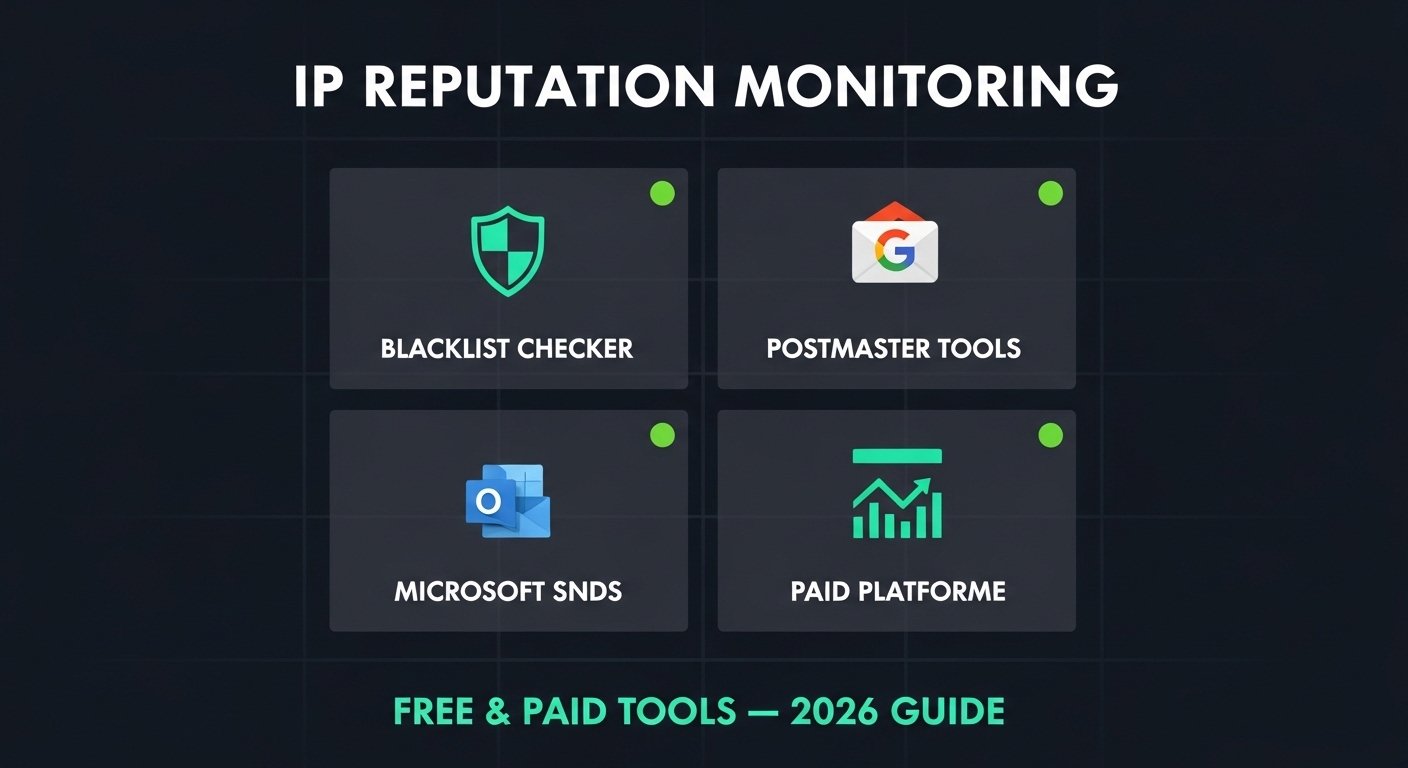
The best IP reputation monitoring tools for 2026 cover three distinct areas. For DNS blacklist checking: TrustMyIP Blacklist Checker (free, 100+ lists) and MXToolbox (free/paid). For inbox provider reputation: Google Postmaster Tools (free, Gmail), Microsoft SNDS (free, Outlook), Yahoo Postmaster (free). For comprehensive deliverability platforms: GlockApps, Sender Score by Validity, and Validity Everest (paid, high-volume senders). No single tool covers all three areas. A complete monitoring stack uses at minimum one tool from each category. The free tools alone cover 80% of needs for most senders.
1. What IP Reputation Monitoring Needs to Cover in 2026
Before evaluating any tool, you need a clear picture of what IP reputation monitoring actually means. Reputation is not stored in one place — it exists across multiple independent systems, each tracking different signals and serving different consumers of that data.
A complete monitoring setup must cover all three layers. Missing any one creates a blind spot that will surface as a deliverability problem you did not see coming.
| Reputation Layer | What It Covers | Who Uses This Data | Tools to Monitor It |
|---|---|---|---|
| DNS Blacklists | IP/domain listed for spam, malware, policy violations | ISPs, enterprise filters, most receiving servers | TrustMyIP Blacklist, MXToolbox, MultiRBL |
| Inbox Provider Scores | IP and domain reputation at Gmail, Outlook, Yahoo | Gmail, Outlook, Yahoo filtering decisions | Google Postmaster Tools, Microsoft SNDS, Yahoo Postmaster |
| Third-Party Scores | Aggregated behavior scores used by commercial filters | Spam filters, ESPs, enterprise email gateways | Sender Score (Validity), Cisco Talos Intelligence |
| Deliverability Analytics | Inbox vs spam placement rates, bounce rates, complaint trends | Your own program — operational visibility | GlockApps, Validity Everest, Litmus, ESP dashboards |
2. Free Blacklist Monitoring Tools
DNS blacklist checkers are the most immediate form of IP reputation monitoring. They tell you whether your sending IP has been listed on any of the major databases that mail servers query in real time. A Spamhaus or Barracuda listing causes immediate severe delivery failures — and these tools catch that before your bounce logs do.
TrustMyIP Blacklist Checker — Best Free Multi-List Coverage
TrustMyIP Blacklist Checker queries your IP against 100+ blacklist databases simultaneously — covering all Spamhaus zones (SBL, XBL, PBL, DBL, ZEN), Barracuda BRBL, SpamCop, SORBS, Invaluement, UCEPROTECT, and dozens of regional and specialized lists. Results arrive in seconds with a clear pass/fail indicator for each database checked.
What it does well: Comprehensive single-query coverage across the most impactful blacklists. No signup required. Results are immediately actionable — you see exactly which databases have your IP listed and can proceed directly to removal for each. Ideal for both routine weekly checks and urgent diagnostics when delivery failures occur.
What it does not cover: Inbox provider internal reputation scores. Domain reputation. DMARC report data. These require separate tools from Section 3.
MXToolbox SuperTool — Best for Combined Diagnostics
MXToolbox checks your IP against approximately 90 blacklists and combines this with DNS record verification, mail server connectivity tests, SPF lookup, DKIM verification, and header analysis. This combination is particularly useful when simultaneously diagnosing blacklist status and authentication configuration in one session.
What it does well: Combined blacklist and DNS diagnostic capability. The paid monitoring tier ($129–$399/month) adds automated alerts when your IP appears on any blacklist — removing the need for manual weekly checks entirely.
Best for: Technical users and IT administrators who want blacklist checking and DNS diagnostics in one interface. The paid alert tier is worth evaluating for businesses where an undetected listing has significant business impact.
Spamhaus Blocklist Lookup — Authoritative Spamhaus Data
The official Spamhaus lookup at check.spamhaus.org checks your IP against all Spamhaus zones and provides the authoritative result directly from the source. When a bounce message references a Spamhaus listing, this tool gives you the exact SBL reference number, listing date, and reason — all required for the removal request.
Best for: Confirming and researching a Spamhaus listing before submitting a delist request. Use alongside a multi-list checker, not as a replacement. For the complete removal process, follow our Spamhaus delist guide.
3. Inbox Provider Tools: Monitor Where Filtering Actually Happens
DNS blacklist checkers show external database listings. But Gmail and Outlook make filtering decisions based primarily on their own internal reputation systems — which external checkers cannot see. The inbox providers themselves offer free tools to monitor these. All three are essential and all three are free.
Inbox Provider Monitoring Tools — Setup and What to Watch
1 Google Postmaster Tools — Essential for Gmail
What it shows: Gmail-specific reputation data for your sending domain — the data driving Gmail's inbox vs spam decisions. The single most important free tool for email senders in 2026.
Four metrics to monitor weekly:
• Domain reputation: High / Medium / Low / Bad. If Low or Bad, your emails go to spam at Gmail regardless of IP status or content quality.
• Spam rate: Your actual Gmail complaint rate. Target below 0.10%. Above 0.30% triggers active enforcement. This is the only place to see this number — it is not visible in your ESP dashboard.
• Authentication pass rates: SPF, DKIM, DMARC. Should be 100%. Failures here damage both IP and domain reputation simultaneously.
• Delivery errors: When Gmail begins rejecting your sending IP directly, error codes appear here before your bounce logs catch up.
Setup: postmaster.google.com → add sending domain → verify via DNS TXT record → data populates within 24–48 hours of sending activity.
Limitation: Gmail recipients only. Does not cover Outlook, Yahoo, or other providers. Minimum send volume required to generate data.
2 Microsoft SNDS — Essential for Outlook and Microsoft 365
What it shows: Microsoft's Smart Network Data Services provides IP reputation data as seen by Outlook, Hotmail, and Microsoft 365. Shows data per sending IP with three key indicators.
• Status color: Green (good), Yellow (watch carefully — investigate), Red (blocked or near-blocked — immediate action required).
• Complaint rate: Percentage of emails that Microsoft users mark as junk. Target below 0.3%. Above this, aggressive filtering begins.
• Spam trap rate: Any value above zero is a serious warning — requires immediate list hygiene investigation.
Setup: sendersupport.olc.protection.outlook.com → register sending IP range → data available within 1–2 business days.
Limitation: IP-level data only — no domain reputation dashboard like Postmaster Tools. Data is 24–48 hours delayed. Microsoft-only coverage.
3 Yahoo Postmaster — For Yahoo and AOL Coverage
What it shows: Yahoo's sender portal covering Yahoo Mail and AOL Mail. Provides FBL (Feedback Loop) enrollment and complaint rate data for registered senders.
• FBL notifications: Individual complaint reports per email sent. Lets you see which specific campaigns generate complaints — not just aggregate rates. This granularity helps isolate problem list segments.
• Complaint rate: Yahoo's threshold mirrors Gmail — 0.1% is the warning zone.
Setup: senders.yahooinc.com → enroll sending domain and IP → FBL notifications begin within 24 hours.
Priority note: Yahoo has smaller market share than Gmail or Outlook — third priority in your monitoring stack, but still worth running given that FBL per-complaint data provides campaign-level insight the other tools do not offer.
4. Third-Party Reputation Score Tools
Beyond DNS blacklists and inbox provider tools, third-party reputation scoring systems aggregate sending behavior data and produce unified scores referenced by commercial spam filters, enterprise email gateways, and ISPs that do not operate their own scoring infrastructure.
Sender Score by Validity — Industry Standard Score
Sender Score assigns every sending IP a score from 0 to 100 based on rolling 30-day sending behavior — complaint rates, unknown user rates, spam trap hits, and volume patterns. Scores above 80 are good. Below 70 indicates reputation problems affecting deliverability at filters referencing this score.
Important 2026 context: Gmail and Outlook do not directly use Sender Score — they use their own systems. Sender Score is most relevant for B2B email delivered through commercial spam filters (Proofpoint, Mimecast, Barracuda hardware) that do reference Validity's data.
Best for: B2B email senders where recipients use corporate email with commercial filtering appliances. Use as a secondary indicator alongside Google Postmaster Tools.
Cisco Talos Intelligence — Security-Focused Reputation
Cisco Talos provides free IP and domain reputation lookups covering email reputation, web reputation, and threat data. Talos data feeds directly into Cisco Secure Email (formerly IronPort) — widely deployed in enterprise and government mail infrastructure.
Best for: Enterprise senders whose recipients use Cisco Secure Email. Shows Good / Neutral / Poor classification with historical volume data. If your emails are filtered by Cisco appliances, this is the authoritative diagnostic source.
Barracuda Central — For Barracuda-Specific Monitoring
Barracuda Central (barracudacentral.org) provides the official lookup and removal request portal for Barracuda's BRBL. Shows listing status and allows free removal requests directly.
Best for: B2B senders whose recipients use Barracuda email security appliances — extremely common in mid-market and enterprise environments. Barracuda listings cause hard rejections at these organizations even when all other blacklists are clean.
5. Paid Deliverability Platforms: When Free Is Not Enough
For senders exceeding 100,000 emails per month, free monitoring tools leave real gaps: no automated alerts, no inbox placement testing across real mailboxes, no consolidated dashboards. Paid platforms fill these gaps.
| Tool | Primary Strength | Pricing (2026) | Best For |
|---|---|---|---|
| GlockApps | Inbox placement testing across 90+ real providers | Free tier (limited); from $9/month | Pre-send inbox placement testing |
| Validity Everest | All-in-one: blacklists, seeds, Sender Score, DMARC | Custom enterprise (~$1,000+/month) | Enterprise programs, very high-volume senders |
| MXToolbox Monitoring | Automated blacklist alerts + uptime monitoring | From $129/month | IT teams wanting automated alerting |
| Postmark Spam Check | Pre-send spam score + authentication validation | Included with Postmark sending service | Transactional email via Postmark |
| Mailgun Email Validation | Real-time list validation + reputation scoring | Usage-based within Mailgun plans | API senders + list quality management |
What Paid Tools Add That Free Tools Cannot Provide
Seed inbox testing: Paid platforms send test emails to real seed mailboxes at Gmail, Outlook, Yahoo, and 80+ other providers — then report whether each test landed in inbox, spam, or was rejected. This is the only way to see actual inbox placement rates. Free tools cannot do this.
Automated blacklist alerting: Free tools require manual checks. Paid monitoring runs continuously and sends alerts within minutes of a new listing. For businesses where deliverability is revenue-critical, the cost of a 24-hour undetected listing often exceeds the monthly tool cost.
DMARC report visualization: DMARC aggregate reports are XML files requiring parsing. Paid platforms visualize this data clearly — showing unauthorized senders, authentication failure rates, and spoofing attempts in dashboard format.
Historical trend data: Understanding whether reputation is improving or declining requires trend data over weeks and months. Most paid platforms graph this. Free tools show only current snapshot status.
6. Authentication Monitoring: The Foundation of Both Reputations
IP reputation monitoring is incomplete without monitoring the authentication layer. SPF, DKIM, and DMARC failures directly damage both IP and domain reputation — and they are invisible without specific tools checking them. These are free and take minutes to run.
TrustMyIP DNS Lookup — SPF and DMARC Verification
Use TrustMyIP DNS Lookup to verify SPF TXT records at your root domain and DMARC records at _dmarc.yourdomain.com. Confirm both exist, are syntactically correct, and contain the right policy values.
When to check: After any DNS change. After adding a new sending service. Monthly as routine verification. Authentication that silently breaks is one of the most common causes of sudden unexplained deliverability drops.
Port25 Verifier — Live Authentication Testing
Send a blank email from your mail server to check-auth@verifier.port25.com. The automated response shows your SPF pass/fail, DKIM pass/fail, DMARC pass/fail, and SpamAssassin score from the perspective of an actual receiving server processing your mail.
Why this matters: A DNS record can look correct in a lookup but still fail if your mail server is not signing with DKIM or the sending IP is not in your SPF chain. Live testing catches gaps that static DNS queries miss.
For a complete walkthrough of reading authentication results, see our guide on checking SPF, DKIM, and DMARC status. Understanding the difference between IP reputation and domain reputation helps clarify why authentication monitoring affects both systems simultaneously.
7. Your Monitoring Stack by Sender Type
The right monitoring combination depends on your sending volume and risk tolerance. Here is the specific tool stack recommended for each sender type — with realistic setup time and ongoing time commitment.
Recommended Monitoring Stack by Sender Profile — 2026
A Small Business / Low Volume (Under 10,000 emails/month)
All-free stack — setup time: 30 minutes total:
✅ TrustMyIP Blacklist Checker — manual check once per week (2 minutes)
✅ Google Postmaster Tools — register domain, check spam rate monthly
✅ Port25 Verifier — send authentication test after any DNS or server change
Total ongoing time: 10–15 minutes per week. Covers DNS blacklists, Gmail reputation, and authentication. Catches 90% of issues before they become serious problems for low-volume senders.
B Mid-Volume Sender (10,000–100,000 emails/month)
Mostly free stack with one optional paid add:
✅ TrustMyIP Blacklist Checker — 3x per week minimum
✅ Google Postmaster Tools — weekly, track spam rate trend line
✅ Microsoft SNDS — register IP, weekly check for color status and complaint rate
✅ Sender Score (Validity) — monthly check to track score trend
✅ GlockApps free tier — inbox placement test before each major campaign send
Optional paid add: MXToolbox monitoring ($129/month) for automated blacklist alerts. At this volume, a 24-hour undetected listing has real business impact that exceeds the monthly tool cost.
C High-Volume Sender (100,000+ emails/month)
Full stack — free foundation + paid platform:
✅ TrustMyIP Blacklist Checker — daily, documented in monitoring log
✅ Google Postmaster Tools — daily monitoring, alert if spam rate exceeds 0.08%
✅ Microsoft SNDS — daily, alert if status changes from green
✅ Yahoo FBL — enrollment active, per-complaint notifications reviewed
✅ Cisco Talos Intelligence — check monthly if sending to enterprise recipients
✅ GlockApps paid or Validity Everest — inbox placement test every major campaign
✅ DMARC analytics tool — daily DMARC aggregate report review
Investment: Free tools (30 min/week) + paid platform ($200–$1,000/month). At 100,000+ emails/month, one undetected listing costs more in lost revenue than the entire annual monitoring budget.
D IT Administrator / Mail Server Operator
Technical-focused stack for all managed IPs:
✅ TrustMyIP Blacklist Checker + Spamhaus direct lookup for every managed IP
✅ MXToolbox monitoring (paid) — automated alerts across all monitored IP ranges
✅ Microsoft SNDS + Google Postmaster Tools for all managed sending domains
✅ TrustMyIP DNS Lookup — SPF/DMARC verification after every DNS change
✅ Cisco Talos Intelligence — for IPs serving enterprise mail infrastructure
Focus: Comprehensive coverage of all managed IPs, not just outbound sending. Documented monitoring log with timestamps for incident response audit trails.
8. When Monitoring Finds a Problem: Response by Alert Type
Monitoring is only valuable if you have a clear response for when it finds something. Here is the exact response for each type of alert your monitoring stack might generate.
Alert: Blacklist Entry Detected
Response: Pause high-volume sending immediately. Identify the specific list and look up the listing details directly at that database. Diagnose root cause — malware, open relay, spam trap hits, or complaint volume. Fix completely. Monitor for 48 hours. Submit removal. For Spamhaus — follow our complete Spamhaus delist guide. For understanding which listings auto-expire versus require action, see our IP blacklist duration guide.
Alert: Gmail Domain Reputation Declining in Postmaster Tools
Response: Check spam rate tab first — if above 0.1%, complaint rate is the cause. Immediately suppress all contacts with zero opens or clicks in the past 90 days. Do not send campaigns until list is cleaned. Verify authentication pass rates are 100%. Begin the behavioral recovery process detailed in our IP reputation recovery guide — the domain reputation section applies directly here.
Alert: Microsoft SNDS Shows Yellow or Red Status
Response: Yellow — investigate immediately but no emergency action required yet. Check complaint rate in SNDS detail. If above 0.3% to Microsoft recipients, reduce send frequency and clean list before next campaign. Red — stop sending to Microsoft addresses until investigated. Submit Microsoft Sender Support delist request alongside list cleanup. Reviews take 1–5 business days.
Alert: Authentication Failure Detected in Postmaster Tools or Live Test
Response: Authentication failures are urgent — they damage both IP and domain reputation simultaneously for every email sent until fixed. Check your SPF record for missing sending services. Check DKIM signing is enabled in mail server configuration — not just the DNS record. Check DMARC policy is not creating alignment conflicts. Fix → verify with Port25 live test → confirm 100% pass rates before resuming full volume.
Conclusion: Build the Stack, Run It Consistently
The best IP reputation monitoring tools in 2026 are not a single product — they are a coordinated stack covering DNS blacklists, inbox provider internal reputation, and authentication status. No tool covers all three. Every sender needs at minimum a blacklist checker, Google Postmaster Tools, and an authentication verification method running simultaneously.
For most senders, the free stack described in Section 7 covers 80–90% of monitoring needs with 15 minutes per week. Paid platforms add genuine value for high-volume operations — but they are supplements to a solid free foundation, not replacements for it. The monitoring stack that runs consistently provides more value than a sophisticated platform that gets checked only when something breaks.
Start now. Check your IP at TrustMyIP blacklist checker. Register your domain in Google Postmaster Tools. Verify authentication with TrustMyIP DNS Lookup. These three steps take under thirty minutes and give you the baseline visibility that most senders never have until something goes wrong.
Continue building: understand the full picture of your IP reputation score, know the critical difference between IP reputation and domain reputation, and follow the complete process to recover damaged IP reputation if monitoring reveals problems already exist.
Start Your Reputation Audit Now
Check your IP across 100+ blacklists and verify your DNS authentication records. Free, in under 60 seconds.