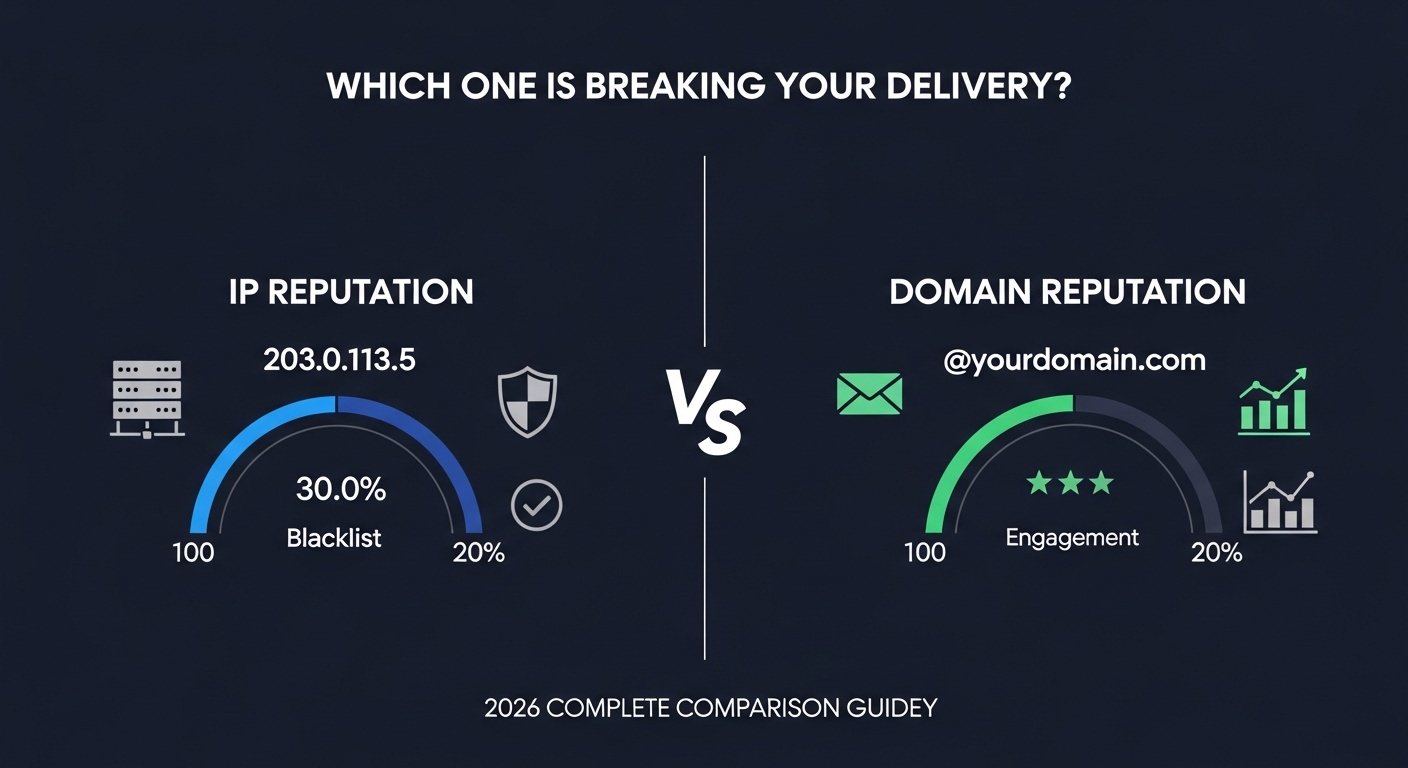
Your IP is clean. Every blacklist check comes back green. Your SPF, DKIM, and DMARC records are configured correctly. And yet — your emails are landing in spam at Gmail. Your open rates have collapsed. Your carefully crafted campaigns are disappearing into junk folders across your entire list. If you have been troubleshooting deliverability using only IP reputation tools, you have been looking at half the picture. The other half is domain reputation — and it operates as a completely separate system that most senders never check until something breaks badly.
IP reputation and domain reputation are not the same thing. They are tracked by different systems, measured by different signals, stored in different databases, and recovered through different processes. An IP with excellent reputation can carry a domain with terrible reputation — and the domain reputation will still send your emails to spam. Conversely, a new IP with no reputation history can inherit strong domain reputation — and deliver to inboxes reliably from day one. Understanding exactly how these two systems interact in 2026 is the foundation of professional email deliverability.
This complete 2026 guide defines both systems precisely, explains what signals feed each one, shows you how to check both separately, explains how they interact and which one matters more in different scenarios, and gives you the specific recovery path for each type of damage. By the end, you will never confuse these two systems again — and you will know exactly which one is causing your current deliverability problem.

"The IP reputation versus domain reputation confusion is the most common advanced deliverability mistake I see. Senders spend weeks trying to clean their IP reputation — requesting blacklist removals, switching sending IPs, warming new infrastructure — while their domain reputation continues deteriorating because they never identified the real problem. The IP work was not wrong. It was just solving the wrong thing.
Since Gmail and Yahoo's enforcement changes in February 2024, domain reputation has become the dominant signal for inbox placement decisions. Gmail's domain reputation score, visible in Google Postmaster Tools, now carries more weight than IP reputation for most sending scenarios. A sender on a shared IP with average IP reputation but excellent domain reputation will outperform a sender on a dedicated IP with perfect IP reputation but poor domain reputation every single time. If you are not monitoring both independently, you are flying blind."
Quick Answer: IP Reputation vs Domain Reputation
IP reputation is the trustworthiness score assigned to a specific IP address based on its sending history — spam complaints, blacklist entries, volume patterns, and authentication. Domain reputation is the trustworthiness score assigned to your sending domain (yourdomain.com) based on engagement rates, complaint rates, authentication alignment, and sending consistency over time. The key difference: IP reputation is tied to the server address and can be reset by changing IPs. Domain reputation follows your domain everywhere — it travels with you regardless of which IP you send from. In 2026, domain reputation is the more influential signal at Gmail and Outlook. Check your IP status at TrustMyIP blacklist checker and your domain reputation at Google Postmaster Tools. Both must be healthy for reliable inbox delivery. See how to recover damaged IP reputation for IP-specific fixes.
1. The Fundamental Difference: What Each System Tracks
To understand the difference between IP reputation and domain reputation, you first need to understand that these are not two names for the same concept. They are two entirely separate scoring systems maintained by different organizations, fed by different data sources, and producing different outcomes for your email delivery.
Think of it this way. Your IP address is the postal truck. Your domain is the company whose packages that truck delivers. The postal network tracks the truck's behavior — how reliably it delivers, whether it has been involved in incidents, whether it follows the rules. But the company's reputation is tracked separately — are the packages they send valuable? Do recipients complain about receiving them? Do they return packages? Both reputations matter. Both affect whether the next delivery gets through. But they are completely separate records.
| Factor | IP Reputation | Domain Reputation |
|---|---|---|
| What it tracks | The sending IP address (203.0.113.5) | The sending domain (yourdomain.com) |
| Primary data source | Blacklist databases, spam trap hits, complaint rates per IP | Engagement rates, complaint rates, authentication consistency |
| Where it is stored | DNS blacklists (Spamhaus, Barracuda) + internal inbox provider scores | Internal inbox provider databases (Gmail, Outlook, Yahoo) |
| Can you reset it? | Partially — new IP starts fresh on DNS blacklists | No — domain reputation follows the domain permanently |
| How to check it | TrustMyIP blacklist checker, SNDS, blacklist lookup tools | Google Postmaster Tools, Microsoft SNDS, Yahoo Postmaster |
| How to recover it | Fix root cause + submit removal requests + clean sending | Clean sending behavior only — no removal form exists |
| Which matters more in 2026? | Critical for avoiding hard rejections | Dominant signal for inbox vs spam placement at Gmail |
| Transfer with IP change? | Yes — new IP = new reputation (mostly) | No — domain carries history regardless of IP |
2. What Builds and Destroys IP Reputation
IP reputation is the older of the two systems and the one most senders think of first. It is built around a core question: has this specific IP address been associated with spam, malware, or abusive sending behavior? The systems that answer this question are the DNS blacklists — Spamhaus, Barracuda, SpamCop, and dozens of others — plus the internal scoring systems maintained by Gmail and Outlook for each sending IP they observe.
IP Reputation Signals — What Moves Your Score
Signals That Damage IP Reputation
🔴 Spam trap hits: Single most damaging signal. One pristine spam trap hit triggers immediate Spamhaus SBL consideration. Recycled trap hits indicate persistent list quality failure.
🔴 High complaint rates per IP: Gmail and Outlook track how many recipients of mail from your IP click "Report Spam." Even at 0.1%, your IP's sending reputation degrades at Gmail.
🔴 DNS blacklist entries: Spamhaus, Barracuda, SpamCop listings are the most visible IP reputation damage — causing immediate hard rejections at hundreds of providers simultaneously.
🔴 Malware or botnet activity: Spamhaus XBL and CBL listing from compromised infrastructure. Instant, automated, and very difficult to recover from quickly if root cause is not identified.
🔴 Abnormal sending patterns: Sudden volume spikes from a previously quiet IP. Connecting to thousands of different mail servers in short windows. Sending to high percentages of invalid addresses.
🔴 High hard bounce rates: Sending to addresses that do not exist signals poor list quality, which is a strong negative IP reputation signal at both Gmail and Outlook's internal systems.
Signals That Build IP Reputation
🟢 Consistent sending volume: Steady, predictable volume over time builds trust. An IP sending 5,000 emails per day consistently for three months is treated very differently from one that sends nothing for weeks then suddenly blasts 100,000.
🟢 Low complaint rates: Keeping complaint rates below 0.05% at Gmail builds positive reputation signals over time. Below 0.01% is excellent.
🟢 Clean bounce management: Removing hard bounces immediately and keeping invalid address rates below 2% demonstrates list quality.
🟢 Proper authentication: SPF, DKIM, and DMARC all passing consistently tells receiving infrastructure this IP is operated by a legitimate, technically competent sender.
🟢 IP warming: Starting a new IP at low volume and gradually increasing over 4–8 weeks allows reputation to build naturally without triggering behavioral anomaly detectors.
3. What Builds and Destroys Domain Reputation
Domain reputation is a fundamentally different system. Where IP reputation focuses on the sending infrastructure, domain reputation focuses on the relationship between your domain and the people who receive email from it. It is built around a different core question: do recipients of mail from this domain find it valuable?
This shift matters enormously. You cannot fix domain reputation by changing servers, switching hosting providers, or requesting blacklist removals. Domain reputation lives in Gmail's internal databases, Outlook's scoring systems, and Yahoo's filtering logic — and the only currency it accepts is genuine recipient behavior over time.
What Damages Domain Reputation
Spam complaint rate — the dominant signal: When Gmail users click "Report Spam" on your email, that action is attributed to your sending domain — not just your IP. Gmail's spam rate threshold for domain reputation is 0.1%. Exceeding it consistently puts your domain into a degraded reputation tier. Exceeding 0.3% moves into the danger zone where Gmail begins rejecting your email entirely. Once domain reputation is damaged this way, it requires weeks of complaint-free sending to recover — not a blacklist removal request.
Low engagement signals: Recipients who never open your emails, never click links, and never move your messages out of spam are sending negative engagement signals attributed to your domain. Gmail tracks these across its entire user base. A domain where 80% of recipients routinely ignore emails develops worse reputation than one where 30% engage actively — even if the 30% list is smaller.
Authentication failures: DMARC failures are attributed to your domain, not your IP. If spoofed emails sent by third parties in your domain's name fail DMARC checks, those failures damage your domain's authentication reputation — even though you did not send those emails. This is why DMARC at p=reject is essential: it stops spoofed mail from damaging your domain reputation.
What Builds Domain Reputation
High engagement rates: Recipients who open emails, click links, reply, and move messages from spam to inbox all generate positive domain reputation signals. These behaviors tell Gmail's systems that your domain consistently sends wanted email. Over time, this builds a reputation buffer that protects against temporary deliverability challenges.
Authentication consistency: DMARC at p=reject combined with consistent SPF and DKIM passing tells Gmail your domain is professionally managed. Senders with consistent authentication alignment receive better initial treatment from Gmail's filtering systems than unauthenticated domains with identical complaint rates.
Sending to engaged subscribers only: Segmenting your list to send only to contacts who have opened or clicked within the last 90 days dramatically improves domain reputation over time. A smaller list with high engagement outperforms a large list with low engagement for domain reputation purposes — every time.
4. The Critical Difference: Can You Reset Reputation?
This is where the practical difference between IP reputation and domain reputation becomes most consequential. The strategies for fixing each are completely different — and applying the wrong strategy wastes time while the actual problem gets worse.
IP Reputation — Partially Resettable
IP reputation has a hard reset option: change your sending IP. A brand-new IP starts with a neutral reputation on DNS blacklist databases. It has no negative history. If your IP reputation damage is severe — multiple blacklist entries, malware-associated history, years of complaint accumulation — a new IP can be a legitimate fresh start.
The important caveat: Inbox providers like Gmail do maintain some IP history beyond DNS blacklists. A brand-new IP has no reputation — which is slightly different from a clean reputation. New IPs require warming to build trust. And if the same domain is sending from the new IP, domain reputation travels with the domain, not the IP.
Removal requests work for IP reputation: Spamhaus SBL, Barracuda, SpamCop — these all have formal removal processes. A clean IP with a submitted and approved removal is treated as restored. This is a specific, actionable path that domain reputation does not have.
Domain Reputation — Cannot Be Reset
Domain reputation cannot be reset by changing IPs. It cannot be reset by submitting a removal request — no such form exists for domain reputation at Gmail. It cannot be reset by switching email service providers. The domain carries its history everywhere it sends from.
The only recovery path is behavioral: Consistent clean sending over weeks to months. Complaint rates below 0.1%. Strong authentication. Engaged subscriber lists. This is not a shortcut — it is the entire process. Senders who try to accelerate domain reputation recovery by switching IPs or ESPs while keeping the same sending domain and same list practices find that nothing changes.
One exception exists: A completely new domain starts with neutral reputation. Some severely damaged senders choose to migrate to a new domain with a new warming strategy. This is a last resort — it means rebuilding your entire email brand — but it is technically viable when domain reputation damage is irreversible on the original domain.
The Reset Trap: Why Changing IPs Does Not Fix Domain Problems
This is one of the most expensive mistakes in email deliverability. A sender with poor inbox placement at Gmail switches to a new dedicated IP — paying more for the dedicated infrastructure, going through the effort of warming it — and sees no improvement in deliverability. The domain reputation was the issue, not the IP reputation. Changing the IP did nothing because Gmail's filtering decision was being made based on the domain history, not the IP history.
How to tell which one is your problem before taking action:
• Check TrustMyIP blacklist checker — if your IP is on major blacklists (Spamhaus, Barracuda), IP reputation is the issue.
• Check Google Postmaster Tools domain reputation tab — if it shows "Bad" or "Low" reputation and your IP is clean, domain reputation is the issue.
• If both show problems — fix IP reputation first (faster, actionable) while simultaneously beginning the domain reputation recovery process (slower, behavioral).
5. How to Check Both Reputations: The Complete Audit
You need to check both reputations independently. A tool that only checks one gives you an incomplete diagnosis. Here is the complete audit process — covering IP reputation, domain reputation, and the authentication layer that feeds both.
Complete Sender Reputation Audit — Run This Before Every Major Campaign
1 IP Reputation Check
Tool: TrustMyIP Blacklist Checker — checks 100+ databases including all Spamhaus lists, Barracuda, SpamCop, SORBS, and regional lists simultaneously.
What you need to find: Your mail server's outgoing public IP (not your desktop IP). Send a test email to Gmail and view raw headers — the Received: from field shows the actual sending IP.
How to interpret results: Any Spamhaus or Barracuda listing = urgent IP reputation damage. SpamCop or minor list = moderate concern. Clean across all = IP reputation is not your problem — look at domain reputation.
Also check: Microsoft SNDS (sendersupport.olc.protection.outlook.com) for your IP's reputation specifically at Outlook. This is separate from DNS blacklists and shows Outlook's internal assessment of your IP's complaint rate and trap hit rate.
2 Domain Reputation Check at Gmail
Tool: Google Postmaster Tools (postmaster.google.com) — free, official, requires verification of domain ownership.
What it shows: Domain reputation score (High / Medium / Low / Bad), spam rate trend over time, authentication (SPF/DKIM/DMARC) pass rates, delivery errors, and IP reputation for your sending IPs as seen by Gmail.
The domain reputation tab is what matters most. If it shows "Bad" or "Low" — your emails are going to spam at Gmail regardless of your IP status or content quality. The only fix is behavioral improvement over time: reduce complaints, increase engagement, clean your list.
How long to give it: Check weekly. Genuine behavioral improvement typically shows as reputation score increase within 4–8 weeks of consistent clean sending.
3 Domain Reputation Check at Microsoft
Tool: Microsoft SNDS + Microsoft Sender Support portal.
What SNDS shows: Data for each sending IP — complaint rate (as percentage), spam trap hit rate, and a color-coded assessment (green/yellow/red). This is IP-level data at Microsoft, not domain-level — but it reflects how your sending domain's email is being received.
For direct Microsoft blocks: The Sender Support delisting portal handles formal removal requests when Microsoft has blocked your IP. These reviews typically take 1–5 business days. Microsoft requires demonstrated improvement in sending practices before approving delist for repeat offenders.
4 Authentication Audit — The Foundation of Both Reputations
Both IP reputation and domain reputation depend on authentication. Use TrustMyIP DNS Lookup to verify your TXT records for SPF and DMARC. Check your DKIM selector record at selector._domainkey.yourdomain.com.
Send a test email to Gmail and check the raw headers. All three must show PASS: spf=pass, dkim=pass, dmarc=pass. Any failure here is damaging both reputations simultaneously. For a detailed walkthrough, see our guide on checking SPF, DKIM, and DMARC status.
6. How IP Reputation and Domain Reputation Interact
The two systems do not operate in complete isolation. They interact in specific ways — and understanding those interactions helps you predict what will happen in different scenarios and prioritize your remediation efforts correctly.
Scenario 1: Clean IP, Damaged Domain Reputation
What happens: No blacklist entries. IP checks are green. But Gmail domain reputation shows "Low" or "Bad". Your emails at Gmail go to spam consistently.
Why: Gmail's filtering has moved beyond IP-level checks for most email. Domain reputation is now the primary signal for inbox vs spam placement decisions at Gmail. A clean IP does not override damaged domain reputation.
Fix: Domain reputation recovery — reduce complaint rate below 0.1%, clean list to engaged subscribers only, strengthen authentication, monitor weekly in Postmaster Tools. IP changes will not help. New IPs will not help. Only behavioral improvement on the existing domain fixes this.
Scenario 2: Blacklisted IP, Strong Domain Reputation
What happens: Hard 550 rejections referencing Spamhaus or Barracuda. But when you manage to get emails through, open rates are strong and complaint rates are low. Domain reputation at Postmaster Tools is "High".
Why: IP reputation damage from a specific incident (malware, misconfiguration, spam trap hit) is causing hard rejections. But the sending domain has a history of good engagement that has not been damaged.
Fix: Pure IP reputation remediation — fix the root cause, submit delist requests, follow the process in our Spamhaus delist guide. Once IP is clean, strong domain reputation means inbox placement recovers quickly. Domain reputation actually helps here — inbox providers give more lenient treatment to IPs sending for domains with established strong reputations.
Scenario 3: Both IP and Domain Reputation Damaged
What happens: Blacklist entries AND poor domain reputation at Gmail. Hard rejections AND spam folder placement for anything that gets through. This is the worst state — typically caused by sustained spam behavior over weeks or months without intervention.
Why: Extended bad sending behavior damages both systems simultaneously. A single spam campaign might only damage IP reputation. Months of high complaint rates, poor list hygiene, and authentication failures damage both.
Fix order: Fix IP reputation first (actionable, faster) while simultaneously beginning domain reputation recovery (behavioral, slower). IP fixes stop the hard rejections within days. Domain reputation recovery takes weeks. Starting both at the same time minimizes total downtime. Review how to recover damaged IP reputation for the complete remediation sequence.
Scenario 4: New IP, Established Domain Reputation
What happens: You move to a new dedicated IP (either for growth or after IP reputation damage). The IP has no history — neutral, not clean. But the domain sending from it has strong engagement history and good Postmaster Tools scores.
Why this is better than most expect: Strong domain reputation provides a "halo effect" for new IPs sending for that domain. Gmail treats the new IP more favorably than a completely unknown IP-domain combination. IP warming still required — but the timeline is often shorter, and inbox placement during warming is higher, when domain reputation is strong. This is the argument for protecting domain reputation at all costs — it is the asset that travels with you regardless of infrastructure changes.
7. Recovery Timelines: What to Realistically Expect
Recovery from reputation damage has realistic timelines that do not compress regardless of how urgently you need deliverability restored. Understanding these timelines prevents the mistake of declaring a fix complete before recovery has actually occurred — and then making things worse by resuming full sending volume too early.
| Reputation Type | Damage Level | Realistic Recovery Time | Recovery Method |
|---|---|---|---|
| IP — DNS Blacklist (Spamhaus SBL) | Severe | 24–72 hours after approval | Fix cause → submit removal → approved |
| IP — DNS Blacklist (SpamCop) | Moderate | 24–48 hours auto-expiry | Stop problematic behavior — wait |
| IP — Gmail internal reputation | Moderate | 2–6 weeks clean sending | Behavioral improvement only |
| Domain — Gmail (Low reputation) | Moderate | 4–8 weeks consistent clean sending | Reduce complaints, increase engagement |
| Domain — Gmail (Bad reputation) | Severe | 3–6 months sustained clean behavior | Engaged-only sending + full auth + list rebuild |
| Domain — Microsoft internal | Moderate | 4–10 weeks via SNDS improvement | JMRP enrollment + complaint rate reduction |
| Domain — Both Gmail and Microsoft | Critical | 3–9 months | Full program overhaul — list, auth, content |
8. Shared IP vs Dedicated IP: How It Changes Both Reputations
Whether you send from a shared IP or a dedicated IP changes the relationship between your sending behavior and both types of reputation. This choice has direct implications for how quickly you build reputation and how exposed you are to other senders' problems.
Shared IP — Reputation Dynamics
IP reputation: Shared with every sender on that IP pool. If another sender on your shared IP sends spam, generates blacklist entries, or hits spam traps — your deliverability suffers even though your sending is clean. This is why choosing a reputable email service provider matters as much as your own practices.
Domain reputation: Entirely yours. Domain reputation is completely isolated on shared IPs. Your domain's complaint rate, engagement, and authentication record are tracked independently from other senders on the same IP. A clean domain on a troubled shared IP still benefits from its own domain reputation at Gmail.
Best for: Senders below 50,000 emails per month. The shared IP pool at reputable ESPs is actively monitored and managed — your risk from other senders is mitigated by the ESP's own enforcement.
Dedicated IP — Reputation Dynamics
IP reputation: Entirely yours. Every positive and negative IP reputation signal is attributable only to your sending. Perfect control — but perfect accountability. A dedicated IP with poor sending practices develops poor IP reputation faster than a shared IP where good senders dilute the bad signals.
Domain reputation: Same as shared IP — entirely yours, entirely behavior-driven. The IP type does not affect domain reputation tracking.
Best for: High-volume senders above 100,000 emails per month with consistent sending programs. Requires proper IP warming from zero. The full isolation from others' behavior is only an advantage for senders who maintain disciplined sending practices. For the full detail on reputation building in bulk email operations, see our guide on IP reputation in bulk email marketing.
Conclusion: Monitor Both, Fix the Right One
IP reputation and domain reputation are distinct systems that require distinct monitoring and distinct recovery strategies. Confusing them leads to misdiagnosed problems, wasted effort, and continued deliverability failures while the real cause goes unaddressed. The fundamental rule is simple: IP reputation lives in DNS blacklists and inbox provider IP-level scores — it can be partially reset by changing IPs and can be directly addressed through removal requests. Domain reputation lives in Gmail's and Outlook's internal domain databases — it cannot be reset, cannot be removed, and can only be recovered through sustained behavioral improvement over weeks to months.
In 2026, domain reputation is the more influential signal for inbox placement decisions at the providers that handle the majority of consumer email. A sender with excellent domain reputation navigates most deliverability challenges from a position of strength. A sender who has neglected domain reputation while obsessing over IP health will find their carefully managed IP delivering emails directly to spam folders — because they solved the wrong problem.
Start your audit now. Check your IP at TrustMyIP blacklist checker. Check your domain at Google Postmaster Tools. Check your authentication with TrustMyIP DNS Lookup. If problems exist in either system, the fix starts with knowing exactly which system is failing and why.
Continue building your deliverability knowledge: understand the full IP reputation score system, follow the complete process to recover damaged IP reputation, and understand how email blacklists work and how to avoid them as the foundation of sustainable inbox delivery.
Audit Both Reputations Now
Check your IP blacklist status instantly — then verify your DNS authentication records. Two checks, two minutes, complete picture.