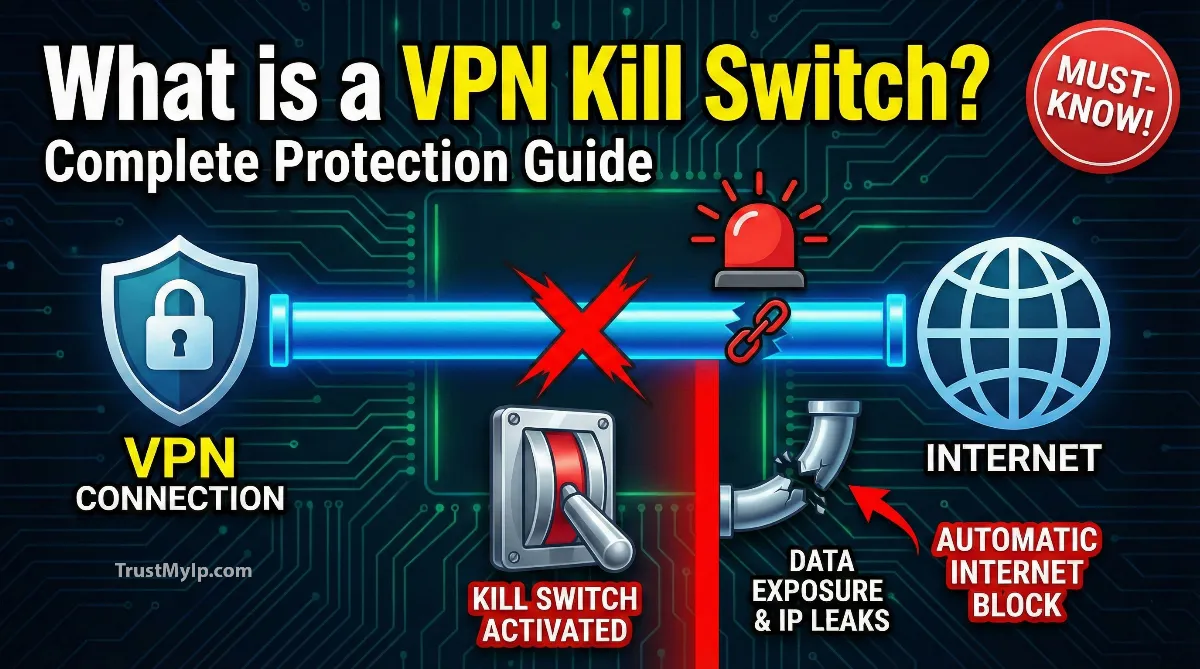
Picture this: You're working from a coffee shop, connected to your VPN for security. Suddenly your VPN connection drops for just two seconds. In that tiny gap, your real IP address, location, and unencrypted data blast across the open internet for anyone watching.
That's exactly where understanding what is a VPN kill switch becomes critical. It's your safety net—a feature that instantly cuts your entire internet connection the moment your VPN tunnel fails, protecting you from accidental exposure.
Think of a VPN kill switch like a circuit breaker in your house. When the power (your VPN connection) fails, the breaker immediately shuts everything down to prevent damage. Without this protection, your device automatically reconnects to the regular internet when your VPN drops, exposing your real IP address, DNS queries, and browsing activity.
Whether you're torrenting, accessing sensitive work files, or just browsing privately, a kill switch ensures nobody sees your traffic the moment that encrypted tunnel breaks—even for a millisecond.

"After testing hundreds of VPN services over fifteen years, I've witnessed countless IP leaks when connections dropped without kill switch protection. The scariest part? Users never knew it happened. Their torrent client kept downloading, their browser kept loading pages, all while broadcasting their real location to everyone. A proper system-level kill switch doesn't just block your browser—it kills ALL network traffic instantly, treating your device like it lost internet completely until the VPN reconnects. That split-second protection has saved careers, prevented lawsuits, and kept activists safe in hostile countries."
Quick Answer: VPN Kill Switch Explained
A VPN kill switch is an automatic safety feature that immediately blocks all internet traffic when your VPN connection drops unexpectedly. It monitors your VPN tunnel constantly and cuts your device's internet access the instant it detects disconnection, preventing your real IP address and unencrypted data from leaking. The kill switch stays active until your VPN reconnects, ensuring zero exposure. There are two types: system-level (blocks your entire device) and application-level (blocks specific apps you choose). Most premium VPNs like NordVPN, ExpressVPN, and ProtonVPN include this feature, though some disable it by default—always enable it in settings for maximum protection.
1. How VPN Kill Switches Actually Work
A VPN kill switch runs in the background while you're connected, constantly monitoring your VPN tunnel's status. It checks for changes in your connection state, IP address, or network routing every few milliseconds.
The moment it detects your VPN connection failed—whether from weak WiFi, server overload, or accidental disconnect—it triggers an immediate lockdown. Your device can't send or receive ANY internet data until the VPN successfully reconnects.
This happens through firewall rules that the VPN client writes to your operating system. These rules say "only allow internet traffic through the VPN interface—block everything else." When the VPN drops, that interface disappears, and the firewall blocks all traffic. Understanding how VPN tunnels encrypt your data helps explain why this firewall-level intervention is necessary—the encrypted tunnel itself cannot prevent leaks once it collapses. Learn about network security in our IP address protection guide.
The Four-Step Kill Switch Process
Kill Switch Activation Sequence
Step 1 - Continuous Monitoring: The kill switch scans your VPN connection status in real-time, checking for stability issues or disconnections.
Step 2 - Detection: It instantly identifies when your VPN tunnel breaks, whether from network switching, server timeout, or manual disconnect.
Step 3 - Immediate Block: Within milliseconds, firewall rules activate to block ALL internet traffic—browsers, apps, background processes, everything stops.
Step 4 - Safe Reconnect: Once your VPN successfully reconnects and the encrypted tunnel restores, the kill switch automatically unblocks internet access.
The beauty is this happens automatically with zero user action required. You don't need to manually shut down browsers or pause downloads. The kill switch handles everything instantly, treating disconnection like your internet completely died until protection restores.
2. Testing If Your Kill Switch Actually Works
Don't blindly trust that your kill switch works just because you enabled it. Plenty of VPN services have buggy implementations that fail during real disconnections. Test it properly.
The verification process takes two minutes and could save you from massive privacy breaches. I test every VPN's kill switch this way before trusting it with sensitive activities.
Proper Kill Switch Testing Procedure:
- • Step 1: Check your current IP address with our IP checker and note it down
- • Step 2: Connect to your VPN and verify your IP changed to the VPN server's location
- • Step 3: Open multiple browser tabs and start actively browsing websites
- • Step 4: Without closing browsers, manually disconnect your VPN or block it in your firewall
- • Step 5: Try loading new pages or refreshing existing ones—they should ALL fail immediately
- • Step 6: Reload our IP checker—if it loads and shows your real IP, your kill switch FAILED
- • Step 7: Reconnect your VPN and verify internet access restores automatically
If ANY website loaded during step 5, your kill switch isn't working properly. This means your real IP address and unencrypted data leaked the moment your VPN dropped. For a more thorough assessment, run a complete VPN leak test that checks for DNS, IPv6, and WebRTC exposure alongside kill switch verification. Test your connection with our WebRTC leak test.
3. The Test Almost Nobody Runs: Switching Servers
Every guide tells you to disconnect your VPN and check whether the internet stops. That tests one failure mode. There is a second one that leaks far more often, and it happens during normal use rather than during a fault.
When you switch from one VPN server to another, the client tears down the first tunnel before it builds the second. For a second or two there is no tunnel at all. A kill switch that only reacts to disconnection events may not treat a deliberate server change as one, so it stays out of the way, and your traffic goes out over your ISP connection while the new tunnel negotiates.
This is not theoretical. A technical write-up on pcWRT documented the WireGuard client on Windows failing exactly this test. Two tunnels were configured, the first stopped, the second started. During the gap, ping responses to 1.1.1.1 dropped to single-digit milliseconds—the signature of packets travelling outside a tunnel rather than through one.
How to Run the Server-Switch Test
Server-Switch Leak Test Procedure:
- • Step 1: Open our IP address checker in one tab and note the IP address your VPN is currently showing
- • Step 2: Set that tab to refresh every second, or run a continuous
ping 1.1.1.1in a terminal alongside it - • Step 3: In your VPN app, switch to a server in a different country. Do not disconnect first—use the app's server switcher
- • Step 4: Watch the IP throughout the switch, not just at the end
If your real IP address appears at any point during the switch, even for a single refresh, your kill switch does not cover server changes. Most people never discover this, because everyone only ever tests the disconnect case.
If it fails: disconnect manually before switching servers, or move to a VPN whose kill switch is documented as covering server transitions. ProtonVPN's Permanent kill switch and ExpressVPN's Network Lock both cover it. Several standard implementations do not.
4. Your Protocol Choice Can Switch the Kill Switch Off
Here is a failure mode that catches experienced users, and no provider documentation mentions it clearly.
On some VPN clients the kill switch is implemented per-protocol rather than at the system level. Change protocol—usually because WireGuard was blocked on a restrictive network and you fell back to IKEv2 or OpenVPN—and the kill switch stops applying. There is no warning, no notification, and no change in the settings screen. The toggle still reads "on."
This is the single strongest argument for testing rather than trusting. A toggle in a settings panel is a claim. A test is evidence.
Re-Run the Test After Every One of These
- • Any Protocol Change: Including automatic ones, if your client falls back on its own
- • Any Client Update: Kill switch regressions after updates are common and rarely announced in release notes
- • Every Device Separately: An Android app that passes tells you nothing about the same provider's iOS app
- • After Changing Networks: Corporate and hotel networks sometimes force a protocol change silently
5. System-Level vs Application-Level Kill Switches
Not all kill switches work the same way. There are two main types with very different protection levels and use cases. Understanding which your VPN uses matters for your security strategy.
System-level kill switches shut down your ENTIRE device's internet connection when the VPN drops. Nothing—browsers, email, chat apps, background updates—can access the internet until the VPN reconnects.
| Kill Switch Type | How It Works | Best For |
|---|---|---|
| System-Level | Blocks ALL internet traffic across entire device when VPN drops | Maximum security needs |
| Application-Level | Blocks only specific apps you choose (torrents, browsers) | Selective protection |
| Permanent/Always-On | Prevents internet access entirely unless VPN is connected | Critical privacy scenarios |
Application-level kill switches let you select specific apps to protect. For example, you might choose to protect your torrent client and browser but allow Spotify to work normally if the VPN drops.
The trade-off? Application-level offers flexibility but leaves gaps. Background processes or apps you forgot to add stay unprotected. System-level is more disruptive if your connection is unstable but provides absolute security—nothing leaks, ever. Check your VPN status with our leak detection tool.
6. Why VPN Connections Drop (And Why You Need Protection)
Even the best VPN services experience occasional disconnections. Understanding WHY connections drop helps you appreciate why a kill switch isn't optional—it's essential.
VPN tunnels are more fragile than regular internet connections because they add extra complexity. Your data travels through an encrypted tunnel to a VPN server, then out to the internet, then back through the same path.
Common Causes of VPN Disconnections
- • Weak WiFi Signal: Moving between rooms or areas with spotty WiFi causes brief connection drops that kill your VPN tunnel
- • Network Switching: Your device changing from WiFi to mobile data (or vice versa) disconnects the VPN temporarily
- • Server Overload: Too many users on one VPN server causes timeouts and disconnections during peak hours
- • Firewall Conflicts: Corporate firewalls or antivirus software sometimes block VPN protocols, causing random drops
- • Sleep Mode: Your computer or phone going to sleep often terminates the VPN connection without warning
- • ISP Throttling: Some internet providers deliberately disrupt VPN traffic to enforce bandwidth limits
- • Protocol Issues: Unstable VPN protocols like PPTP disconnect more often than modern ones like WireGuard
Without a kill switch, these disconnections leave you exposed. Your device doesn't pause and say "hey, your VPN dropped!" It just happily continues sending unencrypted data with your real IP address visible to everyone. The kill switch prevents that automatic failover to unsecured connections.
7. Who REALLY Needs a VPN Kill Switch
You might think "I just use a VPN to watch Netflix from other countries—do I need a kill switch?" The answer depends on what you're protecting and what happens if that protection fails.
For casual streaming, a dropped connection just means buffering. Annoying, but not dangerous. However, if you're doing anything where IP exposure causes real consequences, a kill switch becomes critical.
Critical Kill Switch Scenarios
- Torrent Users: Your IP address gets logged by copyright monitors if exposed even briefly during downloads. A kill switch prevents DMCA notices and legal threats.
- Journalists & Activists: Operating in countries with internet censorship where bypassing blocks is illegal. Exposure can mean arrest or worse.
- Remote Workers: Accessing company systems with sensitive client data. A leak violates corporate security policies and privacy regulations like GDPR.
- Public WiFi Users: Coffee shops and airports are surveillance hotspots. If your VPN drops, hackers on the same network see your unencrypted traffic.
- Financial Transactions: Online banking or trading where IP location matters for account security and fraud detection systems.
Even if none of these apply, enabling a kill switch provides peace of mind. You'll never accidentally browse unprotected because you forgot to check if your VPN was still running. It's automatic insurance for your privacy—though keep in mind that a kill switch alone doesn't guarantee anonymity, since incognito mode won't hide your IP address either, making layered protection essential. Learn about online privacy in our IP hiding guide.
8. How to Enable Kill Switch on Popular VPNs
Most VPN services include a kill switch, but many disable it by default to avoid confusing new users who don't understand why their internet suddenly stops working. You need to manually enable it in settings.
The location and name varies by provider. Some call it "Kill Switch," others use "Network Lock," "Internet Kill Switch," or "Network Protection." Here's where to find it in major VPNs.
Enable Kill Switch by Provider
NordVPN: Settings → Kill Switch → Toggle ON (Windows offers both app-level and system-level options)
ExpressVPN: Options → General → "Stop all internet traffic if VPN disconnects unexpectedly" → Check box
ProtonVPN: Settings → Features → Kill Switch → Enable (offers Standard and Permanent options)
Surfshark: Settings → VPN Settings → Kill Switch → Enable
CyberGhost: Automatically enabled by default on desktop apps (no manual setup needed)
Private Internet Access: Settings → Network → VPN Kill Switch → Enable
After enabling, test it! Connect to your VPN, start browsing, then manually disconnect the VPN without closing your browser. Your internet should immediately stop working. The full procedure is in section 2.
If websites keep loading after disconnect, your kill switch isn't working properly. Contact your VPN provider's support or try reinstalling the VPN client. A non-functional kill switch is worse than no protection because you think you're safe when you're not.
9. IPv6 and DNS Leaks: Beyond Basic Kill Switches
Here's something most guides skip: a kill switch that only blocks IPv4 traffic leaves you vulnerable. Modern devices use both IPv4 and IPv6 protocols simultaneously.
If your VPN's kill switch doesn't block IPv6, your device can still send traffic through that protocol when the VPN drops, completely bypassing the kill switch protection.
Similarly, DNS leaks occur when your device sends DNS queries (website name lookups) outside the VPN tunnel even when connected. A proper kill switch must block both IPv4 and IPv6 traffic plus DNS queries.
Complete Protection Checklist
- • IPv4 Protection: Kill switch must block traditional internet protocol traffic
- • IPv6 Protection: Must also block newer protocol that most devices now use
- • DNS Leak Protection: Prevents website lookups from bypassing the VPN tunnel
- • WebRTC Blocking: Stops browser feature that can reveal real IP through peer connections—run a dedicated WebRTC leak test and fix to ensure your browser isn't exposing your IP even with kill switch active
- • Split Tunneling Aware: If you use split tunneling, ensure kill switch applies to VPN apps only
Premium VPN services like ExpressVPN's Network Lock and NordVPN's kill switch handle all these protocols properly. Budget VPNs sometimes only block IPv4, leaving massive security holes. Always test thoroughly and check your VPN provider's documentation for what their kill switch actually protects.
10. Mobile Kill Switches: Android and iOS Differences
Kill switches work differently on mobile devices compared to desktop computers. Mobile operating systems have stricter security restrictions that affect how VPN apps can control network traffic.
Android (version 7.0+) has a built-in feature called "Always-on VPN" that acts like a permanent kill switch. Enable it in Settings → Network & Internet → VPN → (gear icon next to your VPN) → Always-on VPN toggle.
- Android Always-on VPN: Prevents all internet access unless VPN connects first. Works across all VPN apps, not just specific providers. However, may drain battery faster than app-specific kill switches.
- iOS Limitations: Apple restricts how VPN apps control network traffic. Most iOS VPNs can't offer true system-level kill switches. They use "Network Protection" that blocks traffic when VPN drops but may not cover all protocols.
- iOS Workaround: Some VPNs like ExpressVPN and ProtonVPN offer "Advanced Kill Switch" on iOS that prevents internet access unless explicitly connected to VPN. Enable in app settings under Network Protection.
Mobile kill switches are generally less reliable than desktop versions due to OS restrictions. If maximum security matters, use desktop devices for sensitive activities or stick to Android devices where Always-on VPN provides stronger protection than iOS alternatives.
11. When Kill Switches Cause Problems (And Solutions)
Kill switches are protective features, but they can create frustrating situations if you don't understand how they work. The most common complaint? "My internet stopped working and I don't know why!"
This happens when your VPN disconnects (maybe from weak WiFi or switching networks) and the kill switch blocks everything. You forget the VPN was running, so you think your internet broke.
Another issue: kill switches can interfere with local network access. If you need to print to a wireless printer or access files on your home network, some aggressive kill switches block even local traffic.
| Problem | Cause | Solution |
|---|---|---|
| Internet suddenly stops | VPN disconnected and kill switch activated | Reconnect VPN or disable kill switch temporarily |
| Can't access local devices | Kill switch blocking LAN traffic | Enable "Allow LAN access" in VPN settings |
| Frequent disconnections | Unstable WiFi or VPN server overload | Switch to closer VPN server or use Ethernet cable |
If kill switch activations annoy you constantly, your internet connection is too unstable for reliable VPN use. Fix your WiFi or switch to wired Ethernet before disabling protection.
Never permanently disable a kill switch just because it's inconvenient—that defeats the entire purpose of using a VPN for privacy. Instead, address the root cause of disconnections. Compare VPN options in our VPN versus proxy guide.
12. Free VPNs and Kill Switch Limitations
Here's an uncomfortable truth: most free VPN services either don't include kill switches or offer broken implementations that fail when you need them most. There's a reason premium VPNs cost money.
Free VPNs cut corners everywhere to reduce costs. Kill switches require constant monitoring, instant response, and careful firewall management—all resource-intensive features that free services skip.
I've tested dozens of free VPNs and found most claiming to have kill switches actually don't block all traffic properly. They might block browsers but let background apps leak your real IP address freely.
Free VPN Kill Switch Reality Check
- • ProtonVPN Free: One of rare free VPNs with working kill switch, but limited to slower servers
- • Windscribe Free: Offers kill switch but only on desktop apps, not mobile versions
- • Hide.me Free: Includes kill switch but with 10GB monthly data cap making it impractical
- • Most Others: Either no kill switch at all, or non-functional implementations that leak traffic
If you're using a VPN for anything beyond casual browsing, invest in a paid service. Premium VPNs like NordVPN, ExpressVPN, or Surfshark cost $3-10 monthly and include reliable system-level kill switches that actually work.
Your privacy isn't worth gambling on free services that log your data, inject ads, or leave you exposed when connections drop. The few dollars monthly buys you peace of mind and protection that actually functions during emergencies.
13. Auto-Reconnect vs Kill Switch: Understanding the Difference
Many people confuse auto-reconnect features with kill switches, but they serve completely opposite purposes. Understanding this difference prevents dangerous security assumptions.
Auto-reconnect tries to restore your VPN connection automatically after it drops. Great for convenience, but during the seconds it takes to reconnect, your traffic flows unprotected unless a kill switch is active.
Think of it this way: auto-reconnect is like automatically calling an ambulance, while a kill switch is like immediately stopping the bleeding. You need BOTH for complete protection—one prevents exposure, the other restores protection quickly.
The Perfect Protection Combo
Kill Switch: Instantly blocks ALL internet when VPN drops → Zero data leaks during disconnection
Auto-Reconnect: Automatically restores VPN connection within 3-10 seconds → Minimizes downtime
Together: When your VPN drops, the kill switch blocks traffic immediately while auto-reconnect works in the background to restore protection. You stay safe during the entire process without manual intervention.
Best Practice: Enable BOTH features in your VPN settings for maximum security and convenience.
Most premium VPN services enable both by default, but always verify in settings. Having auto-reconnect without a kill switch means your real IP address leaks every time the VPN disconnects, even if it reconnects seconds later. That brief exposure is all hackers or copyright monitors need.
14. Advanced: Building Your Own Kill Switch with Firewall Rules
For advanced users who want maximum control, you can create a custom kill switch using your operating system's built-in firewall. This works independently of your VPN client and ensures protection even if the VPN software fails.
The concept is simple: configure your firewall to ONLY allow internet traffic through your VPN interface. Block everything else. When the VPN disconnects, the interface disappears and all traffic stops automatically.
I use this method on critical systems because it's immune to VPN software bugs or crashes. Even if my VPN app completely freezes, the firewall rules still protect me by blocking all non-VPN traffic.
Windows Firewall Kill Switch (Advanced)
- Connect to your VPN and note the network interface name in Network Connections (usually starts with "TAP" or "WireGuard")
- Open Windows Defender Firewall with Advanced Security
- Create outbound rule: Block all connections except through VPN interface
- Create inbound rule: Block all connections except through VPN interface
- Add exceptions for local network (192.168.x.x or 10.x.x.x) if needed
- Test by disconnecting VPN—internet should stop completely
This approach requires technical knowledge and careful configuration. Mistakes can lock you out of the internet entirely even after disconnecting the VPN, requiring Safe Mode to fix.
For most users, relying on your VPN provider's built-in kill switch is safer and easier. Only attempt custom firewall rules if you understand networking and have backups ready. Learn about network security in our Tor versus VPN comparison.
15. My Kill Switch Is Not Working — What to Check
If the test failed, work through these in order. In my experience the cause is one of the first three about nine times out of ten.
| What to Check | Why It Fails | What to Do |
|---|---|---|
| Is it actually enabled? | Many clients ship with it switched off so new users are not confused when their internet stops | Turn it on—see the provider list in section 8 |
| Which protocol are you on? | Some kill switches only hook into specific protocols | Switch back to the provider's default protocol and retest |
| App-level or system-level? | App-level only covers the apps you listed. Anything you forgot leaks freely | Move to system-level if the client offers it |
| Is IPv6 blocked? | A kill switch that blocks only IPv4 leaves IPv6 traffic flowing straight past it | Check the provider's documentation, or disable IPv6 on the network adapter |
| Did the client update recently? | Kill switch regressions after updates happen and are rarely announced | Retest after every update, not just the first install |
| Are you on iOS? | Apple restricts what VPN apps can do to network traffic, so true system-level kill switches are largely not possible | Use the provider's advanced or always-on option, and accept it is weaker than desktop |
If it still fails after all six, the implementation is broken rather than misconfigured. That is not rare, and it is a reason to change provider rather than a reason to keep testing.
Worth saying plainly: a working kill switch is only one of several ways your real IP address escapes. Run a WebRTC leak test and a full browser leak audit alongside it. A kill switch that works perfectly will not stop a browser handing out your address through a peer connection.
Conclusion: Your VPN Is Only as Safe as Its Kill Switch
Understanding what is a VPN kill switch reveals it's not just a nice-to-have feature—it's the critical safety mechanism that determines whether your VPN actually protects you when things go wrong.
VPN connections drop constantly from WiFi instability, network switching, server overload, or protocol issues. Without a functioning kill switch, those brief disconnections expose your real IP address, unencrypted data, and browsing activity to anyone monitoring your traffic.
The difference between system-level and application-level kill switches matters for your security strategy. System-level provides absolute protection by blocking your entire device's internet, while application-level offers flexibility but leaves potential gaps.
Always enable your VPN's kill switch in settings, test it properly to verify it actually works, and combine it with auto-reconnect for optimal protection. Premium VPN services implement reliable kill switches that block IPv4, IPv6, and DNS traffic comprehensively.
Whether you're torrenting, working remotely, bypassing censorship, or just browsing privately on public WiFi, your VPN kill switch stands between you and potentially catastrophic privacy failures. Don't trust your security to hope that your VPN never disconnects—ensure your kill switch works properly so you're protected even when connections inevitably fail.
Test Your VPN Protection Now!
Check if your VPN is leaking your real IP address, test for DNS leaks, verify WebRTC protection, and ensure your kill switch actually works with our professional privacy diagnostic tools.