You open your router's admin panel and see 192.168.1.1. Your IT department sends network instructions mentioning 10.50.0.0/16. A tech forum discusses 2001:0db8:85a3::8a2e. These number sequences look cryptic and meaningless.
But learning how to read and understand IP address format transforms these mysterious strings into actionable network intelligence. When you understand IP address format explained correctly, you can identify network types, diagnose connectivity issues, configure devices properly, and troubleshoot problems systematically.
This comprehensive guide teaches you how to read IP address components from scratch, explains what do IP address numbers mean in practical terms, breaks down both IPv4 address format and IPv6 address format with visual examples, shows how to interpret IP address structure including the critical network portion vs host portion concept, provides complete IP address breakdown for subnet masks and CIDR notation, and reveals special address ranges and common patterns—all explained using simple language, real-world examples, and step-by-step instructions that work whether you're a complete beginner or refreshing your networking knowledge.

"After analyzing thousands of network configurations globally, I've discovered that confusion about IP address format always stems from not understanding the underlying structure. An IP address isn't random digits—every octet, every bit follows mathematical rules. Once you grasp how to read IP address fundamentals like network ID versus host ID, network troubleshooting transforms from guesswork into systematic analysis."
Quick Answer
How to read and understand IP address format: IPv4 addresses use dotted decimal notation with four octets separated by periods (example: 192.168.1.1), where each octet ranges from 0 to 255, creating a 32-bit address. The network portion identifies which network the device belongs to, while the host portion identifies the specific device. Subnet masks (like 255.255.255.0) or CIDR notation (like /24) define where to split between network and host. IPv6 addresses use hexadecimal format with eight segments separated by colons (example: 2001:0db8::1), representing a 128-bit address that provides exponentially more address combinations than IPv4.
1. What is IP Address Format? Understanding the Foundation
IP address structure follows specific formatting rules that enable network communication across the globe. Understanding understand IP address format starts with recognizing that two main versions exist today: IPv4 and IPv6. If you're new to IP addresses entirely, our beginner's guide to IP addresses covers the core concept before diving into format details.
IPv4 address format uses what's called dotted decimal notation—four numbers separated by periods. Each number is technically called an octet because it represents exactly 8 bits of binary data.
IPv6 address format uses hexadecimal format with eight groups of characters separated by colons. This newer format creates a 128-bit address instead of IPv4's 32-bit address, solving the internet's address exhaustion problem.
The fundamental difference matters: IPv4 provides about 4.3 billion possible addresses, while IPv6 provides 340 undecillion addresses—enough to assign unique addresses to every atom on Earth's surface. Learn the technical distinctions in our IPv4 vs IPv6 comparison guide.
Why Format Structure Matters
IP address format explained properly reveals why the structure exists. The format isn't arbitrary—it's mathematically designed to enable efficient routing, subnetting, and device identification across interconnected networks.
When you know how to interpret IP address format, you can instantly recognize whether an address is public (internet-routable) or private (internal network only), which subnet it belongs to, and whether it's properly configured for your network.
This knowledge accelerates network troubleshooting dramatically. Instead of trial-and-error, you can systematically diagnose connectivity problems, identify misconfigured devices, and optimize network design. Decoding IP address information transforms from mystery to routine analysis.
2. Breaking Down IPv4 Address Format Step-by-Step
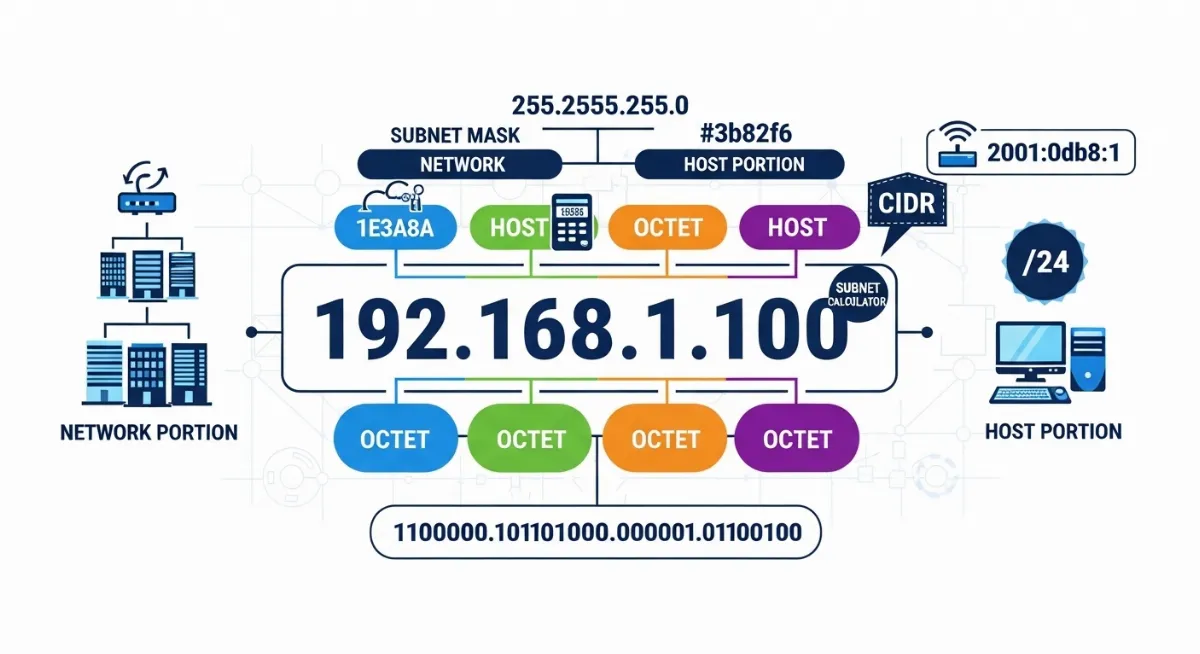
How to read IPv4 address format requires understanding its four-part structure. Let's use the real-world example 192.168.1.100 for complete IP address breakdown.
This IPv4 address format consists of four octets separated by periods (dots). Each octet represents exactly one byte—8 bits of data—giving us a total 32-bit address (4 octets × 8 bits each).
The term "octet" specifically means eight, referring to the 8 binary digits (bits) that make up each section. This is why each section can only range from 0 to 255: 8 bits in binary can represent 2^8 = 256 different values (0 through 255).
Understanding Each Octet Component
| Octet Position | Example Value | Decimal Range | Binary Equivalent |
|---|---|---|---|
| First Octet | 192 | 0 to 255 | 11000000 |
| Second Octet | 168 | 0 to 255 | 10101000 |
| Third Octet | 1 | 0 to 255 | 00000001 |
| Fourth Octet | 100 | 0 to 255 | 01100100 |
What is octet in IP address terminology? An octet is specifically an 8-bit section of the address that computers process in binary but humans read in decimal format for convenience. The dotted decimal notation translates these binary numbers into something readable.
Read IP address numbers systematically from left to right. The first octet typically indicates the network class or type (more on this later). The combination of all octets creates a unique identifier for a device on a network. In fact, the original internet design organized first-octet values into five distinct classes (A through E) that determined default network sizes—learn how this classification system works in our IP address classes A through E explained guide.
What do IP address numbers mean in our example 192.168.1.100? This identifies device number 100 on the 192.168.1 subnet—a common private IP range used in home and small office networks worldwide.
Computers actually work with the binary version internally: 11000000.10101000.00000001.01100100. The decimal format exists purely for human readability. Convert between formats easily using our IP to binary converter tool to see how how to convert IP address to binary works in practice. If you need addresses to practise on, the random IP generator will produce a batch in any format.
3. Network Portion vs Host Portion: The Critical Concept
Every IPv4 address logically divides into two parts that serve different purposes. Learning how to identify network and host portion is absolutely essential for understanding IP address structure.
The network ID (also called network portion or network prefix) identifies which network the device belongs to—conceptually similar to how a street name identifies which street you live on.
The host ID (also called host portion or host identifier) identifies the specific device on that network—similar to how a house number identifies your specific home on that street.
Critically, the split between network portion and host portion isn't fixed at a specific octet boundary. Your subnet mask determines exactly where to divide the address. This flexibility allows networks of vastly different sizes. This network/host split is also what DNS servers use when resolving domain names—the network portion helps route queries to the right authoritative server. See how that process works in our guide on how DNS resolves domain names to IPs.
Visual Example: Dissecting 192.168.1.100/24
Complete Address Breakdown
Full Address: 192.168.1.100/24
Network Portion (first 24 bits):192.168.1This network ID identifies the subnet. All devices on this subnet share these first three octets. Routers use this portion to determine if devices are on the same network segment.
Host Portion (last 8 bits):100This host ID identifies this specific device as number 100. On a /24 network, you can have 254 usable host addresses (addresses 1 through 254).
Subnet Mask: 255.255.255.0The mask mathematically defines the split: "First three octets = network, last octet = host." In binary: 11111111.11111111.11111111.00000000 (24 ones, 8 zeros).
CIDR Notation: /24This slash notation means 24 bits allocated to network portion, leaving 8 bits for hosts. Mathematically: 2^8 - 2 = 254 usable addresses (subtract network address and broadcast address).
Understanding this split determines valid IP ranges for your network. If your network is 192.168.1.0/24, all device addresses must fall between 192.168.1.1 and 192.168.1.254.
The first address in the range (192.168.1.0) is reserved as the network address—it identifies the network itself, not a device. The last address (192.168.1.255) is the broadcast address—messages sent here reach all devices on the subnet.
Neither the network address nor broadcast address can be assigned to actual devices. This is why a /24 network provides 254 usable addresses, not 256. Calculate available addresses for any subnet configuration using our subnet calculator tool.
4. How to Read IPv4 Address: Complete Systematic Guide
Now let's learn how to read IP address systematically using a proven step-by-step process. This IP address breakdown methodology works for any IPv4 address you encounter in network configurations.
We'll use the corporate network example 10.50.100.25/16 to demonstrate complete IP address structure analysis from first principles.
Step 1: Identify and Separate the Four Octets
Break the address into its four octets at the period separators:
• First octet: 10
• Second octet: 50
• Third octet: 100
• Fourth octet: 25
This separation reveals the basic structure. Each octet will contribute 8 bits to the total 32-bit address.
Step 2: Verify Valid Octet Ranges
Check that each octet value falls within the valid 0-255 range. Any number exceeding 255 makes the entire address invalid because an octet can only represent 8 bits (maximum value 255 in decimal).
In our example, all values (10, 50, 100, 25) are valid. An address like 192.168.1.300 would be impossible because 300 exceeds the maximum octet value.
Step 3: Determine Private vs Public Classification
Use the how to tell if IP address is private or public rules based on reserved ranges defined in RFC 1918:
• 10.0.0.0 through 10.255.255.255 = Private IP range (Class A private)
• 172.16.0.0 through 172.31.255.255 = Private IP range (Class B private)
• 192.168.0.0 through 192.168.255.255 = Private IP range (Class C private)
• All other addresses = Public IP range (internet-routable, if not otherwise reserved)
Our example 10.50.100.25 starts with 10, immediately identifying it as a private IP range address used for internal corporate networks. These addresses never appear on the public internet. Learn the significance in our public vs private IP comprehensive guide.
Step 4: Interpret the CIDR Notation
How to read CIDR notation: The number after the slash indicates how many bits are allocated to the network portion. In our example, /16 means 16 bits for network, leaving 16 bits for hosts.
What does /24 mean in IP address contexts? Common CIDR notation values and their meanings:
• /8 = 8 network bits, 24 host bits = 16,777,214 usable hosts (mask: 255.0.0.0)
• /16 = 16 network bits, 16 host bits = 65,534 usable hosts (mask: 255.255.0.0)
• /24 = 24 network bits, 8 host bits = 254 usable hosts (mask: 255.255.255.0)
• /32 = 32 network bits, 0 host bits = 1 single host (mask: 255.255.255.255)
For our 10.50.100.25/16 example:
• Network portion: First 16 bits = 10.50 (first two octets)
• Host portion: Last 16 bits = 100.25 (last two octets)
• Valid address range: 10.50.0.1 through 10.50.255.254
• Total usable addresses: 65,534 devices can exist on this network (2^16 - 2 for network and broadcast addresses)
5. Understanding Subnet Mask in Detail
What is subnet mask in IP address networking? A subnet mask is a 32-bit address that mathematically defines which portion of an IP address represents the network versus the host through binary AND operations.
Subnet masks use the same dotted decimal notation format as IP addresses, but they follow a strict pattern: all binary 1s (representing network bits) must come first, followed by all binary 0s (representing host bits). No mixing allowed.
This binary pattern translates to specific decimal values in each octet. Valid octet values in masks are: 0, 128, 192, 224, 240, 248, 252, 254, and 255. Any other value creates an invalid mask.
Common Subnet Masks Decoded
| Subnet Mask | CIDR | Binary Pattern | Usable Hosts |
|---|---|---|---|
| 255.0.0.0 | /8 | 11111111.00000000.00000000.00000000 | 16,777,214 |
| 255.255.0.0 | /16 | 11111111.11111111.00000000.00000000 | 65,534 |
| 255.255.255.0 | /24 | 11111111.11111111.11111111.00000000 | 254 |
| 255.255.255.128 | /25 | 11111111.11111111.11111111.10000000 | 126 |
| 255.255.255.192 | /26 | 11111111.11111111.11111111.11000000 | 62 |
| 255.255.255.224 | /27 | 11111111.11111111.11111111.11100000 | 30 |
Understanding binary helps decode masks. Take the common mask 255.255.255.0:
In binary: 11111111.11111111.11111111.00000000
Count the 1s: 24 consecutive ones (network bits), then 8 zeros (host bits). This creates a /24 network.
When routers apply this mask to an IP address, they perform a binary AND operation. The result extracts the network ID, allowing routers to determine if devices are on the same subnet and how to route traffic efficiently. Incorrect subnet mask configuration is one of the most common causes of IP address conflicts on local networks—if two devices end up with the same address or overlapping ranges, connectivity breaks. See how to diagnose and fix this in our IP address conflict resolution guide.
Modern networks use CIDR notation (the /number format) as shorthand because it's more compact than writing full subnet masks. Calculate network specifications, valid ranges, and broadcast addresses using our CIDR calculator tool.
6. Breaking Down IPv6 Address Format
How to read IPv6 address format requires understanding its radically different structure. IPv6 addresses use hexadecimal format instead of decimal, creating addresses that initially look intimidating but follow logical rules.
A full IPv6 address contains eight segments (also called groups, fields, or hextets) of four hexadecimal digits each, separated by colons. Full example: 2001:0db8:85a3:0000:0000:8a2e:0370:7334
This represents a 128-bit address. The math: each hexadecimal digit represents 4 bits, so 32 hex digits × 4 bits each = 128 bits total. That's four times longer than IPv4's 32-bit address structure, solving address exhaustion by providing 340 undecillion possible addresses.
Hexadecimal format uses 16 symbols: digits 0-9 plus letters A-F, where A equals 10, B equals 11, C equals 12, D equals 13, E equals 14, and F equals 15 in decimal. Each segment can range from 0000 to FFFF (0 to 65,535 in decimal terms).
IPv6 Shorthand Notation Rules
IPv6 address format allows abbreviation to make long addresses manageable through two compression rules:
Rule 1 - Leading Zero Compression: You can omit leading zeros within any segment.
Example transformation:
• Long form: 2001:0db8:0000:0042:0000:8a2e:0370:7334
• Compressed: 2001:db8:0:42:0:8a2e:370:7334
Rule 2 - Consecutive Zero Compression (Double Colon): You can replace one sequence of consecutive all-zero segments with double colon ::
Example transformation:
• Before compression: 2001:0db8:0000:0000:0000:0000:0000:0001
• After compression: 2001:0db8::1
Critical limitation: The double colon :: can only appear once per address. Otherwise, the address becomes ambiguous—you couldn't determine how many zero segments the :: represents.
The loopback address in IPv6 provides an excellent compression example: 0000:0000:0000:0000:0000:0000:0000:0001 compresses to simply ::1 (seven consecutive zero segments replaced).
Like IPv4, IPv6 addresses split into network prefix and host identifier portions, but typically with /64 allocation—64 bits for network addressing, 64 bits for device identification within that network. The massive IPv6 address space is a key reason 5G networks adopted it as the native protocol—enabling millions of devices per cell tower to each receive a unique address. See how mobile networks leverage this in our guide to how 5G changes IP address assignment. Expand abbreviated IPv6 addresses and see full notation using our IPv6 expansion tool.
7. Special IP Address Ranges and Reserved Addresses
Certain IP address range explained categories have special meanings defined by internet standards (RFCs). Recognizing these reserved ranges helps with proper network configuration, security, and troubleshooting.
These ranges are "carved out" from the total address space for specific purposes and follow strict usage rules.
Private IP Ranges (RFC 1918)
Three private IP ranges are permanently reserved for internal networks and never routed on the public internet:
• 10.0.0.0 through 10.255.255.255 (10.0.0.0/8) = 16,777,216 addresses
• 172.16.0.0 through 172.31.255.255 (172.16.0.0/12) = 1,048,576 addresses
• 192.168.0.0 through 192.168.255.255 (192.168.0.0/16) = 65,536 addresses
Home routers universally use the 192.168.x.x range, typically defaulting to 192.168.1.0/24 or 192.168.0.0/24 networks. Corporate and enterprise networks prefer the 10.x.x.x range because it provides vastly more addresses for large device counts. Public IP addresses carry a reputation score that affects how online services treat connections from that address—understand how this works in our guide on what is an IP reputation score.
Loopback Address Range
The loopback address 127.0.0.1 (and the entire 127.0.0.0/8 range) refers to "this computer" or "localhost."
When you ping or connect to 127.0.0.1, traffic never leaves your computer—it loops back internally. Common uses include testing network software, running local development web servers, and database connections on the same machine. Another special-purpose address worth understanding is Teredo—a tunneling protocol that encapsulates IPv6 packets inside IPv4 for transitional connectivity. Learn how it works in our Teredo IP address guide.
Link-Local Addresses (APIPA)
The range 169.254.0.0 through 169.254.255.255 (169.254.0.0/16) indicates Automatic Private IP Addressing (APIPA)—your device couldn't contact a DHCP server and assigned itself a temporary address.
Devices with link-local 169.254.x.x addresses can only communicate with other devices on the same physical network segment—no router access, no internet connectivity. This address pattern is a clear diagnostic indicator of DHCP server problems, network cable issues, or router failures. On Windows, this often manifests as the "Ethernet doesn't have a valid IP configuration" error—our complete fix guide for that error walks through every solution step-by-step.
Broadcast Addresses
Every network has a broadcast address—the highest address in its range. Messages sent to this address reach all devices on that subnet simultaneously.
Examples:
• On 192.168.1.0/24 network: broadcast address = 192.168.1.255
• On 10.50.0.0/16 network: broadcast address = 10.50.255.255
• On 172.16.0.0/12 network: broadcast address = 172.31.255.255
Broadcast addresses cannot be assigned to devices. They're reserved for network-wide announcements like ARP requests and certain discovery protocols. Check if your address falls into any special range using our IP address checker.
8. Common IP Address Patterns You'll Encounter
Recognizing common IP address patterns helps you instantly identify network types and spot configuration problems. Network administrators follow predictable conventions.
These patterns aren't technically required, but they're so universally adopted that you can rely on them for quick diagnosis.
Home Network Pattern: 192.168.x.x
Consumer routers from every manufacturer default to 192.168.x.x addresses. The most common specific defaults:
• Linksys, Netgear, D-Link: 192.168.1.0/24 network
• TP-Link, Belkin: 192.168.0.0/24 network
• Apple AirPort: 192.168.1.0/24 network
The router itself typically claims address .1 (192.168.1.1 or 192.168.0.1), while connected devices receive addresses from .2 through .254 via DHCP.
Corporate Network Pattern: 10.x.x.x
Large enterprises and corporations prefer the 10.0.0.0/8 range because it provides over 16 million addresses. Common organizational patterns:
• Department-based: 10.10.x.x for IT, 10.20.x.x for Sales, 10.30.x.x for Engineering
• Building-based: 10.1.x.x for Building 1, 10.2.x.x for Building 2
• Function-based: 10.50.x.x for servers, 10.100.x.x for workstations, 10.150.x.x for printers
This logical segmentation simplifies network management, security policy enforcement, and troubleshooting in complex environments.
DHCP Failure Pattern: 169.254.x.x
If you ever see addresses starting with 169.254, your device experienced DHCP failure and assigned itself a temporary link-local address through APIPA.
This pattern immediately indicates:
• Router isn't responding to DHCP requests
• Network cable might be disconnected
• DHCP server ran out of addresses
• Network configuration has problems
Devices with 169.254.x.x addresses have no internet access and limited local connectivity. This pattern demands immediate troubleshooting.
Gateway Pattern: x.x.x.1
Network gateways (routers) conventionally use the first usable address in any subnet:
• On 192.168.1.0/24: Gateway = 192.168.1.1
• On 10.50.0.0/24: Gateway = 10.50.0.1
• On 172.16.100.0/24: Gateway = 172.16.100.1
This convention makes default gateway addresses predictable, simplifying configuration and troubleshooting. Get detailed information about any IP address including its network role using our IP lookup tool.
Conclusion: Mastering IP Address Format Reading
Learning how to read and understand IP address format transforms network management from frustrating guesswork into systematic, logical analysis. IP address format explained through this comprehensive guide covered both modern formats in practical depth.
How to read IP address structure correctly: IPv4 address format uses dotted decimal notation with four octets (each ranging 0-255) to create a 32-bit address. The network portion (defined by subnet mask or CIDR notation) identifies which network, while the host portion identifies which specific device. Understanding what is octet in IP address terms (8-bit sections) explains why addresses range 0-255.
What do IP address numbers mean in practice? The first octet often reveals address type: 10.x, 172.16-31.x, or 192.168.x indicates private IP range (internal networks), while other values typically represent public IP range (internet-routable). Combined with subnet masks like 255.255.255.0 or slash notation like /24, addresses define complete network topology.
How to identify network and host portion determines network capacity and device addressing. What does /24 mean in IP address notation? Twenty-four bits for network (allowing 256 networks), eight bits for hosts (allowing 254 devices each). How to read CIDR notation provides instant understanding of any network's size and addressing scheme.
IPv6 address format provides future-proof addressing through its 128-bit address space using hexadecimal format across eight segments. While more complex than IPv4's IP address structure, how to read IPv6 address format follows the same logical principles: network prefix identifies networks, host identifier identifies devices, typically with /64 splits. Understanding both formats prepares you for modern dual-stack networks.
Decoding IP address information enables professional-level network administration. Master how to convert IP address to binary for deep troubleshooting, how to tell if IP address is private or public for security configuration, and what is subnet mask in IP address contexts for proper network design. Recognizing special ranges like loopback addresses (127.0.0.1), broadcast addresses (highest in range), and link-local failures (169.254.x.x) accelerates problem diagnosis. Once you understand your IP address format, the next practical step is knowing how to change it on your devices—our complete guide on how to change your IP address on any device covers every platform step-by-step.
IP address breakdown skills separate effective network administrators from those who struggle. Check your current IP address and network configuration with our IP address checker, calculate subnet ranges and capacities using our subnet calculator, convert between binary and decimal formats with our IP to binary converter, and analyze CIDR notation networks using our CIDR calculator. Compare addressing schemes with our MAC vs IP address guide. IP address format mastery makes you significantly more effective at network design, troubleshooting, security implementation, and infrastructure optimization—transforming confusing number sequences into actionable network intelligence that drives results.
Analyze Your IP Address Format Now!
Check your IP address format, calculate subnet ranges, convert to binary notation, and understand your complete network structure with our professional-grade IP analysis tools.