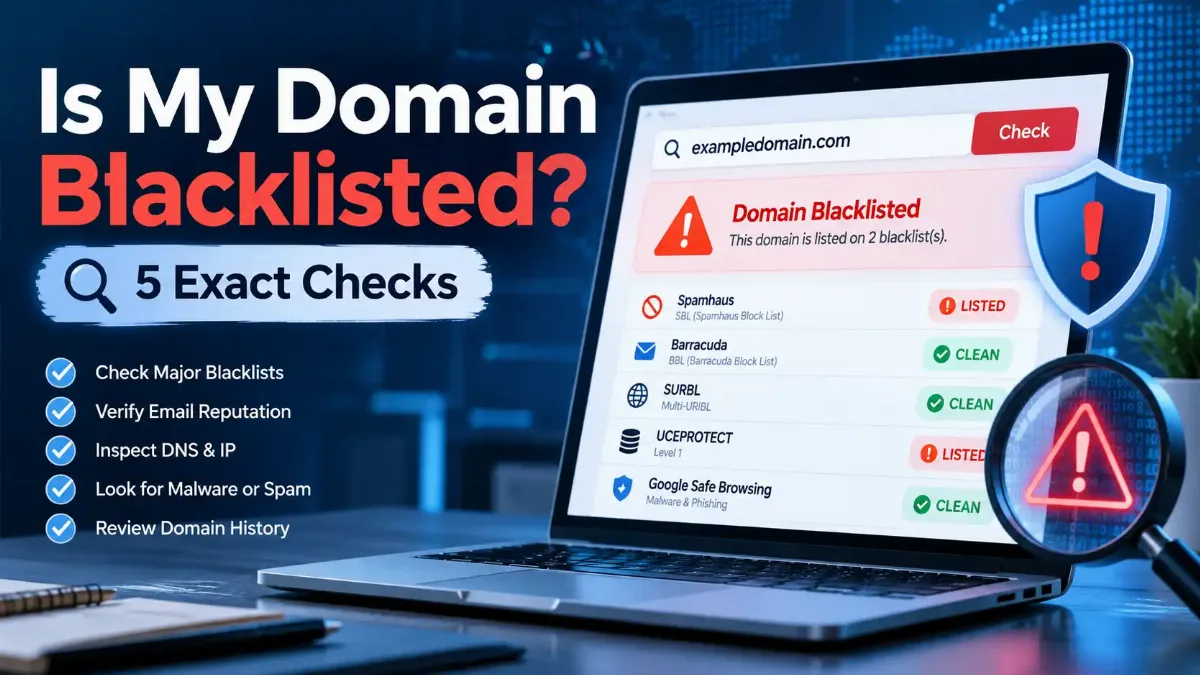
To answer "is my domain blacklisted?" you need to check two kinds of lists: email domain blocklists (Spamhaus DBL, URIBL and SURBL), which scan the domains in your From address and links, and browser blocklists (Google Safe Browsing and Microsoft Defender SmartScreen), which warn visitors away from your website. An IP blacklist check alone misses both.
Domain listings are climbing fast. Spamhaus counted 3.37 million listed domains between April and September 2026, up 56.6% on the previous six months, with 1.15 million listings in September alone — its highest month on record. A legitimate domain can land on those lists after one hacked page or one bad link in a newsletter.
Some guides published in 2026 still list SORBS, a blocklist that shut down in June 2024, and DIY lookups through public DNS return error codes that can look like listings. Read the wrong signal and you either panic over nothing or miss the listing that actually blocks your mail.
This guide walks through the five checks that matter in 2026, how to decode every result code, why legitimate domains get listed, and the exact removal path for each list — plus how to tell a blacklist bounce from a Gmail or Outlook authentication rejection.

"My first move with any 'we are blacklisted' report is to read the bounce and find which hostname it names. Often the sending IP is clean and the real problem is a domain blocklist hit on a link inside the message — a URL shortener, an old tracking domain, or a page on a hacked WordPress site. As of October 2026, with Spamhaus reporting record domain listings, that pattern shows up more often, not less."
"One limitation people rarely hear about: a clean result proves very little if you ran the lookup through a public resolver. Spamhaus blocks queries that arrive through open resolvers such as Google Public DNS, so a DNSBL lookup from the wrong network returns an error instead of your status. I always confirm a domain listing in Spamhaus' own checker before telling anyone to request removal."
Quick Answer: Is My Domain Blacklisted?
Your domain is blacklisted if Spamhaus DBL, URIBL, SURBL, Google Safe Browsing or Microsoft SmartScreen lists it, so check each one by name. A clean IP result does not clear your domain, because these lists track domains and links separately. Run the domain lookups first, then check whether your mail server's IP sits on a spam blocklist too.
What Does It Mean When a Domain Is Blacklisted?
A blacklisted domain is a domain name that a reputation service has flagged for spam, phishing, malware or abuse, so mail filters and browsers treat it as risky. Email filters look up the domains in your From address, Reply-To and message links against domain blocklists. Browsers check the site itself against lists such as Google Safe Browsing. Either listing can block mail or scare visitors away without touching your server's IP address.
Domain blocklists work differently from IP lists. Spamhaus DBL — the Spamhaus Domain Blocklist — lists only domain names, never IP addresses, and the Spamhaus Domain Blocklist FAQ explains that unknown domains start with a "poor" reputation by default. A brand-new domain therefore has to earn trust before mail filters relax around it.
Reputation scoring and blocklisting overlap, but they work as separate systems. Gmail and Outlook keep private reputation scores for your domain, while public blocklists publish yes-or-no listings anyone can query. If you want the full picture of how the two reputation systems interact, our comparison of IP reputation versus domain reputation covers it.
When people ask "is my domain blacklisted?", they usually mean one of two families of lists, and each one hurts you in a different place.
Email-side domain blocklists
- →Spamhaus DBL and the Zero Reputation Domain (ZRD) zone
- →URIBL black, grey and red lists
- →SURBL multi list (phishing, malware, abuse, cracked sites)
- →Effect: mail lands in the spam folder or bounces
Browser-side website blocklists
- →Google Safe Browsing (Chrome, Firefox, Safari)
- →Microsoft Defender SmartScreen (Edge, Windows)
- →Antivirus and corporate web filters
- →Effect: full-page red warnings before your site loads
What are the warning signs of a blacklisted domain?
Three symptoms usually prompt the question "is my domain blacklisted" in the first place. Mail that used to reach the inbox starts bouncing with an error that names a blocklist, or lands in spam even though your sending IP looks clean. Visitors report a full-page browser warning before your site loads. Or Google Search Console emails you about a security issue on your property.
None of these symptoms proves a listing on its own. An authentication failure can also cause a bounce, and one poorly targeted campaign can push mail into spam. The five checks in Section 3 turn a suspicion into a clear yes or no.
Knowing the two families and their warning signs is step one. The next question is which specific lists deserve your attention right now — and which ones you can safely ignore.
Which Domain Blacklists Actually Matter in 2026?
Five domain blacklists matter most in 2026: Spamhaus DBL, URIBL and SURBL for email, plus Google Safe Browsing and Microsoft Defender SmartScreen for websites. Spamhaus also runs ZRD, a short-lived list of domains first seen within the last 24 hours. A listing on any of these can affect real delivery or real visitors. Lists that no longer operate, such as SORBS, cannot hurt you, whatever older checkers display.
Scale explains why these five dominate. Spamhaus' Domain Reputation Update, published on 15 October 2026, recorded 57.1 million newly registered domains between April and September 2026, up 21.8%, alongside its record listing volume. Filters lean on the big curated lists because nobody can vet that many new domains by hand.
| Blocklist | What it flags | Where it hurts you | Free lookup |
|---|---|---|---|
| Spamhaus DBL | Low-reputation, phishing, malware, botnet and abused domains | Email filtering at many providers | Spamhaus IP and Domain Reputation Checker |
| Spamhaus ZRD | Domains first seen 0 to 24 hours ago | Mail from brand-new domains | DNS query to the ZRD zone |
| URIBL (multi) | Domains seen in unsolicited mail (black, grey, red) | Spam scoring, for example in SpamAssassin | lookup.uribl.com |
| SURBL (multi) | Phishing, malware, abuse, cracked and click-tracker hosts | Spam filtering of links inside messages | SURBL lookup page on surbl.org |
| Google Safe Browsing | Phishing, malware and unwanted-software sites | Browser warnings and search results | Google Transparency Report site status |
| Microsoft Defender SmartScreen | Phishing and malware sites | Edge and Windows warnings | Visit the site in Edge; report from the block page |
Ignore SORBS results
Proofpoint decommissioned SORBS on 5 June 2024, according to The Register, and emptied its zones. If a checker still shows a SORBS hit in 2026, the tool runs on stale data. Spend your time on the lists in the table instead.
With the right lists identified, you can run the actual checks. The order matters, because each result tells you where to look next.
How Do You Check If Your Domain Is Blacklisted?
To check if your domain is blacklisted, look it up in five places: the Spamhaus IP and Domain Reputation Checker, the URIBL lookup, the SURBL lookup, Google's Transparency Report site status, and your sending IP in an IP blacklist tool. Enter the bare registered domain, such as example.com, not a full URL. Then repeat the domain checks for every domain your emails link to, including tracking and image domains.
Link domains catch people out. A filter scans every domain in the message body, so a shortened link or a third-party tracking domain on a list can sink an otherwise clean campaign. Before you start, look up the A and MX records behind your domain so you know which IP addresses send and receive your mail.
Your five-step domain blacklist check
1Spamhaus DBL and ZRD
Enter your domain in the Spamhaus IP and Domain Reputation Checker. It reports the domain's DBL status and is also where Spamhaus handles removal requests. Use this checker rather than a DIY DNS query, because Spamhaus blocks lookups that arrive through public resolvers.
2URIBL lookup
Search the domain at lookup.uribl.com. URIBL lists registered domains only, so strip subdomains such as mail. or www. before you search.
3SURBL lookup
Run the domain through the SURBL lookup page. A hit identifies the sublist, such as PH for phishing or MW for malware, which tells you what to clean.
4Google Safe Browsing site status
Check the site in Google's Transparency Report, then open the Security Issues report in Google Search Console if you have verified the property. Search Console shows sample URLs that Google flagged.
5Your sending IP
Domain and IP listings often travel together. Run your mail server's IP through an IP blacklist check that covers Spamhaus ZEN, Barracuda and SpamCop, because a domain cleanup will not lift an IP listing.
Know what each tool covers
TrustMyIP's blacklist checker focuses on IP addresses: it queries 19 lists, including Spamhaus ZEN, Barracuda and SpamCop. Use it for step 5, and use the official Spamhaus, URIBL and SURBL lookups for steps 1 to 3. Whatever tool you use, confirm which list produced a hit before you act.
Can you check a domain blacklist from the command line?
If you run your own mail server, you can answer "is my domain blacklisted" from a terminal with three DNS queries. Replace example.com with your registered domain, and run them from a server that uses its own resolver rather than a public one:
dig +short example.com.dbl.spamhaus.org
dig +short example.com.multi.uribl.com
dig +short example.com.multi.surbl.org
An empty answer means not listed. Any 127.x.x.x answer needs decoding with the table in the next section, because some of those answers signal errors rather than listings. URIBL and SURBL reserve their free public DNS service for low-volume use, so keep manual queries occasional and use a data feed for production filtering.
Every one of these checks returns a code, and the codes mean very different things. Reading them correctly saves you from chasing listings that do not exist.
What Do Domain Blacklist Result Codes Mean?
Domain blacklists answer DNS queries with an address in the 127.x.x.x range, and the last part of that address names the reason. A Spamhaus DBL answer of 127.0.1.2 means a low-reputation domain, while 127.0.1.4 means phishing. No answer at all (NXDOMAIN) means not listed. Error codes such as 127.255.255.254 from Spamhaus, or 127.0.0.1 from URIBL and SURBL, mean the query itself failed, not that a list flagged your domain.
A DNSBL — a DNS-based blocklist that answers lookups through ordinary DNS queries — lets any mail server check a domain in milliseconds. If you want the underlying mechanics, our explainer on how DNS resolves a name step by step shows the same query path these lists use. Spamhaus publishes its full code list in its zone documentation.
| List | Result | Meaning | Status |
|---|---|---|---|
| Spamhaus DBL | 127.0.1.2 | Low-reputation domain | Listed |
| Spamhaus DBL | 127.0.1.4 / .5 / .6 | Phishing / malware / botnet C&C domain | Listed |
| Spamhaus DBL | 127.0.1.102 to .106 | Abused legitimate domain or hostname (compromised site, redirector) | Listed |
| Spamhaus ZRD | 127.0.2.2 to .24 | Domain first seen 0 to 24 hours ago | Listed (temporary) |
| Spamhaus (any zone) | 127.255.255.254 | Query came through a public or open resolver | Error — not a listing |
| Spamhaus (any zone) | 127.255.255.255 | Excessive number of queries | Error — not a listing |
| URIBL multi | 127.0.0.2 / .4 / .8 | Black / grey / red list | Listed |
| URIBL multi | 127.0.0.1 | Query blocked, often for high volume | Error — not a listing |
| SURBL multi | 127.0.0.X (sum of 4, 8, 16, 32, 64, 128) | DM, PH, MW, CT, ABUSE, CR sublists | Listed |
| SURBL multi | 127.0.0.1 | Access to public nameservers blocked | Error — not a listing |
The public-resolver trap deserves its own warning. Spamhaus announced in 2021 that queries through public or open resolvers return error code 127.255.255.254 instead of reputation data, and it warns mail servers never to treat those codes as listings. A laptop that uses Google Public DNS or Cloudflare's resolver gets that error on every DBL lookup.
When I run DBL lookups by hand, I query from a server with its own resolver and proper reverse DNS, never from a laptop on public DNS. For a one-off domain check, the Spamhaus web checker avoids the problem entirely. SURBL lists combine by adding values, so 127.0.0.80 means both MW (16) and ABUSE (64), per Suped's June 2026 SURBL reference.
A code tells you what the list thinks of your domain. The harder question is how a legitimate domain earned that verdict in the first place.
Why Did Your Domain Get Blacklisted?
Legitimate domains usually get blacklisted for one of five reasons: a hacked website hosting phishing or malware pages, spam sent with your domain in the From address or links, a brand-new domain with no sending history, links in your emails pointing to an already listed domain, or hosting on a network known for tolerating abuse. Spamhaus notes that most of its listings happen automatically and expire once the activity stops.
Compromised sites cause many surprise listings. Spamhaus' "abused legit" codes exist precisely for otherwise legitimate domains where attackers planted phishing pages or malware, and those listings target the affected hostname rather than the whole domain. Our guide on how attackers build convincing fake websites shows what those planted pages typically look like.
- →Hacked CMS: outdated WordPress plugins or stolen admin passwords let attackers upload phishing kits under your domain.
- →Bad list practices: purchased lists and single opt-in sign-ups hit spam traps; Spamhaus recommends confirmed opt-in for bulk mail.
- →New domains: Spamhaus ZRD flags domains for their first 24 hours, and unknown domains start with a poor reputation.
- →Snowshoe sending: rotating many domains and IPs to spread volume reads as abuse, even when each message is legitimate.
- →Listed link domains: a public URL shortener or shared tracking domain that spammers also use drags your message down with it.
Authentication will not save you
The Spamhaus DBL FAQ states plainly that SPF, DKIM and DMARC do not prevent listings, because spammers authenticate too. Authentication proves who sent a message; it says nothing about whether recipients wanted it. A perfectly authenticated sender can still end up asking "is my domain blacklisted?"
Once you know the cause and have fixed it, removal becomes a paperwork step — but every list runs its own process.
How Do You Get Your Domain Removed From Each Blacklist?
To get a domain removed from a blacklist, fix the cause first, then use each list's own channel: the Spamhaus checker for DBL, the URIBL admin site, the SURBL lookup page, Google Search Console's Request Review button, and Microsoft's SmartScreen report link. Removal never costs money. Spamhaus states that it never charges for delisting, and any service promising paid removal is a scam.
| Blocklist | Where to request removal | What it expects | Timing |
|---|---|---|---|
| Spamhaus DBL | Spamhaus IP and Domain Reputation Checker | Abuse stopped; request only if eligible; no repeat tickets | Minutes once approved; some systems lag up to 24 hours |
| Spamhaus ZRD | No request needed | Time | Listing covers the first 24 hours only |
| URIBL | Delist form at admin.uribl.com | Account login (register on the same site) | Not published |
| SURBL | Removal form via the SURBL lookup page | All phishing, malware or spam content removed first | Manual review; SURBL can deny |
| Google Safe Browsing | Search Console → Security Issues → Request Review | Every flagged page fixed; clear notes on what you changed | A few days to a few weeks |
| Microsoft SmartScreen | "Report that this site doesn't contain threats" link, or the WDSI submission portal | Clean site; reply to the Reputation Group email if urgent | Not published |
Google's guidance is specific about the review. According to Google's Security Issues report documentation, you should request a review only after fixing every affected page, describe exactly what you changed, and avoid resubmitting while a request is pending. Partial fixes do not earn a partial return to search results.
Microsoft updated its SmartScreen troubleshooting page in January 2026 with the current route: report the site from the block page, wait for a confirmation email from the SmartScreen Reputation Group, and reply to it if the case is urgent. For IP listings that accompany a domain listing, follow Spamhaus' IP delisting process separately, because a domain removal never clears an IP.
What to write in a removal request
Name the domain or hostname, the cause you found, the exact fix (for example, "removed a phishing kit in /wp-content/uploads, updated all plugins, reset admin passwords and enabled two-factor authentication"), and the date you fixed it. Keep it short and reply inside the same ticket rather than opening new ones.
What if a list refuses removal or nothing changes?
Silence or a denial almost always means the list still sees the problem. SURBL can refuse removal while phishing, malware or spam-linked content stays live, and Spamhaus can relist a domain automatically if the activity returns. Re-scan the whole site, not just the page you fixed, and check every domain your emails link to.
If Spamhaus approves a removal but the listing still shows 24 hours later, its FAQ tells you to contact Spamhaus. Reply inside your existing ticket rather than filing new ones, since excessive requests can get blocked. On managed or shared hosting, ask your provider to scan the account too, because it can see server-level infections that you cannot.
Before you file any request, though, make sure the bounce really came from a blacklist. In 2025, both Gmail and Outlook stepped up rejections for a completely different reason.
Is It a Blacklist or an Authentication Rejection?
A blacklist bounce names a blocklist, such as dbl.spamhaus.org, multi.uribl.com or multi.surbl.org, or says your domain or URL has a poor reputation. An authentication rejection mentions SPF, DKIM, DMARC or sender requirements instead. Outlook's 550 5.7.515 error, for example, says your sending domain does not meet the required authentication level. That fix lives in your DNS records, not in any delisting form.
Plenty of people who search "is my domain blacklisted" are really looking at an authentication bounce, because both big mailbox providers tightened enforcement recently. Microsoft began filtering non-compliant mail from senders of more than 5,000 messages a day to Outlook.com, Hotmail.com and Live.com addresses on 5 May 2025, requiring SPF, DKIM and DMARC at p=none or stricter. Gmail added a note to its sender guidelines FAQ on 3 November 2025: starting that month, it ramps up enforcement with temporary and permanent rejections of non-compliant traffic.
| Bounce clue | Likely cause | Where to fix it |
|---|---|---|
| Names dbl.spamhaus.org, uribl or surbl | Domain blocklist listing | Clean up, then use that list's removal channel |
| Names zen.spamhaus.org, Barracuda or SpamCop | IP blocklist listing | Fix the sending server, then delist the IP |
| 550 5.7.515 from Outlook | Missing or misaligned SPF, DKIM or DMARC | Your DNS authentication records |
| Gmail rejection citing sender guidelines | Authentication, unsubscribe or spam-rate problem | DNS records, unsubscribe headers, list quality |
Spam complaints sit behind many Gmail problems. Google asks senders to keep user-reported spam rates below 0.1%, and since June 2024 bulk senders at 0.3% or higher lose eligibility for mitigation until they stay below 0.3% for seven consecutive days. No blocklist removal fixes a complaint-rate problem.
Whichever kind of rejection you faced, the cheapest fix is the one you never need. A few habits keep a clean domain clean.
How Can You Keep Your Domain Off Blacklists?
You keep a domain off blacklists by controlling three things: what your website hosts, who you email, and which domains your messages link to. Patch your CMS and plugins, use two-factor authentication on admin accounts, send only to people who confirmed they want your mail, and link through your own branded tracking domain instead of public shorteners. Then check your domain monthly so you catch a listing before customers do.
Monitoring pays off because listings arrive without warning. Spamhaus recommends role accounts such as abuse@ and postmaster@ so reports about your domain reach a real person. A scheduled monthly lookup across the five checks above costs minutes and shortens the time a listing goes unnoticed.
- Lock down the website: update the CMS weekly, remove unused plugins and themes, and enforce two-factor authentication.
- Use confirmed opt-in: never buy or rent lists, and remove addresses that bounce or never engage.
- Own your link domains: use a branded tracking subdomain and avoid public URL shorteners in email.
- Separate risky traffic: keep cold outreach off your main domain, but avoid rotating dozens of domains, which looks like snowshoe spam.
- Watch your DMARC reports: they reveal anyone sending mail under your domain without permission.
- Re-check monthly: run the five checks and log the results so you can spot changes quickly.
Put those habits together and a domain listing becomes a rare, fast fix rather than a weeks-long outage.
If you came here asking "is my domain blacklisted?", the honest answer is that you can only tell by checking each list by name: Spamhaus DBL and ZRD, URIBL and SURBL for email, Google Safe Browsing and Microsoft SmartScreen for your website, plus your sending IP. Read every result code carefully, because error codes such as 127.255.255.254 look like listings but only mean the query failed. Ignore SORBS entirely, since it closed in June 2024.
If you do find a listing, fix the cause before you ask for removal, and never pay anyone to delist you. Then work on the signals mailbox providers score privately: our guide on how sender reputation scores work explains what Gmail and Outlook watch after a list removes you, and our breakdown of how long blacklist listings typically last sets realistic recovery expectations.
Start with the email-health tool below to confirm your SPF, DKIM and DMARC records, then add the five checks to your monthly routine.
Clean Domain, Clean Inbox
Check MX, SPF, DKIM, DMARC, MTA-STS, TLS-RPT and BIMI for your domain in one pass, then explore the rest of our free reputation and network tools.