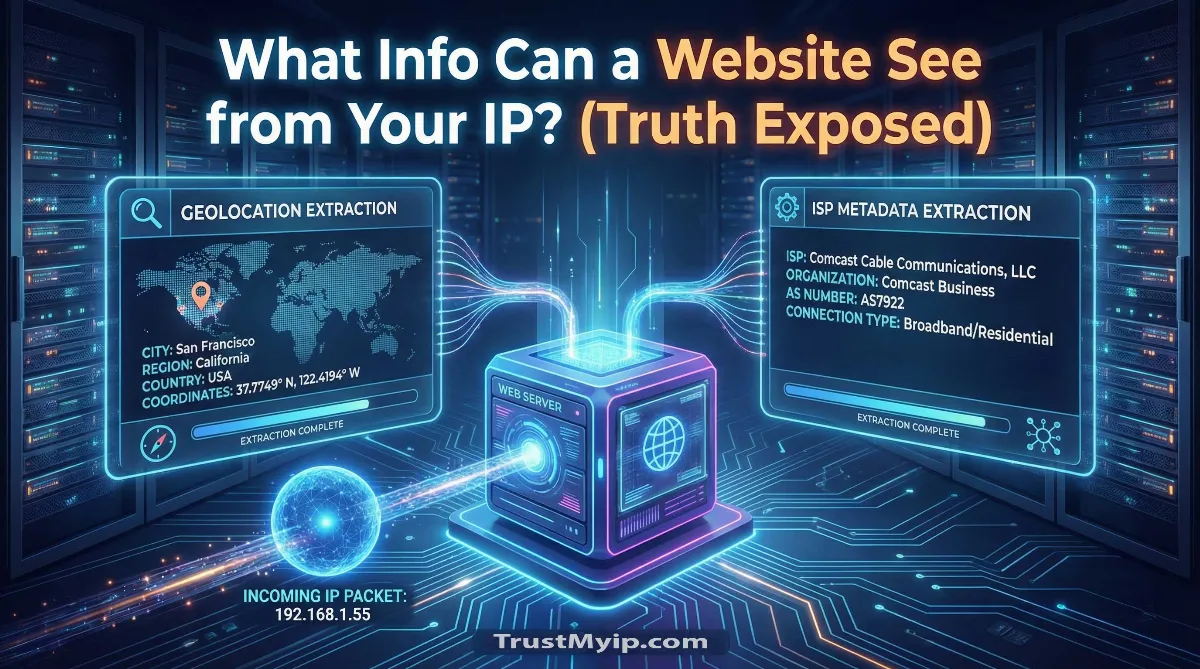
In the hyper-connected architecture of 2026, every time you click a link, you are leaving a digital breadcrumb. The question what information can a website actually see from your IP is no longer just for the privacy-conscious—it is a fundamental concern for anyone navigating the World Wide Web. To a server, your numeric IP is more than just a return address; it is a gateway to your network identity, providing clues about your lifestyle, location, and even your corporate security posture.
"In my years of conducting WHOIS Forensics and analyzing Geolocation Data, I've seen that most users vastly underestimate the depth of an IP address. While an IP doesn't contain your name, it provides a 'Digital Fingerprint' that, when combined with browser metadata, can identify you with startling accuracy. Your network path reveals your ISP, your city, and even your throughput capabilities [cite: 2026-01-06]."
The Core Disclosure: IP Exposure
A website can primarily see your Approximate Location (City, Region, Country), your ISP (Internet Service Provider), and your Connection Type. It cannot see your physical home address, your name, or your email. However, by using your numeric IP as a persistent ID, sites can track your recurring visits and build a behavioral profile.
3. The Geolocation Layer: Accuracy vs. Reality
The most immediate piece of geolocation data a website extracts is your physical vicinity. But how accurate is it? In 2026, most IP-to-location databases (like MaxMind) are accurate to about 90% at the city level but drop to 50% for zip codes.
What is Exposed:
- • Country & State: High accuracy; used for regional network access control.
- • City: Moderate accuracy; helps in serving localized advertisements.
- • Postal Code: Variable accuracy; often based on the nearest ISP exchange point.
- • Timezone: Used to synchronize network identity with behavioral triggers.
Step 0: Self-Audit. See exactly what the internet sees right now. Use our IP Identity Tool to view your real-time exposure.
4. ISP Profiling: Identifying Your Autonomous System (ASN)
Every numeric IP belongs to an authorized provider (ISP) which is assigned an Autonomous System Number (ASN). This is a forensic goldmine for website owners.
ISP & Connection Metadata
Websites can identify if you are using a Corporate Network, a Residential ISP, or a Datacenter Proxy. For example, an IP from Amazon Data Services indicates a proxy/bot, while an IP from Comcast suggests a real human user. This helps sites decide whether to block you or allow throughput.
5. Behavioral Tracking: Using IP as a Persistent ID
If you don't use a VPN tunnel, your IP address is often "Sticky." This means it remains the same for days or weeks, allowing websites to recognize you as a returning user even without cookies.
| Data Point | Forensic Logic | Privacy Risk |
|---|---|---|
| Visit Frequency | Logging IP timestamps. | Building a routine profile. |
| Network Reputation | Checking blacklist status. | Can lead to IP blacklisting. |
| Cross-Site Sync | Matching IP across ad networks. | Unified tracking without consent. |
6. Connection Specifics: Starlink, 5G, and Proxy Risks
The architecture of your ISP affects what is visible. If you use Starlink, your IP resolves to a satellite ground station, making your location less precise. However, on 5G mobile networks, your IP might be shared via CGNAT, making you anonymous but grouped with authorized users in your area.
"On satellite links, your network path reveals that you are a Starlink user, which tells a website you likely live in a rural area. This is a subtle form of geolocation data that marketers use. For a deeper look, read our Starlink IP Logic Guide."
7. Masking the Truth: How to Hide What Websites See
To protect your public data, you must obscure the link between your hardware and your online activity.
The Stealth Checklist:
1. VPN Tunnel: The only way to completely swap your real numeric IP for an anonymous one. Check our Top 5 VPN Guide.
2. DNS Auditor: Ensure your DNS Resolution requests aren't leaking your location. Use our DNS Auditor tool.
3. MAC Anonymity: While websites can't see your MAC Address easily, some apps do. Read our MAC vs IP Breakdown to understand hardware leaks.
8. Troubleshooting: Why the Info Seen is Sometimes Wrong
Ever noticed a website thinks you are in a different city? This happens due to technical constraints in the way IP data is mapped.
- Stale Geo-IP Databases: The website is using an old registry that still associates your IP with a previous owner or location.
- IP Address Conflicts: If two devices share an IP via CGNAT, the metadata might get mixed. Read our Conflict Fix Guide.
- Anycast Routing: Large sites (like Google) use Anycast to route you to the nearest node, which might resolve to a different city's numeric IP.
Conclusion: Reclaiming Your Network Identity
Understanding what information a website can actually see from your IP is the first step toward true digital hygiene. While an IP address isn't a direct link to your front door, it is a powerful piece of WHOIS Forensics that advertisers and attackers use to build a profile of your life. In 2026, staying private requires proactive management of your network identity. By using encrypted VPN tunnels and regularly auditing your public data, you can ensure that the only things websites see are exactly what you choose to show.
Scan Your Exposure!
Is your IP broadcasting too much? Use our forensic toolkit to audit your DNS health, detect proxy leaks, and verify your 2026 IP reputation in one click.