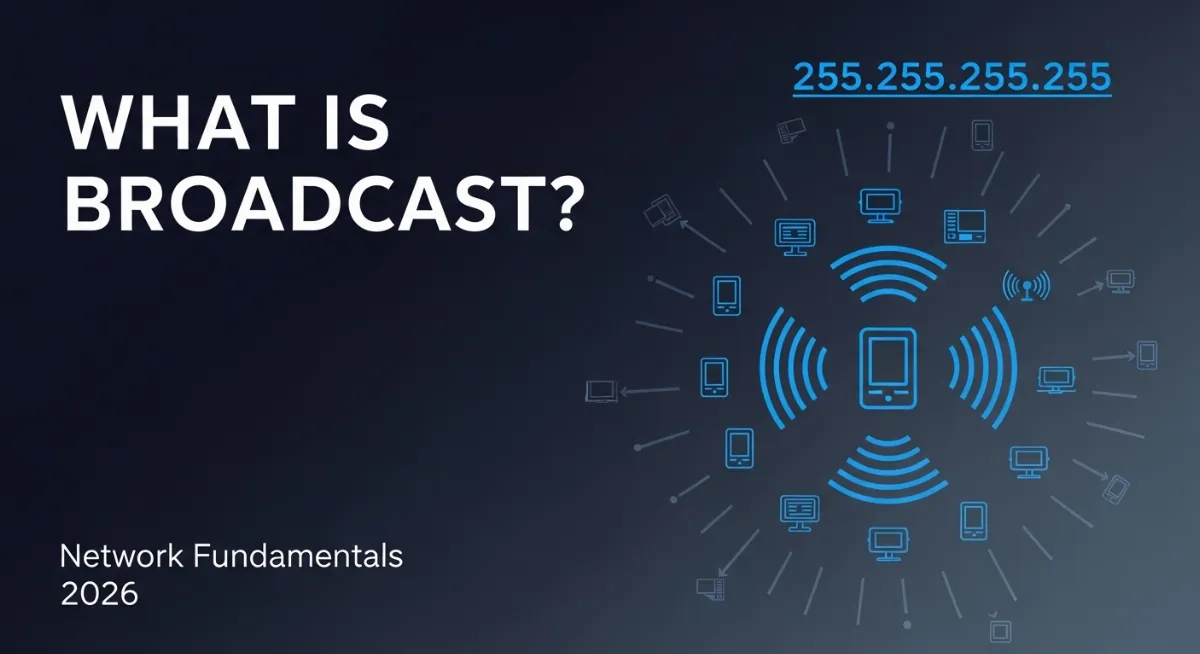
Ever wondered how a single device sends data to every device on a network simultaneously? That's where the broadcast address comes in. Unlike regular communication that goes to one specific destination, a broadcast message reaches every connected device at once — like shouting in a crowded room where everyone hears you. Understanding broadcast addresses is essential for network troubleshooting, understanding network design, and recognizing why certain traffic patterns exist.
A broadcast address is a special IP address reserved for sending data to all devices on a specific network segment. The most famous example is 255.255.255.255 — the limited broadcast address that reaches every device on your local network. But there's also directed broadcast, which targets all devices on a specific remote network. Broadcast addresses play critical roles in network protocols like ARP, DHCP, and router discovery — making them fundamental to how networks actually function.
This complete 2026 guide explains what a broadcast address is, how it differs from unicast and multicast, how to calculate broadcast addresses for any subnet, why 255.255.255.255 works differently than directed broadcasts, practical uses and risks of broadcast traffic, and why IPv6 eliminated broadcast entirely. Whether you're troubleshooting DHCP issues, designing network segments, or just curious about network fundamentals — this guide covers everything you need to know.

"In two decades of network diagnostics, I've seen countless issues traced back to misunderstood broadcast traffic. Broadcast storms bringing down entire networks. DHCP servers failing because broadcasts couldn't reach them. Security incidents where attackers exploited broadcast amplification. Most IT professionals know broadcasts exist, but few truly understand how broadcast addressing works at the packet level or why certain subnet calculations produce specific broadcast addresses.
The broadcast address is mathematically derived from your network address and subnet mask — it's always the last address in any subnet range, with all host bits set to 1. For a 192.168.1.0/24 network, the broadcast address is 192.168.1.255. Send a packet to that address, and every device from .1 to .254 receives it simultaneously. This mechanism enables critical network services but also creates security and performance challenges when mismanaged. Understanding broadcast fundamentals separates competent network administrators from those constantly fighting mysterious connectivity issues in 2026."
Quick Answer: What is a Broadcast Address?
A broadcast address is a special IP address that sends data to every device on a network segment simultaneously. The limited broadcast address 255.255.255.255 reaches all devices on your local network. Each subnet also has its own directed broadcast address — always the last IP in the range (e.g., 192.168.1.255 for 192.168.1.0/24). Broadcast addresses power DHCP, ARP, and network discovery, but excessive broadcast traffic causes network congestion. Use our subnet calculator to find the broadcast address for any network, or check your current IP with TrustMyIP IP checker.
1. What is a Broadcast Address? The Simple Explanation
A broadcast address is a special destination IP address that delivers packets to every device on a network segment instead of just one specific device. Think of it like using a public address system in a building — instead of calling one person on their phone (unicast), you make an announcement that everyone hears at once (broadcast).
In networking, broadcast addresses enable essential functions like device discovery, address resolution, and automatic configuration. When your computer needs to find a DHCP server, it sends a broadcast asking "Is anyone out there a DHCP server?" Every device receives the broadcast, but only DHCP servers respond. This mechanism works because the message reaches everyone simultaneously without needing to know specific IP addresses beforehand.
There are two types of broadcast addresses: the limited broadcast (255.255.255.255) that never crosses router boundaries and stays on your immediate network, and directed broadcasts that target specific remote networks (like 192.168.5.255 targeting everyone on the 192.168.5.0/24 network). Understanding how subnet masks work is essential for calculating broadcast addresses correctly.
| Traffic Type | Destination | Example Address | Use Case |
|---|---|---|---|
| Unicast | One specific device | 192.168.1.10 | Normal web browsing, file transfer |
| Broadcast | All devices on network | 192.168.1.255 | DHCP, ARP, device discovery |
| Multicast | Group of subscribed devices | 224.0.0.1 | Video streaming, routing protocols |
| Anycast | Nearest device in a group | 2001:db8::1 (IPv6) | DNS servers, CDN nodes |
2. How to Calculate the Broadcast Address for Any Subnet
Every network subnet has exactly one broadcast address — it's always the last IP address in the subnet range. Calculating it requires understanding your network address and subnet mask. The formula is simple: take your network address and set all host bits to 1 (binary) or fill them with 255 (decimal thinking).
Let's walk through a real example. For the network 192.168.10.0/24 (subnet mask 255.255.255.0), the network address is 192.168.10.0 and the broadcast address is 192.168.10.255. Why? The /24 mask means 24 bits for network, leaving 8 bits for hosts. With all 8 host bits set to 1, the last octet becomes 255. The TrustMyIP subnet calculator instantly shows broadcast addresses for any network — no manual calculation needed.
Broadcast Address Calculation Examples
1 Simple /24 Network (Home Network Standard)
Network: 192.168.1.0/24
Subnet Mask: 255.255.255.0
First usable host: 192.168.1.1
Last usable host: 192.168.1.254
Broadcast Address: 192.168.1.255
Logic: Last octet all 1s in binary (11111111) = 255 in decimal. This is the most common home network configuration.
2 /26 Network (Smaller Subnet)
Network: 10.0.0.64/26
Subnet Mask: 255.255.255.192
First usable host: 10.0.0.65
Last usable host: 10.0.0.126
Broadcast Address: 10.0.0.127
Logic: 6 host bits available (2⁶ = 64 addresses). Network starts at 64, so broadcast is 64 + 63 = 127.
3 /16 Network (Large Enterprise)
Network: 172.16.0.0/16
Subnet Mask: 255.255.0.0
First usable host: 172.16.0.1
Last usable host: 172.16.255.254
Broadcast Address: 172.16.255.255
Logic: Last 16 bits are host bits. All 1s = 255.255 in the last two octets.
4 Quick Calculation Rule
Step 1: Find your network address (use subnet calculator or calculate manually)
Step 2: Determine how many host bits you have based on subnet mask
Step 3: Set all host bits to 1 → That's your broadcast address
Or simply: Broadcast = (Network Address) + (Total Hosts) - 1
3. Limited Broadcast vs Directed Broadcast
Not all broadcasts work the same way. The two types — limited broadcast and directed broadcast — have different behaviors and security implications. Understanding the distinction helps troubleshoot network issues and configure firewalls properly.
Limited broadcast (255.255.255.255) never crosses routers — it stays confined to your immediate network segment. When your device doesn't have an IP yet (like during DHCP discovery), it uses 255.255.255.255 to find a DHCP server. Routers intentionally block this address from forwarding, preventing broadcast storms from spreading across the internet. In contrast, directed broadcasts target specific remote networks (like 10.50.30.255) and can cross routers if explicitly configured — though most modern routers disable this by default for security reasons.
| Feature | Limited Broadcast | Directed Broadcast |
|---|---|---|
| Address | 255.255.255.255 | Subnet's last IP (e.g., 192.168.1.255) |
| Scope | Local network segment only | Can target remote networks |
| Router Forwarding | Never forwarded | Optional (usually disabled) |
| Primary Use | DHCP discover, ARP requests | Wake-on-LAN, remote notifications |
| Security Risk | Low (local only) | High (DDoS amplification attacks) |
| Common Example | New device requesting IP | Network scanner finding devices |
4. What Protocols Use Broadcast Addresses?
Several essential network protocols rely on broadcast addresses to function. Without broadcast capability, networks wouldn't be plug-and-play — every device would need manual configuration. Here are the most critical protocols that depend on broadcast communication.
DHCP (Dynamic Host Configuration Protocol)
When your device connects to a network without an IP address, it broadcasts a DHCP Discover message to 255.255.255.255 asking "Is anyone a DHCP server?" Any DHCP server on the network responds with an IP offer.
Why broadcast? Your device doesn't have an IP yet, so it can't use unicast. Broadcast ensures the message reaches all potential DHCP servers without knowing their addresses.
ARP (Address Resolution Protocol)
When your computer knows an IP address (like 192.168.1.50) but needs the corresponding MAC address, it broadcasts an ARP request: "Who has 192.168.1.50?" Only the device with that IP responds with its MAC address.
Why broadcast? ARP operates at Layer 2, mapping IP addresses to physical MAC addresses. Broadcasting ensures the right device responds even if you don't know its MAC yet.
NetBIOS Name Service
Windows networks use NetBIOS broadcasts to resolve computer names to IP addresses without DNS. When you access \\DESKTOP-PC, your computer broadcasts asking "What's the IP for DESKTOP-PC?"
Why broadcast? Provides name resolution for small networks without requiring centralized DNS infrastructure.
Router Discovery Protocols
Routers periodically broadcast Router Advertisement messages announcing their presence. Devices use these broadcasts to discover default gateways automatically without manual configuration.
Why broadcast? New devices can join the network and immediately discover the gateway without prior knowledge of the network topology.
5. Broadcast Domains: What They Are and Why They Matter
A broadcast domain is the network area where a broadcast packet can reach. It's defined by routers, which block broadcasts from crossing between networks. Understanding broadcast domains is critical for network design, troubleshooting, and performance optimization.
Every network segment separated by a router is its own broadcast domain. For example, if you have a router connecting your home network (192.168.1.0/24) to your guest network (192.168.2.0/24), these are two separate broadcast domains. A broadcast on 192.168.1.255 reaches all devices on the 192.168.1.x network but never crosses the router to reach 192.168.2.x devices.
Why does this matter? Large broadcast domains cause performance problems. Every device must process every broadcast packet, consuming CPU cycles even if the broadcast isn't relevant to them. Network switches forward broadcasts to all ports within a domain, increasing network congestion. This is why enterprise networks are segmented into smaller broadcast domains using routers and VLANs — limiting broadcast traffic improves overall network performance. Understanding network architecture also helps when configuring features like port forwarding across network boundaries.
Broadcast Domain Key Concepts
- →Switches extend broadcast domains: All ports on a switch are in the same broadcast domain (unless VLANs configured)
- →Routers separate broadcast domains: Each router interface connects to a different broadcast domain
- →VLANs create separate broadcast domains: Even on one switch, different VLANs are separate domains
- →Size matters: Smaller domains = better performance and security
- →Broadcast storms: Loops in broadcast domains cause exponential traffic growth, crashing networks
6. Why IPv6 Has No Broadcast Addresses
One of the most significant changes in IPv6 is the complete elimination of broadcast addresses. IPv6 designers recognized that broadcast traffic creates scaling problems and replaced it with more efficient multicast mechanisms. This fundamental shift changes how network protocols operate.
In IPv6, all broadcast functionality is replaced by multicast. Instead of yelling to everyone (broadcast), IPv6 devices join specific multicast groups for different purposes. For example, ff02::1 is the "all nodes" multicast address — functionally similar to broadcast but implemented differently. Routers join ff02::2 for router discovery. This approach is more efficient because devices can ignore multicast groups they haven't joined, reducing unnecessary processing.
Why is this better? Broadcast is inherently wasteful — every device processes every broadcast even if irrelevant. Multicast allows devices to opt-in to specific traffic types, dramatically reducing unnecessary network load. The absence of broadcast also eliminates certain attack vectors like broadcast amplification DDoS attacks that plague IPv4 networks. Learn more about IPv6 addressing fundamentals and how they differ from IPv4.
| Function | IPv4 Method | IPv6 Replacement |
|---|---|---|
| Reach all local devices | Broadcast to 255.255.255.255 | Multicast to ff02::1 (all nodes) |
| Find routers | Broadcast router discovery | Multicast to ff02::2 (all routers) |
| Address resolution | ARP broadcast | Neighbor Discovery Protocol (NDP) |
| Auto-configuration | DHCP broadcast | SLAAC with multicast |
7. Security Risks and Broadcast Attacks
While broadcast addresses enable essential network functions, they also create security vulnerabilities that attackers exploit. Understanding these risks helps network administrators implement appropriate protections.
Broadcast-Based Attacks
- ⚠Smurf Attack: Attacker spoofs victim's IP, sends ping to broadcast address — every device replies to victim
- ⚠Broadcast Storm: Switching loops cause broadcasts to multiply infinitely, crashing network
- ⚠NetBIOS Spoofing: Respond to NetBIOS broadcasts with fake IPs, redirecting traffic
- ⚠ARP Poisoning: Send fake ARP broadcasts to redirect traffic through attacker
- ⚠Rogue DHCP: Malicious DHCP server responds to broadcasts, assigning fake network config
Protection Measures
- ✓Disable directed broadcast forwarding: Routers should drop directed broadcasts (Cisco:
no ip directed-broadcast) - ✓Implement STP/RSTP: Spanning Tree Protocol prevents switching loops and broadcast storms
- ✓DHCP snooping: Switch feature that blocks unauthorized DHCP servers
- ✓Dynamic ARP Inspection: Validates ARP broadcasts against trusted bindings
- ✓Segment networks: Smaller broadcast domains limit attack impact
8. How to Test Broadcast Connectivity
Testing whether broadcasts work correctly helps troubleshoot DHCP failures, ARP issues, and network segmentation problems. Here are practical methods to verify broadcast functionality.
Method 1: Ping the Broadcast Address
Command: ping 192.168.1.255 (replace with your network's broadcast address)
Expected result: You should see replies from multiple devices on the network (not all devices respond to broadcast pings)
Note: Some operating systems and firewalls block broadcast pings by default for security. Use our online ping tool for testing connectivity.
Method 2: Monitor ARP Broadcasts
Windows: arp -a shows ARP table — clear it with arp -d, then access a device to see ARP broadcast in action
Linux/Mac: sudo tcpdump -i eth0 broadcast captures all broadcast traffic
What to look for: ARP requests showing as broadcasts, DHCP discover messages, NetBIOS announcements
Method 3: Renew DHCP to Test Broadcast DHCP
Windows: ipconfig /release then ipconfig /renew
Linux: sudo dhclient -r eth0 && sudo dhclient eth0
What it tests: Your device sends DHCP discover broadcast to 255.255.255.255. If DHCP works, broadcasts are functioning
Conclusion: Broadcast Addresses Power Network Discovery
Broadcast addresses are the unsung heroes of modern networking — enabling automatic device discovery, address resolution, and plug-and-play configuration that users take for granted. Every subnet has one broadcast address (always the last IP in the range), calculated by setting all host bits to 1. The special 255.255.255.255 address provides limited broadcast that never crosses routers, while directed broadcasts target specific remote networks.
The key takeaways: Broadcast addresses enable DHCP, ARP, and network discovery protocols essential for network operation. Routers define broadcast domain boundaries, with smaller domains improving performance and security. IPv6 eliminated broadcast entirely in favor of more efficient multicast addressing. And while broadcasts provide critical functionality, they also create security vulnerabilities requiring proper network segmentation and attack prevention measures.
Use the TrustMyIP subnet calculator to instantly find broadcast addresses for any network configuration. Check your current network setup at TrustMyIP.com to see your IP address and verify your network configuration.
Continue building your networking knowledge: understand subnet masks that define broadcast addresses, explore loopback addresses for local testing, and learn about DNS resolution that works alongside broadcast mechanisms in modern networks.
Calculate Your Network Now
Find broadcast addresses, network ranges, and subnet details instantly with our tools.