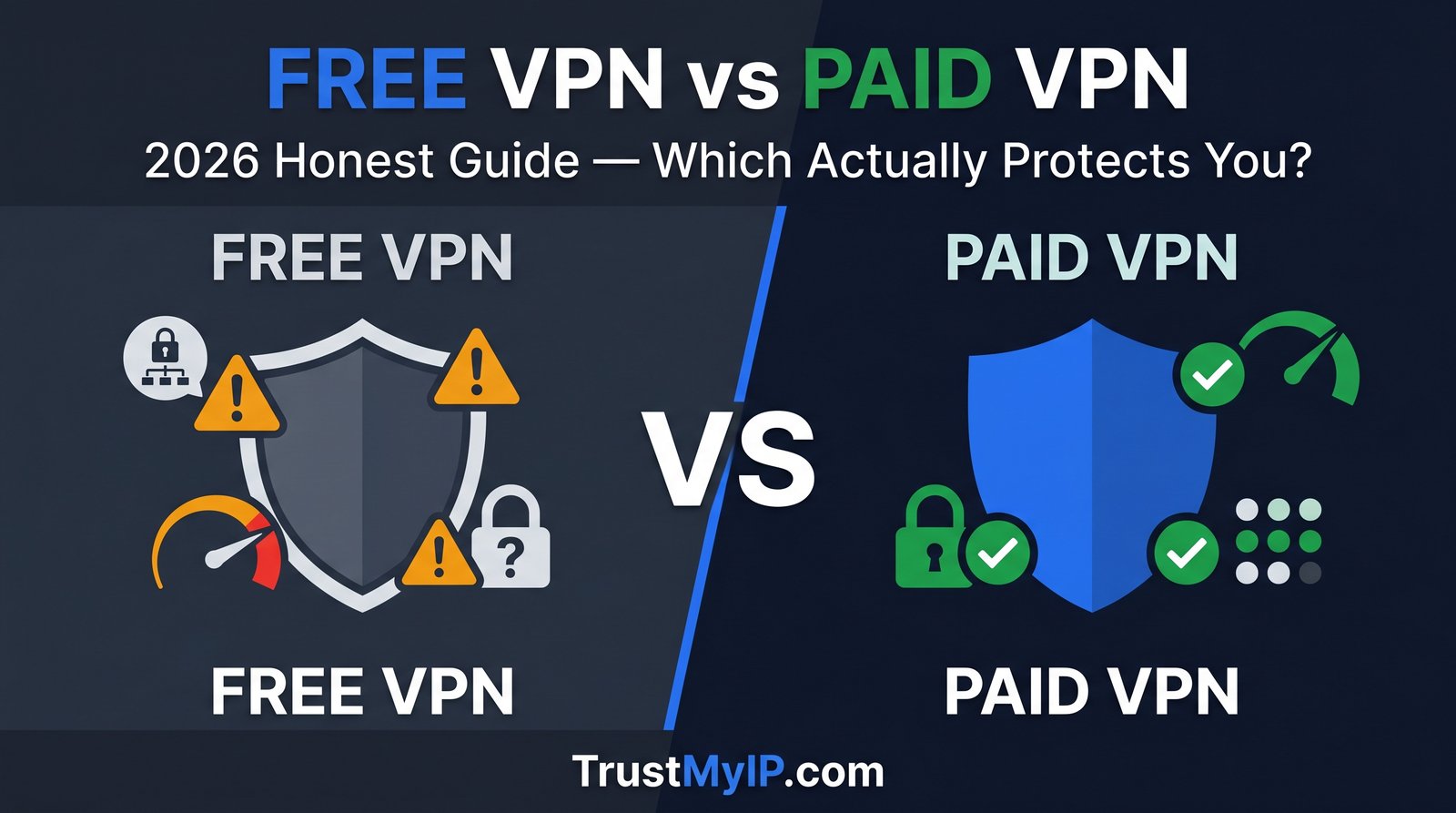
Every week, millions of people search for "free VPN" and find themselves choosing between a zero-cost app and a subscription that costs less than a cup of coffee per month. It sounds like an easy decision. But the gap between free VPN and paid VPN in 2026 is wider than it has ever been — not just in features, but in privacy, safety, and what each type of service actually does with your data while you are connected. Some free VPNs are genuinely safe. Many are not. And some paid VPNs are not worth a single dollar.
This guide does not have a vendor behind it pushing you toward one option. We cover both sides honestly — including which free VPNs are actually safe to use, what you give up with each, and the exact use cases where a free VPN is completely fine versus where using one is a serious mistake. Before choosing any VPN, paid or free, you should verify what it actually does to your IP address. Use TrustMyIP Proxy Checker and WebRTC Probe to confirm your connection is actually protected — not just marketed as protected.
This complete 2026 guide covers every meaningful difference between free and paid VPNs — security, speed, privacy, server access, streaming, torrenting, business use, and the one question most guides avoid: when is a free VPN genuinely enough, and when is using one a risk you should not take?

"The free VPN vs paid VPN question is one I get asked constantly — and the answer is genuinely more nuanced than most guides admit. I have tested over 60 VPN services across both categories. What I have found: a handful of free VPNs from legitimate companies are genuinely safe and provide real encryption with honest privacy policies. ProtonVPN Free, for example, has passed independent audits and offers unlimited data. I use it myself for low-stakes browsing when I do not want to burn through a paid VPN connection.
But the broader free VPN market is a minefield. A 2023 study of 283 Android VPN apps found that 38% contained malware or malicious code. The 2025 CSIRO report on mobile VPNs confirmed that 84% of free VPN apps leak user data in some form. These numbers have not improved in 2026. The business model of a genuinely free VPN — no paid tier, no legitimate revenue source — almost always involves monetizing your data. Before trusting any VPN with your connection, run a WebRTC leak test and a proxy detection check. The results tell you what the VPN is actually doing, not what its marketing says."
Quick Answer: Free VPN vs Paid VPN — Which Is Better?
For most users, a paid VPN is the better choice — it offers real no-logs guarantees, fast speeds, streaming access, and no data monetization. But legitimate free VPNs like ProtonVPN Free (unlimited data, audited no-logs) and Windscribe Free (10GB/month, 10 countries) are genuinely safe for basic privacy needs. The danger is the majority of free VPN apps that log your data, show malware-linked ads, or leak your real IP. Always verify any VPN — free or paid — using TrustMyIP WebRTC Probe to confirm your IP is actually hidden before trusting it with your browsing.
1. How Free VPNs Actually Make Money — The Business Model You Need to Understand
Before comparing features, you need to understand one fundamental fact: VPN infrastructure costs real money. Servers, bandwidth, support staff, encryption technology, and security audits all require ongoing investment. A VPN service that charges you nothing has to cover those costs another way. How it covers them determines whether it is safe to use.
There are four business models behind free VPNs — and only one of them is safe for users. Understanding which model your free VPN runs on is more important than any feature comparison. You can check what your current VPN is actually doing to your connection by visiting Free IP Lookup with it connected — your IP, ISP, and location data will show whether the VPN is actually routing your traffic or just claiming to.
| Free VPN Business Model | How They Make Money | Risk to You | Safe to Use? |
|---|---|---|---|
| Freemium Model | Free tier drives upgrades to paid plans — you are the lead, not the product | Low risk — legitimate business model | ✅ Yes — ProtonVPN, Windscribe |
| Ad-Supported Model | Displays ads or injects tracking scripts while you browse | Medium — defeats privacy purpose, some inject malicious ads | ⚠️ Varies by service |
| Data Broker Model | Logs and sells your browsing history, IP data, and usage patterns to advertisers | High — completely defeats VPN's privacy purpose | ❌ Never use these |
| Bandwidth Sharing Model | Uses your device's bandwidth and IP as a relay node for other users' traffic | Very High — strangers' activity runs through your IP address | ❌ Avoid completely |
⚠️ The 2025 Data on Free VPN Safety — Read This First
A CSIRO research study analyzed 283 free Android VPN apps and found that 84% leaked user data in some form — including DNS leaks, WebRTC leaks, and plain-text traffic exposure. A separate analysis found that 38% contained malware or malicious code. A 2025 Top10VPN audit of popular free VPNs found that 77% had excessive data collection permissions — accessing contacts, device ID, and location data that a VPN has no legitimate need for.
These numbers apply to the broader free VPN market — not to every free VPN. Legitimate freemium services like ProtonVPN Free are the exception. But the key lesson is: do not trust a free VPN's marketing. Test it yourself. Run TrustMyIP Free WebRTC Probe and check whether your real IP is leaking through the VPN tunnel before using it for anything sensitive.
2. Free VPN vs Paid VPN: Head-to-Head Feature Comparison
Here is the complete, honest feature-by-feature breakdown. Every point is based on actual testing data and real capabilities — not vendor marketing. This is the comparison most guides either oversimplify or make biased because the author is promoting a paid VPN with affiliate links.
| Feature | Legitimate Free VPN | Shady Free VPN | Paid VPN |
|---|---|---|---|
| Encryption Standard | AES-256 or ChaCha20 — same as paid | Weak or none — traffic exposed | AES-256 + ChaCha20 ✅ |
| No-Logs Policy | Audited (ProtonVPN, Windscribe) | Logs and sells data ❌ | Audited annually ✅ |
| Data / Bandwidth | Unlimited (ProtonVPN) or 10GB/mo (Windscribe) | 500MB–2GB cap typical | Unlimited always ✅ |
| Speed | 80–88% speed retention — usable | Under 1 Mbps typical — unusable | 90–97% retention — near-native ✅ |
| Server Count | 5–10 countries — limited choice | Few servers — overcrowded | 60–130+ countries ✅ |
| Kill Switch | ProtonVPN free: ✅ / Windscribe free: ❌ | Rarely available ❌ | Standard on all plans ✅ |
| Streaming (Netflix etc.) | Inconsistent — datacenter IPs blocked | Almost never works ❌ | Reliable — dedicated servers ✅ |
| Torrenting / P2P | Not allowed on free tiers | Blocked or dangerous ❌ | Supported on P2P servers ✅ |
| Customer Support | Email only — slow response | None or bot-only ❌ | 24/7 live chat ✅ |
| Obfuscation | ProtonVPN Stealth: ✅ | None ❌ | Full obfuscation modes ✅ |
| Cost | $0 ✅ | $0 (but you pay with data) | $1.78–$6.67/month |
3. Security and Privacy: Where the Real Gap Lives
Security is the area where the difference between free and paid VPNs is most misunderstood. The encryption standard itself — AES-256 — is the same across legitimate free and paid services. A malicious actor cannot break AES-256 encryption whether it comes from a free or paid VPN. So what is the actual security difference?
The difference is not in the encryption algorithm. It is in what happens to your data before and after encryption, and whether the VPN leaks your real IP through WebRTC, DNS, or connection drops. A free VPN with perfect encryption but no kill switch exposes your real IP every time the VPN connection drops — which happens frequently on overcrowded free servers. Run TrustMyIP Free IP Fraud Checker after connecting to any VPN — if the score is high and the IP still shows your real ISP, your connection is not protected.
Security Gaps in Most Free VPNs
- →No kill switch: When VPN drops, real IP exposed immediately — no automatic cut
- →DNS leaks: DNS queries bypass VPN tunnel, revealing browsing to ISP
- →WebRTC leaks: Browser API exposes real IP alongside VPN IP — platform-level exposure
- →Weak protocols: PPTP and L2TP used by older free services — cracked by modern tools
- →Malware bundled: 38% of free VPN apps in 2023 audit contained malware or adware
- →No split tunneling: Cannot separate sensitive traffic from general browsing
Security Standards in Paid VPNs
- ✓Kill switch: Standard on all plans — cuts internet instantly if VPN drops
- ✓DNS leak protection: All DNS queries route through encrypted VPN tunnel
- ✓WebRTC control: Settings to prevent WebRTC IP exposure
- ✓Modern protocols: WireGuard, Lightway, NordLynx — fast and cryptographically current
- ✓Independent audits: Annual third-party security audits — results published publicly
- ✓Split tunneling: Route sensitive apps through VPN, others through direct connection
One of the most underrated security features is the VPN kill switch — and most free services do not offer it. If you are not sure what a kill switch does or why it matters, our guide on what a VPN kill switch is and how it protects you explains exactly why this single feature can be the difference between real protection and a false sense of security.
4. Speed and Performance: The Real Numbers
Speed is where free VPNs hurt users most visibly. Even if a free VPN has solid privacy — which only a few do — the performance gap compared to paid options directly impacts daily usability. Here is why the gap exists and what real-world numbers look like.
Why Free VPNs Are Slower — The Technical Reality
Free VPN Speed Problems
- →Overcrowded servers: Hundreds of free users on the same server — bandwidth divided among everyone simultaneously
- →Intentional throttling: Many free services deliberately slow down free traffic to push upgrades
- →Older server hardware: No investment in 10 Gbps infrastructure — free tier gets older equipment
- →Fewer server locations: Less choice means longer routing distances — higher latency
2026 Real-World Speed Benchmarks
- →No VPN baseline: 100 Mbps (reference)
- →ProtonVPN Free: 80–88 Mbps — usable for HD streaming
- →Windscribe Free: 75–85 Mbps — fast for a free service
- →Average shady free VPN: Under 5 Mbps — buffering on everything
- →NordVPN (paid): 91–95 Mbps — near-native speeds
- →ExpressVPN (paid): 88–93 Mbps — top performer
Speed matters differently depending on what you do online. For general browsing and email, 80 Mbps is more than enough. For 4K streaming, you need at least 25 Mbps stable. For competitive gaming, latency matters more than raw speed — and free VPNs typically add 30–80ms of ping versus 5–20ms for premium services. If you game online, understanding how your IP and VPN configuration affects ping is explained in depth in our guide on whether changing your IP reduces ping in games.
5. Streaming, Gaming, and Torrenting: Free VPN Realities
These three use cases are where free VPNs almost always fail — not because of any fundamental limitation, but because streaming unblocking, gaming optimization, and torrenting support all require ongoing server maintenance and investment that free tiers do not fund.
Streaming (Netflix, Disney+, BBC iPlayer)
Free VPN reality: Most free VPNs use datacenter IPs that streaming services have catalogued and blocked. Netflix, Disney+, and BBC iPlayer actively maintain lists of known VPN server IP ranges and block them in real time. Free VPN IPs — shared among many users — get flagged and added to these lists quickly. Even ProtonVPN Free, which has solid privacy, does not guarantee streaming unblocking on the free tier.
Paid VPN advantage: Premium VPNs maintain dedicated streaming server pools — rotating IPs and actively managing reputation to stay off block lists. NordVPN, ExpressVPN, and Surfshark all have dedicated streaming servers that work reliably with major platforms. This requires continuous IP management investment that free tiers cannot support.
Gaming Online
Free VPN reality: Gaming requires low latency — ideally under 20ms for competitive play. Free VPNs add 40–100ms of additional ping due to overcrowded servers and suboptimal routing. This makes most first-person shooters, battle royale games, and any real-time competitive title effectively unplayable through a free VPN. Data caps on most free services also mean a single gaming session exhausts your monthly allowance.
Paid VPN advantage: Premium services offer game-optimized servers with lower latency routing. NordVPN's NordLynx protocol (WireGuard-based) specifically minimizes latency overhead. Surfshark and ExpressVPN both maintain gaming-optimized infrastructure with dedicated low-latency routing paths.
Torrenting and P2P File Sharing
Free VPN reality: Virtually all legitimate free VPNs explicitly block P2P and torrent traffic on their free tiers. ProtonVPN Free, Windscribe Free, and TunnelBear Free all prohibit torrenting without a paid plan. The bandwidth demands of P2P traffic would make free tier servers unusable for everyone else.
Paid VPN advantage: Most premium VPNs include dedicated P2P servers optimized for torrent traffic — with SNAT (Source Network Address Translation) to prevent IP exposure through torrent clients. NordVPN, Surfshark, and Private Internet Access all support torrenting on designated servers. If you torrent, a paid VPN is non-negotiable.
6. The Legitimate Free VPNs Worth Using in 2026
After covering what makes most free VPNs problematic, here are the free VPNs that have earned genuine trust through independent audits, verified privacy policies, and honest feature sets. There are only a handful — which is itself important information.
ProtonVPN Free
Best Free VPN Overall — Unlimited Data, Audited Privacy- ✓Unlimited data — only major free VPN with no monthly cap
- ✓Independently audited no-logs policy — Securitum 2024
- ✓Swiss jurisdiction — outside US/EU data retention laws
- ✓WireGuard + Stealth protocol on free plan
- ✓Kill switch available on free tier
- →5 server countries — limited geographic choice
- →1 simultaneous device only
- →Slower than paid tier during peak hours
- →No streaming guarantee, no torrenting
- ✓No credit card required — email signup only
Windscribe Free
Best Free VPN for Server Choice — 10 Countries- ✓10 server countries — manual selection, not randomized
- ✓RAM-only servers — validated by Dutch police seizure (zero data found, Feb 2026)
- ✓Unlimited devices on free plan
- ✓Built-in ad and tracker blocker
- →10GB/month cap — runs out quickly for regular users
- →No kill switch on free tier
- →No streaming guarantee, no P2P
TunnelBear Free
Best for Beginners — Annual KPMG Audit, 45+ Countries- ✓KPMG annual audit — strongest third-party audit on this list
- ✓45+ country access — same server pool as paid tier
- ✓GhostBear obfuscation on free plan
- ✓Unlimited simultaneous devices
- →Only 2GB/month — severe cap, perhaps 3–4 hours of browsing
- →Best for testing VPNs before paying, not daily use
7. Who Should Use a Free VPN vs Who Should Pay
This is the decision framework most guides skip entirely — because they either want to push you toward a paid affiliate product or want you to keep using their free service. Here is the honest breakdown based on real use cases.
Decision Framework — Free VPN vs Paid VPN by Use Case
✓ Free VPN Is Enough For:
Occasional public Wi-Fi protection: Encrypting your connection at a coffee shop or airport when you check email or browse. ProtonVPN Free handles this perfectly — unlimited data, real encryption, audited privacy.
Bypassing basic geo-restrictions: Accessing a website that blocks your country for non-streaming content — news sites, blogs, forums. Free VPN IPs work on most non-streaming platforms.
Testing whether a VPN fits your needs: Use TunnelBear or ProtonVPN Free to verify a VPN works for your use case before committing to a paid plan. This is exactly what freemium tiers are designed for.
Privacy from your ISP on a tight budget: If you cannot afford even $2/month but want basic browsing privacy, ProtonVPN Free provides genuine encryption without selling your data.
✗ You Need a Paid VPN If:
Streaming Netflix, Disney+, or BBC iPlayer: Free VPN IPs are on every streaming block list. You need a paid VPN with dedicated streaming servers and active IP reputation management.
Daily VPN use for work or privacy: Free tiers — even the good ones — have data caps (Windscribe) or overcrowded servers that slow you down during business hours. Paid VPNs provide consistent performance.
Traveling to restrictive countries: China, Russia, UAE, Iran — these environments require obfuscated servers, reliable connectivity, and active server management. Free VPN IPs get blocked within hours in these regions.
Torrenting or P2P downloading: Every legitimate free VPN blocks this. Paid VPNs with P2P-optimized servers are the only option.
Remote work with sensitive company data: Business and legal privacy requirements need audited, reliable, always-on VPN service — not a free tier with one simultaneous device.
Using VPN on multiple devices simultaneously: ProtonVPN Free allows 1 device. If you need your phone, laptop, and tablet covered at once, paid is required.
8. How to Verify Any VPN — Free or Paid — Before You Trust It
Whether you go free or paid, the single most important step most people skip is actually verifying that the VPN works as claimed. Marketing is not proof. An audit certificate is proof. A WebRTC leak test result is proof. Here is the verification routine every VPN user should run before relying on any service.
Step 1: Confirm Your IP Is Hidden
Connect your VPN and visit IP Lookup Online. Your displayed IP and ISP should match the VPN server's country — not your real ISP. If it shows your home ISP, the VPN is not routing your traffic correctly.
Step 2: Test for WebRTC Leaks
Run WebRTC Probe Checker with VPN active. Your real home IP must not appear. This is the check that catches 84% of faulty free VPNs. If your real IP shows here — disconnect and find a different service. For a full walkthrough, see our WebRTC leak test and fix guide.
Step 3: Check Proxy Detection Status
Use Proxy Online Checker to see how websites and platforms classify your VPN IP. A flagged IP will be blocked by streaming services, banking apps, and high-security platforms regardless of your VPN settings. Switch servers if flagged.
Step 4: Verify IP Fraud Score
Run IP Fraud Checker. Scores above 60 signal a high-risk IP — shared free VPN IPs accumulate abuse signals quickly. Scores under 20 indicate a clean, low-risk connection suitable for sensitive use. This check takes 10 seconds and tells you what fraud detection platforms see.
If you are currently using a VPN and not sure whether it is actually protecting your IP — our guide on how to check if your VPN is leaking your IP walks through every leak vector systematically and tells you exactly how to fix each one.
Conclusion: Free VPN vs Paid VPN — Make the Right Call for Your Situation
The free VPN vs paid VPN decision comes down to two things: what you actually need, and which free VPN you pick. A legitimate freemium VPN like ProtonVPN Free delivers real privacy for basic daily use at zero cost — and that is a perfectly valid choice for many people. A shady free VPN with no audit history and an unclear business model is worse than using no VPN at all, because it creates a false sense of security while actively harvesting your data.
For streaming, daily privacy, travel to restrictive countries, torrenting, or protecting multiple devices — paid VPNs justify their cost. Surfshark at $1.99/month and NordVPN at $3.09/month are cheaper than most monthly subscriptions people do not think twice about. Both offer 30-day money-back guarantees — meaning you can test them at zero risk before committing. For a full breakdown of which paid VPNs stand up to scrutiny, explore our top VPNs for privacy in 2026 and learn how VPN tunnels actually encrypt your data.
Whatever you choose — verify it works. Connect your VPN, visit TrustMyIP IP Lookup to confirm your IP is masked, and run WebRTC Probe to confirm no leaks. That sixty-second check separates a VPN that actually protects you from one that just claims to.
Is Your VPN Actually Working?
Verify your VPN hides your real IP and passes leak detection — free or paid, know for sure before you rely on it.