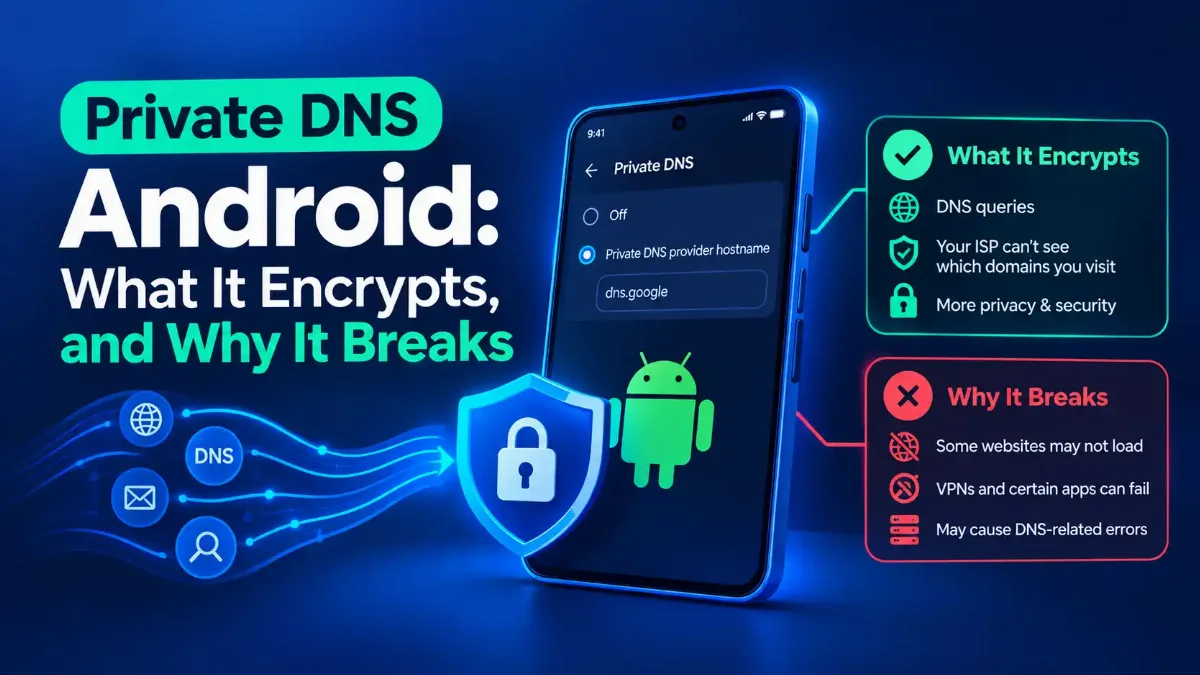
There is a setting on your phone called Private DNS, it is probably already on, and Google's own help page for it never tells you what protocol it uses. Private DNS Android is encrypted DNS transport, and on Android 11 and later it is no longer DNS over TLS for the resolvers most people pick.
Cloudflare's documentation names the current protocol. Most pages written for Android users still define it as DNS over TLS and stop there, including resolver providers' own setup guides. That definition went out of date in July 2022, and Google announced the change itself with numbers attached. That is the second section.
After that: how to set it up without trusting a hostname you have never checked, why it fails hard instead of failing quietly, and what it does not hide, in Google's own words rather than a vendor's.

Quick Answer: What Private DNS Is
What Private DNS Is, and What Google's Own Page Leaves Out
Private DNS is Android's name for encrypted DNS. Ordinary DNS lookups travel in plain text, so the network you are attached to can read every hostname you ask for and, in principle, change the answers. The setting wraps those lookups in an encrypted connection to a resolver, which stops the local network reading them.
Google's own help page for the setting gives you three modes, written exactly like this: "Off", "Automatic", and "Private DNS provider hostname". It also states the default and its recommendation in one sentence: "By default, your device uses Private DNS with all networks that can use Private DNS. We recommend keeping Private DNS turned on." The path it gives is Settings, then Network and internet, then Private DNS.
Now read that page for what is missing, because this is the part that sends people to forums. It never names the protocol. Not DNS over TLS, not DNS over HTTP/3, no RFC number. It does not use the word encrypted anywhere on the page.
On versions it carries one general caveat, that some steps need Android 12 or later, and nothing about which version introduced Private DNS or which protocol each version runs. So a reader who wants to know what is actually protecting their queries, or whether their phone is old enough to have it, cannot find that out from the page that documents the setting.
So third-party explainers fill the gap themselves, and most of them fill it with the answer that was correct in 2018. The problem is not that those pages are old. Plenty were updated this year and still describe the older protocol. Before any of it, it helps to know what a lookup does before anyone encrypts it, because Private DNS changes the transport and nothing else about that chain.
One practical note while the definitions are fresh. If a page stops loading after you change this setting, the first question is whether the name resolves at all. Resolving it from outside your phone entirely separates a broken resolver setting from a name that genuinely has nothing behind it, and it takes a few seconds.
The Protocol Changed in July 2022, and the Guides Did Not
Here is the answer Google's help page will not give you, and it comes in two parts because it changed.
The feature arrived with Android 9. Worth noting where that is actually on the record, because it is not the announcement post: Google states it in the 2022 post, "In Android 9.0, we announced the Private DNS feature, which uses DNS-over-TLS (DoT)". The engineering post that introduced it, written by Erik Kline of the Android team and Ben Schwartz of Jigsaw on 13 April 2018, names the standard instead: "The protocol is called 'DNS over TLS' (standardized as RFC 7858)." The same post describes Automatic mode in one line: "By default, devices automatically upgrade to DNS over TLS if a network's DNS server supports it."
That is the definition most explainers still use. It stopped being complete four years later.
On 19 July 2022, Matthew Maurer and Mike Yu of the Android team published a post on Google's security blog about DNS over HTTP/3 containing the sentence that dates the rest of the internet's advice: "Android devices from Android 11 onwards will use DoH3 instead of DoT for well-known DNS servers which support it."
Three details in that post matter as much as the headline. The servers it applies to are named: "Google DNS and Cloudflare DNS at launch, others may be added in the future." It shipped as a Google Play system update rather than an Android version upgrade, which is why it reached phones that will never see a new Android release. And your choice of resolver is untouched: "Which DNS service you are using is unaffected by this change; only the transport will be upgraded."
Google also published what it bought, with its own qualifiers attached: "For successful queries, our studies showed that replacing DoT with DoH3 reduces median query time by 24%, and 95th percentile query time by 44%." Read the first four words. That is a vendor measuring its own change and excluding the failures, which is worth saying out loud, but it is a number and a date. One more detail from the same post, because version tables get this wrong: "Some Android 10 devices which adopted Google Play system updates early will also receive this feature."
| Your Android version | What is on the wire | What that means for you |
|---|---|---|
| Android 8 and earlier | No DNS over TLS support, and no device-wide Private DNS setting | Encrypted DNS needs an app, not a setting |
| Android 9, and Android 10 on most handsets | DNS over TLS, RFC 7858 | The definition most explainers still give, and here it is correct |
| Android 11 and later, well-known resolver | DNS over HTTP/3, with Google DNS and Cloudflare named at launch | It arrives in a Google Play system update, not an Android upgrade, so the version number alone does not decide it |
| Android 11 and later, any other resolver | DNS over TLS, by inference | Google never published what happens off its list, and never published the list. Section three explains why the difference matters |
One thing to fix before going further, because it is the commonest mix-up on Android networking. Private DNS is device-wide and applies to mobile data as well as Wi-Fi. The proxy fields are not: they sit inside one saved Wi-Fi network, behind a collapsed section. the setting that only ever covers one saved Wi-Fi network covers what a proxy entry does and does not reach. Next, the part where people actually get stuck.
Setting It Up, and Choosing a Hostname You Have Checked
The three modes do genuinely different things, and the middle one is the default for a reason. Off sends plain-text lookups to whatever resolver the network handed you. Automatic keeps the resolver the network gave you and encrypts the connection to it if that server supports it, which is what the 2018 post calls automatically upgrading. Hostname mode replaces both the resolver and the transport with a provider you name.
Hostname mode is the one worth thinking about, because you are handing every lookup your phone makes to an organization you chose. The hostname is not a server address you can guess, and typing an IP address will not work. The reason is in Android's own source: the Settings screen only enables Save when the text passes a domain-name validator, and that validator documents its input as "A domain name (not IP address)". Same reason there is one field and no second one to fill.
dns.google
# Cloudflare - no filtering
one.one.one.one
# Quad9 - blocks known-malicious domains by default
dns.quad9.net
# AdGuard DNS - blocks ads and trackers by default
dns.adguard-dns.com
# AdGuard, the same service without the filtering
unfiltered.adguard-dns.com
# Settings path on stock Android:
# Settings > Network and internet > Private DNS
# > Private DNS provider hostname
# Samsung puts it somewhere else:
# Settings > Connections > More connection settings
# > Private DNS
Google named two of those at DoH3 launch, and the consequence is a port number rather than a brand. Set dns.google or one.one.one.one on Android 11 or later and Android uses DNS over HTTP/3, which travels over the same port as ordinary web traffic. Set one of the others and you are on DNS over TLS, which RFC 7858 gives a port of its own: clients "MUST establish a TCP connection to port 853 on the server".
Hold on to that, because in section four it decides whether any of this works on a restrictive network. Google also said "others may be added in the future" and never published the current list, so treat those two as the two you can verify, not the only two that will ever qualify.
Before you commit, check two things. Whose network answers for the hostname, which is a thirty-second lookup. And whether it filters, because two of the four above do by default and say so on their own pages: Quad9 lists dns.quad9.net as "Malware Blocking, DNSSEC Validation", and AdGuard writes of dns.adguard-dns.com that "AdGuard DNS will block ads and trackers."
Useful if you wanted it, surprising if you did not. My honest position is that the resolver you hand your entire lookup history to deserves at least as much scrutiny as the app you would refuse to install.
One thing this post will not do is re-explain plain DNS configuration, because we have already covered the plain-address way to point a phone at Google's resolver across platforms. Note the difference while it is in front of you: that method sets an address and stays unencrypted, and this one sets a hostname and encrypts. They are not alternatives to each other, and mixing them up is the commonest mistake on this topic. Which brings us to the error message.
Why It Says the Server Cannot Be Accessed, and Why That Is Deliberate
Search the forums for Private DNS and you find the same thread over and over: a hostname entered, a phone that will not load anything, and a message saying the private DNS server cannot be accessed. Every answer treats it as a bug. It is documented behavior, and the 2018 engineering post says so in one sentence.
After describing hostname mode, it continues: "Android then sends all DNS queries over a secure channel to this server or marks the network as 'No internet access' if it can't reach the server." Read that as a design decision rather than a failure.
The decision has a name in the standards, and it is worth borrowing. RFC 8310, published in March 2018, defines a Strict Privacy profile in which the client "requires both an encrypted and authenticated connection to a privacy-enabling DNS server" and, in the next sentence, "A hard failure occurs if this is not available." Hostname mode is that profile. The error you are seeing is the specification working.
You asked for encrypted lookups to one named resolver. If Android cannot reach it, it does not quietly fall back to plain text, because falling back would hand the local network exactly the queries you were hiding. It fails instead, and reports the network as having no internet.
That is the opposite of how most software behaves, which is why it reads as broken. It also means the fix is never "wait" and never "reboot". Something is stopping your phone reaching that hostname, and there are only a few candidates.
1 Rule the hostname out once, then stop re-reading it
2 Switch to Automatic and see whether the network comes back
3 Ask whether this network allows port 853
dns.google or one.one.one.one is a real test, not a brand preference.4 Check whether the setting is yours to change
The last of those is worth a line of its own, and its documentation sits in Android's enterprise pages rather than its help pages, which is why it rarely surfaces in a setup guide. The same Android enterprise page describes Private DNS as a way for organizations to "avoid leaking DNS queries, including those of internal hostnames", and names the method that pins a hostname for the entire device.
It also got easier for administrators recently. Google's Android Management API release notes for February 2026 record that on company-owned devices running Android 10 or later, "IT Admins can now manage Private DNS using the new privateDnsSettings field".
Two honest caveats. A greyed-out control means something holds owner rights on that phone, usually an employer, occasionally an app the owner installed themselves. And if the setting is yours but your work apps ignore it, that is a different problem wearing the same symptom. The next section is the failure that confuses people most.
Wi-Fi Fails and Mobile Data Works, or the Reverse
This asymmetry is the most common report on the topic and the least explained. The reason is simple once the hard-fail rule from the last section is in place: Private DNS is a single global setting, but the networks you attach to are not all willing to carry it.
Carriers rarely run a captive portal or close port 853 on the data plane, so a hostname usually works there. Wi-Fi operators frequently do both, and those are where it breaks. The setting did not change between the two; the network did, and Android has no way to tell you that in the space available on a status line. The exception that keeps people arguing in forum threads is worth naming: if it fails on mobile data too, and comes back hours later untouched, the problem is at the far end rather than on your network.
Captive portals are the sharpest version of this, and Cloudflare's own documentation is one of the very few pages on this topic that warns about them. A hotel or airport network that wants you to see a sign-in page has to answer your DNS lookups with its own address, whatever name you asked for. Hostname mode exists precisely to stop that. So the portal never appears, the phone reports no internet access, and the setting looks broken when it is working exactly as designed.
My practical rule: switch back to Automatic before joining a network that needs a sign-in page, get through the portal, then set your hostname again. It is inelegant and it is what the mechanism requires.
The same rule explains a breakage that rarely gets traced back to this setting. Your router's admin page, a NAS, a printer, a home server, your employer's internal hostnames: those names are answered by a resolver on the network you are attached to, and hostname mode is the instruction to stop asking it anything. The resolver you named has never heard of them and cannot invent them. Automatic is the setting for networks whose names you actually need.
| What you see | What is actually happening | What to do about it |
|---|---|---|
| Nothing loads anywhere, on every network, right after you set a hostname | Android cannot reach the hostname at all, most often because it is mistyped | Re-read the hostname character by character, then switch to Automatic to confirm |
| Mobile data works, one Wi-Fi network does not | That network filters or redirects DNS, so it cannot pass an encrypted lookup it is unable to read | Use Automatic on that network, or accept that hostname mode and that network are incompatible by design |
| A hotel or airport sign-in page never appears | The portal works by answering your lookups with its own address, which is exactly what you blocked | Set Automatic, sign in, then set the hostname back |
| Your router page, NAS or your employer's internal hostnames stop resolving | Those names only exist on the resolver you just told the phone to ignore | Automatic on the networks whose own names you need. There is no per-network Private DNS setting to do it for you |
| A VPN is connected and its DNS, or your company's split DNS, no longer works | Hostname mode sends every query to the host you named and refuses plain lookups, including the tunnel's | Automatic defers to the tunnel's resolver. Hostname mode does not, and that is the documented behavior rather than a conflict to debug |
| The control is greyed out and will not change | On a managed handset an administrator can pin the mode and hostname for the whole device | Ask whoever manages the phone. This is policy, not a fault |
The second row is the one worth internalizing, because it is the case people misdiagnose for weeks. A network that inspects DNS and a phone that encrypts DNS are trying to do incompatible things, and the phone is not going to lose that argument quietly. Nothing is broken; two policies are disagreeing and yours is the one that gets reported as no internet.
The VPN case deserves correcting, because plenty of pages have the direction backwards. On Android 9, Google's own documentation warned that these settings "have no effect when you use a VPN", then noted "This is fixed in Android 10."
Since then it runs the other way, and the clearest description comes from developers who had to code around it: with a hostname configured, the operating system "sends every query over TLS to that host and refuses plain DNS", while in Automatic mode and Off the tunnel's own resolver works. So hostname mode wins over your VPN's DNS rather than being bypassed by it. If you pay a provider for no-log DNS, hostname mode is quietly routing your lookups past them. Which raises the question worth ending on.
What Private DNS Does Not Do, in Google's Own Words
The pages selling you a hostname tend to describe this as a privacy upgrade and leave the boundary vague. Google draws it in one sentence on the help page, and it is the most useful sentence on that page: "Private DNS helps secure only DNS questions and answers. It can't protect anything else."
Take that literally, because it is literal. Encrypting the lookup hides which names you asked for from the local network. It does not hide which addresses you then connect to, and the connection itself still goes out in the open with the destination visible.
On top of that, unless Encrypted Client Hello is in play, the handshake to the site carries the site name in the clear anyway. That is the concrete reason this does not hide your browsing from your provider.
There is also a measured limit that Google does not mention. At ARES 2021 in Vienna, Michael Mühlhauser, Henning Pridöhl and Dominik Herrmann of the University of Bamberg published a paper that took this exact setting as its subject and built a classifier against the encrypted traffic. Their result: "Segram identifies apps with accuracies of up to 72 % with padding in a controlled closed world setting."
They also checked whether privacy-branded resolvers use the padding meant to defeat this, "finding that up to 81 % of our sample fail to enable padding." Encryption hides the names. It does not necessarily hide the shape of the traffic, and the shape can name the app.
So the honest summary is narrow and still worth having. It stops the network you are attached to reading and rewriting your lookups. That is a real gain on a network you do not trust, and it is not anonymity. Why encrypting one thing does not hide the rest makes the same argument about tunnels, and the reasoning transfers directly.
Two specific claims deserve correcting because they come up constantly. It does not block ads by itself; it encrypts lookups to whichever resolver you named, and if that resolver happens to filter advertising domains then you get filtering as a property of the resolver rather than of the setting. And it does not hide your browsing from your internet provider in any general sense, for the reason in the paragraph above.
Which raises the step this topic almost always skips: confirming the thing is on. Android shows you a mode, not a result. If you set a Cloudflare hostname, Cloudflare publishes a check at 1.1.1.1/help that, in its own words, "runs a series of tests and shows whether your connection to 1.1.1.1 is working".
Most resolvers publish something equivalent. The check worth doing: set a hostname, load that page, then set the mode to Off and load it again. If it reads the same both times, the setting is not doing what you think.
The instinct generalizes. Testing whether a tunnel is doing what it claims covers the method for the VPN case, and it is the same one: verify the behavior, do not read the feature list. That leaves one decision.
Automatic, Off, or a Hostname: Which to Leave It On
Google's recommendation is on the record and it is to leave the feature turned on. I agree with it, and the interesting question is which of the two "on" settings you want, because they trade different things.
| Mode | What you get | What it costs you |
|---|---|---|
| Off | Plain-text lookups to whatever resolver the network handed you | Every network you join can read and rewrite your lookups. Nothing else works better for it |
| Automatic | The network's own resolver, encrypted where that server supports it | You still use the network's resolver, so it sees your lookups. Nothing breaks, including captive portals |
| Hostname you choose | One resolver everywhere, encrypted, and the local network sees nothing | It fails hard where the network blocks it, breaks sign-in pages, and moves your whole lookup history to one provider |
My position, stated plainly
One question I could not answer, and said at the top I would mark. People ask constantly whether this drains the battery. I found no published measurement from Google or from any resolver operator, so I am not going to invent a figure.
What can be said mechanically is that your phone was already making these lookups; the change is that they travel over a connection kept open and reused rather than a fresh plain-text exchange. That is an argument for the cost being small, not evidence of it.
Whichever you choose, change it knowingly rather than because a page told you a hostname. That is the whole argument of this post and it applies to the next privacy setting too.
The Short Version
Private DNS Android is encrypted DNS transport, it lives in Settings under Network and internet, and Google recommends leaving it on. The default mode encrypts lookups to the resolver the network gave you, where that server supports it. Hostname mode replaces the resolver too.
The protocol is the part most pages get wrong. It was DNS over TLS from Android 9, and Google announced in July 2022 that Android 11 and later use DNS over HTTP/3 for well-known resolvers, naming Google DNS and Cloudflare. That arrived in a Play system update, so a version number alone does not tell you which one you are running.
When it says the server cannot be accessed, that is designed behavior rather than a bug. Android will not fall back to plain text, because falling back would leak the lookups you were encrypting. Check the hostname once, try Automatic, then ask whether the network has closed port 853, which is the cause most lists never name. Captive portals and local hostnames fail for the same reason.
And keep the boundary in view. It secures your lookups and, in Google's words, cannot protect anything else. If the wider question is how much of your connection your carrier already controls, the translation layer your carrier already puts you behind covers the address you do not own, and what to do when the resolver stops answering at all covers the failure that looks similar and is not.