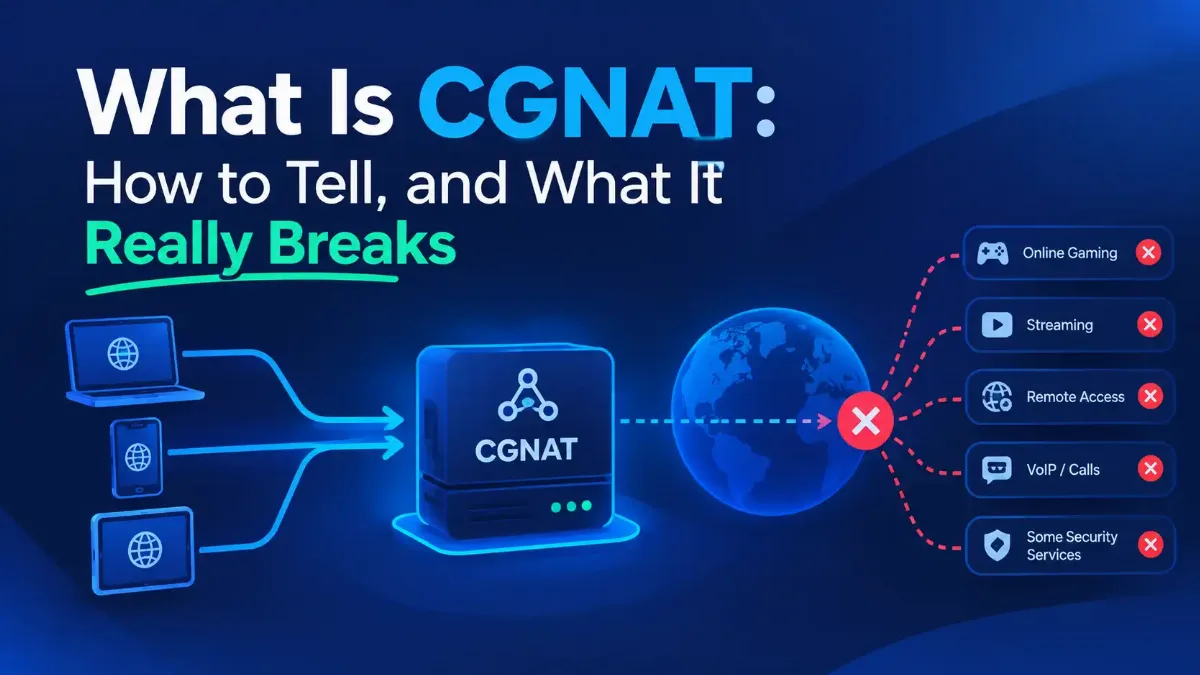
Your router has a public address, and then it turns out it does not. CGNAT is a second round of address translation, done by your provider. The address the internet sees is not yours; it belongs to your carrier and it is shared.
Most pages on this will tell you to look at your router for an address starting 100 and decide from there. That test is wrong in the most common case, and the measurement that shows why has been published since 2016. It is the first thing below.
After that: what carrier-grade NAT actually breaks, measured rather than asserted, and what the standard says your provider is supposed to give you and probably has not.

Quick Answer: What CGNAT Is
What CGNAT Is, and Why the Usual Address Test Fails
Carrier-grade NAT, written variously as carrier grade NAT, CGN or CGNAT, is network address translation performed by your internet provider rather than by you. Your router already translates: several devices in your home share its one address. A carrier doing the same thing at its own scale means your router's outside address is private too, and the public address further up is shared with everybody else on that pool. There is no step where you own a public address.
IANA reserved a range for this. RFC 6598, published April 2012 as a Best Current Practice, calls it Shared Address Space, defines it as "IPv4 address space designated for Service Provider use with the purpose of facilitating CGN deployment", and sets the range at 100.64.0.0/10. That is 100.64.0.0 through 100.127.255.255, which is 4,194,304 addresses. The same document is careful to say it is "distinct from RFC 1918 private address space because it is intended for use on Service Provider networks".
That range is where the standard advice comes from: look for 100-something on the WAN side. Fewer pages give that instruction than you would expect, and several of the pages on this topic name no address range at all.
The ones that do give it share a problem, and it is not a small one. RFC 6598 does not require a provider to use that range. The document lists the alternatives openly, including that a provider "can number the interfaces in question from [RFC1918] space if at least one of the following conditions is true".
Which they do, more often than not. A study of carrier NAT deployment by Richter and eight co-authors, presented at the ACM Internet Measurement Conference in 2016 and describing itself as "a broad and systematic study", put it plainly: "Overall, we observe that naturally the largest private range (10X) is the most commonly used space for CGNs, followed by the 100X block newly allocated specifically for CGN deployments." Read that twice.
The 10.0.0.0/8 range is the more common carrier-NAT space, ahead of the block reserved for the job. A reader who checks for 100.64, sees 10.something and concludes they are in the clear has got it wrong in the likeliest case.
| What your router's WAN field shows | What it means |
|---|---|
| 100.64.0.0 to 100.127.255.255 | Shared Address Space. Behind a carrier NAT, and your provider is using the range reserved for it |
| Any other address beginning 100, such as 100.128.4.7 | Outside the reserved block. Ordinary public space, and not evidence of anything |
| 10.x, 172.16 through 172.31, or 192.168.x | A private range on the outside of your router. Almost certainly a carrier NAT, and this is the common case |
| An address that matches what a public lookup reports | No carrier NAT in the way. The address is yours for as long as the lease lasts |
The distinction in the second row is the one that trips people up, because 100.128.4.7 looks exactly as suspicious as 100.64.4.7 and is not the same thing at all. A /10 fixes the first ten bits, which pins the second octet between 64 and 127 and nothing above it. Rather than counting bits in your head, paste the address and the block into our membership test for an address against a range, which tells you whether it falls inside and, when it does not, how far outside it sits.
One more reason to check the number rather than read it. Cisco publishes a page on carrier NAT, updated 22 October 2025, which cites RFC 6598 correctly in one sentence and then tells readers that customer WAN interfaces "are assigned IP addresses from the 192.0.2.0/10 range (CGNAT private address space)". That is wrong twice: the range is 100.64.0.0/10, and 192.0.2.0 is the documentation prefix set aside by RFC 5737, which is a /24 and not a /10. A reader following that page looks for the wrong number entirely.
None of this contradicts how addressing is supposed to work; it sits on top of it. If the layers are unfamiliar, how public addressing is meant to work before a carrier intervenes covers the model this is an exception to, including the single translation your router performs. Which raises the obvious question: why would a provider do this to its own customers?
Why Your Carrier Did It, and What the Standard Requires of Them
Because there are not enough IPv4 addresses. A carrier with more customers than addresses either buys more at auction prices or shares the ones it holds. The shortage that made carriers do this in the first place is the background, and the scale of the response is easy to underestimate.
The same 2016 study surveyed operators and probed networks directly. It reports that "13.3% of all non-cellular ASes use CGNs", that "the penetration jumps to 17-18% when considering only non-cellular eyeball ASes", and that "Almost 40% of the ISPs indicate they deploy IPv4 CGNs, with another 12% considering CGN in the near-term". The number that should stop you is the mobile one: "In cellular networks the use is over 92% in all cases." Those figures are ten years old, and nothing since suggests the direction has reversed.
Now the part the guides leave out, and it changes what you are entitled to ask for. The IETF did not simply bless carrier NAT; it wrote requirements for it. RFC 6888, April 2013, a Best Current Practice, sets out what a compliant one must do. One requirement is worth reading slowly.
What the standard obliges a carrier NAT to do
I want to be accurate about how unclaimed this is, because Cisco's page on the subject does cite RFC 6888, as a bare pointer with no discussion. Wikipedia's article mentions the Port Control Protocol and adds, correctly, that carrier "uptake has been slow". What no page I read does is quote REQ-9 or tell a reader the requirement exists. A10 Networks, the most standards-literate page on this topic, cites ten separate RFCs and not this one.
And here is the honest gap, which I looked for specifically. I could not find one consumer ISP anywhere that documents Port Control Protocol or NAT-PMP for its subscribers on a carrier-NAT service. Equipment vendors support it: Juniper's documentation says the protocol "enables hosts to operate servers for a long time (as in the case of a webcam) or a short time (for example, while playing a game or on a phone call) when behind a NAT device, including when behind a CGN operated by their ISP". The webcam and the game are exactly what forums are asking about.
Thirteen years after a MUST, I found nobody offering it. Before any of that matters, though, you need to know whether this applies to you.
How to Tell, Without Guessing
Two facts settle it. The first is on your own equipment: what address your router holds on its internet-facing side. The second comes from outside: what the internet reports seeing when you connect. If those two disagree, something between you and the internet is translating, and on a home line that something is your carrier.
Work through the box below in order. Finding the WAN address and comparing it with your public address are enough for most people. The trace is for a router that will not tell you anything useful, and the last item is the mistake to avoid whichever route you took.
1 Find the WAN address, and read the right field
2 Compare it with what the internet reports
3 Trace the route and count the private hops
4 Do not stop at the shape of the number
tracert 198.51.100.14
# macOS and Linux
traceroute 198.51.100.14
# Reading it:
# hop 1 private your own router, expected
# hop 2 private carrier equipment, the finding
# hop 2 public no carrier NAT above you
One caution on the trace. Plenty of carrier equipment does not answer a trace at all and shows as a row of asterisks, so an inconclusive trace is not a negative result. The address comparison is the reliable test, and the trace is how you confirm it when the router will not cooperate.
If you are reading this on mobile data, there is no router page to open and you barely need the test. That 2016 cellular figure was over 92%, so the working assumption on a phone is yes. The one ranked page whose detection advice is phone-shaped says exactly that: check the address your phone holds on mobile data rather than on Wi-Fi.
What a handset will not let you do is separate the layers, because your carrier owns all of them. Once you know you are behind one, the useful question is what it actually costs you.
What It Actually Breaks, Measured Rather Than Asserted
Most pages on this topic carry a list of things carrier NAT breaks, and the lists disagree with each other. Two do not carry one at all: Cisco's page, and A10 Networks', which publishes a section headed "Advantages of Carrier Grade NAT" and nothing to balance it. The IETF actually tested it. RFC 7021, published September 2013, reports two rounds of testing, from July to August 2010 and from June to October 2011, and records pass or fail for real applications behind a carrier NAT.
It is the most detailed per-application test I could find, and the tests are fifteen years old. The table says which round each result came from.
| Application, as tested in 2011 | Result | What that tells you |
|---|---|---|
| "Online gaming with one user" (2011). The row names no platform | Pass | Outbound play is not the problem people assume. But an Xbox network test in the 2010 round failed, reporting a moderate NAT type |
| Peer-to-peer gaming, two users (2011) | Fail, "when both users NAT to same address" | The condition is a collision between subscribers, not the carrier NAT by itself |
| Torrent leeching / torrent seeding (2011) | Pass / Fail | Downloading survives, being reachable as a source does not |
| Remote desktop (2010, first test case) | Pass | Contradicts one ISP's own published breakage list, which names remote desktop |
| Netflix streaming (2010) | Pass in the first case, pass in the second with "performance severely impacted, eventually failed" | Watching things mostly survives, and even that was not clean in every configuration |
| SIP voice calling with a proxy / without one (2011) | Pass / Fail | Anything that relies on being called directly is the casualty |
The pattern in that table is worth more than the table. Everything that reaches out works. Everything that needs to be reached fails. And the mechanism is in the same document: "Many CGN devices use 'full cone' NAT so that once the CGN maps a port for outbound services, it will accept incoming connections to that port."
So inbound is not categorically blocked. The failure is specific: "while service will work for a single subscriber behind the CGN, it fails when multiple subscribers try to use that port."
That is a port collision between customers, which explains why this feels random. Two neighbors wanting the same fixed port is the failure, and nothing in your own house decides it. What opening a port is supposed to do when there is a port to open is the mechanism a carrier NAT removes, because the rule you write on your router now governs a boundary that is no longer your edge.
Console makers describe the symptom without naming the cause. Nintendo's own compatibility page says users "with a Strict NAT type can connect to games hosted by a user with an Open NAT type", but that if a game supports several players they "will get disconnected if a user with Moderate NAT type joins the same game". Sony is blunter on Remote Play: "If you can't find your NAT Type, or if your network is using NAT Type 3, you may not be able to use Remote Play."
Sony then gives two instructions in the same breath, and the order is telling. First, "Remote Play uses UDP Port 8572 to connect to your console or mobile device. Try opening the port on your router." Then, "To check or change which NAT Type your network uses, reach out to your ISP or mobile carrier."
Behind a carrier NAT the first instruction does nothing at all, because the port you opened is on a router that no longer sits at the edge. The second instruction is the real one, and Sony put it there for a reason. Neither Sony nor Nintendo publishes a definition of the NAT types themselves, which is its own small scandal.
If your console is the reason you are here, the console setting people try when the NAT type says Strict covers the field most owners reach for first and what it does not fix. Meanwhile the question these pages field most often in their own FAQ blocks is about speed, and that one has an actual number attached.
The Speed Myth, and the One Number Anybody Measured
Several of the pages on page one tell you carrier NAT costs you speed, and not one of them cites a measurement of any kind. The clearest example devotes a section headed "Latency Challenges" to the idea, calling it "one of the most significant challenges posed by CG-NAT" and saying the extra processing "inevitably introduces added time". Another simply asks "Is CGNAT slower?" in its own FAQ.
One page states correctly that "CGNAT itself does not inherently slow down your internet connection", and then elsewhere on the same page says translation "can lead to increased latency and packet loss". Another puts its worry in the past tense about older equipment and says current systems keep latency "within acceptable limits", which is fair of it but is not what readers take away. Nobody on page one has resolved the question.
RFC 7021 measured it, in the same test run that produced the table above. Average latency with the carrier NAT in the path was 240.32 microseconds. Without it, 211.88 microseconds. The minimums were 233.77 and 190.39, the maximums 428.40 and 402.69.
The penalty is about 28 microseconds. RFC 7021 draws its own conclusion in one sentence: "In our testing, we found only slight differences with respect to latency or jitter when the CGN was in the network versus when it was not present." For scale, a single frame at 60 frames per second lasts about 16,700 microseconds, and Verizon publishes its own backbone figures: the transatlantic round trip between London and New York averaged 70.347 milliseconds in August 2026, against a service target of "90ms or less". That is seventy thousand microseconds of distance against twenty-eight of translation.
Two honest caveats, because this is a lab result on one set of equipment. The same document records transfer rates of 120 kbps against 250 kbps for two machines behind the same router, but that finding belongs to its Dual-Stack Lite testing rather than to carrier NAT, the document suspects the MTU, and it states plainly that it "did not analyze the root cause". And a carrier NAT under genuine port exhaustion is a different animal from one with headroom, which I have found no published numbers for.
What the measurement rules out is the everyday claim that the translation itself is why your connection feels slow. The real cost is elsewhere, and it lands on people who did nothing.
Sharing an Address With Strangers, in the Blocklist Operator's Own Words
When thousands of households leave the internet through one address, every judgment made about that address is a judgment about all of them. The people who maintain those judgments have written about it, and they are not defensive.
Spamhaus, whose lists decide whether a great deal of the world's email is delivered, published an article on carrier NAT in January 2024. Several ranked pages mention that a shared address can get you blocked. Not one of them names an email blocklist, port 25, or Spamhaus itself, which is where this actually bites: "the spammer doesn't just have one IP at a time, he has the whole pool to spam from, funnelled through a single IP that is shared with a lot of innocent victims of their ISP's policy", and "before you know it, everything is listed". It adds that "the customer is often surprised or outraged to learn that they are behind address translation without their knowledge or consent".
Notice who Spamhaus asks to fix it. Not the customer. Its recommendation is that providers filter outbound connections to port 25 from their carrier NAT pools, stopping the spam at the source. The person whose email stopped being delivered has no lever at all.
The web side has fresher numbers, and they are no longer hard to find: Cloudflare's research now ranks on this topic itself. Its October 2025 study of carrier NAT and collateral effects notes that "a single IPv4 address may represent hundreds or even thousands of users" and that "Blocking the shared IP therefore penalizes many innocent users along with the abuser". Its measurement is the part to keep: "CGNAT IPs are subject to rate limiting three times more often than non-CGNAT IPs."
The reason that figure is damning rather than merely sad is what sits beside it. The same research puts the median bot rate on carrier-NAT addresses at 4.8% against 4.7% for everyone else, and the mean at 7% against 13.1%. Traffic from these addresses looks as human as any other traffic, or more so, and gets rate-limited three times as often. That is not enforcement finding its target; that is a proxy variable doing damage.
If that is why you are reading this, the remedy is not in this post and I am not going to pad it out. What happens to everyone else on a shared address when one person abuses it covers diagnosing and clearing a blocked address properly, including which reputation databases to check. What you can change about the carrier NAT itself is a shorter list than most pages pretend.
What You Can Actually Do, in the Order Worth Trying
Start with the cheapest thing that might simply work, which is asking. Several providers will take a customer off carrier NAT on request, and some say so in writing. Aussie Broadband states that carrier NAT "is used on our broadband services and is typically enabled by default" and that "If you don't have a static IP address, you can have CGNAT disabled on your Aussie Broadband internet service by request". Superloop's policy says it allocates "dynamic CGNAT IP Addressing in the Shared Address space of 100.64.0.0/10 as per IETF RFC 6598" and that "In some locations, Superloop offers static directly accessible IPv4 public addressing".
That second quote is worth pausing on, because it is an ISP citing the standard by number in its own customer documentation. The same policy does not soften the restriction: "unestablished external access to devices is not possible nor can hosting of Internet accessible services be undertaken".
| Option | What it actually gets you | The catch |
|---|---|---|
| Ask to be taken off it | A real public address, and everything works normally again | Free at some providers, a paid static plan at others, refused at the rest |
| Use IPv6 where both ends have it | An address with no translation in front of it at all | Both ends must support it, and most providers firewall inbound IPv6 by default |
| Ask about port control | Exactly what the standard says you should already have | I could not find one consumer ISP that documents offering it |
| A relay or reverse proxy you rent | Inbound reach to one service, through somebody else's public address | A running cost and a third party in the path. Does not fix the address itself |
| A consumer VPN | A different shared address, usually a busier one | No inbound reach unless the provider sells port forwarding, which most do not |
Where IPv6 genuinely is the answer, and where it is not
One provider's route is worth reading in full if yours is a satellite service, because the options and the pricing are documented there rather than guessed at: one carrier's route to a routable address, priced and documented. Whichever route you take, there is a consequence of all this that outlasts any of them.
After CGNAT, an Address Does Not Even Point to a Subscriber
An IP address identifies a network rather than a person. Carrier NAT is where that stops being a caution and becomes arithmetic, and the IETF wrote the consequence down in 2011.
RFC 6302, published June 2011 as a Best Current Practice, exists to tell the operators of internet-facing servers what to log and why. Its reason is one sentence: "With address sharing technologies, only providing information about the external public address associated with a session to a service provider is no longer sufficient information to unambiguously identify customers." Not harder, and not less reliable: not sufficient.
So the document asks servers to record more: "The source port number", and "A timestamp, RECOMMENDED in UTC, accurate to the second, from a traceable time source (e.g., NTP)". The precision is not fussiness. It is there because "Carrier-grade NATs may have different policies to recycle ports; some implementations may decide to reuse ports almost immediately, some may wait several minutes before marking the port ready for reuse". An address plus a day is now meaningless, while an address plus a port plus a second might mean something.
RFC 6269, from the same period, says what breaks when people ignore this. Its section on authentication is blunt: "Simple address-based identification mechanisms that are used to populate access control lists will fail when an IP address is no longer sufficient to identify a particular subscriber." Its section on abuse logging describes the consequence Spamhaus sees in practice: "one user who fails a number of login attempts may block out other users who have not made any previous attempts but who will now fail on their first attempt."
There is a quiet contradiction between two of these documents that I have not seen discussed anywhere. RFC 6302 tells the server to log the source port, because that is the only way to narrow an address back to one subscriber. RFC 6888 REQ-12 tells the carrier NAT it "SHOULD NOT log destination addresses or ports unless required to do so for administrative reasons", for perfectly good privacy reasons.
Both are Best Current Practices and both are correct, and between them identification depends on two parties keeping compatible records that neither owes the other. That is the real state of IP-based identification in 2026, and it is worth knowing before you read a headline about an address being traced to a household.
The Short Version
So what is CGNAT, in one sentence? Your provider translating your traffic a second time, so thousands of customers share one public address. Check your router's internet-side address against what a public lookup reports. If the router holds a private address and the internet sees a different one you are behind it, and the range matters less than the standard advice implies, because 10.0.0.0/8 is the more common carrier space.
What it breaks is narrower than the lists suggest. Everything that reaches outward works. Everything that needs to be reached depends on whether another customer wants the same port. Remote desktop passed the IETF's own tests, seeding failed while downloading passed, and the 28 microseconds the translation adds is not why anything feels slow.
The two costs worth caring about are not technical. You inherit the reputation of strangers, and your address can place you in a city you have never visited. If yours does, why your address geolocates somewhere you have never been explains why the databases land where they do.
Ask your provider first, because some will simply take you off it. Use IPv6 where both ends have it, and check the inbound firewall before celebrating. And when somebody tells you an address identifies a person, remember that a Best Current Practice from 2011 says it is not sufficient to identify even a customer. Start with what your address reports about you and how little of it is actually about you.