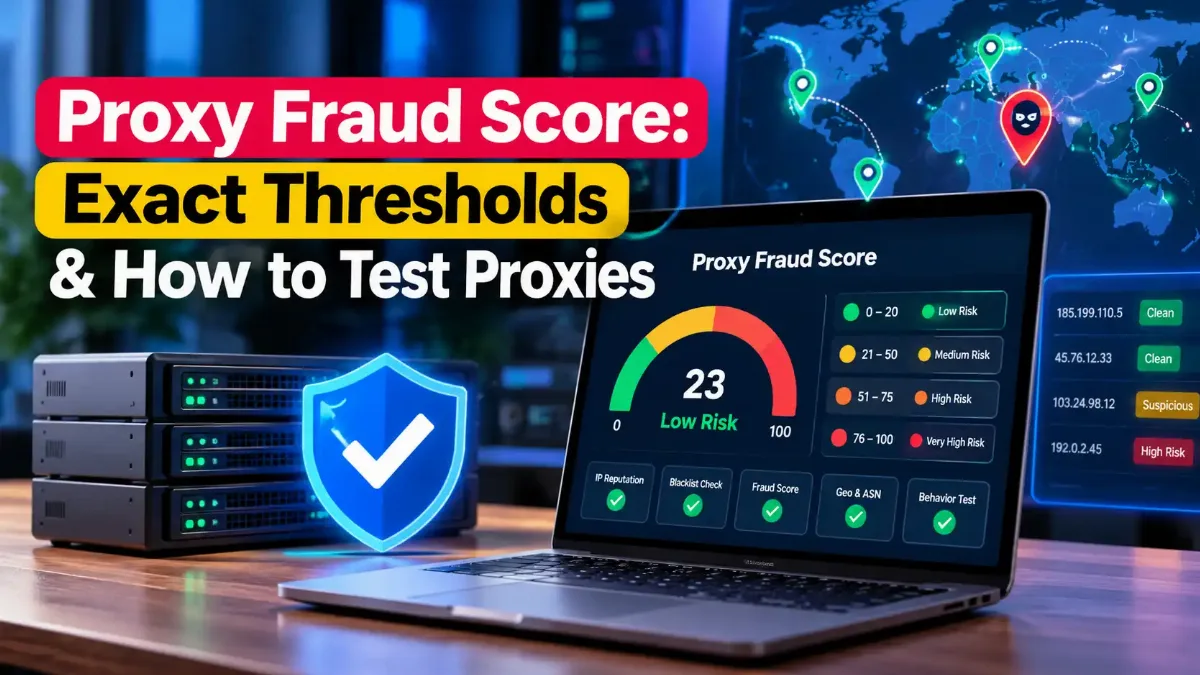
A proxy fraud score is the 0–100 risk number that IP intelligence vendors such as Scamalytics and IPQualityScore (IPQS) attach to the exit IP your proxy hands you. Websites, ad platforms and payment systems query those scores in real time, so a high number can get your proxy challenged or blocked. On both vendors' scales, lower means safer.
A "clean" residential IP no longer guarantees a low score. MaxMind and IPinfo now sell residential proxy databases that can name the proxy provider behind an address, and Scamalytics spreads fraud reports across whole subnets and ASNs. Your score can rise because of what other customers did on the same network.
The stakes rose sharply in 2026. In January, Google disrupted IPIDEA, a residential proxy network whose exit nodes more than 550 threat groups used in a single week, and in May the Imperva Bad Bot Report put automated traffic above 53% of all web traffic. For anyone buying proxies, both numbers point the same way: websites have more reason than ever to check where traffic comes from.
This guide decodes what Scamalytics and IPQS numbers actually mean, how each proxy type tends to score, why the same IP shows different scores on different checkers, which blocklist hits you can safely ignore, and a repeatable way to test a proxy pool before you pay for it.

"The question I hear most from teams buying proxies is simple: why did a 'premium residential' pool start failing on day three? Usually the answer sits in the proxy fraud score, not in speed or uptime. Since Google disrupted IPIDEA's network in January 2026 and vendors began naming proxy providers in their data, I score a sample of exit IPs before any pool goes near production."
"One honest caveat: a score of zero is not a free pass. Scamalytics and IPQS only see part of the internet, and websites also read your browser fingerprint, TLS handshake and behavior. A low score gets you through the first gate, nothing more. And if a project depends on passing payment or account fraud checks through proxies, these scores exist precisely to stop it."
Quick Answer: Proxy Fraud Score
A proxy fraud score is a 0–100 risk rating that services like Scamalytics and IPQS give your proxy's exit IP, where higher means riskier. Scamalytics calls 0–19 low risk, while IPQS strongly recommends blocking at 90 or above. Test a sample of your pool's IPs before you buy, starting with a free IP fraud score check.
What Is a Proxy Fraud Score, and Who Calculates It?
A proxy fraud score is a vendor's estimate of how risky traffic from your proxy's exit IP looks, usually on a 0–100 scale. IP intelligence companies such as Scamalytics and IPQS calculate it from abuse reports, proxy and VPN detection, connection type and network history. Websites buy that data through APIs and databases, then challenge, slow down or block visitors whose IP crosses their chosen threshold.
Your proxy provider does not set the number. An exit IP — the address a target website actually sees when your request leaves the proxy network — carries its own history, and every vendor scores it independently. If you want a refresher on how that relay works, our guide to the role of proxy servers in networking covers the basics.
Fraud scores also differ from simple proxy detection. Peakhour's guide on proxy and fraud scores draws the line clearly: a proxy score estimates whether a request uses an intermediary, while a fraud score estimates business risk. A legitimate privacy user can trigger a proxy flag without looking fraudulent, and a fresh residential exit can look clean while still carrying risk.
Who scores your proxy IPs
- →Scamalytics: 0–100 fraud score with risk bands
- →IPQualityScore (IPQS): 0–100 fraud score plus proxy, VPN and abuse flags
- →MaxMind: residential proxy database with provider names
- →IPinfo: residential proxy detection with last-seen data
What feeds the score
- →Confirmed fraud and abuse reports tied to the IP or its neighbors
- →Proxy, VPN, Tor and data center detection
- →Connection type: residential, mobile, data center, corporate
- →Recent bot activity and abuse velocity
Knowing who calculates the score is the easy part. Reading the number correctly takes more care, because 75 means something very different on each vendor's scale.
What Do Scamalytics and IPQS Fraud Scores Actually Mean?
On both Scamalytics and IPQS, a fraud score runs from 0 to 100 and higher means riskier, but the bands differ. Scamalytics rates 0–19 low, 20–59 medium, 60–89 high and 90–100 very high risk. IPQS says average proxy and VPN connections typically score 70–75, flags 85 and above as suspicious, and strongly recommends blocking at 90 or above. Always read a score against its own vendor's scale.
Scamalytics explains its number in plain terms on its Scamalytics product documentation: a score of 70 means its network tied roughly seven in ten users seen from that IP to fraud. IPQS frames its bands around behavior instead, and its two documentation pages draw the lines slightly differently. Its overview calls 75+ suspicious and 88 to 90+ high risk, while its IPQS best-practices documentation puts average proxy traffic at 70–75, suspicious activity at 85+ and a block recommendation at 90+.
| Score | Scamalytics reading | IPQS reading | Practical reading for proxies |
|---|---|---|---|
| 0–19 | Low risk | Below its risk thresholds | Lowest-risk band on both scales |
| 20–59 | Medium risk | Below its risk thresholds | Acceptable for many public-data jobs |
| 60–74 | High risk | Near the 70–75 average for proxy and VPN traffic | Likely challenges on strict sites |
| 75–89 | High risk | 75+ suspicious but not necessarily fraudulent; 85+ suspicious activity | Treat as suspect; test before use |
| 90–100 | Very high risk | Abusive behavior; IPQS recommends blocking | Replace the IP |
Settings change IPQS results too. Its documentation describes a strictness level from 0 to 3, warns that levels 2 and above produce more false positives, and offers a lighter-penalties option for mixed-quality addresses. Two websites that both "use IPQS" can therefore treat the same proxy IP differently.
Thresholds belong to the website, not the vendor
Scamalytics calls its bands a starting point that customers should tune against their own data, and IPQS lets each client choose its block threshold. Your proxy might pass a retailer that blocks at 90 and fail a bank that challenges at 60, with the exact same score.
So where does a typical proxy land on these scales? That depends heavily on the type of proxy you bought.
How Do Residential, ISP, Mobile and Datacenter Proxies Score?
Each proxy type exposes different risk signals: datacenter proxies reveal hosting networks that fraud vendors treat as automated, while residential proxies look like home users but increasingly appear in dedicated residential proxy databases. Mobile proxies sit behind carrier NAT, so many real users share each IP. ISP proxies use addresses registered to ISPs while running on data center servers, and no type guarantees a low proxy fraud score.
Carrier-grade NAT — where a mobile operator places many subscribers behind one shared public IP — explains why mobile IPs behave unusually. IPQS marks such addresses with a shared-connection flag on Enterprise plans, and Scamalytics' public page for a Three Ireland mobile CGNAT pool shows an overall score of 0 while a few individual addresses in the same pool score 100. Our explainer on how carrier-grade NAT shares one IP covers the mechanics.
| Proxy type | What fraud vendors see | Main score risk | What to check |
|---|---|---|---|
| Datacenter | Hosting ASN, "Data Center" connection type | Flagged as server or automated traffic by default | ASN owner and data center flags |
| ISP (static residential) | ISP-registered address, often a fixed IP | A fixed IP keeps its own abuse history; IPQS Enterprise flags abusers seen over 6+ months | Recent abuse flags on each dedicated IP |
| Rotating residential | "Residential" connection type; possible residential proxy match | Provider named in MaxMind, IPinfo or Scamalytics data; shared pool history | Residential proxy flag and score spread across a sample |
| Mobile | "Mobile" connection type, shared carrier IP | Individual IPs inside a clean pool can still score high | Per-IP score, not just the carrier's average |
Our own fraud checker shows the same pattern from a different angle: it adds points for data center and public proxy addresses, and it openly notes that residential proxies pass its address check because they route through real home connections. That blind spot is exactly what the newer residential proxy databases try to close. For a deeper look at the product itself, see our guide on what residential proxies are and when they make sense.
Residential proxies have the best reputation on paper. Yet "clean" residential pools can still score high, and the reasons have changed in the last two years.
Why Does a "Clean" Residential Proxy Still Get a High Score?
A residential proxy can score high even with no abuse of its own for three reasons. Scamalytics applies fraud feedback across the surrounding subnet, ASN and hosting block. MaxMind, IPinfo and Scamalytics now identify residential proxy networks and even name the provider. And shared pools inherit whatever earlier customers did, with IPQS weighing abuse from the past 24 to 48 hours heavily, so your IP's neighborhood and pool matter as much as its own history.
Provider-level detection is the biggest shift. MaxMind's GeoIP Residential Proxy database lists the network, a provider_name field with values such as oxylabs or smartproxy, an anonymizer_confidence value from 1 to 99, and the date it last saw the network. IPinfo launched a similar residential proxy detection API on 8 July 2025, adding last-seen dates, how often an IP appears and a mobile flag.
Scamalytics now sells the same kind of signal: its Residential Proxy Data add-on returns a provider name, last-seen date, days seen and a residential proxy score. Once a vendor ties your exit IP to a named proxy network, a website can block that provider's whole footprint, regardless of each address's individual history.
The IPIDEA warning for proxy buyers
Google announced on 28 January 2026 that it had disrupted IPIDEA, which advertised more than 6.1 million daily updated IP addresses, according to The Hacker News. Google says it observed more than 550 threat groups using IPIDEA exit nodes in a single week of January 2026. The network recruited devices through SDKs embedded in apps, free VPNs and pre-loaded software on off-brand Android TV boxes.
Brands reported under IPIDEA's control included 922 Proxy, ABC Proxy, Cherry Proxy, IP 2 World, Luna Proxy and PIA S5 Proxy. Exit IPs from networks like these can carry abuse history that a reseller cannot remove, so ask any provider how it sources its residential IPs before you buy.
Rotation adds another layer of variance to your proxy fraud score. Each rotating request can land on a different IP with a different history, so a pool that averages well can still hand you a 100 on the request that matters. I always look at the spread of scores across a sample, not the average, because the worst tenth of a pool decides how often your sessions fail.
Pool history explains high scores. But many buyers hit a more confusing problem first: the same IP showing a different score on every checker they try.
Why Does the Same Proxy IP Score Differently on Each Checker?
Different checkers score the same proxy IP differently because each vendor sees different traffic, weighs different signals and uses different settings. Scamalytics relies on fraud reports from its operator network and may infer a score from the owning network when it lacks direct visibility. IPQS also factors in the user agent, language and strictness level. Small or free checkers apply their own point systems, so no single score is the "real" one.
Inference explains many surprises. On its public IP pages, Scamalytics sometimes states that it has no visibility into traffic from that exact address and bases the score on the operator's other IPs. A brand-new exit IP can therefore inherit a low or high proxy fraud score from its network before Scamalytics has seen any traffic from it.
| Checker | Scale | Main data source | What shifts the result |
|---|---|---|---|
| Scamalytics | 0–100, higher is riskier | Fraud feedback from its operator network, plus 10+ open sources | Subnet and ASN neighborhood; inferred scores |
| IPQS | 0–100, higher is riskier | Its own proxy, VPN and abuse intelligence | User agent, language, strictness and lighter-penalties settings |
| MaxMind / IPinfo | Flags and confidence, not one fraud score | Residential proxy and anonymizer observations | Last-seen date and provider match |
| TrustMyIP fraud checker | 0–100, higher is riskier | Address type, attack reports and live blocklists | Data center, proxy, Tor and blocklist status |
User-agent data matters more than it looks. IPQS says that passing the full user agent "can improve scoring by over 20%," so a checker that sends only the IP can disagree with what a real website sees. When you compare results, compare like with like: same vendor, same settings, same hour.
Fraud scores are not the only red flags a checker can raise. Blocklist hits show up on most residential IPv4 addresses in at least one published sample, and many of them have nothing to do with web traffic.
Should Spamhaus or Blocklist Hits Worry Proxy Buyers?
A PBL-only Spamhaus hit on a residential proxy IP is harmless for web traffic, because Spamhaus' Policy Block List covers end-user IP ranges that should never send email directly. A PBL listing describes a sending policy, not abuse. Spamhaus ZEN returns 127.0.0.10 or 127.0.0.11 for PBL entries. Worry when ZEN returns an SBL, CSS, XBL or BCL code, which points to spam operations, a hijacked machine or botnet infrastructure.
Real-world data shows how common these hits are. Databay, a proxy provider, published 1,000 redacted observations across 25 claimed residential ASNs in May 2026 (updated July 2026) and found DNSBL labels on 80.3% of its IPv4 rows, almost all from Spamhaus ZEN. Its data cannot show which ZEN sub-list fired, so treat it as a disclosed first-party sample, not an industry benchmark. PBL listings are a plausible explanation, since the PBL covers end-user ranges by design.
| ZEN result | List | Meaning | Verdict for web proxies |
|---|---|---|---|
| 127.0.0.10 / 127.0.0.11 | PBL | End-user range, maintained by the ISP or by Spamhaus | Normal for residential IPs — ignore for web use |
| 127.0.0.4 | XBL | Exploited or infected machine | Reject the IP |
| 127.0.0.2 | SBL | Spam source or spam operation | Reject the IP |
| 127.0.0.3 | CSS | Automated snowshoe-spam listing | Reject the IP |
| 127.0.0.9 | DROP (with SBL) | Hijacked or criminal network | Reject the whole range |
| 127.0.0.30 | BCL | Botnet controller listing | Reject the IP |
Email reputation and web reputation are different worlds. Spamhaus' own explanation of the Policy Block List says it belongs on mail servers during SMTP delivery on port 25. Our guide to how IP reputation scores work for email senders explains that side; for web proxies, only the abuse-type codes deserve attention.
Check which list fired
Some multi-blocklist checkers report any ZEN hit as one red mark without saying which sub-list produced it. Before you reject a residential IP, look up the return code. A PBL-only result on a home broadband IP tells you the address is residential, which is exactly what you paid for.
With the scores and blocklists decoded, you can finally test a provider properly — before a trial turns into a contract.
How Do You Check a Proxy's Fraud Score Before You Buy?
To check a proxy fraud score before buying, take a trial, collect a sample of exit IPs across several hours, and run each one through Scamalytics, IPQS and a second checker. Record the score, risk band, connection type, ASN and any residential proxy or recent-abuse flag. Judge the pool by its worst tenth, not its average. Then repeat the sample a day later, because pools rotate.
Proxy fraud score test before you pay
1Get a trial in your target country
Request the same proxy type, country and session mode (rotating or sticky) that you plan to use in production. Scores vary by geography and pool.
2Collect a real sample of exit IPs
Send requests through the proxy to an IP echo page and log each exit IP with a timestamp. Spread the sample across morning, afternoon and evening.
3Score every IP on two or more checkers
Look up each IP on Scamalytics and IPQS, then run an ASN lookup to see which network owns it. Note the score, risk band, connection type and any proxy or abuse flags.
4Read the worst tenth
Sort by score and look at the highest 10%. A pool where one IP in ten scores 90+ will break sessions often, even if the average looks low.
5Retest 24 to 48 hours later
IPQS ties its high-risk scores to abuse from the past day or two, so a second sample shows whether the pool stays clean or churns.
6Ask the provider four questions
How do you source residential IPs and get user consent? Can I filter IPs by fraud score? What is your replacement policy for flagged IPs? Can I see the ASNs in my target country?
Some providers now expose fraud scores directly. Evomi documents a fraudscore parameter that filters its Core Residential proxies by Scamalytics score, at the cost of extra bandwidth. Webshare offers a "High IP Reputation" add-on that it says gives proxies in the plan a 0% fraud score through its Scamalytics integration. Both are provider claims, so verify them with your own sample.
When I run this test, I keep a simple spreadsheet with one row per exit IP and one column per checker, then sort it before I read a single average. That sort usually decides the purchase in minutes, and it gives you hard evidence to bring to the provider's support team.
A test tells you what scores you will get. Deciding what score is acceptable depends entirely on what you plan to do with the proxy.
What Proxy Fraud Score Is Good Enough for Your Use Case?
A good proxy fraud score depends on how sensitive the target is. For public-data jobs such as price or search monitoring, Scamalytics low or medium scores and IPQS results under 75 usually work. For ad verification or logging into your own accounts, aim for Scamalytics low risk (0–19). Anything IPQS rates 90 or above, or Scamalytics rates very high, should leave your pool, whatever the task.
| Use case | Working target | Better proxy type |
|---|---|---|
| Public price and SEO monitoring | Scamalytics low or medium; IPQS under 75 | Datacenter or rotating residential |
| Ad verification and geo QA | Scamalytics low (0–19); correct connection type | Residential or mobile in the target country |
| Managing your own social or seller accounts | Scamalytics low (0–19); no recent-abuse flags; stable IP | ISP (static residential) with sticky sessions |
| Any IP at 90+ | Remove from rotation | Request a replacement |
These targets are my working rules from vetting pools, not vendor policy, and every website sets its own threshold. A low score also covers only one layer of detection. Sites compare your IP with your browser fingerprint, timezone and TLS handshake, and our guide on the detection layers beyond IP reputation explains why a 0-score proxy can still fail.
Where low scores are not the goal
Payment checkouts, account sign-ups at scale and promo systems use fraud scores to stop exactly the traffic proxies make easy. Routing those flows through proxies to slip past fraud checks breaks most platforms' terms and, when it enables fraud, the law. Use proxies for legitimate data, testing and privacy work.
Match the score to the job, test before you commit, and the number becomes a buying tool instead of a mystery.
A proxy fraud score is not a verdict on your provider's marketing; it is a live reading from vendors whose data now reaches deep into residential networks. Read every number against its own scale, where Scamalytics treats 0–19 as low risk and IPQS recommends blocking at 90 or above. Expect high scores from neighborhood effects, named proxy networks and pool history, even on residential IPs you never abused.
Ignore PBL-only Spamhaus hits on residential IPs, but reject any address with an XBL, SBL, CSS or BCL code. Then test before you pay: sample exit IPs across the day, score each on two or more checkers, and judge the pool by its worst tenth. Pair that test with the type advice in our guide to checking whether an IP is residential or datacenter, so the connection type you see matches the one you bought. If you are still comparing vendors, our roundup of residential proxy providers worth testing gives you a shortlist for this process.
Start with the proxy checker below on your current exit IP, then run your trial sample through the same steps before any pool reaches production.
Test Your Proxy Before It Fails
See whether your exit IP shows up as a proxy, VPN or Tor connection, then compare it against the fraud signals that websites actually read.