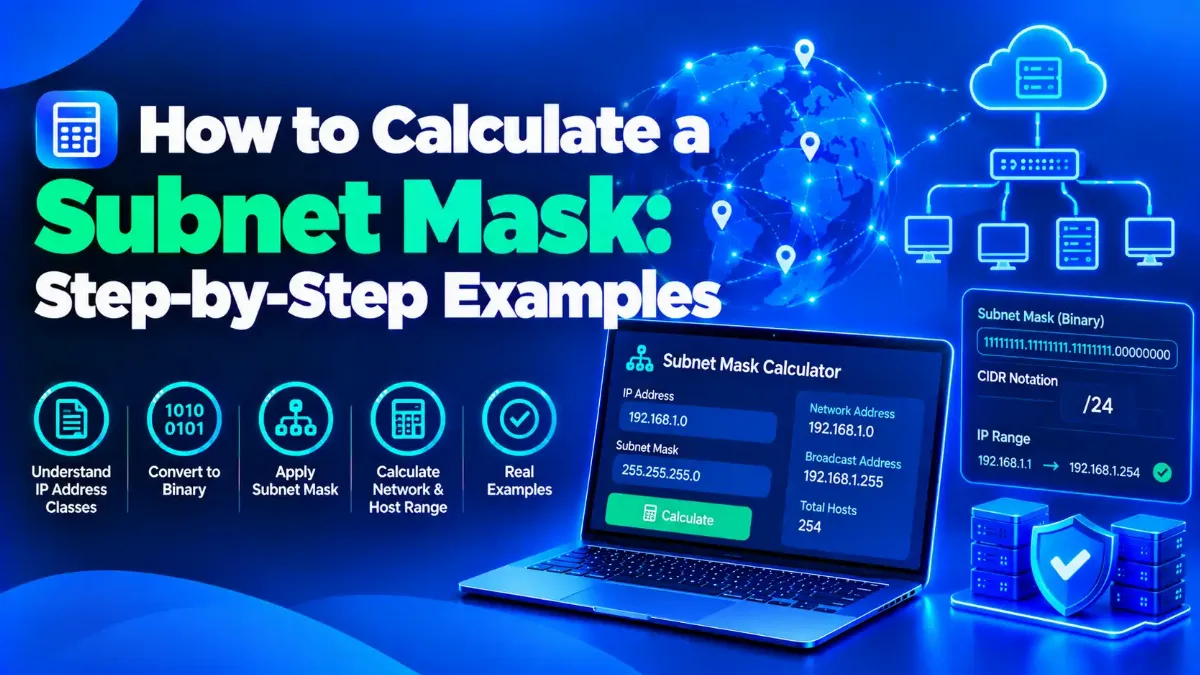
To calculate a subnet mask, you need one fact the IP address does not contain: either the prefix length, such as /26, or the number of hosts or subnets you must fit. From a prefix, write that many 1 bits and convert each group of eight to decimal, so /26 becomes 255.255.255.192. From a host count, add 2, round up to the nearest power of two and subtract its exponent from 32.
Many guides skip that first point, and it is why so many subnetting answers go wrong. Classful defaults such as 255.255.255.0 for a 192.168 address stopped being a rule decades ago, and RFC 4632, the IETF's 2006 CIDR document, calls that Class A, B and C system legacy. Today the mask is a design choice, so the math starts from what the network needs.
The skill matters more in 2026, not less. Cisco's new CCNA v2.0 exam, which goes live on 3 February 2027, still lists troubleshooting IPv4 subnetting in its exam topics, and AWS, Azure and Google Cloud reserve four or five addresses in each subnet's main IPv4 range, which quietly breaks the textbook minus-two rule. Size a cloud subnet too small and you may have to recreate it.
Below you will find three ways to calculate a subnet mask, a full /8 to /32 reference table, the block-size method for network and host ranges, a worked answer to the 10.67.100.0/17 question students search for, a VLSM plan, the exceptions to the minus-two rule and a fast way to check your work.

"A subnet mistake I see often in 2026 is not a math slip; it is a missing number. Someone asks for the mask of 10.20.0.0 and expects one answer, but an address alone never tells you the mask. Once we agree on the prefix length or the host count, the rest takes a minute with the block size method, and I still check every plan with a short script before it touches a router."
"One honest limit: the textbook minus-two rule is not universal. Cloud platforms reserve more addresses, five per subnet on AWS and Azure and four on Google Cloud, while a /31 point-to-point link uses both of its addresses. Plan with the rule that matches where the subnet will live, and leave room to grow, because renumbering a full subnet later costs far more than a slightly bigger CIDR block today."
Quick Answer: Calculating a Subnet Mask
To calculate a subnet mask, start from the prefix length or the number of hosts you need, never from the IP address alone. Add 2 to the host count, round up to the nearest power of two and subtract its exponent from 32, so 50 hosts need 64 addresses: a /26, or 255.255.255.192. Then check the network, broadcast and host range in our free subnet calculator.
Can You Calculate a Subnet Mask From an IP Address Alone?
No. An IPv4 address such as 10.20.30.40 can sit inside a /8, a /24 or a /30, and nothing in those four numbers says which. You need a second input: the prefix length written after the slash, the dotted mask itself, or a requirement such as 50 hosts or 6 subnets. With that input in hand, every other value, from the network address to the broadcast and host range, follows from simple binary arithmetic.
Older textbooks guessed the mask from the first octet: 255.0.0.0 for Class A, 255.255.0.0 for Class B and 255.255.255.0 for Class C. RFC 4632, the IETF's CIDR best-practice document (BCP 122), published in August 2006, describes that classful system as legacy and defines networks by prefix instead, such as 172.16.0.0/16. Our guide to IP address classes A through E explains where those old defaults came from, but treat them as history, not as a calculation method.
If you need a refresher on what a mask does in the first place, our plain-English subnet mask explainer covers it. Here the focus is producing the right numbers, written in CIDR notation — Classless Inter-Domain Routing's address-plus-slash format, such as 192.168.1.0/24 — where the number after the slash counts the network bits.
Every subnetting problem starts from one of four inputs. Find yours in the table, and it points you to the method in this guide that solves it.
| What you know | What to do | Example |
|---|---|---|
| The prefix, such as /26 | Write that many 1 bits and convert each octet to decimal | /26 → 255.255.255.192 |
| Hosts per subnet, such as 50 | Add 2, round up to the nearest power of two, subtract the exponent from 32 | 52 → 64 = 2⁶ → /26 |
| Subnets needed, such as 6 from a /24 | Borrow s bits so that 2ˢ is at least the subnet count | 2³ = 8 → /24 + 3 = /27 |
| An address and prefix, such as 192.168.1.130/26 | Use the block size to find network, broadcast and hosts | Network 192.168.1.128, broadcast 192.168.1.191 |
Start with the simplest case, a prefix you already know, because every other method ends by converting a prefix anyway.
How Do You Convert a CIDR Prefix Into a Subnet Mask?
To calculate a subnet mask from a prefix, write as many 1 bits as the prefix length, fill the rest of the 32 bits with 0s, and convert each group of eight bits to decimal. A /26 becomes 11111111.11111111.11111111.11000000, which is 255.255.255.192. In practice you rarely need the binary: every full octet is 255, and the one partial octet takes a value from a short list of eight numbers.
Those eight values are 128, 192, 224, 240, 248, 252, 254 and 255, for one through eight 1 bits. For a /20, the first two octets are full and four more bits spill into the third octet, which maps to 240, so the mask is 255.255.240.0. Your prefix length also gives the size of the block: 32 minus the prefix is the number of host bits, and 2 raised to that number is the total address count.
Devices show the same mask in different formats. Windows' ipconfig and the iPhone's Wi-Fi details list a dotted mask such as 255.255.255.0, while Linux's ip address command prints /24 next to the address, and our guide to finding the private IP on any device shows the screens and commands where these values appear.
Here is every prefix from /8 to /32, verified with Python's ipaddress module, so you can skip the conversion entirely when you are in a hurry.
| Prefix | Subnet mask | Total addresses | Usable hosts |
|---|---|---|---|
| /8 | 255.0.0.0 | 16,777,216 | 16,777,214 |
| /9 | 255.128.0.0 | 8,388,608 | 8,388,606 |
| /10 | 255.192.0.0 | 4,194,304 | 4,194,302 |
| /11 | 255.224.0.0 | 2,097,152 | 2,097,150 |
| /12 | 255.240.0.0 | 1,048,576 | 1,048,574 |
| /13 | 255.248.0.0 | 524,288 | 524,286 |
| /14 | 255.252.0.0 | 262,144 | 262,142 |
| /15 | 255.254.0.0 | 131,072 | 131,070 |
| /16 | 255.255.0.0 | 65,536 | 65,534 |
| /17 | 255.255.128.0 | 32,768 | 32,766 |
| /18 | 255.255.192.0 | 16,384 | 16,382 |
| /19 | 255.255.224.0 | 8,192 | 8,190 |
| /20 | 255.255.240.0 | 4,096 | 4,094 |
| /21 | 255.255.248.0 | 2,048 | 2,046 |
| /22 | 255.255.252.0 | 1,024 | 1,022 |
| /23 | 255.255.254.0 | 512 | 510 |
| /24 | 255.255.255.0 | 256 | 254 |
| /25 | 255.255.255.128 | 128 | 126 |
| /26 | 255.255.255.192 | 64 | 62 |
| /27 | 255.255.255.224 | 32 | 30 |
| /28 | 255.255.255.240 | 16 | 14 |
| /29 | 255.255.255.248 | 8 | 6 |
| /30 | 255.255.255.252 | 4 | 2 |
| /31 | 255.255.255.254 | 2 | 2 (point-to-point, RFC 3021) |
| /32 | 255.255.255.255 | 1 | 1 (single host) |
A table is handy when you already know the prefix. More often you know how many devices need addresses, and the prefix is what you have to find.
How Do You Calculate a Subnet Mask From the Number of Hosts?
Add 2 to the number of hosts for the network and broadcast addresses, round up to the nearest power of two, keeping the number if it already is one, and note its exponent: that exponent is the number of host bits, and 32 minus it is the prefix. For 50 hosts, 52 rounds up to 64, which is 2 to the 6th, so you need a /26, or 255.255.255.192, with 62 usable addresses for devices.
Two more host-count examples
- →500 hosts: 502 rounds up to 512, or 2 to the 9th, so 9 host bits give a /23, 255.255.254.0, with 510 usable addresses.
- →1,000 hosts: 1,002 rounds up to 1,024, or 2 to the 10th, so 10 host bits give a /22, 255.255.252.0, with 1,022 usable addresses.
Size for expected growth, not today's count. A subnet with 62 usable addresses for 60 devices is full the day a new printer or access point arrives, and expanding it later means renumbering everything inside it.
Cloud subnets need a bigger cushion
Amazon's VPC subnet sizing documentation lists five reserved addresses in a 10.0.0.0/24 subnet: the network address, the VPC router, the DNS server, one held for future use and the broadcast address. Microsoft's Azure networking FAQ, updated in July 2026, also reserves five, the first four and the last, while Google Cloud's VPC documentation, updated on 26 October 2026, reserves four.
| Where the subnet lives | Reserved per subnet | Smallest IPv4 subnet | Usable in a /26 |
|---|---|---|---|
| Classic LAN rule | 2 (network and broadcast) | /30, or /31 on point-to-point links | 62 |
| AWS VPC | 5 (first four and last) | /28 | 59 |
| Microsoft Azure VNet | 5 (first four and last) | /29 | 59 |
| Google Cloud VPC | 4 (first two and last two of the primary range) | /29 | 60 |
So add 5 instead of 2 when the subnet lives in AWS or Azure, then apply the platform's minimum size: /28 on AWS and /29 on Azure and Google Cloud. Sixty devices fit a /26 on a home or office LAN, but 60 + 5 = 65 pushes the same workload to a /25 in AWS, an easy detail to miss in a migration plan. Host counts drive most designs, while the other common requirement is a fixed number of subnets carved from one block.
How Do You Calculate a Subnet Mask From the Number of Subnets?
Find the smallest number of borrowed bits, s, where 2 to the power of s is at least the number of subnets you need, then add s to the original prefix. To split 192.168.10.0/24 into 6 subnets, 2 to the 3rd gives 8, so the new prefix is /27, the mask is 255.255.255.224, and each subnet holds 32 addresses with 30 usable hosts.
Borrowed bits — host bits you turn into network bits to create subnets — always trade hosts for subnets: each extra bit doubles the subnet count and halves the addresses in each one. In this example the eight /27 subnets start 32 addresses apart, at 192.168.10.0, .32, .64, .96, .128, .160, .192 and .224, so six go to your departments now and two stay free for later.
Older material tells you to discard the first and last subnet. RFC 950 said back in 1985 that networks should not give all-zeros and all-ones subnet values to physical subnets, but Cisco's documentation notes that its routers have enabled subnet zero by default since IOS Software Release 12.0 and calls the practice generally accepted today. Count all eight here unless an exam question or a legacy device says otherwise.
However you calculate a subnet mask, the next job is the one people actually get tested on: turning any address into its network, broadcast and host range.
How Do You Find the Network Address and Usable Host Range?
Use the block-size method. Find the octet where the mask stops being 255, subtract that mask value from 256 to get the block size, and round the address's value in that octet down to a multiple of the block size: the result is the network address. The broadcast address sits one below the next block, and the usable hosts run from the network plus one to the broadcast minus one.
Block-size method: 192.168.1.130/26
1Write the mask
A /26 is 255.255.255.192, so the fourth octet is the interesting octet — the first octet whose mask value is not 255.
2Find the block size
Subtract 192 from 256 to get 64, the block size some courses call the magic number, so subnets in that octet start at 0, 64, 128 and 192.
3Round down to the block
The value 130 sits between 128 and 191, so the network address is 192.168.1.128.
4Find the broadcast
Since the next block starts at 192, the broadcast is one less: 192.168.1.191.
5List the usable hosts
Hosts run from 192.168.1.129 to 192.168.1.190, which gives 62 usable addresses.
6Confirm the count
Six host bits give 2 to the 6th, or 64 addresses, and 64 minus the network and broadcast leaves 62.
The block-size method is a shortcut for a bitwise AND — a bit-by-bit comparison that keeps a 1 only where both the address and the mask have one. In binary, 130 is 10000010 and the mask octet 192 is 11000000; ANDing them gives 10000000, which is 128, the same network you found by rounding. Setting the six host bits to 1 gives 10111111, or 191, the broadcast.
That last address has a job of its own, which our explainer on what a broadcast address does on a network covers in detail. Inside one octet the method looks easy, but it gets more interesting when the mask stops in the third octet, which is exactly where the most-searched practice question lives.
What Is the First Host IP for the 10.67.100.0/17 Network?
The first usable host is 10.67.0.1. A /17 mask is 255.255.128.0, so the interesting octet is the third one and the block size is 256 minus 128, or 128. The third octet, 100, rounds down to 0, which makes the network 10.67.0.0, the broadcast 10.67.127.255, the last usable host 10.67.127.254 and the usable count 32,766. That is the catch: 10.67.100.0 looks like a network address but is not one.
It reads like a classic certification question because it tests whether you notice that the given address is a host inside a larger block. Exams often ask for more than a way to calculate a subnet mask: they hand you an address and a prefix and expect the whole range. Cisco's published exam topics for CCNA v2.0 still include troubleshooting IPv4 address configuration, assignment and subnetting for public and private ranges, so expect more questions built the same way.
| Input | Mask | Network | First host | Last host | Broadcast | Usable |
|---|---|---|---|---|---|---|
| 192.168.1.130/26 | 255.255.255.192 | 192.168.1.128 | 192.168.1.129 | 192.168.1.190 | 192.168.1.191 | 62 |
| 10.67.100.0/17 | 255.255.128.0 | 10.67.0.0 | 10.67.0.1 | 10.67.127.254 | 10.67.127.255 | 32,766 |
| 172.16.37.10/20 | 255.255.240.0 | 172.16.32.0 | 172.16.32.1 | 172.16.47.254 | 172.16.47.255 | 4,094 |
| 10.50.100.75/22 | 255.255.252.0 | 10.50.100.0 | 10.50.100.1 | 10.50.103.254 | 10.50.103.255 | 1,022 |
Here is the /20 row worked the same way. The mask 255.255.240.0 gives a block size of 16 in the third octet, 37 rounds down to 32, and the next block starts at 48, so the broadcast is 172.16.47.255. Notice that the range spans every third-octet value from 32 to 47, so the last usable host is 172.16.47.254, not an address inside 172.16.32.x.
Equal-sized subnets keep the math tidy, but real networks rarely need equal sizes, and that is where VLSM comes in.
How Do You Split One Network Into Different-Sized Subnets With VLSM?
VLSM — variable-length subnet masking, which gives each subnet only the prefix its host count needs — works by sizing every requirement first and allocating the largest block first. Calculate each subnet's prefix with the host method, sort the subnets from biggest to smallest, and place each one at the next free address that is a multiple of its block size. Largest-first prevents gaps that smaller blocks would otherwise strand.
Take 192.168.50.0/24 with four needs: 100 sales devices, 50 office devices, 20 lab devices and one point-to-point link to a firewall. You calculate a subnet mask for each need separately, then place the blocks in order.
| Need | Hosts + 2 | Block | Prefix and mask | Network | Usable range | Broadcast |
|---|---|---|---|---|---|---|
| Sales, 100 hosts | 102 | 128 | /25, 255.255.255.128 | 192.168.50.0 | .1 to .126 | 192.168.50.127 |
| Office, 50 hosts | 52 | 64 | /26, 255.255.255.192 | 192.168.50.128 | .129 to .190 | 192.168.50.191 |
| Lab, 20 hosts | 22 | 32 | /27, 255.255.255.224 | 192.168.50.192 | .193 to .222 | 192.168.50.223 |
| Firewall link, 2 hosts | 4 | 4 | /30, 255.255.255.252 | 192.168.50.224 | .225 to .226 | 192.168.50.227 |
| Spare for growth | None yet | 28 addresses | /30, /29 and /28 | 192.168.50.228, .232 and .240 | Free | Free |
Order matters because every block must begin on a multiple of its own size. If the 20-host lab took 192.168.50.0/27 first, the 100-host /25 could only start at .128, and addresses .32 to .127 would be left for smaller pieces only.
Efficiency is about more than tidiness. Across 596 IPv4 transactions in the first half of 2026, the reported average price was $20.04 per address, according to a July 2026 CircleID analysis by the founder of the IPv4.Center marketplace, so on a public block every wasted address carries a real price.
For the firewall link, a /31 such as 192.168.50.224/31 would use just two addresses if both devices support it. One thing I always check after a VLSM plan is overlap: I run every subnet through a calculator or script and confirm that no network or broadcast address lands inside another block. That /31 option also raises the question every subnetting student eventually asks: why subtract two at all, and when does that rule stop applying?
Why Do You Subtract 2 From the Host Count, and When Don't You?
In a normal IPv4 subnet, the all-zeros host address names the network and the all-ones host address is the broadcast, so neither can go to a device, which is why usable hosts equal 2 to the power of the host bits minus 2. The rule breaks in three places: /31 point-to-point links, /32 single-host routes, and cloud subnets, where providers reserve four or five addresses.
RFC 3021, the IETF standard for 31-bit prefixes, published in December 2000, says that on a point-to-point link with a 31-bit mask, devices must interpret both addresses as host addresses, so a /31 gives you two usable addresses and wastes none. A /32 describes a single address, which you meet in host routes, loopback interfaces and firewall rules that target one machine.
Cloud subnets sit at the other extreme, with more reserved addresses than the classic rule, as the host-count section showed. Check your platform's rule before you calculate a subnet mask for a cloud network.
Does IPv6 subnetting work the same way?
Not quite. IPv6 has no broadcast address, and nearly every LAN subnet is a /64, a size Microsoft's Azure FAQ requires outright for IPv6 subnets. With 64 host bits per subnet, the question shifts from counting hosts to planning prefixes: a /56 holds 256 of those /64 subnets, and a /48 holds 65,536.
That planning is no longer a niche skill. According to the Internet Society, native IPv6 access to Google services passed 50% for the first time on 28 March 2026, so dual-stack networks now need both kinds of plan, and our guide to how IPv6 addresses and prefixes work covers the prefix side. With the rules and exceptions in hand, the last step is making sure your numbers are right before they reach a router.
How Can You Check Your Subnet Math in Seconds?
Check every answer with a second method before you configure anything. Our subnet calculator shows the network, broadcast, usable range and private-range status for any IPv4 prefix, Python's built-in ipaddress module does the same in one line, and Linux tools such as ipcalc print the values in a terminal. If two methods disagree, recheck the interesting octet first, because that is where errors usually hide.
Here is the one-line Python check for the /17 question, with the output it prints:
python3 -c "import ipaddress as i; n=i.ip_network('10.67.100.0/17', strict=False); h=list(n.hosts()); print(n, n.netmask, n.broadcast_address, h[0], h[-1])"

10.67.0.0/17 255.255.128.0 10.67.127.255 10.67.0.1 10.67.127.254
The strict=False flag matters. Without it, Python stops with the error "has host bits set", because 10.67.100.0 is not the network address of a /17, which is the same trap the practice question sets.
Five mistakes that break subnet math
- →Treating the given address as the network address, as in the 10.67.100.0/17 question.
- →Forgetting the two reserved addresses, or subtracting only 2 in a cloud that reserves 5.
- →Reading the wrong octet when the mask ends in the second or third octet.
- →Rounding hosts down instead of up to the nearest power of two.
- →Overlapping VLSM blocks because a block did not start on a multiple of its own size.
Practice: work these out, then compare
- →192.168.5.77/28: network 192.168.5.64, broadcast 192.168.5.79, hosts .65 to .78, 14 usable.
- →Mask for 300 hosts: 302 rounds up to 512, so a /23, 255.255.254.0, with 510 usable.
- →Usable hosts in a /21: 2 to the 11th, minus 2, equals 2,046.
- →10.10.200.5/19: block size 32 in the third octet, network 10.10.192.0, broadcast 10.10.223.255.
Get the prefix right first, and every other number in a subnet falls into place.
You can calculate a subnet mask from three starting points, a prefix, a host count or a subnet count, but never from an IP address alone. Convert prefixes with the eight partial-octet values, size host subnets by adding 2 and rounding up to a power of two, and borrow bits when you need a set number of equal subnets. Then use the block size to find each network, broadcast and usable range, and allocate the largest block first when sizes differ.
Keep the exceptions in view: a /31 link uses both addresses, a /32 is one host, and AWS, Azure and Google Cloud reserve four or five addresses in each subnet's main range. Once a subnet exists, our guide to how DHCP hands out addresses inside it explains what happens next, and our walkthrough of how DNS turns names into those addresses completes the picture of how devices find each other.
Before you configure anything, expand each block in the CIDR calculator below and compare the ranges to confirm none overlap.
Turn Your Subnet Plan Into Exact Ranges
Paste any CIDR block to get its network, broadcast, wildcard mask and usable range, split it into child subnets, or check whether an address falls inside it.