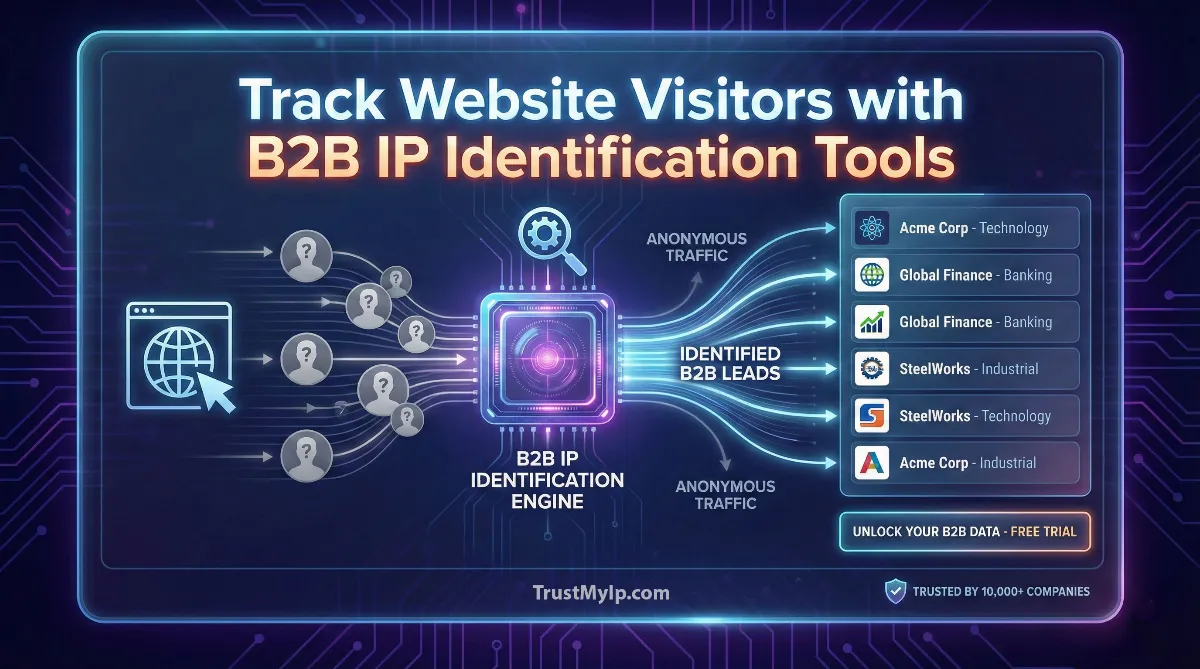
Imagine running a store where 98% of visitors browse your products but leave without saying who they are. That's exactly what happens on your business website every single day. Most companies only know about the 2% who fill out contact forms, while the other 98% remain complete mysteries. Enter B2B IP identification tools—smart software that acts like a digital detective, using IP addresses to reveal which companies are secretly window-shopping on your website.
Understanding tracking website visitors using B2B IP identification tools is like getting X-ray vision for your website traffic. These tools perform reverse IP lookups to match anonymous visitor IP addresses with real company names, showing you exactly which businesses are interested in your products.
Whether they visit your pricing page, download a whitepaper, or compare your solutions with competitors, you'll know who they are and what they're researching. This game-changing intelligence transforms invisible website traffic into actionable sales leads, helping your team reach out to interested prospects at exactly the right moment with the perfect message.

"After analyzing visitor data for Fortune 500 companies, I've seen how B2B IP identification completely transforms sales pipelines. The magic isn't just knowing Company X visited your site—it's understanding they spent 8 minutes on your pricing page, then compared you with two competitors, signaling they're actively shopping. That behavioral intelligence, combined with reverse IP lookup matching their IP to firmographic data, lets your sales team call them tomorrow with a personalized pitch addressing their exact research journey."
The Quick Resolution: B2B IP Tracking Essentials
B2B IP identification tools track website visitors by performing reverse IP lookups on their IP addresses, matching them to company names in business databases. These tools reveal which companies visit your site, what pages they view, and how often they return—turning anonymous traffic into qualified sales leads. Popular platforms like ZoomInfo WebSights, Leadfeeder, and Clearbit automatically send identified visitors to your CRM with complete firmographic data, enabling your sales team to reach out with personalized messages. This technology works for company-level identification and remains GDPR compliant since it tracks businesses, not individual people.
1. What is B2B IP Identification? Understanding the Basics
Let's start simple. When someone visits your website from their office computer, their device has a unique IP address—like a digital home address. That IP address actually belongs to their company's internet connection, not them personally. B2B IP identification tools are smart systems that look at these IP addresses and figure out which company they belong to.
How Reverse IP Lookup Works
Think of reverse IP lookup like caller ID for your website. When an unknown number calls your phone, caller ID shows you who's calling. Similarly, when an unknown visitor lands on your website, IP identification tools check their IP address against huge databases containing millions of company IP ranges. Within seconds, they match that IP to a specific business name, showing you "Oh, that's someone from ABC Corporation!"
For example, if someone from Microsoft headquarters visits your site, their IP address (like 131.107.0.1) belongs to Microsoft's network. The tool recognizes this and tells you "Microsoft" just browsed your pricing page for 5 minutes. That's incredibly valuable sales intelligence! Learn more about IP fundamentals in our guide on what websites see from your IP.
2. Why B2B Companies Need Visitor Identification Tools
Here's the problem every B2B business faces: most website visitors never fill out your contact form. They research your products, compare prices, read case studies, and then disappear without a trace. You have no idea who they were or how to follow up with them.
The 98% Problem
- • Only 2% convert: Just 2 out of every 100 visitors fill out a form, call you, or make contact. The other 98% leave silently.
- • Lost opportunities: Those 98 visitors might be perfect customers actively shopping for your solution right now, but you'll never know.
- • Wasted marketing budget: You spent money on ads, SEO, and content to attract those visitors. Without identification, that investment is mostly wasted.
- • Competitors win: If your competitors track their visitors and you don't, they'll follow up first and close the deal.
- • Missing intent signals: Someone spending 10 minutes on your pricing page is showing strong buying intent, but you can't act on it without knowing who they are.
B2B IP identification tools solve this by revealing the companies behind your anonymous traffic. Suddenly, that 98% isn't invisible anymore. Your sales team can see "Oh, three people from Target Corporation visited our site this week and looked at enterprise pricing" and reach out proactively. Test your current website analytics with our IP address checker.
3. How B2B Visitor Tracking Tools Work: The Technical Process
Don't worry—you don't need to be a tech expert to understand how these tools work. The process happens automatically in the background with just a few simple steps.
The IP Identification Process (Step by Step)
Step 1 - Tracking Script Installation: You add a small piece of code (JavaScript) to your website. This code runs invisibly in the background when visitors load your pages.
Step 2 - IP Capture: When someone visits, the script automatically captures their IP address. This happens naturally because every web connection includes the visitor's IP.
Step 3 - Reverse IP Lookup: The tool instantly sends that IP address to its database containing millions of company IP ranges from internet service providers and corporate networks.
Step 4 - Company Matching: The database matches the IP to a specific business. "This IP belongs to Nike's corporate network in Oregon."
Step 5 - Data Enrichment: The system adds extra information like company size, industry, revenue, location, and technologies they use.
Step 6 - Behavioral Tracking: While they browse, the tool records which pages they visit, how long they stay, and what actions they take.
Step 7 - CRM Integration: Finally, all this data automatically flows into your CRM or sales platform, creating a new lead record ready for follow-up.
The whole process takes milliseconds. From the visitor's perspective, nothing changes—your website loads normally. But on your end, you're now building a complete picture of which companies are interested in your products. For network basics, check our DNS resolution guide.
4. Key Features of Top B2B IP Identification Tools
Not all visitor tracking tools are created equal. The best platforms offer a combination of identification accuracy, data enrichment, and smart integrations that make your sales team more effective.
| Feature | What It Does | Why It Matters |
|---|---|---|
| Company Identification | Matches IPs to specific business names | Core function - tells you WHO visited |
| Firmographic Data | Adds company size, revenue, industry details | Helps qualify if they're your ideal customer |
| Page-Level Tracking | Records every page visited and time spent | Shows buying intent and interest level |
| Real-Time Alerts | Notifies sales when target accounts visit | Enables instant follow-up while hot |
| CRM Integration | Auto-syncs data to Salesforce, HubSpot, etc. | Eliminates manual data entry |
| Lead Scoring | Ranks visitors by purchase likelihood | Helps prioritize who to contact first |
5. Popular B2B IP Identification Platforms
Several major platforms dominate the B2B visitor identification market. Each offers slightly different strengths, but they all perform the core function of revealing anonymous visitors through IP address tracking.
Leading B2B Visitor Tracking Tools
- ZoomInfo WebSights: The industry leader with the largest business database. Identifies companies and provides detailed contact information for decision-makers. Integrates deeply with sales tools and offers intent data showing when companies research your competitors.
- Leadfeeder by Dealfront: Popular in Europe with strong GDPR compliance. Tracks visitor behavior, integrates with Google Analytics, and identifies remote workers through advanced IP matching. Great for companies with international traffic.
- Clearbit Reveal: Now part of HubSpot, excels at form enrichment and real-time identification. Automatically fills contact forms with company data and enriches your existing CRM records with fresh firmographic information.
- Lead Forensics: Focuses on high-intent visitor alerts and provides detailed company intelligence. Strong for account-based marketing with features that notify reps when target accounts engage with specific content.
- Visitor Queue: Budget-friendly option offering solid company identification and basic behavioral tracking. Good starter platform for small businesses testing visitor identification for the first time.
Most platforms offer free trials so you can test identification accuracy with your actual website traffic before committing. Since accuracy varies by industry and visitor type, testing with real data is crucial. Monitor your traffic with our IP geolocation tool.
6. Understanding Firmographic and Technographic Data
When these tools identify a company, they don't just give you a name. They provide rich details that help you understand if this visitor is worth pursuing. This extra information is called firmographic data and technographic data.
Firmographic Data (Company Facts):
- • Company Size: Number of employees (small business with 20 people vs enterprise with 10,000)
- • Revenue: Annual sales figures showing financial capability
- • Industry: Healthcare, finance, manufacturing, tech, etc.
- • Location: Headquarters and office locations
- • Company Age: Established corporation vs startup
Technographic Data (Technology Stack):
- • CRM System: Do they use Salesforce, HubSpot, Microsoft Dynamics?
- • Marketing Tools: Which email platforms, analytics tools they have
- • Cloud Services: AWS, Azure, Google Cloud usage
- • Website Platform: WordPress, Shopify, custom development
- • Communication Tools: Slack, Teams, Zoom deployments
This data is gold for sales teams. Imagine calling a prospect and already knowing they use Salesforce (so you can talk integrations), they're a 500-person company in healthcare (perfect fit for your solution), and they generate $50M in revenue (they can afford your enterprise pricing). That's the power of enriched visitor data! Learn about data collection in our IP tracking legality guide.
7. Behavioral Tracking: Understanding Visitor Intent
Knowing WHO visited is valuable. Knowing WHAT they did on your site is even better. Behavioral tracking records every action visitors take, revealing their level of interest and where they are in the buying journey.
High-Intent Signals to Watch For
- • Pricing Page Visits: Strong buying signal—they're evaluating costs and likely comparing options.
- • Multiple Return Visits: If the same company visits 3-5 times over a week, they're seriously considering you.
- • Long Session Times: Spending 10+ minutes reading case studies or product details shows deep interest.
- • Demo Page Views: Looking at your demo or trial pages means they're ready to try your product.
- • Comparison Content: Reading "Us vs Competitor" pages shows active evaluation and decision-making.
- • Resource Downloads: Downloading whitepapers, guides, or templates indicates research mode.
- • Career Page Visits: Not always a buyer signal, but could indicate company growth and budget availability.
Smart sales teams use this behavioral data to personalize outreach. Instead of a generic "Hey, saw you visited our site," they can say "Hi! I noticed your team spent time exploring our enterprise features and comparing us with [Competitor]. I'd love to show you how we're different in a quick 15-minute call." That personalized approach converts way better than cold generic emails. Analyze visitor patterns with our browser information tool.
8. CRM Integration and Sales Workflow Automation
The real magic happens when visitor identification tools connect directly to your CRM platform. This creates an automated pipeline where hot leads flow straight to your sales team without any manual work.
Automated Sales Workflow Example
Trigger: Target account "Acme Corp" visits your pricing page.
Action 1: Visitor tracking tool identifies the company and captures their activity.
Action 2: Data automatically syncs to your CRM (Salesforce/HubSpot), creating or updating a lead record.
Action 3: CRM checks: Is this a target account? Does it match our ideal customer profile?
Action 4: If yes, the system automatically assigns the lead to the right sales rep based on territory or account ownership.
Action 5: Rep receives instant Slack notification: "🔥 HOT LEAD: Acme Corp (500 employees, $50M revenue) just spent 8 minutes on your pricing page!"
Action 6: CRM triggers an automated email sequence while rep prepares for personal outreach.
Result: Sales rep calls within 2 hours while the prospect is still researching, dramatically increasing conversion chances.
This automation eliminates the manual process of checking analytics, researching companies, and logging data. Everything happens automatically in real-time, ensuring your team never misses a hot lead. Most platforms integrate with Salesforce, HubSpot, Microsoft Dynamics, Pipedrive, and other major CRMs. Check integration security with our SSL certificate checker.
9. Privacy Laws and GDPR Compliance
A common question: "Is this legal? What about privacy laws like GDPR and CCPA?" The good news is that company-level IP identification is completely legal and compliant when done correctly.
Why B2B IP Tracking is Legal
- Company Data, Not Personal Data: These tools identify businesses (ABC Corporation), not individual people (John Smith). GDPR protects personal information, but company names and business data aren't considered personal under most privacy laws.
- Public Business Information: Company names, addresses, sizes, and industries are publicly available business information that anyone can access. These tools just automate the research process.
- Legitimate Business Interest: Under GDPR Article 6, companies have legitimate interest in knowing which businesses visit their public website for sales and marketing purposes.
- Transparent Privacy Policies: Compliant tools require you to disclose IP tracking in your privacy policy, ensuring transparency with visitors.
- No Personal Identification: The tools don't reveal individual names, emails, or phone numbers without separate consent mechanisms like form submissions.
However, if a platform claims to identify individual people by name from IP addresses alone (without them filling forms), be very cautious—that likely violates privacy laws. Stick with reputable vendors who focus on company-level identification and clearly explain their compliance approach. Read more in our digital privacy protection guide.
10. Limitations and Challenges of IP Identification
While powerful, B2B visitor tracking isn't perfect. Understanding the limitations helps set realistic expectations and choose the right tools for your needs.
- Identification Rate (Around 30%): Most tools can only identify 20-40% of your B2B traffic. The rest might be ISP IPs, VPN users, or residential connections that don't match company databases.
- Remote Workers Challenge: With work-from-home becoming common, employees browsing from personal home WiFi don't show up as their company IP. Advanced tools use additional signals to solve this, but identification is still harder.
- VPN and Proxy Users: If visitors use VPN services or corporate proxies, their real company IP is hidden. The tool only sees the VPN provider's IP instead. Learn more in our VPN versus proxy guide.
- Small Business Gaps: Databases focus on medium and large companies. Small businesses with 1-10 employees often share ISP addresses with residential customers, making identification impossible.
- Mobile Traffic Issues: Visitors on phones often use mobile carrier IPs that rotate constantly. Unless they're on company WiFi, mobile traffic rarely gets identified accurately.
- False Positives: Sometimes tools misidentify. An IP might belong to a shared office building with multiple companies, leading to incorrect company matches.
11. Setting Up Your First Visitor Tracking Campaign
Ready to start tracking your website visitors? Here's a simple step-by-step process to get your first campaign running quickly, even if you're not technical.
Quick Start Guide (30 Minutes Setup)
Step 1 - Choose Your Tool: Pick a platform based on budget and features. Most offer 14-day free trials. Start with Leadfeeder or Visitor Queue if you're testing.
Step 2 - Install Tracking Code: Add the JavaScript snippet to your website. If you use WordPress, there's usually a plugin. For custom sites, paste it before the closing body tag.
Step 3 - Connect Google Analytics: Link your existing Analytics account so the tool can access your traffic data. This takes 2 clicks with OAuth authorization.
Step 4 - Integrate Your CRM: Connect Salesforce, HubSpot, or your CRM platform. This enables automatic lead creation and data syncing.
Step 5 - Set Up Filters: Configure filters to ignore your own company IP, exclude ISPs, and focus on your target company sizes or industries.
Step 6 - Create Alerts: Set notifications for high-value actions like pricing page visits or demo requests from target accounts.
Step 7 - Wait 24-48 Hours: Let the tool collect data. Most show initial results within hours, but wait a day or two for meaningful patterns.
Step 8 - Train Your Team: Show sales reps how to access the dashboard and interpret visitor data for their outreach.
Start simple. Don't try to configure everything perfectly on day one. Get the basic tracking running, see what companies are visiting, and gradually add more sophisticated features like lead scoring and workflow automation. Test your setup with our HTTP headers analyzer.
12. Best Practices for Maximizing ROI
Simply installing a visitor tracking tool isn't enough. You need smart strategies to turn that data into actual sales results. Here are proven best practices from companies crushing it with IP identification.
Winning Strategies for B2B Visitor Tracking
- • Focus on Target Accounts: Don't chase every visitor. Create a list of your ideal customer profile companies and set alerts specifically for them. Quality over quantity wins.
- • Speed Matters: Contact identified companies within 24 hours while your site is still fresh in their mind. The faster you follow up, the higher your conversion rate.
- • Personalize Outreach: Reference the specific pages they viewed. "Hi, noticed you explored our enterprise features..." beats generic cold emails every time.
- • Multi-Touch Strategy: Don't just call once. Combine email, LinkedIn connection requests, and phone calls for a coordinated approach based on visitor engagement level.
- • Content Optimization: Track which pages drive the most qualified visitors. Double down on creating more content around those topics to attract similar companies.
- • Sales and Marketing Alignment: Have regular meetings where marketing shares visitor insights and sales provides feedback on lead quality. This feedback loop improves targeting.
- • Retargeting Campaigns: Use identified companies for targeted LinkedIn ads or display advertising campaigns, staying top-of-mind as they evaluate solutions.
The companies seeing 10x ROI from visitor tracking all share one trait: they act on the data immediately. Don't let hot leads sit in your dashboard for weeks. Build processes that ensure quick, personalized follow-up on every high-intent visitor. Optimize your approach with insights from our network infrastructure guide.
13. Measuring Success: Key Metrics to Track
How do you know if your visitor tracking investment is paying off? Monitor these critical metrics to measure performance and optimize your strategy over time.
Essential Performance Metrics:
- • Identification Rate: Percentage of total visitors you can identify. Aim for 25-40% for B2B sites. Higher is better but depends on your traffic sources.
- • Lead Conversion Rate: How many identified companies turn into qualified leads? Track this monthly to see improvement trends.
- • Response Time: Average time between visitor identification and sales contact. Keep this under 24 hours for hot leads.
- • Opportunity Win Rate: Do leads from visitor tracking close at higher rates than cold outreach? They should—this validates the strategy.
- • Cost Per Lead: Tool subscription cost divided by qualified leads generated. Compare this to your other lead sources like paid ads.
- • Return Visitor Rate: Percentage of companies that visit multiple times. High return rates indicate strong interest and effective remarketing.
- • Pipeline Velocity: How fast do identified visitors move through your sales funnel compared to other lead sources?
Most platforms provide built-in analytics dashboards showing these metrics. Review them monthly with your sales and marketing teams to identify what's working and what needs adjustment. The goal isn't perfection—it's continuous improvement in converting anonymous traffic into closed deals. Monitor overall performance with our network speed test tool.
Conclusion: Transforming Anonymous Traffic Into Revenue
Understanding tracking website visitors using B2B IP identification tools unlocks a competitive advantage that transforms how your sales team operates. Instead of relying solely on the 2% of visitors who fill out forms, you gain visibility into the 98% who silently research your solutions. By performing reverse IP lookups to match anonymous IPs with company names, enriching that data with firmographic and technographic details, and tracking behavioral signals that reveal buying intent, these tools turn your website into a powerful lead generation machine.
The technology works seamlessly in the background—capturing IP addresses, matching them to business databases, and flowing qualified leads straight into your CRM while your sales team focuses on what they do best: closing deals. While limitations exist around identification rates and remote workers, the companies that master visitor tracking consistently report 3-5x improvements in pipeline generation and faster sales cycles. In today's competitive B2B landscape, knowing which companies are actively researching your products isn't just helpful—it's essential for staying ahead of competitors who still rely on outdated cold outreach strategies.
Discover Who's Visiting Your Site!
Start identifying your website visitors today with powerful IP lookup tools. Check visitor locations, analyze network patterns, and understand your traffic with our comprehensive suite of professional diagnostic tools.