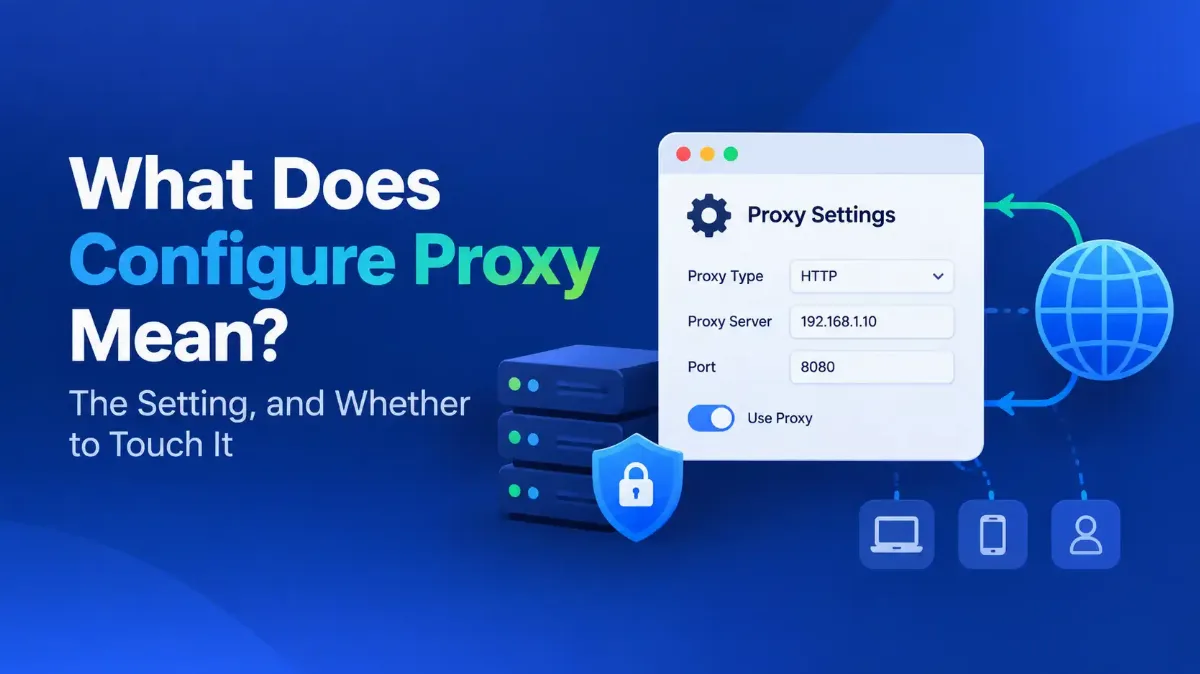
Configure Proxy sends your web traffic through a middleman instead of straight out to the internet. For almost everyone reading this, the right answer is Off. Somebody asked Apple's own support community that exact question because their iPhone would not join a Wi-Fi network, and the answer was that you should generally be able to connect without turning it on.
That is the whole problem with this setting. Most people meet it while hunting through Wi-Fi options for something else entirely, decide it looks relevant, and switch it on. Then the internet stops working and the proxy setting — which was never the cause — becomes the cause.
This guide explains what each field on that screen does and when to leave it alone. If you are here to switch it off, the exact steps per device are further down — including the one command that reads a Windows proxy the Settings panel will not show you, and the setting people mistake for a proxy when theirs is already off.

Quick Answer: Configure Proxy
What Does Configure Proxy Mean?
Configure Proxy decides whether this device sends its requests to a middleman server instead of straight to the website. Turn it on and everything goes to that server first, which makes the request for you and passes the answer back. The website logs the middleman's address, not yours.
It is a choice of modes rather than a simple switch, and only the names vary by platform. Off connects directly. Manual proxy setup means you type in an address and port yourself. Automatic means the device fetches a configuration file that decides, per website, whether to use a proxy.
A fourth mode on desktops is easy to miss. Windows calls it Automatically detect settings, macOS calls it Auto proxy discovery, and both do the same thing: ask the network where its configuration file lives, then follow it.
None of this is unusual technology — the same mechanism runs as a reverse proxy in front of the sites you use, and the full explanation of how a proxy server works and where it sits in a network covers the machinery. What matters here is narrower: which mode belongs to you.
| Setting | What the device does | Who this is for |
|---|---|---|
| Off / None | Connects straight to the destination | Almost everyone, almost always |
| Manual | Sends everything to the address and port you typed | You bought or were given a specific proxy to use |
| Automatic / Auto-Config | Downloads a config file from a URL and follows its rules per site | Managed networks — an office or campus gave you the URL |
| Auto-detect (Windows: Automatically detect settings. macOS: Auto proxy discovery) |
Asks the network where its config file is, then follows it | Managed networks that publish it. On a home network there is nothing for it to find |
The last row is different in kind from the others: it hands the decision to whatever network you are attached to.
Should Configure Proxy Be On or Off?
Off, unless one of three specific things is true. It is not a privacy feature you are missing out on, it is not a speed setting, and switching it on without an address to put in it does nothing useful — on some devices it does nothing at all, and on others it breaks your connection until you switch it back.
Microsoft's Windows proxy documentation, current in September 2026, frames it the same way: your company or organization might require a proxy server. The same page says a VPN gives you a more secure connection than a proxy does, which is worth knowing if you switched this on hoping for privacy.
Turn it on when
Leave it off when
The privacy case is the usual reason people switch this on unprompted, so it is worth one more line. A proxy you found for free is a machine that sees every site you visit, run by someone with no obligation to you — the argument laid out in our look at whether free proxy services are safe to use.
Where Proxy Settings Live on Each Device
Proxy settings sit in a different place on every platform, and on phones the field is buried inside an individual Wi-Fi network rather than in the main network settings. The paths below were checked against each vendor's own documentation in September 2026.
To check proxy settings on a desktop there is mostly one place to look, because the configuration is system-wide. Chromium's own design documentation states that its network stack uses the system network settings so that users and administrators can control the network settings of all applications easily, which is why Chrome and Edge send you to the operating system panel instead of offering their own. Firefox is the exception — it keeps its own panel under Settings, Network Settings, so a machine can look clean everywhere else and still be proxied in one browser.
| Device | Where to find it | Scope |
|---|---|---|
| Windows 11 and 10 | Settings, Network & internet, Proxy | Whole machine, per user account |
| macOS | System Settings, Network, pick the connection, Details, Proxies | Per network interface |
| iPhone and iPad | Settings, Wi-Fi, the info button beside the network, then Configure Proxy under the HTTP Proxy heading | That one Wi-Fi network only |
| Android | Wi-Fi, the network, modify or advanced options, Proxy | That one Wi-Fi network only |
| Linux desktop | Network settings, Network Proxy — plus the shell environment variables | Desktop apps and shell set separately |
Linux is the honest outlier: a desktop proxy panel and the http_proxy environment variables are two different settings, and a tool that reads only the variables will ignore whatever the panel says.
What Each Proxy Setting Field Actually Means
Manual mode asks for two values and offers two optional extras; the fifth row below belongs to Automatic mode and replaces the rest. Get the server and port right and everything else is optional unless somebody told you otherwise.
| Field | What goes in it | What happens if it is wrong |
|---|---|---|
| Server / Host | A hostname or an IP address, such as 192.0.2.10 | Nothing loads at all |
| Port | A number. For an HTTP proxy, commonly 3128 or 8080. Port 1080 is the SOCKS default and usually has a field of its own | Connection refused, or a long timeout |
| Authentication | A username and password for the proxy itself, only if it demands them | Every page returns a 407 error |
| Bypass list | Addresses that should skip the proxy, usually internal ones. Windows labels it "bypass proxy settings for these hosts and domains" | Internal sites break, or leak outward |
| Configuration URL | A link to a script that decides per site — this replaces the fields above | Some sites work and others do not, unpredictably |
The bypass list is worth a sentence of its own because Microsoft's guidance on it is specific: use the option to skip the proxy for intranet addresses unless your organization requires the proxy to be used for them. On a managed laptop that single checkbox is the difference between reaching the internal file server and not.
One field people misread is Authentication. It is not a login for a website and it is not your work password by default — it is a credential for the proxy machine itself. Get it wrong and every page returns 407, which looks like a network outage rather than a typo; the fix is to re-enter the proxy username and password, not to reset anything else.
If Somebody Did Give You a Proxy to Enter
Then the screen is straightforward, and it is the same four moves everywhere. Switch the setting from Off to Manual, put the hostname or address in Server, and put the number in Port. Save, and only add a username and password if you were given them.
Now do the part most guides skip: confirm it took. Load a site that reports your address back to you and check that the address changed. If it did not, the proxy is not being used, however healthy the settings screen looks.
On iPhone that outcome is common enough to expect. Apple's own developer forums carry reports of iOS accepting a proxy, showing no error, and then ignoring it — including with deliberately invalid addresses. The same check appears in the next section, where it tells you whether a proxy you removed is really gone.
One term the macOS screen throws at you
How to Turn Off Proxy Settings Properly
Setting the menu back to Off is usually enough, but not always, because the panel you can see is not the only place a proxy can be configured. Disabling a proxy in one place is not the same as disabling it everywhere, which is why this runs to five steps rather than one. Work through the device steps first, then run the check at the end if anything still looks wrong.
1 Windows
2 macOS
3 iPhone and Android
4 Check the layer the menu does not show
5 Confirm from the outside
# "show" works anywhere. "reset" writes machine-wide config, so open
# the prompt with Run as administrator or it will fail.
netsh winhttp show proxy
netsh winhttp reset proxy
# macOS — check, then clear every proxy type on that interface
networksetup -getwebproxy "Wi-Fi"
networksetup -setwebproxystate "Wi-Fi" off
networksetup -setsecurewebproxystate "Wi-Fi" off
networksetup -setsocksfirewallproxystate "Wi-Fi" off
networksetup -setautoproxystate "Wi-Fi" off
networksetup -setproxyautodiscovery "Wi-Fi" off
# Windows — the environment variables some apps read instead
echo %HTTP_PROXY% %HTTPS_PROXY%
# Linux and macOS — the shell variables a desktop panel never touches
env | grep -i proxy
The Windows detail that wastes the most time
"My Proxy Is Off and an App Still Says I Am Using One"
This is the most common version of the problem, and the proxy field is genuinely innocent. Three other things get flagged as proxies by banking apps, streaming services, ticketing sites and online exams, and none of them appears in the proxy menu you just cleared.
The first one is on the very same screen. iCloud Private Relay routes Safari traffic through two relays and hands the site a temporary address, which detection systems read exactly as they read a proxy.
Apple's documentation puts the per-network control at Settings, Wi-Fi, the info button beside the network, under the name Limit IP Address Tracking — one row from Configure Proxy, and named differently enough that almost nobody connects the two. On a Mac it is System Settings, Network, the service, Details. Apple notes that switching it off for one network applies that choice across your devices.
Check these three, in this order
If all three are clear and the app still objects, then it is the address itself being judged rather than the route to it, which is a different problem with a different fix. And if you are now wondering where this switch is for your cellular connection, there is something to know first.
Can You Set a Proxy on Mobile Data?
Not from the screen you are looking at. The proxy field you reach through Settings is a property of a saved Wi-Fi network, not of the phone, and on iPhone there is no equivalent anywhere under Cellular. Android is different: its APN records — the access point name profiles that define a mobile data connection — do carry proxy and port fields, which apply to mobile data, but Android also lets a carrier mark APN fields read-only, and many do. So the route exists on paper and is frequently closed on the device in front of you.
Two consequences follow. A proxy you set at the office does not follow you home, and it stops applying the moment the phone drops to cellular — which makes for confusing results if you are testing whether it works.
What this means in practice
Which is exactly how a company phone ends up proxied on every network at once, including cellular, with no switch you can reach.
When You Cannot Change Proxy Settings at All
If the fields are grayed out, prefilled, or reset themselves after you clear them, the device is being managed and the setting is being pushed to it. This is normal on work and school equipment and it is not a fault to troubleshoot.
Apple documents the mechanism directly. Its deployment guide for the Global HTTP Proxy payload, current in September 2026, describes a setting that lets an administrator specify a proxy server address for all HTTP traffic to and from a managed device.
The conditions matter. On iPhone, iPad and Apple TV the device has to be supervised, not merely enrolled, while on a Mac enrollment alone is enough — so a personal phone you signed into work email on cannot be given a device-wide proxy this way. Windows does the equivalent through group policy, and in both cases the value is reapplied centrally, so local edits do not survive.
On a device your employer owns, ask them rather than fighting the setting — clearing it, if it even sticks, usually just removes your access to internal systems. On a personal device behaving this way, look for a configuration profile you did not knowingly install, since that is what writes the field.
If Your Internet Broke, This Setting Is Probably Not the Cause
Most people arrive at this screen sideways, looking for a cure to something else. Switching the proxy on to see what happens converts one problem into two.
| What you were trying to do | Is the proxy setting relevant? | What to look at instead |
|---|---|---|
| Join a Wi-Fi network that keeps failing | No | The password, the router, or a sign-in page you have not completed |
| Get a different IP address | Not this field | Your router, your ISP, or a service built for it |
| Reach a site that says you are blocked | Rarely, and not with a free one | Why the block fired in the first place |
| Fix pages that load slowly | No — a proxy adds a hop | Signal strength, DNS, or the site itself |
| Stop a site seeing your location | Partly, with real caveats | What a proxy does and does not conceal |
Two of those rows deserve a pointer. If a different address is genuinely what you are after, the methods that work are covered in our walkthrough of changing the IP address on any device, and none of them involves this field. If the goal is concealment rather than connectivity, the honest comparison is in how a VPN and a proxy differ at hiding your address.
And if the symptom is an error naming an address rather than a proxy, that is a different diagnosis entirely — our guide to fixing address-not-found errors covers the ones that look like a proxy problem and are not.
The Short Version
Configure Proxy sends your traffic through a middleman, and on a personal device the right answer is Off. Turn it on only when somebody handed you a value to type in.
Which of the remaining sections you need depends on why you came. If Wi-Fi will not connect, stop here — the password, the router or an unfinished sign-in page is the cause, and this field is not. If an app insists you are on a proxy while yours reads Off, check Limit IP Address Tracking on the same screen, then your configuration profiles, then your browser extensions. If a machine still looks proxied after you cleared it, run netsh winhttp show proxy on Windows, or clear every box in the macOS Proxies pane rather than the first one.
And if you were given a proxy on purpose, enter the server and port, then confirm the address a site reports back has actually changed. A settings screen that accepts your values is not evidence that anything is using them.
For the market behind all this — who sells proxies and why anyone buys one — our guide to what a residential proxy is and who needs one is the next read. To see how your connection looks from the outside right now, run it through our IP trust score checker before changing a single field.