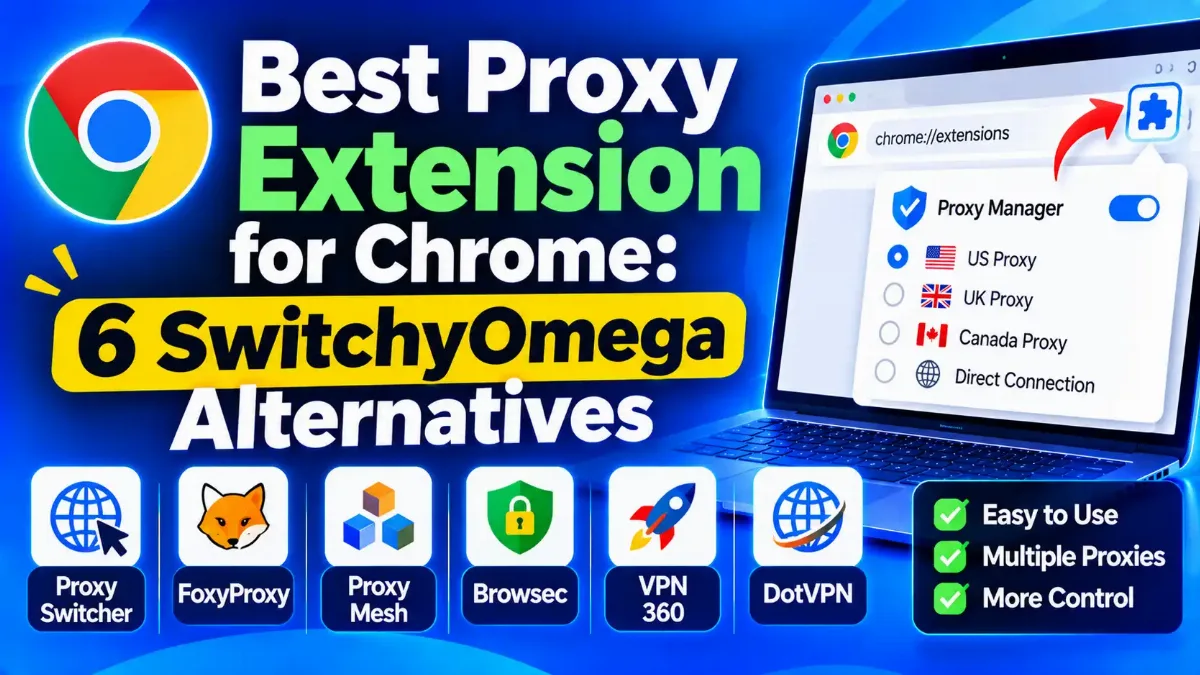

The best proxy extension for Chrome for most people is ZeroOmega, the maintained Manifest V3 fork of Proxy SwitchyOmega, with per-site rules and 900,000 store users in November 2026. FoxyProxy is the pick if you want pattern rules plus a WebRTC limit, and SmartProxy turns a proxy on only for the sites you choose. Proxy Helper is a light option with PAC support, and Proxy Switcher and Manager handles simple profiles. Oxylabs' free extension comes from a seller that gives new accounts starter credits.
A proxy extension does not supply an IP address by itself. It tells Chrome which proxy server to use, for which sites and with which login, so you can switch servers without touching Windows or macOS settings. Our explainer on what a proxy does for you covers the basics. The original SwitchyOmega no longer runs in Chrome, and copies with similar names still sit in the store.
Every pick below comes with its limits and dated store data. TrustMyIP installed and tested nothing for this guide, no developer paid to be listed, and no link here earns money. Further down sit the limits Chrome puts on every extension, the free extensions that bring their own servers and four self-checks to run once your proxy is on.

Quick Answer: Which Proxy Extension to Install
The 6 Best Proxy Extensions for Chrome at a Glance
Each pick suits a different way of working with proxies. Start with the middle column to find your use, and read the right column before you install.
| Extension | Best For | Main Limit |
|---|---|---|
| ZeroOmega | Replacing SwitchyOmega, with rules and PAC profiles | Look-alike listings; no WebRTC control |
| FoxyProxy | Pattern rules plus a WebRTC limit | Lowest store rating of the six; Chrome build lags |
| SmartProxy (Salar K) | Proxying only the sites you pick, automatically | Name easily confused with Decodo's old brand |
| Proxy Helper | A light switcher with PAC and WPAD | Chrome only; no Firefox or Edge version |
| Proxy Switcher and Manager | Simple profile and PAC switching | No per-site rules; built-in free proxy search |
| Oxylabs Proxy Extension | Any provider, plus starter credits for Oxylabs | Declares that it handles user activity |
All six are free to install, and ZeroOmega is the default for anyone leaving SwitchyOmega. The other five trade a smaller user base or thinner features for WebRTC control, automatic site rules, a lighter footprint, simplicity or a seller's starter credits.
Every pick had to be maintained on Manifest V3 and listed in the store on November 13, 2026. We then ranked on published facts, in this order: what each listing says it collects, public source code, the features proxy users need and store adoption. Those features are per-site rules, PAC scripts and login handling. Adoption means users and rating on the Chrome Web Store, read November 13, 2026.
Extensions from proxy sellers faced one more test. A seller was out if its homepage, menus, footer or a sales page one click away promised multiple accounts without bans, Craigslist posting, or help for sneaker and ticket bots. Oxylabs, Rayobyte and FoxyProxy's maker pass; Webshare, Decodo, Bright Data and IPRoyal do not.
How we chose and checked
The 6 Proxy Extensions Reviewed: Strengths, Catches and Store Data
For every pick you get what it does, its store numbers as of November 13, 2026, and its weak points. A developer's description of its own product is marked as the developer's claim.
1. ZeroOmega: Best Overall SwitchyOmega Replacement
ZeroOmega, listed in the store as "Proxy SwitchyOmega 3 (ZeroOmega)", is a fork of the original SwitchyOmega rebuilt for Manifest V3. It had 900,000 users and a 4.3 average from 477 ratings on November 13, 2026, the most users of any pick. The store lists version 3.5.2, updated September 10, 2026, and the code sits on GitHub under zero-peak/ZeroOmega with a GPL license.
It keeps SwitchyOmega's model: proxy profiles, switch profiles that route sites by rules, rule lists and PAC scripts. Its manifest requests the permission Chrome requires for answering proxy login prompts, so HTTP and HTTPS proxies with a username can work. The developer lists Gist sync, and the release notes for version 3.5.0 add WebDAV sync. Its listing says it collects no data.
The catches are look-alikes and WebRTC. Several listings borrow the SwitchyOmega name, so check the ID pfnededegaaopdmhkdmcofjmoldfiped before you install. The store names the publisher only as suziwen1, an account that has not identified itself as a trader. Its manifest has no privacy permission, so it cannot change how Chrome routes WebRTC.
Where it wins
- The largest user base of the six picks
- Switch profiles, rule lists and PAC scripts, as in SwitchyOmega
- Open source under a GPL license
- Gist and WebDAV sync, per the developer
- Firefox and Edge versions linked from its GitHub page
Where it falls short
- Copycat listings with near-identical names
- No control over WebRTC routing
- No company named behind the store listing
- No SOCKS5 logins, a Chrome limit every pick shares
Best for: anyone leaving SwitchyOmega who wants rule-based switching across many proxies, installed from the link on its GitHub page.
2. FoxyProxy: Best for Pattern Rules and WebRTC Control
FoxyProxy comes from Beholder Corporation of Highlands Ranch, Colorado, which declares itself a trader with a US address on its Chrome listing. It had 600,000 users and a 3.2 average from 809 ratings on November 13, 2026, the lowest rating of the six. The developer says the tool has existed since 2006.
Its help pages list HTTP, HTTPS, SOCKS4, SOCKS5 and PAC proxies, wildcard and regular expression patterns, and import and export of settings. It can also "Limit WebRTC" through an optional privacy permission, the only pick that documents this for Chrome. HTTP proxy logins go through Chrome's login handler, and the listing says it collects no data.
Chrome users get a lagging build. The store showed version 9.7 from September 8, 2026, while GitHub and Firefox's add-on site carried 9.9 from November 2, 2026. The help pages mark tab proxies, container proxies and SOCKS logins as Firefox only. Its maker also sells its own proxy and VPN service on the FoxyProxy site.
Where it wins
- The only pick that documents a WebRTC limit for Chrome
- Wildcard and regex patterns with a pattern tester
- A named US company with a published address
- Open source under GPL-2.0
- A Recommended badge on Firefox's add-on site
Where it falls short
- The lowest Chrome rating of the six
- A Chrome build two versions behind GitHub
- Tab proxies and SOCKS logins are Firefox only, per its help pages
- Its maker sells proxies and VPN access
Best for: users who want pattern-based routing and a WebRTC limit from a named company, especially if they also browse in Firefox.
3. SmartProxy by Salar K: Best for Automatic Per-Site Rules
SmartProxy is an open-source extension by developer Salar K, unrelated to Decodo, which dropped the Smartproxy name in April 2025. It turns a proxy on or off for each site you visit, "based on customizable patterns", and lets you add the current site in one click. It had 100,000 users and a 4.5 average from 234 ratings on November 13, 2026, the highest rating of the six.
The store lists version 2.4.3, updated September 18, 2026. Its wiki lists HTTP, HTTPS, SOCKS4 and SOCKS5 servers with username and password fields, and its release notes describe proxy server and rule subscriptions. The code is on GitHub under a GPL-3.0 license, and the listing says it collects no data.
The name is the first catch, since searches for SmartProxy also surface unrelated proxy sellers. Its wiki home page still lists proxy logins and sync as future features, yet its Proxy Servers wiki page documents login fields and its release notes describe sync. We found no PAC support in its documentation, and like every Chrome extension, it cannot log in to a SOCKS5 proxy.
Where it wins
- The highest store rating of the six
- Sites switch to the proxy automatically by pattern
- Proxy and rule subscriptions
- Open source under GPL-3.0
- Firefox and Edge versions from the same developer
Where it falls short
- A name shared with unrelated proxy brands
- An out-of-date wiki home page
- No PAC support documented
- Published by an individual, not a company
Best for: people who want the proxy on for a few sites and off everywhere else, without switching by hand.
4. Proxy Helper: Best Lightweight Option With PAC and WPAD
Proxy Helper, from a developer listed as henices, is a small open-source switcher: 200 KiB in the store, against 1.6 MiB for ZeroOmega. Its GitHub page describes a Manifest V3 extension that switches Chrome's proxy "independently of the operating system". It had 100,000 users and a 3.6 average from 232 ratings on November 13, 2026.
Its listing claims SOCKS4, SOCKS5, HTTP, HTTPS and QUIC proxies. Its GitHub page lists PAC scripts by URL or inline, WPAD auto-detection and a bypass list. HTTP proxy logins go through Chrome's login handler, per its GitHub page. The listing says it collects no data, and the code carries a GPL-2.0-or-later license.
Its store version, 2.1.3, dates from May 14, 2026, the second-oldest of the six after Oxylabs' extension, and GitHub already carries 2.1.4. The developer links no Firefox or Edge version. The listing says it supports "authentication", which in Chrome cannot include SOCKS proxies.
Where it wins
- The smallest download of the six
- PAC files, WPAD and a bypass list
- QUIC proxy support, per its listing
- Open source, and it declares no data collection
Where it falls short
- Chrome only
- Store version behind its own GitHub release
- No store update since May 2026
- No badge and no company behind it
Best for: admins and power users who route by PAC file or WPAD and want a small extension that stays out of the way.
5. Proxy Switcher and Manager: Best for Simple Profile Switching
Proxy Switcher and Manager is the extension Google's AI Overview named first when we checked this search on November 13, 2026. Its Chrome publisher is listed as yokris.dev, though its Firefox version appears under tlintspr. It carries Chrome's Featured badge and had 100,000 users and a 3.4 average from 153 ratings that day. Version 0.7.0 arrived November 9, 2026, the newest update of the six.
It stores proxy profiles and switches between direct, auto-detect, manual and PAC modes, with inline PAC scripts and remote PAC refresh. The developer's page lists HTTP, HTTPS and SOCKS4/5 servers with a bypass list, plus import and export. The listing says it collects no data, and its Firefox version carries an MPL-2.0 license.
It has no per-site rules beyond what you write into a PAC script. The listing never mentions proxy logins, and the developer's FAQ says extensions "cannot supply authentication details for SOCKS proxies". Its manual tab can also search for free public proxies, which carry the risks covered further down.
Where it wins
- Chrome's Featured badge
- The most recent update of the six
- PAC scripts typed in or refreshed from a URL
- Quick switching between saved profiles
Where it falls short
- No rule-based routing
- Login handling not described on its listing
- A built-in search for free public proxies
- Different publisher names across browser stores
Best for: switching between a handful of proxy profiles or one PAC file, when you do not need per-site rules.
6. Oxylabs Proxy Extension: Best Free Manager From a Proxy Seller
Oxylabs, a proxy seller that passed our vetting, offers a free extension that "works with any proxy provider of your choice", per its listing. It had 40,000 users and a 3.8 average from 59 ratings on November 13, 2026, with Chrome's Featured badge. The listing mentions HTTP(S) and SOCKS proxies and declares Oxylabs a trader.
The draw for newcomers is that new Oxylabs accounts get $5 in free proxy credits with no credit card needed, as of November 2026. Its page says the credits do not expire.
Its listing declares that it handles "User activity", the only pick that declares collecting anything. The store version, 3.0.2, dates from April 8, 2026, the oldest of the six. The listing does not describe login handling or WebRTC, and Oxylabs puts every proxy customer through a KYC questionnaire.
Where it wins
- Free, and works with any provider, per its listing
- Starter credits for Oxylabs proxies
- Chrome's Featured badge
- A named company that passed our seller vetting
Where it falls short
- Declares that it handles user activity
- The oldest store update of the six
- The smallest user base of the six
- A KYC questionnaire before you can use its proxies
Best for: newcomers who want a manager plus a few dollars of proxy traffic to test, from a seller that passed our vetting.
Chrome Web Store Data for the 6 Picks, Side by Side
Store figures move daily, so treat these as a snapshot from November 13, 2026. The last column shows what each listing's privacy section declares.
| Extension | Users | Rating (No. of Ratings) | Last Update | Declares It Collects |
|---|---|---|---|---|
| ZeroOmega | 900,000 | 4.3 (477) | Sep 10, 2026 | Nothing |
| FoxyProxy | 600,000 | 3.2 (809) | Sep 8, 2026 | Nothing |
| SmartProxy | 100,000 | 4.5 (234) | Sep 18, 2026 | Nothing |
| Proxy Helper | 100,000 | 3.6 (232) | May 14, 2026 | Nothing |
| Proxy Switcher and Manager | 100,000 | 3.4 (153) | Nov 9, 2026 | Nothing |
| Oxylabs Proxy Extension | 40,000 | 3.8 (59) | Apr 8, 2026 | User activity |
Users and ratings measure popularity, not safety. FoxyProxy's rating sits below every other pick despite its long history, while SmartProxy's top score rests on about half as many ratings as ZeroOmega's.
A privacy declaration is the developer's own statement, and a store badge is not an audit. Google calls its badges "an added signal of quality and trust on vetted items". Yet two VPN extensions exposed for collecting user data in 2025, Urban VPN Proxy and FreeVPN.One, carried the Featured badge at the time.
What Happened to Proxy SwitchyOmega, and the Look-Alikes to Avoid
Proxy SwitchyOmega was the default switcher for years, but it was built on Manifest V2. Chrome began disabling Manifest V2 extensions in stable releases on October 9, 2024. By July 24, 2025, Chrome 138 had disabled them for all users without an enterprise policy. Chrome 139 then removed that policy, the last exception. Per Google's Manifest V2 timeline, all remaining Manifest V2 extensions left the Chrome Web Store on August 31, 2026.
Its maintainer wrote on January 12, 2025: "This project is no longer maintained." The same post said the extension "has been disabled on Chrome and removed by Chrome Web Store". The maintainer named no successor, though users in that thread pointed to ZeroOmega.
The name had already become a target. On December 30, 2024, a separate listing called "Proxy SwitchyOmega (V3)", with the ID hihblcmlaaademjlakdpicchbjnnnkbo, shipped a hijacked update. It was part of the same campaign that hit Cyberhaven's extension. Sekoia and SecurityWeek both list it, and its developer said the account had been "compromised, which led to unauthorized changes".
That ID is back in the store. On November 13, 2026, it showed 100,000 users under a publisher called Master Tools, version 3.0.5 from March 26, 2026, and a privacy section that declares "Web history". No source we read calls the current version malicious, but it is not ZeroOmega. Check any SwitchyOmega-style listing against these points:
- → The real ZeroOmega: ID pfnededegaaopdmhkdmcofjmoldfiped, offered by suziwen1, and linked from the zero-peak GitHub page, which also links its Firefox and Edge versions.
- → Skip "Proxy SwitchyOmega (V3)": the ID starting hihblc, hijacked in December 2024 and listed again under the publisher name Master Tools.
- → Skip unofficial repacks: one listing adds "RU" to the ZeroOmega name under a different publisher, and the zero-peak page does not link it.
- → Skip download sites: the original project's GitHub page says switchyomega.com and similar websites are not affiliated with it.
If one of the skipped listings is already installed, remove it, then change the passwords of any proxy accounts saved in it.
What a Chrome Proxy Extension Can and Cannot Do
Every extension here works through the same Chrome interface, so all six share its limits. Chrome's proxy API lets an extension set fixed servers, a PAC script or the system settings, for HTTP, HTTPS, QUIC, SOCKS4 and SOCKS5 proxies. Our guide to where Chrome's proxy settings come from explains how extensions, policies and system settings rank. The limits that matter most:
- → No SOCKS5 logins. Chromium's documentation says: "No authentication methods are supported for SOCKSv5 in Chrome". A SOCKS5 plan that needs a username and password will not work in any extension, so use the provider's HTTP endpoint or have it allowlist your IP address.
- → HTTP logins do work. Extensions answer Chrome's proxy login prompt through a permission called webRequestAuthProvider. ZeroOmega, FoxyProxy and Proxy Helper all request it in their published code.
- → WebRTC is not covered by default. Chromium says SOCKS5 "cannot be used to relay UDP traffic", and WebRTC calls favor UDP. To keep WebRTC off direct routes, an extension has to change Chrome's WebRTC policy, as FoxyProxy's "Limit WebRTC" can with its "Disable Non-Proxied" option. Our guide to Chrome's WebRTC leak settings walks through the fixes.
- → DNS mostly follows SOCKS5. With a SOCKS5 proxy, Chrome resolves site names "proxy side". A Chromium design note warns that if DNS prefetching is not disabled, "you will still see local DNS requests being issued by Chrome".
- → One extension wins. If two extensions set the proxy, Chrome's docs say the newest one to be installed takes precedence, and managed policies can overrule both.
- → Errors can fail open. Chrome's proxy API docs say that after a proxy error that is not fatal, "a direct connection is used instead". Chromium adds that when a PAC script cannot be fetched, "proxy resolution will silently fall back to DIRECT" unless the script is marked mandatory. A broken PAC setup can quietly load pages from your own IP.
An extension also covers Chrome alone. Other browsers, desktop apps and the operating system keep your normal connection. Firefox users can set a proxy for that browser alone, as our guide to Firefox's built-in proxy settings explains.
Switcher, Seller Extension or VPN Extension: Which Do You Need?
Three kinds of extension compete for this search, and they do different jobs. Match your situation to a row.
| Your Situation | Use | Why |
|---|---|---|
| You already pay for proxies | ZeroOmega or FoxyProxy | Free, open source, per-site routing |
| Only a few sites need the proxy | SmartProxy | Turns the proxy on by site automatically |
| Your plan uses SOCKS5 with a password | The provider's HTTP endpoint instead | Chrome cannot send SOCKS5 logins |
| You have no proxies yet | Oxylabs Proxy Extension | Free starter credits; works with any provider |
| You want a free IP, not a manager | Proton VPN or Windscribe | Named companies with stated free limits |
| Every app must be covered | A VPN app, not an extension | Extensions route Chrome only |
A switcher brings no proxies of its own, so its results depend on the servers you feed it. A seller's extension adds convenience for that seller's plans. A VPN-branded extension also covers only the browser, and you have to trust the company running its servers. Scraping at scale runs through code or a scraper API, so an extension suits checking pages by hand.
Free Proxy Extensions With Built-In Servers: What You Trade
Many people searching for a free proxy extension want one that comes with its own servers. These are the best-known options, with their free terms as of November 2026:
| Extension | Free Plan | The Catch |
|---|---|---|
| Proton VPN | No data cap; server picked at random | Account required; one device |
| Windscribe | Monthly data allowance; more if you give an email | Keeps monthly data totals and last activity time |
| CyberGhost proxy | US, Germany, Netherlands, Romania; no account | Rated 2.2 on November 13, 2026; no update since 2025 |
| Browsec | A few unnamed locations, unlimited traffic | Policy silent on IP and browsing logs; no address |
| Hola | Limited daily use | Free users can act as peers for Bright Data |
| Urban VPN Proxy | Free servers across many countries | Collected AI chats in 2025, per researchers |
Proton VPN and Windscribe come from named companies that state their free limits. Proton says its free plan has "no data or time limits" across 10 countries, but it picks the server for you. A Securitum audit reported in June 2026 found no sign that Proton's server infrastructure logs browsing. Windscribe gives 10 GB a month with an email address, or 2 GB without, in 10 countries.
Two free giants carry real baggage. Hola's privacy policy tells free users they may serve as a "peer" on Bright Data's network, and it says extension logs "may include browsing history", kept up to 12 months. Urban VPN Proxy began collecting AI chat conversations in version 5.5.0, released in July 2025, per Koi Security's December 2025 report. It was gone from the store by December 18, 2025, and is listed again. We found no independent test of whether the returned version still collects AI chats.
Fakes are the other risk. Bitdefender reported on August 13, 2026 that Socket had found 737 fake VPN and proxy extensions. Of 522 it analyzed, 520 routed browser traffic through the operator's SOCKS5 proxies, and many copied brands such as Proton VPN and NordVPN. Check the publisher name first: Proton AG for Proton, Windscribe Limited for Windscribe.
If you only need a free proxy for one page, our ranking of no-install web proxies covers that use, with what each one logs.
Extensions We Left Out, Including Best Proxy Switcher
These extensions came up in the search results or in other rankings but missed our list, for the reasons below, read November 13, 2026:
- → Best Proxy Switcher: Google's first organic result for this search when we checked on November 13, 2026. Its listing says it "automatically disables any other extensions that use proxy permissions" and declares that it handles "Authentication information". Its last Chrome update came on October 9, 2025, and its listing pitches downloading free proxy lists from the developer's own site.
- → Webshare Proxy Extension: built for Webshare plans, and its listing declares web history and personal communications among the data it handles. Webshare also fails our vetting, through a footer-linked page selling proxies to run many social media accounts without bans.
- → Decodo's extension (formerly Smartproxy): it works with any provider and declares no data collection, but Decodo fails our vetting. Its footer-linked Craigslist page pitches "unlimited numbers of accounts" for posting ads.
- → Bright Data and IPRoyal extensions: both sellers failed the same vetting rule in our earlier proxy rankings, and Bright Data's extension needs a Bright Data account.
- → Proxidize Proxy Extension: a close call. It is free and works with any provider, with a built-in tester, per its developer. It had only 1,000 users and declares that it handles personally identifiable information, and its maker's own ranking puts it first.
- → Rayobyte Proxy Switcher: from a seller that passed our vetting, but its last update came on September 9, 2024, and it had 2,000 users.
The original SwitchyOmega and the hijacked V3 listing are covered above. Leaving an extension out is not an accusation: a pick above does the same job with fewer catches.
Four Checks to Run Once Your Proxy Extension Is On
Run these with the extension switched on, then once more with it off, and compare. If you route by per-site rules, add trustmyip.com to the proxied sites first. Each check takes a minute and needs no account.
1 Confirm where your exit appears
2 Look for a WebRTC leak
3 See what else your browser gives away
4 Compare your clock with your exit
Repeat the checks after every extension update, since an update can change what the extension routes and what it can see.
Our Verdict on the Best Proxy Extension for Chrome
ZeroOmega is the best proxy extension for Chrome for most people: maintained, open source, built for Manifest V3 and the closest match to SwitchyOmega. FoxyProxy is the choice when WebRTC control or a named company matters, and SmartProxy is the easiest way to proxy only selected sites.
Proxy Helper suits PAC and WPAD setups, Proxy Switcher and Manager suits simple profiles, and Oxylabs' extension suits newcomers who want starter credits. Whichever you install, check the store ID, avoid SOCKS5 plans that need a login, and remember that the extension covers Chrome alone. If your provider issues only SOCKS5 logins, compare SOCKS5 sellers that allowlist your IP. For whole-device cover, read how VPN tunnels encrypt traffic.
Store figures and versions here date from November 13, 2026, and extensions change with every update. After you install one, run the IP lookup and the WebRTC test with it on and off, then repeat them after each update.