You connected your VPN. You expected privacy, security, and unrestricted access. Instead, Netflix shows a proxy error. Gmail blocks your login. A website tells you your connection looks suspicious. Your emails are bouncing. The culprit is almost certainly the same in every case: your VPN IP address is blacklisted. And unlike a personal IP blacklisting, fixing a VPN IP blacklist problem requires understanding an entirely different set of causes — because VPN IPs get blacklisted through mechanisms that have nothing to do with anything you personally did.
VPN IP addresses are fundamentally different from personal IPs. Dozens to thousands of users share the same VPN exit IP simultaneously. When any one of those users sends spam, triggers abuse systems, or hits spam traps — the entire IP gets listed. You inherit that listing the moment your VPN assigns you that IP. The problem was not yours to create, but it is yours to diagnose and work around.
This complete 2026 guide covers the exact tools to check whether your VPN IP is blacklisted across every type of blacklist — email blocklists, proxy detection databases, streaming service blocks, and fraud risk systems. It explains why VPN IPs get listed, what each listing type means for your specific problem, and exactly what to do when your VPN IP is blocked.

"VPN IP blacklisting is one of the most misunderstood access problems I encounter. Users assume their VPN protects them from all IP-based restrictions — when in reality, a VPN assigns you an IP with its own history, its own reputation baggage, and its own listing status across dozens of independent databases. You are not just getting privacy. You are inheriting the entire behavioral history of every other user who has used that IP before you.
The most important distinction people miss is that there is no single blacklist for VPN IPs. Email blacklists, proxy detection databases, streaming service blocks, and fraud risk systems all operate independently. A VPN IP that works perfectly for email may be blocked by Netflix. A VPN IP that bypasses streaming restrictions may be on every email spam blacklist. Diagnosing a VPN IP problem correctly requires knowing which type of blacklist is causing your specific issue — and using the right tool for that specific check."
Quick Answer: How to Check if VPN IP is Blacklisted
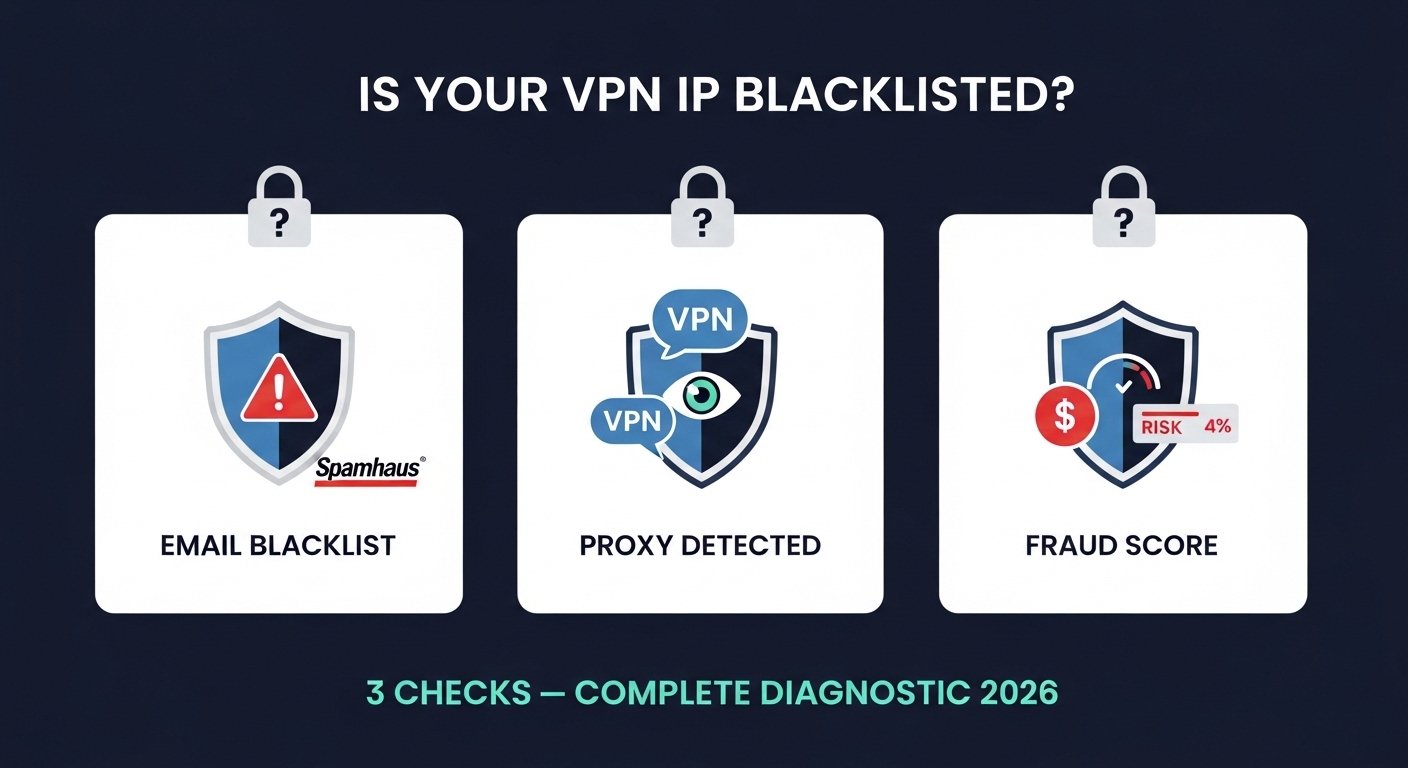
Connect your VPN and find your exit IP at TrustMyIP. Then run three checks: (1) Free blacklist checker for email blacklist status across 100+ databases. (2) My proxy checker to see if websites detect your IP as a VPN. (3) My IP fraud checker for risk score used by financial and e-commerce platforms. If blacklisted, switch VPN servers — that is almost always the fastest fix. A VPN IP blacklisting is almost never your fault. It was caused by other users sharing that IP.
1. Why VPN IPs Get Blacklisted: The Shared IP Problem
To understand VPN IP blacklisting, you need to understand the fundamental difference between VPN IPs and personal IPs. When you connect to a VPN, you exit through a shared IP address owned by the VPN provider. That same IP might be simultaneously shared by 10 to 10,000 other users. When any one of them engages in behavior that triggers a blacklist — sending spam, credential stuffing, hitting spam traps — the IP gets listed. You inherit that listing immediately, even though your behavior was completely clean.
This creates a unique problem: you cannot fix a VPN IP blacklisting the way you fix a personal IP listing. There is no root cause in your behavior to address. The practical solution is almost always to switch to a different VPN server with a different IP — or to choose a VPN provider that actively monitors and manages their IP reputation. Understanding your full IP reputation score helps clarify exactly what you are inheriting when connecting to a VPN server.
| Blacklist Type | What Causes the Listing | Who Is Affected | Fastest Fix |
|---|---|---|---|
| Email Blacklists | Spam sent by other VPN users on the shared IP | Email sending through VPN connection | Switch VPN server / avoid email via VPN |
| Proxy/VPN Detection | IP registered as known VPN/proxy exit node | Streaming services, banking, gaming | Use obfuscated servers or residential IPs |
| Fraud/Risk Databases | High abuse score from shared IP activity | Payment processors, e-commerce, fintech | Disconnect VPN for financial transactions |
| Spamhaus PBL | IP range classified as end-user space | Direct SMTP mail sending | Use authenticated email client (port 587) |
| Corporate Firewalls | IP classified as anonymizer by threat intel | Work systems, corporate web filtering | Use company VPN or split tunneling |
2. Step 1 — Find Your VPN Exit IP Address
Before checking any blacklist, you need the exact IP your VPN is currently using. This is the IP that all websites and services see when you connect through VPN — not your home IP and not your VPN provider's company IP range.
Find Your VPN Exit IP — Then Verify It Is Correct
1 Connect VPN and Visit TrustMyIP.com
Connect your VPN to the server you want to check. Visit TrustMyIP.com — your current public IP displays immediately. This is your VPN exit IP. Copy it — you need it for every check that follows.
Verify it is actually the VPN IP: The IP shown should be different from your normal home IP. Use Free IP Lookup to confirm the organization field shows your VPN provider's name (NordVPN, ExpressVPN, Mullvad, etc.) — not your home ISP. If it shows your ISP, VPN is not routing correctly.
2 Command Line Verification
Windows (Command Prompt with VPN connected):
curl api.ipify.org
Mac / Linux:
curl -s ifconfig.me
This returns the current public IP — your VPN exit IP when connected through VPN.
3 Check for DNS and WebRTC Leaks
Your VPN might be routing traffic correctly but leaking your real IP through DNS or WebRTC — meaning websites can see your actual home IP alongside the VPN IP. Run a full leak test at Online WebRTC Checker to verify no leaks exist. If leaks are present, the blacklist check is meaningless — websites are seeing your real IP, not your VPN IP.
3. Check Email Blacklists: Is Your VPN IP Blocked for Email?
If your problem is email-related — outgoing messages rejected, Gmail blocking logins from your VPN IP, or mail servers refusing connections — you need to check email-specific DNS blacklists. Use TrustMyIP blacklist checker with your VPN IP to get results across 100+ databases instantly.
Spamhaus PBL — Very Common for VPN IPs, Not Actually a Problem
Almost every consumer VPN provider's IP range is listed on the Spamhaus PBL. This is not because anyone using those IPs sent spam. The PBL is a policy list — it designates IP ranges that ISPs and VPN providers have themselves submitted as end-user space not intended for direct mail server connections.
Does this affect you? Only if you are trying to run an SMTP mail server directly through your VPN on port 25. Normal email clients — Gmail app, Outlook, Thunderbird — connect to mail servers on authenticated port 587, which bypasses PBL filtering entirely. A PBL listing on your VPN IP does not affect your email if you are using regular email apps.
When it does matter: If you are a system administrator running a mail server and routing outbound port 25 traffic through a VPN, PBL listings will cause rejections. Solution: send outbound email through your regular ISP connection, not through the VPN tunnel.
Spamhaus SBL or XBL — Serious, Requires Server Switch
SBL listing on your VPN IP means another user on this shared IP sent verified spam or the IP was used for malicious activity. Your emails from this VPN connection will be rejected at Gmail, Outlook, corporate mail filters, and most ISPs. You will likely also see login warnings from Gmail and suspicious activity alerts from other services.
XBL listing means the IP is associated with malware or botnet activity — either from current VPN users or the IP's previous history before your VPN provider acquired it.
Action: Switch VPN servers immediately. This is the only practical fix for you as an individual user — you cannot submit a removal request for someone else's IP. If your VPN provider has multiple servers in your target location and all show SBL or XBL listings, your provider has serious IP reputation management issues. Consider switching providers. For comparison of what good reputation management looks like, see our guide on how IP reputation works.
Barracuda or SpamCop Listing
Barracuda and SpamCop listings on VPN IPs indicate complaint accumulation from other users sharing the IP. These affect email delivery primarily to corporate environments using Barracuda hardware (extremely common in enterprises) and to ISPs querying SpamCop.
Action: Same as SBL — switch VPN servers. These listings may expire on their own within 7–30 days for Barracuda and 24–48 hours for SpamCop. But you do not need to wait — switching servers gives you a different, potentially clean IP immediately. Review exactly how long each type of listing persists in our blacklist duration guide.
4. Check Proxy and VPN Detection Databases
Even if your VPN IP passes every email blacklist check, it may still be blocked by websites, streaming services, and financial platforms that use proxy and VPN detection systems. These are not concerned with whether your IP sent spam. They identify and block IP addresses specifically because they are VPN exit nodes — regardless of reputation.
Check: TrustMyIP Proxy Checker
With VPN connected, go to TrustMyIP Proxy Checker. This shows whether your VPN IP is detected as a proxy or VPN by the detection systems websites use. If flagged here, any service querying these databases will block or restrict your connection.
Result interpretation: "Proxy detected" or "VPN detected" means streaming services, payment processors, and fraud-conscious platforms will trigger their VPN blocking policy when you connect from this IP.
Check: TrustMyIP Fraud Checker
Use TrustMyIP IP Fraud Checker to see the risk score assigned to your VPN IP by fraud detection systems. A high fraud score is common for VPN IPs because fraud scoring systems treat shared IPs with many users as inherently higher risk.
Why this matters: E-commerce platforms, banks, and fintech apps use these fraud scores to decide whether to allow transactions or require additional verification. A high-risk VPN IP can trigger declined payments or account lockouts.
The Difference Between Blacklisted and VPN-Detected
Blacklisted: Your IP appears in an abuse database because of malicious behavior. Affects email, some websites. Can sometimes be removed. Switch servers to escape it.
VPN-detected: Your IP is classified as a VPN exit node. No bad behavior required — it is a classification, not a punishment. Affects streaming services, banks, fraud-sensitive platforms. Switching servers may or may not help — if the new server is also detected as VPN, same result.
The key distinction for troubleshooting: If your problem is email delivery, check email blacklists. If your problem is streaming or banking access, check proxy detection. These are separate issues requiring separate diagnostic tools and separate solutions.
5. VPN IPs and Streaming Services: Why Blocking Works Differently
Streaming services like Netflix, Disney+, BBC iPlayer, and Amazon Prime use a combination of proxy detection databases, IP range analysis, and behavioral signals to detect and block VPN traffic. This deserves its own section because the mechanism is different from email blacklisting — and the solutions are different too.
How Streaming Services Detect VPN IPs
IP range analysis: VPN providers own registered IP blocks. Streaming services maintain lists of ASNs (Autonomous System Numbers) associated with VPN and hosting providers, and block entire IP ranges owned by those companies. This is why Netflix blocks NordVPN IPs even if the specific IP has perfect reputation — the entire IP block is owned by NordVPN.
Proxy detection feeds: Commercial proxy detection services like MaxMind, IP2Proxy, and IPQualityScore continuously scan the internet for VPN exit nodes and maintain databases that streaming services license. The moment your VPN provider adds a new server, it will likely appear in these databases within 24–72 hours.
DNS leak detection: Even with VPN connected, if your DNS requests go through your ISP rather than the VPN tunnel, streaming services can see your actual location from DNS and block geo-restriction bypass attempts.
Solutions for Streaming Blocks
Use streaming-optimized servers: Premium VPN providers (NordVPN, ExpressVPN, Surfshark) maintain dedicated IP pools specifically for streaming — rotating them frequently and investing in keeping them off detection databases. These are labeled as "streaming" or "Netflix" servers in the VPN app.
Try residential IPs: Some VPN providers offer residential IP options — IPs registered to residential ISPs rather than data centers. These are significantly harder to detect as VPN IPs because they look identical to regular home broadband connections. They are typically available on higher-tier VPN plans.
Browser with VPN extension: Some VPN providers offer browser extensions that route only browser traffic through VPN. This lets you watch geo-restricted content in the browser while keeping other apps on your regular connection — useful when VPN IP is blocked for streaming but not for other use cases.
6. Complete VPN IP Check: Your Step-by-Step Diagnostic
Rather than checking one thing at a time, here is the complete diagnostic sequence. Run all of these checks once when your VPN IP is causing access problems — this gives you a complete picture of what is and is not wrong with your current VPN IP.
Full VPN IP Diagnostic — Run These in Order
1 Confirm VPN is Connected and Working
Visit TrustMyIP.com — confirm the displayed IP belongs to your VPN provider, not your ISP. Run WebRTC Probe to check for leaks. Write down your VPN exit IP for all subsequent checks.
2 Email Blacklist Check
Enter your VPN exit IP at TrustMyIP blacklist checker. Note any SBL, XBL, or Barracuda listings — these cause email delivery failures. PBL listing is expected and normal for VPN IPs — see Section 3 for what that means.
Problem identified here? Switch VPN servers and re-check the new IP before resuming email activity.
3 Proxy and VPN Detection Check
Run TrustMyIP Proxy Checker on your VPN exit IP. If detected as VPN or proxy, this IP will be blocked by streaming services and restricted by financial platforms regardless of email blacklist status.
Problem identified here? Switch to a streaming-optimized or residential IP server from your VPN provider. Standard VPN IPs will almost always be detected — this is normal behavior, not a fixable problem for standard VPN IPs.
4 Fraud Risk Score Check
Check your VPN IP at TrustMyIP IP Fraud Checker. A high fraud score (above 75/100) means payment processors and financial platforms will flag or block transactions from this IP.
Problem identified here? For financial transactions and banking, disconnect VPN entirely. Most banks explicitly state VPN use can trigger security alerts — this is by design to protect against account takeover attempts. Use VPN for browsing, not for banking.
5 WHOIS Verification
Check your VPN exit IP at TrustMyIP WHOIS. This shows who actually owns the IP block. If the IP is registered to a data center or hosting company rather than your VPN provider, it may be a leased IP — these have different reputation histories and detection profiles than IPs directly owned by major VPN companies.
7. What to Do When Your VPN IP is Blacklisted: Fix by Problem Type
The right fix depends entirely on which type of blacklisting you discovered. Here is the action plan for each scenario.
Fix: Email Blacklist (SBL / XBL / Barracuda)
Immediate action: Switch to a different VPN server in the same or nearby location. Run the blacklist check on the new server's IP before sending any emails. Continue switching until you find a clean IP.
If all servers in your target region are listed: Contact your VPN provider's support. Reputable providers monitor IP reputation and can point you to servers with clean IPs or add you to a dedicated IP option (where you get an IP that only you use — significantly better reputation).
Long-term solution: For consistent email sending from VPN, consider a VPN provider that offers dedicated IPs. Shared IPs will always carry some risk of temporary blacklisting from other users. For understanding what a blacklist means and how serious different listings are, see our complete email blacklist guide.
Fix: Streaming Service Blocks
Immediate action: In your VPN app, switch to a server labeled as "streaming" or "Netflix" in your target country. These are maintained specifically to avoid streaming detection databases.
If streaming servers are also blocked: Try clearing browser cookies and cache before reconnecting. Streaming services store detection data in cookies — a fresh session may work even when the previous one was blocked.
Persistent blocking: Your VPN provider's IPs may be comprehensively listed in this streaming service's detection database. Streaming services invest heavily in blocking VPNs — and VPN providers play a constant cat-and-mouse game adding new IPs. If your current provider cannot maintain working streaming servers, this is a provider capability issue.
Fix: Banking and Payment Blocks
Recommended action: Disconnect VPN for all financial transactions. This is not a blacklist issue that can be fixed — it is a security policy decision by financial institutions. They flag VPN IPs to protect against account takeover fraud, and that policy will not change.
Split tunneling option: Most premium VPN apps offer split tunneling — routing banking and payment apps through your real IP while other traffic goes through VPN. This is the cleanest solution: privacy for browsing, reliability for banking.
Fix: Corporate and Government Blocks
Corporate work systems: Use your company's official VPN instead of a personal VPN for work. Most corporate IT departments block consumer VPN traffic through firewall rules — by design, to prevent data exfiltration.
Geo-restrictions in restrictive regions: Use VPN protocols with obfuscation (Shadowsocks, VLESS, Obfs4) that disguise VPN traffic as regular HTTPS traffic. Standard VPN protocols are easy for deep packet inspection to identify and block. Most major VPN providers offer obfuscated server options for regions with VPN restrictions.
8. Choosing a VPN With Better IP Reputation Management
Not all VPN providers manage their IP reputation equally. The difference between a provider that actively monitors and rotates blacklisted IPs versus one that ignores IP reputation is the difference between a VPN that consistently works and one that causes constant access problems. Here is what to evaluate.
| Feature | What It Means for You | Why It Matters |
|---|---|---|
| Dedicated IP option | You get an IP only you use | No other users can damage your IP reputation |
| IP rotation policy | Provider removes and replaces blacklisted IPs | Ensures shared IP pool stays reasonably clean |
| Residential IP option | IPs from residential ISPs, not data centers | Harder to detect as VPN, better for streaming |
| Streaming-specific servers | Dedicated IP pool maintained for streaming | Higher chance of bypassing streaming detection |
| Split tunneling support | Route specific apps outside VPN tunnel | Banking apps use real IP; others use VPN |
| No-logs verified policy | Provider cannot identify which user caused abuse | Abuse reports are harder to act on — more shared IP churn |
For full privacy protection beyond VPN IP checking, explore how to prevent IP leaks through your browser with our WebRTC leak test and fix guide. If you are currently checking whether a VPN is actually hiding your IP correctly, our guide on how to check if your VPN IP is leaking covers every leak vector comprehensively.
Conclusion: Diagnose First, Then Fix the Right Problem
Checking if your VPN IP is blacklisted requires checking multiple independent systems — not just one. Email blacklists, proxy detection databases, fraud risk scores, and streaming detection systems all operate separately. What blocks you on Netflix will not block your email. What damages your fraud score will not show up in Spamhaus. Each problem type has a different cause, a different tool to diagnose it, and a different fix.
The fastest fix in almost every VPN blacklist scenario is switching servers. A different server gives you a different exit IP with a different reputation history. Check the new IP before resuming activity. If multiple servers in the same location all show problems, contact your VPN provider — reputable providers actively manage their IP pools and can direct you to cleaner infrastructure or offer dedicated IP options.
Start your diagnostic now. Connect your VPN, find your exit IP at TrustMyIP.com, and run the three-tool check: blacklist checker for email issues, proxy checker for streaming and site access, and fraud checker for financial platform access. The complete picture takes under five minutes and tells you exactly which problem you have and what to do about it.
Continue building your IP knowledge: understand how IP reputation recovery works for personal IPs, learn what delisting from Spamhaus involves when you own the IP, and use IP reputation monitoring tools to stay ahead of blacklist issues across all your infrastructure.
Check Your VPN IP Right Now
Three free checks — blacklist status, proxy detection, and fraud risk score. Full picture in under five minutes.