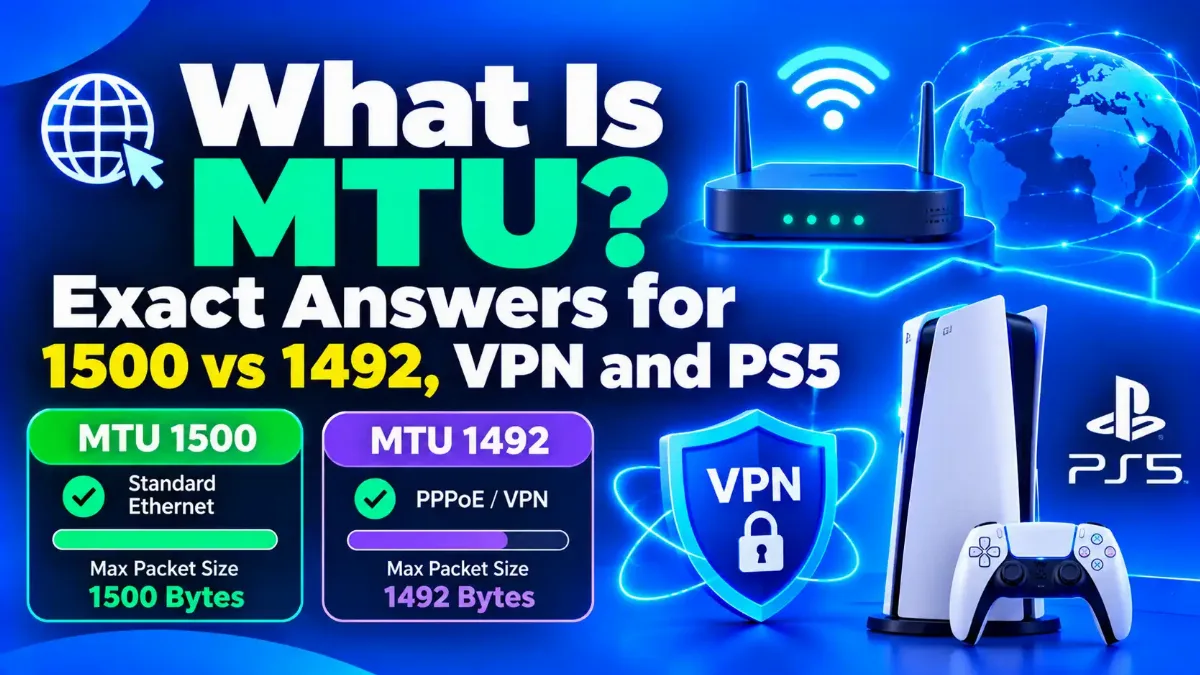

What is MTU? Short for maximum transmission unit, MTU is the largest packet, in bytes, that a network link will carry in one piece, counting the packet's own headers. On most home connections the answer is 1,500 bytes, or 1,492 on PPPoE — Point-to-Point Protocol over Ethernet, the username-and-password login many DSL and fiber providers use. Your router and devices usually pick the right value on their own, which is why the best MTU for most people is the one already in place.
Fresh measurements back that up. In October 2026, researchers presented a path-MTU study at the ACM Internet Measurement Conference. Between February and April 2026, it tested 76,700 internet paths from about 9,100 RIPE Atlas probes and anchors, the measurement points of a global network that RIPE NCC runs. Of those paths, 80.5% carried 1,500-byte packets, 11.7% topped out at 1,492 and 1.5% at 1,480.
That leaves narrower questions: why 1,500, when a smaller value genuinely helps, and whether any of it touches your ping. This guide answers each one with real numbers, then shows how to change MTU on Windows, Mac, Linux, a router, a PS5 and a Nintendo Switch, and which popular gaming MTU values to ignore.

When we checked the PS5, Nintendo Switch and Xbox support pages for this guide on 31 October 2026, only Nintendo published a default: 1,400 bytes, which it tells you to keep. Bungie tells Destiny players on PlayStation to pick Automatic, and the only Microsoft MTU rule we found is a 1,364-byte minimum from the Xbox 360 era. None of the three console makers claims that an MTU size you pick by hand lowers ping.
We also ran the arithmetic that most gaming guides skip. On a 100 Mbps line, a full 1,500-byte packet takes 0.12 milliseconds to send, so cutting it to the folklore value of 1,450 saves four millionths of a second. MTU does matter in two places, PPPoE connections and VPN tunnels, and there it fixes stalled pages, not lag. Going below 1,280 bytes breaks IPv6 outright.
Quick Answer: What Is MTU?
MTU is the largest packet a connection carries in one piece: 1,500 bytes on most Ethernet, cable and fiber lines, and 1,492 on lines that log in with PPPoE. Leave it on Automatic unless pages stall or a VPN misbehaves, because a lower MTU does not reduce ping. To see the size your path really carries, run our free MTU test.
What Is MTU, and Why Is It Usually 1,500 Bytes?
In practice, MTU caps the size of one IP packet, counting the IP and transport headers but not the Ethernet wrapper around them. It is usually 1,500 bytes because Ethernet sized its data field that way, and the 1984 standard for carrying IP over Ethernet kept the same limit. Standard Ethernet gear has supported that 1,500-byte payload ever since, and the sheer amount of that gear made 1,500 the internet's default.
Think of MTU as the height limit on a road tunnel. A truck that fits drives straight through, while a taller one must unload into smaller trucks or turn back, and the next section shows how packets do exactly that.
The rule itself dates from April 1984, when RFC 894 capped an IP datagram — the formal name for an IP packet — on Ethernet at 1,500 octets, the standards term for bytes. On the wire, the frame is bigger, because Ethernet adds 18 bytes of header and checksum for 1,518 in total, according to an IEEE 802.3 interpretation of the standard. A VLAN tag — a 4-byte label that splits one physical network into virtual ones — raises that to 1,522. A 2025 HotNets paper on raising the limit still calls 1,500 the de facto MTU of the entire internet.
Three smaller numbers act as floors. IPv4 hosts must accept 576-byte datagrams, and every IPv4 router must forward 68-byte ones whole, under RFC 791 from 1981. IPv6 demands at least 1,280 bytes on every link under RFC 8200. Windows enforces the same floors: its Set-NetIPInterface command refuses an MTU below 576 for IPv4 or 1,280 for IPv6.
| What you measure | Size on a 1,500-byte link | Where the number comes from |
|---|---|---|
| Ethernet frame on the wire | 1,518 bytes (1,522 with a VLAN tag) | MTU plus 18 bytes of Ethernet header and checksum |
| MTU (one IP packet) | 1,500 bytes | The RFC 894 limit for IP over Ethernet |
| TCP data per packet, IPv4 (MSS) | 1,460 bytes | MTU minus 20 IP and 20 TCP header bytes |
| TCP data per packet, IPv6 (MSS) | 1,440 bytes | MTU minus 40 IPv6 and 20 TCP header bytes |
| Largest ping payload, IPv4 | 1,472 bytes | MTU minus 20 IP and 8 ICMP header bytes |
| Largest ping payload, IPv6 | 1,452 bytes | MTU minus 40 IPv6 and 8 ICMPv6 header bytes |
The third row is the MSS — maximum segment size, the TCP data a single packet can carry — which is why MTU and MSS always differ by at least 40 bytes. On a PPPoE line, every IP-level figure drops by 8: MTU 1,492, IPv4 MSS 1,452 and a largest IPv4 ping payload of 1,464. The Ethernet frame stays at 1,518 bytes, because the 8 PPPoE bytes ride inside it.
Knowing the cap is half the story. The other half is what happens to a packet that exceeds it.
What Happens When a Packet Is Bigger Than the MTU?
An IPv4 router can split an oversized packet into fragments. If the sender set the Don't Fragment (DF) bit, or the packet is IPv6, the router drops it and returns an error over ICMP — Internet Control Message Protocol, the error channel that ping also uses. Path MTU Discovery on the sender then shrinks its packets to fit. If a firewall blocks that error, the packet vanishes, so the three outcomes are fragments, a smaller resend or silence.
Fragmentation costs more than it looks. Every fragment carries its own header, and if one fragment goes missing, the receiver throws the whole packet away. Modern systems therefore prefer the DF route. RFC 1191 described it in 1990, RFC 1981 carried it over to IPv6 in 1996, and RFC 8201 replaced that version in 2017; for the header-level detail, see how IPv6 handles fragmentation.
The weak spot is that ICMP message, which IPv4 calls "fragmentation needed" and IPv6 calls "Packet Too Big". Firewalls that block all ICMP create an ICMP black hole — a path that swallows oversized packets without a word. Cloudflare described exactly that "silent drop" in a March 2026 post introducing probe-based path MTU discovery, which needs no ICMP replies, for its Cloudflare One Client. The feature became the client's default in June 2026.
Real paths also differ from the textbook. According to the IMC 2026 path-MTU study, 99% of IPv4 paths carry at least 1,420 bytes. On IPv6, 81% of paths carried the full 1,500, and only about 1.5% sat at the 1,280-byte minimum.
Routers can soften the problem for TCP with MSS clamping — rewriting the MSS inside the handshake packets that pass through them. Cisco's documentation for the technique recommends 1,452 on PPPoE lines, so web traffic fits even when your devices keep 1,500.
Those failure modes are rare on a normal line, which is why the right MTU for most connections is simply the default, as the next section shows.
What Is the Best MTU Size for Your Connection?
The best MTU for most connections is whatever your router or device picks automatically. That means 1,500 bytes on cable, fiber and Ethernet lines that use DHCP — automatic addressing with no login — and 1,492 on DSL or fiber lines that log in with PPPoE. VPN tunnels usually need less, while jumbo frames — frames carrying over 1,500 bytes of data — belong only on a local network. A lower value does not make a working line noticeably faster.
| Connection | Typical MTU | What to do |
|---|---|---|
| Fiber, cable or Ethernet with DHCP | 1,500 | Leave it on Automatic |
| DSL or fiber with a PPPoE login | 1,492 (1,500 only if both ends support RFC 4638) | Set it on the router's internet (WAN) page; devices behind it can usually stay on Automatic |
| Wi-Fi on a home network | Same as the router, usually 1,500 | Leave it alone |
| 4G, 5G or a phone hotspot | Your carrier sets it | Leave it on Automatic |
| WireGuard VPN | 1,420 (wg-quick subtracts 80 from the MTU of the device it runs on; a PC behind a PPPoE router still sees 1,500 and gets 1,420) | Let the client choose; behind a PPPoE router, set MTU = 1412 if sites stall |
| OpenVPN 2.6 | 1,500 tunnel, mssfix 1,492 | Keep the defaults |
| Tailscale | 1,280 | Safe default; leave it |
| Local network with jumbo frames | 9,000 (vendor-specific) | Only when every LAN device supports it |
What Is MTU 1500?
MTU 1500 is the Ethernet standard and the default WAN value in both Netgear's and TP-Link's router guides; Netgear lists it for connections that do not use PPPoE or a VPN. TP-Link's June 2026 support page puts it plainly: "The default for Ethernet and most ISPs is 1500 bytes." If your ISP hands out addresses by DHCP and nothing stalls, keep it.
What Is MTU 1492?
MTU 1492 is 1,500 minus the 8 bytes that PPPoE adds: a 6-byte PPPoE header plus a 2-byte PPP protocol field. RFC 2516 fixed that ceiling in 1999, and RFC 4638 later let both ends agree on a larger size, so a PPPoE line can run at 1,500 when your router and the ISP both support it.
If your router asks for an ISP username and password, the line most likely uses PPPoE, so set 1,492 on the router. Your PC, console and phone reach the router over ordinary Ethernet or Wi-Fi and can usually stay on Automatic. A low guess costs almost nothing: by our arithmetic, 1,492 on a 1,500-byte line trims TCP throughput by about 0.03%, roughly 0.3 Mbps on a gigabit connection. A high guess can stall big pages, uploads and VPN traffic.
When Do 9,000-Byte Jumbo Frames Make Sense?
Only on a local network where every device supports them, such as a link between a PC and a NAS — network-attached storage, a file server on your home network. IEEE never standardized jumbo frames, so the exact limit depends on the vendor: Cisco documents 9,000 bytes on some switches and 9,216 on others. A jumbo frame cannot cross the internet, where paths top out around 1,500.
Do Wi-Fi, 4G or 5G Need a Different MTU?
Usually not. Wi-Fi shares the router's home network and normally runs at 1,500, even though the original 802.11 standard allows up to 2,304 bytes of data per frame. When we checked the Linux kernel source for this guide, its main Wi-Fi layer, mac80211, gave every new wireless interface the Ethernet value of 1,500. On 4G or 5G, your carrier sets the MTU as part of its APN — access point name, the mobile data profile on your phone — so leave phones and hotspots on Automatic.
Why Do VPNs Use a Smaller MTU?
WireGuard adds 60 bytes over IPv4 and 80 over IPv6, so a smaller tunnel MTU is normal. Its wg-quick tool, as we confirmed in its source code, subtracts 80 bytes from the MTU of the device it runs on. That gives 1,420 on a 1,500-byte link, and the same 1,420 when it cannot detect the link at all. OpenVPN 2.6 keeps a 1,500-byte tunnel by default and trims TCP with its mssfix option (default 1,492), while Tailscale runs at 1,280.
If sites stall only while the VPN is on, change the MTU inside the VPN, not on your Wi-Fi or Ethernet adapter. WireGuard takes a line such as MTU = 1400 in the [Interface] section of its config, and OpenVPN has its tun-mtu and mssfix options. On a PPPoE line, try MTU = 1412 first, because wg-quick on a PC behind the router sees only the PC's 1,500-byte link and picks 1,420. For how a tunnel wraps each packet inside an outer one, read how VPN tunnels work.
None of those numbers has much to do with the lag gamers blame on MTU.
Does a Lower MTU Reduce Ping in Online Games?
No. Ping depends on distance, routing and congestion, and the time a router spends sending one packet is tiny: a full 1,500-byte packet takes 0.12 milliseconds on a 100 Mbps line. Game updates are usually small, often a few hundred bytes or less, so a lower MTU leaves them unchanged. A wrong MTU can break a connection or stall downloads, but no MTU value makes a healthy line respond faster.
The table below shows the arithmetic, which we worked out from the line speed alone. To get the sending time, divide the packet size in bits by the line rate; even the slowest line here saves only four hundredths of a millisecond.
| Line speed | Send 1,500 bytes | Send 1,450 bytes | Difference |
|---|---|---|---|
| 10 Mbps | 1.2 ms | 1.16 ms | 0.04 ms |
| 100 Mbps | 0.12 ms | 0.116 ms | 0.004 ms |
| 1 Gbps | 0.012 ms | 0.0116 ms | 0.0004 ms |
Game packets are small to begin with. In a 2003 conference paper (ATNAC 2003), Lang, Armitage, Branch and Choo measured Half-Life, a classic online shooter: client packets averaged about 72 bytes, and server packets mostly ran between 60 and 300 bytes. Both sit far below even the 1,280-byte IPv6 minimum.
Of the two publisher help pages on MTU that we checked in October 2026, one says to leave it alone. Bungie tells Destiny players on PS5 to set MTU to Automatic and shows error RAPTOR when a console uses a value the game does not support. Epic is the exception: its Rocket League page tells Nintendo Switch owners to raise the console's 1,400 default to 1,500, saying it "can help" with lag. That change simply matches the 1,500 bytes most home paths carry.
When Does MTU Matter for Gaming?
In two situations, and neither shows up as a higher ping number. If you give a console a value the game rejects, the game can show an error, as Destiny does with RAPTOR. On a VPN or PPPoE line, a console set to a bigger MTU than the path carries can also stall large downloads and patches when the ICMP "fragmentation needed" or "Packet Too Big" messages never arrive.
If your ping jumps whenever someone else on the network uploads, streams or backs up photos, look at bufferbloat — the delay that builds when a router buffers too much data — instead. The Bufferbloat project's main fix is smarter queue management in the router, such as fq_codel.
For gaming, then, the right MTU is the same value as everything else on your line. For other real gains, read what actually changes your ping, from routing and distance to congestion at home. A wrong MTU still causes real trouble, and it leaves a recognizable pattern.
How Can You Tell If Your MTU Is Wrong?
Look for a size pattern: small things work and big things fail. Text appears but images never finish, a file upload freezes at the same point every time, or a large download stalls while chat and email keep working. A VPN that connects yet opens almost nothing points the same way, while a line that is slow but steady usually has a different problem.
To confirm it, test instead of guessing. On Windows, ping -f -l 1472 1.1.1.1 should get replies on a 1,500-byte path, because 1,472 bytes of data plus 28 bytes of IPv4 and ICMP headers make 1,500; the -f switch works for IPv4 only. If it fails, the free MTU test in the Quick Answer box walks you to your exact number.
Common Mistake: -l 1500 Is Not a 1,500-Byte Test
A common mistake is to start at ping -f -l 1500 or -f -l 1492. That number sets the ping's data, not the whole packet, so those commands really test 1,528-byte and 1,520-byte packets and fail on every 1,500-byte line. Start at 1472 and step down.
Before you blame MTU, rule out the usual suspects:
- → Weak Wi-Fi: test the same page over a cable or right next to the router
- → A busy line: pause big uploads, cloud backups and other streams, then retry
- → DNS trouble: pages that never start loading point to name lookups, not packet size
- → One broken site: if only a single website stalls, the fault may sit on its side
If the browser finally gives up with an error, our guide to fixing ERR_CONNECTION_TIMED_OUT separates packet-size stalls from connections that never open. Once you know the right number, changing it on a computer is quick.
How Do You Change MTU on Windows, Mac and Linux?
Change it in one place only, and note the old value first. On Windows, the netsh command sets an IP MTU for each network interface and can make it permanent. A Mac takes a manual value on the Hardware tab of its network settings, and Linux's NetworkManager stores one per connection. Afterwards, test the same pages again and undo the change if nothing improved.
Change MTU on Windows 10 or 11 in 5 Steps
1 Open an admin terminal
Right-click Start and choose Terminal (Admin) on Windows 11 (Windows Terminal (Admin) on early builds), or Windows PowerShell (Admin) on Windows 10.
2 Find the interface and its current MTU
Run netsh interface ipv4 show subinterfaces and write down the MTU and the name of your active connection, such as Ethernet or Wi-Fi.
3 Set the new value
Run netsh interface ipv4 set subinterface "Ethernet" mtu=1492 store=persistent, replacing "Ethernet" with your connection's name and 1492 with the value your test found. On a PPPoE line, set 1,492 on the router instead whenever you can reach its settings.
4 Test the result
Run ping -f -l 1464 1.1.1.1 (your new MTU minus 28; 1464 fits 1,492), then open a few heavy pages and check that the stall has gone. The earlier -l 1472 test now fails on this PC by design, because that packet is bigger than the MTU you just set.
5 Undo it if nothing improved
Run the same command with your original value, which is usually mtu=1500.
Leave Jumbo Packet Alone
Many wired Windows network adapters list a Jumbo Packet option in their advanced properties. It sets the largest Ethernet frame the card accepts, which Microsoft's driver documentation puts at 1,514 bytes by default and at minimum (the 1,518-byte frame minus its 4-byte checksum), so it cannot lower your MTU. Raising it only helps inside a local network where every device supports jumbo frames, so use netsh or PowerShell for an internet stall.
PowerShell users can make the same change with Set-NetIPInterface -InterfaceAlias "Ethernet" -NlMtuBytes 1492. If your line also carries IPv6, repeat the netsh command with ipv6 in place of ipv4.
On a Mac running macOS 27 Golden Gate or macOS Tahoe 26, the setting sits five steps deep:
- 1 Open System Settings and click Network.
- 2 Choose your connection, such as Wi-Fi or Ethernet, and click Details.
- 3 Open the Hardware tab.
- 4 Set Configure to Manual.
- 5 Enter the new MTU value and save the change.
Terminal users can run sudo networksetup -setMTU en0 1492 instead, replacing en0 with your own interface.
On Linux, sudo ip link set dev eth0 mtu 1492 changes it at once but not permanently; replace eth0 with your interface name from ip link. To keep it, save it in NetworkManager with nmcli connection modify "Wired connection 1" 802-3-ethernet.mtu 1492, using your own connection name.
Consoles and routers hide the same setting deeper in their menus.
How Do You Set MTU on a Router, PS5, Xbox or Nintendo Switch?
Set it on the router when every device behind it has the same problem, and on a console only when that console alone misbehaves. Routers keep MTU on the WAN or Internet page; a PS5 shows it under Advanced Settings while you set up a connection; a Nintendo Switch lists it under Change Settings for each network. We found no MTU field in Microsoft's support pages for current Xbox consoles, so fix those at the router.
| Device | Where the MTU setting is | Default and official advice |
|---|---|---|
| Netgear router (Wi-Fi 5 models such as the Nighthawk R7000) | ADVANCED > Setup > WAN Setup > MTU Size | 1,500 default; 1,492 for PPPoE; accepts 64 to 1,500 |
| TP-Link router | Advanced > Network > Internet (Advanced Settings) or Advanced > Network > WAN | 1,500 for Ethernet and most ISPs; contact your ISP first |
| PS5 | Settings > Network > Settings > Set Up Internet Connection > Advanced Settings | No value from Sony; Bungie says Automatic |
| Nintendo Switch and Switch 2 | System Settings > Internet > Internet Settings > your network > Change Settings > MTU | 1,400 default, which Nintendo recommends keeping |
| Xbox Series X|S and Xbox One | No MTU field in Microsoft's support pages | Set it on the router; the Xbox 360 needed at least 1,364 |
What Is MTU on a Router?
On a router, MTU is the size limit for packets leaving through its internet (WAN) port, so the setting sits on the WAN or Internet page. Change it there when every device on your network shows the same stall, and use the value your line needs, such as 1,492 for PPPoE. TP-Link's advice is to contact your ISP first and ask what MTU it uses.
What Is the Best MTU for PS5?
Leave it on Automatic. Sony's help page defines MTU in a single line, as the largest size of data packets your connection can send at one time, but it recommends no number. Change it only when a test shows a stall that the PS5 alone suffers.
Should a Nintendo Switch Stay at 1,400?
Yes, for most home networks. When we read it in October 2026, Nintendo's Switch support page set the MTU at 1,400 and recommended keeping that value, which made Nintendo the only one of the three console makers to publish a default. If Rocket League lags, Epic suggests 1,500 instead, and both values sit safely above the 1,280-byte IPv6 floor.
Before you change anything on any device, it helps to know which popular tips cause more problems than they solve.
Which MTU Tips Cause More Problems Than They Fix?
Five popular tips either do nothing useful or break something. They are a "gaming" value such as 1,473 or 1,450 on a healthy line, a 9,000 value from a LAN or NAS guide, and the adapter's Jumbo Packet option. The other two are anything below 1,280 and a VPN MTU you lowered without a test. IPv6, a game's connection check and large downloads are the usual casualties.
- → "Gaming" values such as 1,473 or 1,450: none of the console or game support pages we checked recommends them, and Destiny's RAPTOR error shows a game can reject an unusual value
- → mtu=9000 on an internet connection: jumbo frames cannot cross the internet, so a 9000 value from a LAN or NAS guide breaks large packets
- → The Jumbo Packet option: an adapter frame-size setting that cannot go below the standard size and only helps inside a local network
- → Anything below 1,280: IPv6 requires at least 1,280 bytes on every link, so IPv6 stops working below it
- → Guessing a VPN MTU: WireGuard and Tailscale already pick a tunnel-sized number, so measure before you lower it
If you are still unsure, measure first and change second. That leaves one practical question: which number belongs on your line.
Which MTU Should You Use, Then?
For most people, the one already set. Strip away the jargon, and the answer to what is MTU is a size cap that your router and devices already handle well. It sits at 1,500 bytes on most lines, 1,492 on PPPoE and usually less inside a VPN. Change it only when a symptom you measured points to it, such as pages that stall halfway or a VPN that connects but loads nothing, and change it in one place.
If your problem is an error message rather than a stall, start with our guide to IP address not found errors, which sorts the common messages by cause. Players whose friends cannot join their lobby will get more from how port forwarding works than from packet size.
Gamers should take the numbers at face value. Trimming 50 bytes saves microseconds, while a server in a distant region can cost tens of milliseconds, so routing and distance deserve your attention first.
Your next step takes a minute: if large pages stall, run the MTU test from the Quick Answer box; if a website seems slow, ping its host below to confirm it answers before you blame packet size.
Lag or Stalls? Test Before You Tweak
Check whether a server answers and how quickly it responds from our side, then learn how latency, bandwidth and throughput differ before you touch a single network setting.