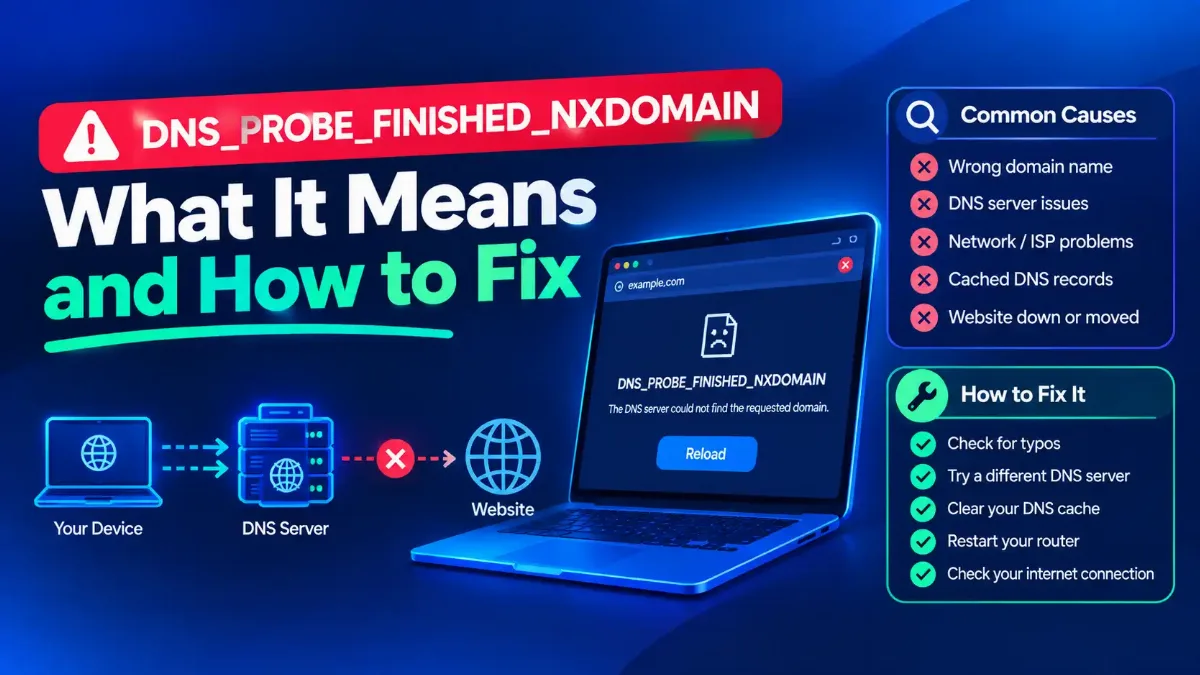
DNS_PROBE_FINISHED_NXDOMAIN does not mean your DNS is broken. It means a lookup ran all the way to the end and came back with an answer, and the answer was that the name you asked for does not exist. Cloudflare's own troubleshooting documentation puts it in one line: the lookup completed, and the result was that the domain does not exist.
That distinction changes what you should do first. Of the four ranking guides I opened for this article, two open straight into a list of repairs and the other two arrive at the same list by their second heading. Those repairs only help in some cases, and which cases depends entirely on one question none of them asks: who produced that answer, and were they in a position to know?
This guide answers that question before touching a single setting. It covers what the code means in the DNS standards, the four places the answer can actually come from, how long a wrong answer can stick around and what governs that, and why the popular advice to add www is wrong at the protocol level.

Quick Answer: What Does This Error Mean?
What DNS_PROBE_FINISHED_NXDOMAIN Actually Reports
Read the string from the left and it tells its own story. Cloudflare's documentation spells the halves out: "DNS_PROBE_FINISHED means that the DNS probe ran to completion and NXDOMAIN stands for non-existent domain." Finished, not failed.
NXDOMAIN is not a connection problem, a timeout, or a sign your network is misconfigured. It is a returned value. The DNS specification, RFC 1035, defines it at section 4.1.1 as response code 3, and the wording of that definition is the most useful sentence in this whole subject. The name itself came later: RFC 9499, the current DNS terminology document from March 2024, records in its response-code section that RFC 2308 "established NXDOMAIN as a synonym for Name Error".
"Name Error - Meaningful only for responses from an authoritative name server, this code signifies that the domain name referenced in the query does not exist." Read the first clause twice. The standard says this code carries meaning only when it comes from a server that is authoritative for the name.
That is the pivot the entire ranking field misses. If the answer came from the domain's own authoritative servers, then it is correct and no local repair changes it. If it came from anywhere nearer to you, it may be wrong, and then a local repair is exactly what fixes it.
So the first move is not to run commands. It is to work out which of those two situations you are in, which takes about a minute. That also explains why the same fix list works brilliantly for one reader and does nothing at all for the next.
Who Told You the Name Does Not Exist
Four different parties can hand your browser an NXDOMAIN, and only one of them is the authority RFC 1035 means. Knowing which you are dealing with tells you whether to repair your machine or stop trying. If the chain from root server to answer is not fresh in your mind, the path a lookup takes before anything reaches your browser sets out where each of these four sits.
The first is the authoritative server for the domain, answering correctly because the name really is not there. The second is a resolver serving a negative answer it cached earlier, which may since have become wrong. Both look identical in the browser.
The third is a filtering resolver configured to answer blocked names this way. That gets its own section below, because the default behavior is the opposite of what most people assume.
The fourth is your own machine. Microsoft's Windows Server reference "DNS Processes and Interactions" says of the local resolver cache that "If a Hosts file is configured locally, any host name-to-address mappings from that file are loaded into the cache when the DNS Client service is started." So a Hosts entry is not a step after the cache, it is loaded into the cache, and only "If the query does not match an entry in the cache" does the client query a server at all.
| Who produced the answer | Can flushing or switching resolver help? | What actually resolves it |
|---|---|---|
| The domain's authoritative servers | No. The answer is correct and every resolver will get the same one | The domain owner republishing the name, or you correcting the spelling |
| A resolver holding a cached negative answer | Yes. A different resolver has a different cache | Waiting out the negative TTL, or querying a resolver that never cached it |
| A filtering resolver set to answer blocks this way | Yes, and that is the warning sign | Deciding whether you wanted that name blocked in the first place |
| Your own Hosts file or DNS client cache | Flushing yes, switching resolver no | Removing the entry, since the query never reaches a server |
This table is why two readers can follow identical instructions and get opposite outcomes. It is also why "switching to a public resolver fixed it" is a diagnosis rather than a victory. If changing resolver changed the answer, the original was never authoritative, and something between you and the domain was producing it.
Check Whether the Domain Is Simply Gone
The dullest explanation is the most common, and the fastest to rule out. The domain expired, was never registered, lost its delegation, or you mistyped it. Several ranking guides do tell you to check this, to their credit.
What none of those four does is show you how to read the answer. UptimeRobot's guide, updated 12 June 2026, says to "Double-check your domain registration status; expired domains return NXDOMAIN errors" and stops there. Hostinger's, updated 15 June 2026, gets one step further with "Use an ICANN lookup tool to confirm the domain status", then never says which status matters.
The statuses matter a great deal, because they distinguish four different situations that produce the same browser error. A registration lookup will show you which one you have, and read the registry's own status codes and expiry for the name is the whole of the work.
If the record comes back with no match at all, the name was never registered or has already been released, and nothing on your side will ever load it. If it exists but carries clientHold, ICANN describes that code as one that "tells your domain's registry to not activate your domain in the DNS and as a consequence, it will not resolve", and calls it "an uncommon status that is usually enacted during legal disputes, non-payment, or when your domain is subject to deletion".
A name not activated in the DNS is absent from its parent zone, and that absence is what produces the answer you are reading. A second hold code is worth knowing because the remedy differs: ICANN describes serverHold as set by the registry operator rather than the registrar, with the same effect that "Your domain is not activated in the DNS." The fourth case is a record with ordinary status listing no nameservers at all, where the delegation is simply missing.
Notice what this does to the diagnosis. A registration under either hold has not expired and has not been deleted, so a reader glancing at the dates sees nothing wrong. The status code is what tells you, and it sits in the lookup output beside those dates, which is why reading the status matters more than reading the expiry.
Only the missing-delegation case is a DNS problem in the ordinary sense, and not one of the four is fixable from your laptop. Ruling them out costs a minute and saves you from running repairs against a name that is not being published at all.
How Long Before a Wrong Answer Clears Itself
Here is the question every guide leaves unanswered. You have just launched a site, or fixed a record, and the browser still says the name does not exist. How long does that last, and what decides it?
Negative answers are cached deliberately, and the rule is written down. RFC 2308, the standard governing negative caching, published March 1998, states at section 3 that "The TTL of this record is set from the minimum of the MINIMUM field of the SOA record and the TTL of the SOA itself, and indicates how long a resolver may cache the negative answer."
So the wait is not arbitrary. It is governed by the zone's own SOA record, specifically whichever is lower of the SOA MINIMUM field and the TTL on the SOA itself. That value is published, which means you can look it up rather than refresh hopefully.
One qualification matters, and it is why that number is a ceiling rather than a countdown. The same RFC tells resolver authors to impose their own limit, because "the protocol supports caching for up to 68 years", and adds that "Such a limit should not be greater than that applied to positive answers and preferably be tunable". A resolver may therefore hold the answer for less time than the zone asked for, though not sensibly for more.
On the practical size of the wait the same RFC is specific: "Values of one to three hours have been found to work well and would make sensible a default. Values exceeding one day have been found to be problematic." That is guidance to resolver authors rather than a promise about your own wait, but it sets the expected order of magnitude. RFC 8020 puts the principle in one clause worth remembering, that "The fact that a subtree does not exist is not forever".
The part worth doing before you wait
One caution on that second step. Proving the name exists elsewhere does not fix your own resolver, it only tells you the answer you were given was stale. If you then leave your machine pointed at a public resolver permanently, you have changed your privacy and filtering posture to work around a cache that would have expired anyway.
The Test That Costs Nothing
Before any command, do this. Open the same address on a phone with Wi-Fi turned off, using mobile data. It takes fifteen seconds and splits the problem cleanly in half.
If the phone loads the site on mobile data, the name exists and resolves correctly somewhere in the world. Your problem is local to your machine, your router or your resolver, and every repair in the standard list is now worth trying. If the phone shows the same error on a different network and resolver, the answer is very likely authoritative, and no flushing will change it.
None of the four frames that comparison as a test, though it answers the question their fix lists quietly assume. The reason it works is the table above: you have just swapped out the resolver, the cache and the local machine in a single move, without typing a command.
A second free check is to query the name from a command line rather than a browser, because a browser keeps its own DNS cache separate from the operating system's. That distinction matters whenever the browser and the system disagree, and the commands that ask for a name without a browser in the way has the syntax for Windows and macOS.
What Your Own Filter Actually Returns
If you run Pi-hole, AdGuard Home, NextDNS or a filtering service at the router, you may assume a blocked domain is the explanation. It is worth checking, because the default behavior is the opposite of what almost everyone assumes, and the documentation is explicit about it.
Pi-hole's documentation on its blocking modes describes five of them and names the default clearly. NULL mode "is both the default and recommended mode" and answers blocked queries with the unspecified address, 0.0.0.0 or double colon. That is an address, not a nonexistence. A blocked domain on a default Pi-hole does not produce NXDOMAIN at all.
NXDOMAIN is available, but you have to choose it. The same page says that in NXDOMAIN mode blocked queries are answered with an empty response and status NXDOMAIN, and it italicizes the point that the reply carries no answer section. AdGuard Home exposes an equivalent setting, documented as "nxdomain: Respond with NXDOMAIN code", alongside modes that return a zero address instead. One caution: one of its five values is itself named "default" and returns a zero address, though the documentation never states which mode actually ships as the default.
| Pi-hole blocking mode | What a blocked name returns | Would it show this error? |
|---|---|---|
| NULL, the documented default | The unspecified address, 0.0.0.0 or double colon | No. You get a failed connection, not a missing name |
| IP, and IP-NODATA-AAAA | Your Pi-hole's own local address | No |
| NODATA | Empty answer with status NODATA, meaning the name exists | No |
| NXDOMAIN, opt-in only | Empty answer with status NXDOMAIN | Yes, and this is the only mode that would |
The practical consequence is a clean test. If your filter sits on defaults and you are seeing this error, the filter is probably not the cause and you should keep looking. If someone did set NXDOMAIN mode, then the error is the filter working exactly as instructed, and switching to a public resolver will make the site reappear.
That last point deserves stating plainly, because it is how people misread their own setup. Switching resolver and watching the site come back does not prove your DNS was broken. It proves something local was answering, and a filter you installed on purpose is the most common something. If you would rather block at a layer that reports itself clearly, how filtering resolvers compare on what they return and log is the relevant comparison.
Why Adding www Is Wrong at the Protocol Level
A common suggestion is to try the address with www in front, or without it. As a way of catching a typo that is reasonable. As a fix for NXDOMAIN it contradicts the standard, and there is an RFC whose entire purpose is to say so.
RFC 8020, whose title is the argument, was published November 2016 by Stephane Bortzmeyer of AFNIC and Shumon Huque of Verisign Labs. It is called "NXDOMAIN: There Really Is Nothing Underneath". Its abstract reads in full: "This document states clearly that when a DNS resolver receives a response with a response code of NXDOMAIN, it means that the domain name which is thus denied AND ALL THE NAMES UNDER IT do not exist. This document clarifies RFC 1034 and modifies a portion of RFC 2308: it updates both of them."
The capitals are the RFC's own. If a lookup for a domain returns NXDOMAIN, then every name beneath it is also nonexistent, so trying the same domain with a subdomain in front cannot succeed. Section 2 puts the requirement on resolvers: on receiving such a response a resolver "SHOULD store it in its cache and then all names and resource record sets (RRsets) at or below that node SHOULD be considered unreachable."
Two honest caveats, both from the same document. The behavior is a SHOULD rather than a MUST, and the RFC allows an exception: "if a resolver has cached data under the NXDOMAIN cut, it MAY continue to send it as a reply (until the TTL of this cached data expires)". So in practice a subdomain can still answer for a while, which is why the trick occasionally appears to work.
The second caveat is the one that catches people out, and the RFC opens it with the word "Warning": "if there is a chain of CNAME (or DNAME), the name that does not exist is the last of the chain ([RFC6604]) and not the QNAME." If the address you typed is an alias, the missing name may be something else entirely, several hops away and nowhere in your address bar.
There is a third possibility, and the same RFC names it as a fault rather than a feature. Some servers answer a name that exists but holds no records of the requested type with NXDOMAIN, when the correct answer is NODATA. RFC 8020 is blunt about it: "we see authoritative name servers that reply to ENT ([RFC7719], Section 6) with NXDOMAIN instead of the normal NODATA ([RFC7719], Section 3)." When that happens the name you wanted really does exist, and the error you are reading is the server's mistake rather than yours.
Where the Steps Differ, By Situation
On Windows, clearing the system resolver cache and clearing the browser's own cache are two different actions. Doing only one leaves the other holding the old answer, which is why a flush sometimes appears to achieve nothing. On Android the usual culprit is a Private DNS setting that stays active on every network you join.
| Platform | What to clear, and where | The thing people miss |
|---|---|---|
| Windows | The system resolver cache, then the browser's own DNS cache separately | Check the Hosts file. Microsoft documents that its entries are loaded into the resolver cache when the service starts |
| macOS | The directory service cache, then the browser | A configuration profile can pin resolvers, and it survives changing networks |
| Android | The browser's site data, then review Private DNS in network settings | Private DNS applies on every network, so one device fails while the rest of the house is fine |
| iPhone and iPad | Toggle airplane mode, or forget and rejoin the network | A VPN or content-filter profile can supply its own resolver without announcing it |
| Router, any platform | Reboot, and read which resolvers it hands out over DHCP | If the router points at a filtering resolver, every device inherits the same answer |
Two habits save more time than any of those steps. Test in a private window first, which sidesteps most browser-level caching without touching your logins. And change one thing at a time, since changing three and succeeding teaches you nothing.
That Android case produces the pattern people describe as inexplicable: one device fails everywhere while every other device on the same Wi-Fi is fine. A device-level resolver setting travels with the device. So the Android setting that overrides every network you join is the first thing to check there.
One error is worth not confusing with this one. "DNS server not responding" means no answer arrived at all, which is the opposite situation with different causes and different repairs. What it means when nothing answers, rather than something answering no covers that case separately.
The Short Version
This error reports a completed lookup whose answer was that the name does not exist. RFC 1035 defines the code as meaningful only from an authoritative server, so the first question is whether the answer came from the authority or from something nearer to you.
Check the registration before you change a setting, because an expired name or a clientHold status cannot be fixed from your machine. Then compare against a phone on mobile data, which swaps your resolver, your cache and your computer in one move. If that works and your machine does not, the repairs are worth running; if it fails too, they are not. Where your resolver came from in the first place is usually your router, and how a device is handed its addresses and its resolvers explains why every machine in a house can inherit the same wrong answer.
And if you have just fixed a record and the old answer persists, the wait has a published length: the lower of the SOA MINIMUM field and the SOA's own TTL, per RFC 2308. DNS_PROBE_FINISHED_NXDOMAIN is, in the end, a precise answer to a precise question, and it deserves a precise reading rather than a checklist. If the wider network layer is what you are chasing rather than this one name, the checks that apply when addresses rather than names stop resolving starts from the other end of the same problem.